

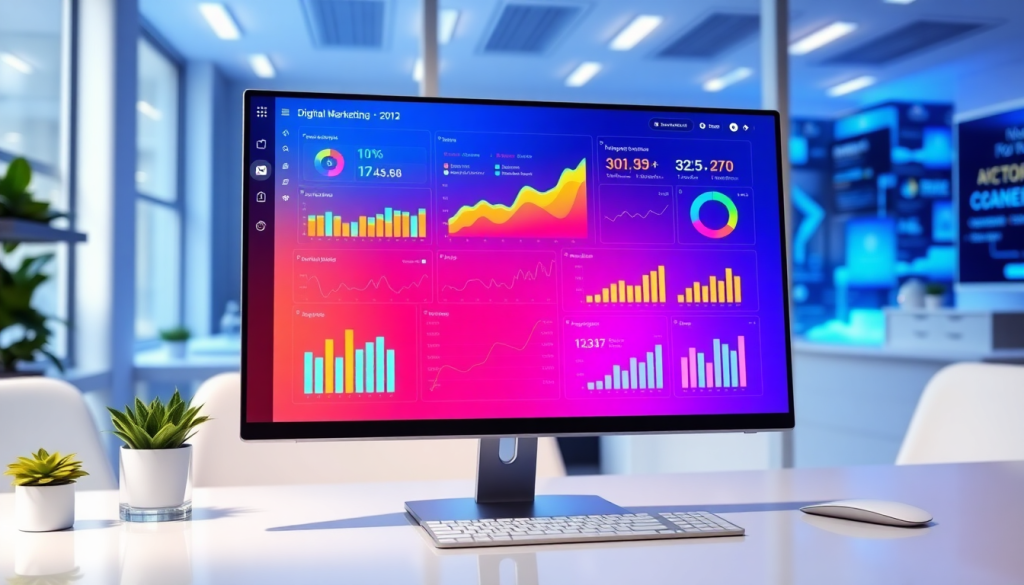
Digital Marketing KPI Dashboard: Visualize Metrics & Performance
A digital marketing KPI dashboard brings all your most important marketing metrics into one interactive platform, making it easier to track, analyze, and act on campaign performance in real time. Whether you’re managing multiple channels, reporting to clients, or keeping your team aligned on goals, an effective dashboard saves hours of manual work and uncovers actionable insights you might otherwise miss. This guide will help you understand what to look for in a dashboard, how to use automated KPI reporting, and why AI-powered analytics are changing the way marketers work.
What Is a Digital Marketing KPI Dashboard?
A digital marketing KPI dashboard is a centralized, interactive platform that aggregates and visualizes your most important marketing metrics—key performance indicators (KPIs)—in real time. For today’s marketers, it’s a vital tool that replaces the chaos of scattered spreadsheets and static reports with a unified, dynamic view of campaign performance across all channels.
Unlike traditional reports, which are often siloed, manually updated, and quickly outdated, a digital marketing KPI dashboard offers continuous, up-to-date insights. It pulls data from multiple sources—such as ad platforms, social media, email, and web analytics—into one place, allowing teams to monitor, analyze, and act on KPIs without delay. This shift from static to interactive reporting empowers marketers to spot trends, diagnose issues, and make data-driven decisions at the speed their business demands.
Key features of a robust dashboard include intuitive marketing metrics visualization (think clear charts, graphs, and scorecards), campaign KPI monitoring that tracks progress toward goals, and interactive performance metrics that let users filter, drill down, and explore data from different angles. These capabilities not only save time but also help uncover insights that drive better results. Whether you’re an agency managing hundreds of client accounts or a brand with multiple locations, a digital marketing KPI dashboard provides the clarity and agility needed to thrive in a fast-moving digital landscape.
To see how an all-in-one platform can unify your marketing data and reporting, learn more about TapClicks, the complete marketing operations solution for agencies and brands.
Essential Metrics Every Marketing Performance Dashboard Should Track
To maximize the impact of your marketing campaigns, your dashboard needs to track the right key performance indicators (KPIs) — the metrics that matter most for driving results and optimizing spend. A well-constructed marketing performance dashboard brings together essential KPIs from across all your channels, offering a unified, real-time view that enables smarter, faster decision-making.
Core KPIs for Digital Marketing Dashboards
1. Impressions:
Impressions measure how often your ads or content are displayed to users. Monitoring impressions helps you gauge the reach and visibility of your campaigns across different platforms.
2. Clicks and Click-Through Rate (CTR):
Clicks count the number of times users interact with your ads or links, while CTR expresses clicks as a percentage of impressions. High CTRs indicate compelling creative and effective targeting.
3. Conversions and Conversion Rate:
Conversions are the actions you want users to take — such as filling out a form, making a purchase, or signing up for a newsletter. Conversion rate shows the percentage of visitors who complete these actions, offering direct insight into campaign effectiveness.
4. Cost Per Click (CPC) and Cost Per Acquisition (CPA):
CPC tracks your average spend for each ad click, while CPA reflects the cost to acquire a customer or lead. Together, these metrics help you optimize budget allocation and assess campaign efficiency.
5. Return on Investment (ROI) and Return on Ad Spend (ROAS):
ROI and ROAS measure the financial return generated from your marketing investments. These are critical for aligning marketing efforts with overall business goals and justifying spend to stakeholders.
6. Engagement Metrics:
Metrics such as likes, shares, comments, and time on site gauge audience interaction and content resonance, helping you understand what drives deeper engagement.
Why These Metrics Matter
Tracking these KPIs enables marketers to:
- Optimize campaigns in real time: By monitoring performance as it happens, you can quickly spot what’s working and what needs adjustment.
- Prove and improve ROI: Clear visibility into spend and outcomes makes it easier to demonstrate marketing’s impact and refine strategies for better results.
- Identify trends and opportunities: Cross-channel analytics reveal patterns and areas for growth that may be missed in siloed reports.
Holistic View with Cross-Channel Dashboards
A modern marketing performance dashboard, such as those powered by TapClicks, pulls data from all your channels—social, search, display, email, and more—into a single, interactive view. For example, a digital agency managing multiple client accounts can see impressions, clicks, conversions, and ROI for Google Ads, Facebook, and programmatic campaigns side by side. This unified approach supports smarter budget allocation, more accurate attribution, and streamlined reporting for clients or internal teams.
In summary, ensuring your dashboard tracks these essential KPIs—and does so across all your marketing channels—is the foundation for data-driven growth, efficient reporting, and ongoing campaign optimization.
Why Automated KPI Reports and Real-Time Data Matter for Modern Marketers
Manually managing spreadsheets and assembling slide decks can slow down even the most agile marketing teams. Automated KPI reporting turns this process on its head—delivering up-to-the-minute insights, reducing errors, and freeing up valuable time for strategic work.
How Automation Transforms Reporting
Here’s what automated reports and real-time dashboards bring to the table:
- Continuous Data Sync: No more waiting for end-of-month numbers—your dashboards update themselves, so you always see the freshest results.
- Major Time Savings: Analysts and account managers can reclaim 50+ hours per month, previously lost to manual data pulls and formatting.
- Error Reduction: Automation eliminates the risk of copy-paste mistakes or outdated metrics slipping into client reports.
Real-Time Dashboards: From Data to Action
Having the latest data isn’t just about looking smart—it’s about acting fast. With real-time dashboards, you can:
- Spot Trends Instantly: Identify campaign surges, dips, or anomalies as they happen.
- Optimize on the Fly: Reallocate budgets, tweak ad creative, or shift resources with confidence—no more waiting for the next reporting cycle.
- Keep Teams Aligned: Ensure marketing, sales, and leadership are working from the same playbook, every single day.
Consistency and Reliability for Agencies
If you’re managing multiple clients or campaigns, automation delivers:
- Scheduled Reports: Never miss a deadline—stakeholders receive regular, branded updates automatically.
- Interactive Dashboards: Dive deep into campaign KPIs anytime, without chasing down raw data.
- Streamlined Processes: As detailed in this TapClicks article, dashboard automation can dramatically decrease turnaround times and boost client satisfaction.
Why This Isn’t Just a “Nice-to-Have”
Automated KPI reporting and real-time data access have become table stakes for teams that want to:
- Scale operations without ballooning headcount
- Deliver more value to clients (and prove it with data)
- Stay ahead of the competition with faster, smarter decision-making
Ready to transform your reporting workflow?
A unified marketing operations platform like TapClicks brings your metrics, insights, and automation together—so you can focus on what really moves the needle.
How to Visualize Marketing Metrics for Better Insights
Effective visualization is the heart of any digital marketing KPI dashboard. It’s not just about making numbers look pretty—the way you visualize marketing metrics can dramatically impact how quickly and accurately you identify trends, spot anomalies, and uncover actionable insights.
1. Choose the Right Visualization Types
There’s more to a dashboard than pie charts and bar graphs. The best platforms offer a spectrum of visualization options, each suited to different types of marketing data:
- Line graphs reveal performance trends over time, making them ideal for tracking metrics like website traffic, ad spend, or conversion rates across weeks and months.
- Bar and column charts are perfect for comparing categories, such as campaign performance by channel or region.
- Tables allow for granular, side-by-side analysis—think keyword-level PPC results or segmented email campaign stats.
- Heatmaps and geo-maps visualize engagement or sales by location, helping you pinpoint regional opportunities.
- Funnel charts illustrate drop-off points in conversion journeys, highlighting where optimization efforts can have the most impact.
2. Embrace Interactivity for Deeper Analysis
Static charts limit your ability to drill down into the “why” behind the numbers. Interactive performance metrics—such as clickable filters, date range selectors, and dynamic drill-downs—enable users to explore data in context. For example, you can filter results by campaign, audience segment, or geography to surface hidden patterns and root causes.
Interactive dashboards also empower stakeholders to answer their own questions in real time, reducing back-and-forth requests and accelerating decision-making.
3. Prioritize Customization and Data Exploration
No two marketing teams are exactly alike, and your dashboard should reflect your unique goals and workflows. Look for dashboard tools that support:
- Customizable layouts: Organize KPIs and visualizations to match your reporting priorities.
- Flexible widgets and modules: Add or remove metrics based on audience needs—executive summaries for leadership, granular breakdowns for analysts.
- Ad hoc reporting: Build, save, and share custom views on the fly, without IT intervention.
A platform like TapClicks stands out by offering extensive customization and self-serve data exploration, so every stakeholder—from the CMO to the campaign manager—can interact with the data that matters most to them.
Pro tip: When evaluating dashboard tools, prioritize those that make it easy to blend data from multiple sources and present it in intuitive, interactive formats. This not only enhances clarity but also empowers everyone on your team to make smarter, faster decisions.
Cross-Channel Analytics: Unifying Data for Smarter Decisions
In today’s fragmented marketing landscape, campaigns rarely live on a single channel. Marketers juggle paid search, social ads, display, email, and even offline touchpoints—each generating its own data silos. That’s why integrating data from multiple sources isn’t just a convenience; it’s essential for accurate digital campaign reporting and meaningful performance analysis.
A cross-channel analytics dashboard consolidates campaign results from every channel—Google Ads, Facebook, LinkedIn, programmatic, and countless others—into a unified view. This holistic approach enables marketers to monitor campaign KPIs side-by-side, revealing how channels interact, where spend is most effective, and where optimization efforts will have the biggest impact. Instead of toggling between dozens of platforms and manually stitching together spreadsheets, marketers can instantly spot trends, correlations, and opportunities across all efforts.
With a unified dashboard, you can answer questions that are nearly impossible to solve with isolated data: Which channels drive the highest ROI when combined? Are certain audiences responding better to cross-platform messaging? Where are there gaps or overlaps in campaign reach? This granular, multi-source visibility empowers smarter decisions—whether reallocating budget, tweaking messaging, or adjusting creative based on true performance, not guesswork.
For agencies and brands managing complex, multi-channel campaigns, the operational benefits are massive. Automated data aggregation reduces manual errors, saves hours each week, and ensures your reporting is always up-to-date for stakeholders. To see how streamlined cross-channel reporting can transform your analytics, check out "Boost Analytics Reporting".
By unifying your marketing data, a cross-channel analytics dashboard becomes the foundation for comprehensive campaign KPI monitoring—and a powerful tool for driving better results. To learn more about how platforms like TapClicks make this possible at scale, visit TapClicks.
Leveraging AI for Marketing Data Insights
The rise of AI-powered marketing dashboards is transforming how teams extract value from their digital marketing data. Instead of relying solely on manual analysis or standard visualizations, an AI marketing dashboard automatically scans your data for patterns, anomalies, and opportunities—delivering insights that might otherwise go unnoticed.
AI in Predictive Analytics and Anomaly Detection
AI enhances digital marketing KPI dashboards by providing predictive analytics that forecast trends, budget pacing, and campaign outcomes based on historical and real-time data. This means you can anticipate shifts in audience behavior or spot performance dips before they impact your results. AI-driven tools also excel at anomaly detection, flagging unusual spikes or drops in key metrics, so you can address issues or capitalize on opportunities faster.
Automated Recommendations for Smarter Campaigns
Modern dashboards, like those powered by TapClicks, go beyond reporting. AI agents analyze your campaign data and automatically generate actionable recommendations—whether it’s reallocating budget to high-performing channels, identifying underperforming creatives, or suggesting optimization tactics. This automation saves marketers hours of manual work and ensures you’re always acting on the freshest insights.
The Competitive Advantage of AI-Driven Insights
Adopting an AI marketing dashboard offers a significant edge: teams spend less time crunching numbers and more time executing impactful strategies. By surfacing insights proactively and delivering them directly to stakeholders (sometimes even via automated emails), AI-driven dashboards help agencies and brands move faster, make smarter decisions, and ultimately drive better marketing ROI. For organizations managing complex, multi-channel campaigns, this is a game-changer in staying ahead of competitors and exceeding client expectations.
Choosing the Right Marketing KPI Dashboard for Your Team
Selecting the best marketing KPI dashboard is a strategic decision that can significantly impact your team’s efficiency, clarity, and ability to act on insights. As the marketplace becomes more crowded—with platforms ranging from lightweight reporting tools to fully integrated marketing operations platforms—knowing what to look for is essential.
Key Factors to Consider
- Integration Capabilities: Look for a dashboard that easily connects to all your vital marketing, advertising, and business data sources. Robust integration ensures you can pull in cross-channel metrics—from paid ads to social to web analytics—without manual data wrangling.
- Scalability: Whether you’re an agency juggling hundreds of client dashboards or a brand with multi-location reporting needs, your dashboard must handle large data volumes and user access at scale. The ability to grow with your business is critical.
- Ease of Use: A powerful dashboard should empower marketers, not require a data science degree. Prioritize intuitive, drag-and-drop interfaces and customizable templates that let your team build and modify reports with minimal training.
- Automation Features: Automation capabilities—like scheduled reporting, email delivery, and AI-powered insights—save hours of manual work and ensure stakeholders always have the latest data at their fingertips.
Comparing Your Options
- Agencies & Media Companies: Agencies need dashboards that support multi-client management, white-label reporting, role-based access, and collaboration tools to streamline workflow across teams.
- Brands: For brands, especially those with multiple locations or business units, look for dashboards that offer consolidated analytics, budget monitoring, and deep performance breakdowns across regions or channels.
- Enterprise Teams: Enterprises often require a marketing data hub capable of feeding cleaned, enriched data into existing BI tools or CRMs, as well as handling complex reporting hierarchies and user permissions.
For a more in-depth comparison and strategic guidance, see our internal guide: "Smarter Analytics Reporting".
Ultimately, the right dashboard should unify your marketing data, automate routine reporting, and surface actionable insights—helping your team focus less on manual tasks and more on driving results. Learn more about how TapClicks delivers on these needs by visiting the TapClicks website.
Rolling Out a Marketing KPI Dashboard: Steps for a Smooth Launch
A well-implemented digital marketing KPI dashboard can empower your team to make smarter, faster decisions. But the real magic happens when you launch with a plan. Here’s how to set yourself up for reporting success—without the headaches.
Step 1: Start with the Right People and Goals
Before any dashboard build, ask:
- Who will use the dashboard?
- Internal teams
- Clients
- Executives
- What outcomes matter?
- Gather input from stakeholders on key performance indicators (KPIs)
- Align metrics with campaign and business objectives
Step 2: Know Your Data Inside and Out
Create a quick data inventory:
| Platform Type | Examples | Integration Ready? |
|---|---|---|
| Ad Platforms | Google Ads, Meta, LinkedIn Ads | Yes/No |
| Analytics Tools | Google Analytics, Mixpanel | Yes/No |
| CRM Systems | Salesforce, HubSpot | Yes/No |
| Others | Call tracking, eCommerce, etc. | Yes/No |
- Identify any custom data sources or manual imports needed.
- Select a dashboard tool (like TapClicks) with robust, prebuilt connectors.
Step 3: Design with the End-User in Mind
Keep dashboards clear and actionable:
- Group metrics by channel, campaign, or funnel stage
- Use visualizations—charts, tables, and graphs that spotlight trends (not just numbers)
- Limit clutter: Only show what matters to the viewer
Step 4: Automate Everything You Can
Save time and reduce errors by:
- Scheduling automatic data refreshes (hourly, daily, etc.)
- Automating report delivery—set up recurring emails to stakeholders
- Centralizing feedback—make it easy for users to comment and request changes
Step 5: Train, Guide, and Empower Your Team
Checklist for onboarding success:
- Provide live walkthroughs or video tutorials
- Share quick-reference guides and FAQs
- Encourage users to personalize views and explore filters
Step 6: Make Optimization a Habit
Continuous improvement is key:
- Set monthly or quarterly review meetings
- Gather feedback on what’s working (or not)
- Update KPIs, layouts, and automations as business needs evolve
Ready to Take Action?
- Audit your current reporting: Where are the bottlenecks or manual pain points?
- Spot quick wins: Which dashboards or reports could be automated first?
- Explore solutions: Platforms like TapClicks offer unified data, easy customization, and automated insights at scale.
Need inspiration? Check out our guide: Boost Agency Reporting Efficiency with Dashboard Automation.
With the right foundation, your dashboard becomes more than a report—it’s your team’s command center for clarity, collaboration, and continuous marketing improvement.
Start Automating Your Marketing Data Today!
No Credit Card Required.

