

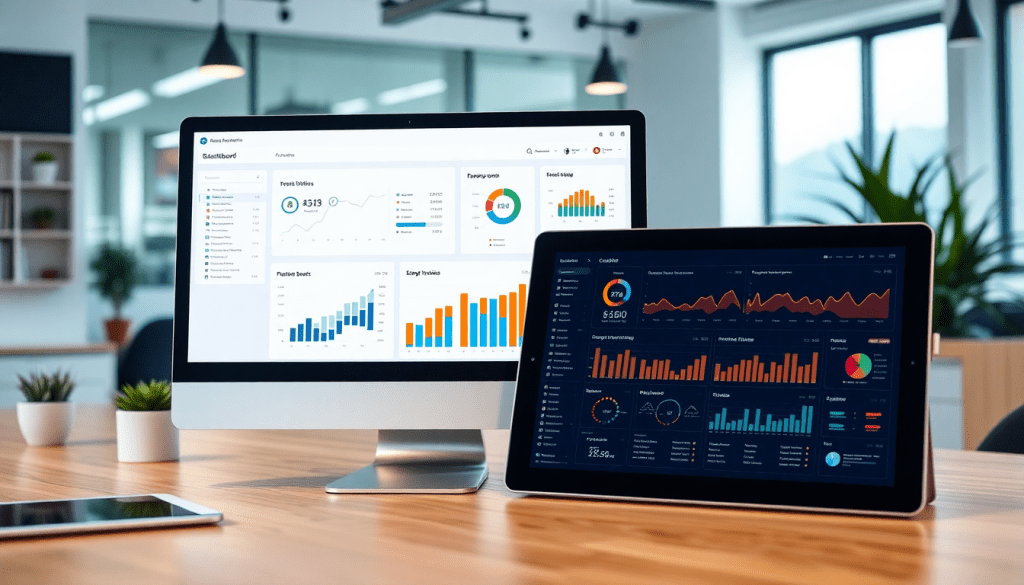
White-Label Marketing Dashboard for Agencies: Ultimate Guide
Agencies are under constant pressure to deliver clear, compelling, and on-brand reporting to clients—without drowning in manual data wrangling. A white-label marketing dashboard solves this challenge, empowering agencies to present real-time analytics, automate client reporting, and showcase results in a fully branded environment. This guide unpacks what makes a great agency reporting platform, how customizable dashboards drive client trust, and why automation is the key to scaling your services efficiently. Whether you’re looking to upgrade your current solution or exploring white-label dashboards for the first time, you’ll find practical advice and expert insights to help you make the right choice.
What Is a White-Label Marketing Dashboard for Agencies?
A white-label marketing dashboard is a reporting solution that empowers agencies to deliver analytics and campaign performance insights to clients under their own brand. In this context, “white-label” means the platform is fully customizable—agencies can tailor the dashboard interface, reports, login screens, and even the URL to reflect their own branding, not the software vendor’s. This enables agencies to create a seamless, professional experience that builds trust and reinforces their value as strategic partners.
Essential Features of a White-Label Dashboard
At its core, a white-label platform should offer:
- Branding Control: The ability to add your agency’s logo, colors, and messaging, so every touchpoint—from dashboard logins to scheduled reports—looks and feels like your own product.
- Robust Data Connectors: Integration with a wide range of marketing, advertising, and business data sources (social, search, programmatic, CRM, and more), consolidating siloed campaign data into unified dashboards.
- Granular Permissions: Role-based access lets agencies control what clients, account managers, or executives see, ensuring sensitive information stays protected and each user views only what matters to them.
- Automation: Features like scheduled report delivery, auto-updating dashboards, and workflow tools reduce manual effort, so teams spend less time on data wrangling and more on strategy.
Basic Dashboards vs. Purpose-Built Agency Reporting Platforms
While basic dashboards (like those in Google Data Studio or spreadsheet-based reporting) offer simple data visualization, they often fall short for agencies managing multiple clients and channels. In contrast, purpose-built agency reporting platforms are designed for scale, with advanced automation, multi-client management, and deeper customization. These platforms streamline the entire reporting process—from data collection to client presentation—enabling agencies to deliver consistent, high-quality insights across all accounts.
Why White-Labeling Matters for Agencies of All Sizes
Whether you’re a boutique agency or a global media powerhouse, white-label dashboards deliver clear advantages. For smaller teams, they provide a professional, branded client experience without the need for in-house development. For larger agencies, they enable consistency and efficiency at scale, supporting hundreds of clients with automated, on-brand reporting. Ultimately, white-labeling positions your agency as a tech-savvy, value-driven partner—helping you stand out in a crowded marketplace and win long-term client loyalty.
Learn more about how TapClicks empowers agencies to deliver branded, automated client reporting at TapClicks.com.
Key Benefits: Why Agencies Need White-Label Dashboards
White-label dashboards have become indispensable for agencies seeking to elevate their client reporting, streamline workflows, and reinforce their brand identity. Here’s how these platforms deliver transformative value:
1. Seamless, Branded Client Experiences
Customizable dashboards allow agencies to present data and insights under their own logo, color scheme, and style. This creates a cohesive look and feel across every client touchpoint, making the reporting experience an extension of the agency’s brand—not a generic tool. Clients access their analytics through a familiar, agency-branded portal, which instills trust and professionalism from the very first login.
2. Strengthen Agency Credibility and Retention
Delivering analytics through branded software signals operational maturity and commitment to transparency. Agencies that offer polished, on-brand dashboards stand out in a crowded market and are better positioned to build long-term relationships. Branded dashboards reinforce the agency’s expertise, making it easier to demonstrate value, justify fees, and retain clients.
3. Efficiency Through Automation and Data Visualization
Manual reporting is time-consuming and prone to error—especially when managing dozens or hundreds of client accounts. White-label dashboards automate the collection, transformation, and visualization of data, enabling agencies to deliver real-time, accurate performance updates. Automated KPI reporting means less time spent wrangling spreadsheets or updating slides, and more time optimizing campaigns and serving clients.
4. Scalable, Repeatable Client Onboarding
As agencies grow, onboarding new clients and accounts can be a bottleneck. White-label solutions standardize the reporting process, allowing agencies to quickly spin up new dashboards, configure permissions, and deliver insights—all without reinventing the wheel. This scalability is crucial for agencies managing multi-channel campaigns or large volumes of client accounts.
In short, adopting a white-label dashboard empowers agencies to deliver a professional, branded, and data-driven experience while reclaiming valuable hours previously lost to manual tasks. For those interested in exploring a unified platform designed specifically for agency needs, TapClicks offers a powerful suite of white-label analytics, automation, and reporting solutions.
Must-Have Features in an Agency Reporting Platform
For agencies, the difference between a generic dashboard and a truly transformative white-label marketing platform lies in its feature set. The best agency reporting solutions go far beyond basic charts—they act as a scalable foundation for data-driven client service, seamless collaboration, and effortless branding. Here’s what to look for when evaluating your next platform:
1. Cross-Channel Integrations
Modern agencies work across a dizzying array of marketing and advertising platforms. Your reporting tool should offer deep, native integrations with hundreds (or thousands) of sources—from Google Ads and Facebook to programmatic display, SEO, email, and CRM tools. This unified data approach means you can present holistic performance stories without manual exports or data stitching. Advanced solutions like TapClicks even offer 10,000+ marketing, advertising, and business data connectors and robust ETL/ELT pipelines, ensuring you’ll never be limited by your data sources.
2. Role-Based Access & Permissions
Agencies often serve multiple clients, teams, and stakeholders—each with different needs. Role-based access controls allow you to tailor dashboard views and reporting permissions for account managers, strategists, sales, and, most importantly, clients. Whether you’re managing a single brand or hundreds, granular permissions prevent data leakage and keep sensitive information secure, while enabling effortless multi-client management.
3. Custom Branding & White-Labeling
A standout feature for agencies is the ability to fully customize the look and feel of your dashboards and portals. Top-tier platforms let you apply your agency’s logo, colors, and domain, so every client touchpoint is on-brand. This extends to scheduled reports, login screens, and even user notifications, ensuring your agency—not the software vendor—remains front and center in your clients’ eyes.
4. Automation & Scheduled Reporting
Manual reporting is a time sink that slows down teams and introduces errors. The right white-label platform automates everything from daily data refreshes to weekly or monthly KPI report distributions. Automated scheduling allows you to deliver polished, white-labeled reports directly to client inboxes—no copy-paste required. Look for marketing automation features specifically designed for agencies, such as recurring report templates, performance alerts, and AI-powered insight summaries.
5. Advanced Client Portal Dashboards
Your platform should offer client-facing dashboards that are as powerful as they are intuitive. Clients expect real-time access to campaign performance, budget pacing, and actionable insights—without wading through technical clutter. The best solutions enable agencies to configure dashboards for each client, highlight what matters most, and even embed interactive visualizations. This creates a collaborative, transparent environment that builds trust and drives retention.
To explore these features in greater detail—including enrichment tools, AI-driven recommendations, and multi-location reporting—visit this in-depth feature guide.
A robust agency reporting platform isn’t just a dashboard—it’s the backbone of a scalable, branded, and insight-driven client experience. For agencies ready to unify data, automate operations, and wow clients with every report, platforms like TapClicks deliver the flexibility and power to grow.
How to Make Client Dashboards Stand Out and Deliver Real Value
A great white-label dashboard is more than a reporting tool—it’s a branded experience that reinforces your agency’s value at every interaction. When dashboards are customized for each client, they become essential, trusted resources that highlight what matters most.
Here’s how to turn your dashboards into powerful client relationship assets:
1. Make the Dashboard Look and Feel Like Your Brand
First impressions matter. Ensure your dashboard is a seamless extension of your agency and your client’s brand.
- Add your agency’s logo, colors, and imagery—every login and report should feel unmistakably yours.
- Customize the domain and login page so clients see your agency’s name, not a generic tool.
- Adapt dashboard themes for each client. Match their color palette, fonts, and even imagery for a truly “owned” experience.
Pro Tip: TapClicks makes it easy to white-label every detail, right down to automated emails and scheduled report templates.
2. Shape the Dashboard Around Client Goals—Not Just Data
Every client is unique. Your dashboard should reflect what each client cares about—not just generic metrics.
- Start with their business objectives. Are they focused on lead generation, ROAS, local visibility, or something else?
- Design layouts that spotlight key KPIs, trends, and campaign results—use templates or build from scratch.
- Segment views by region, product line, or business unit for multi-location or franchise clients.
- Add custom widgets and narrative insights so the “why” behind the numbers is always clear.
| Client Type | Dashboard Focus | Example Customization |
|---|---|---|
| E-commerce Brand | ROAS, Conversion Rate | Custom product/category breakdown |
| Franchise/Chain | Location Performance, Local SEO | Regional segmentation, local benchmarks |
| B2B SaaS | Lead Gen, Funnel Performance | Funnel visualizations, lifecycle stages |
3. Automate, Visualize, and Deliver Insights—Not Just Numbers
Manual spreadsheets are history. Today’s dashboards should be dynamic, automated, and always up to date.
- Connect all your channels in one place: Google Ads, Facebook, SEO, programmatic, and more—no more manual imports.
- Automate visualizations: Let the platform create and update charts, graphs, and tables in real time as data flows in.
- Schedule reports: Send branded, interactive reports directly to client inboxes—weekly, monthly, or on demand.
- Embed context: Use AI-generated commentary or performance summaries so clients get insights, not just stats.
Quick Customization Checklist
- Agency and client branding (logos, colors, domains)
- Custom layouts for each client’s KPIs
- Automated data integrations (all key channels)
- Real-time, interactive visualizations
- Scheduled, branded report delivery
- Contextual narratives and insights
By making these moves, you’ll transform client dashboards from static reports into interactive, high-impact engagement tools. They’ll not only look the part—they’ll deliver real, strategic value for your agency and every client you serve.
Want to see how it’s done? Check out this feature guide on white-label dashboard best practices. Or, if you’re ready to scale customization across hundreds of clients, TapClicks gives you the power and flexibility to make every dashboard a showcase of your expertise.
Automated Reporting: Save Time, Impress Clients
The true power of a white-label marketing dashboard lies in its ability to automate the entire reporting process—turning what was once a time-consuming, manual task into a seamless, efficient workflow. Automation not only liberates agency teams from hours of repetitive data pulls and spreadsheet wrangling, but it also ensures that clients receive timely, accurate insights that drive smarter marketing decisions.
Streamlining Agency Workflows
Automated reporting tools are built to simplify and standardize the way agencies collect, process, and present campaign data. Instead of logging into multiple ad platforms, exporting CSVs, and reformatting information for each client, data from all connected sources flows directly into the dashboard in real-time or on a scheduled basis. This means reporting happens in the background—so your team can focus on optimizing campaigns and serving clients, rather than building reports from scratch each month.
For example, with a platform like TapClicks, agencies can set up drag-and-drop dashboards and schedule recurring reports that automatically populate with the latest performance metrics, spanning all integrated channels. This not only saves dozens of hours per analyst each month, but also eliminates the risk of human error that comes with manual data entry.
Boosting Accuracy and Timeliness
Manual reporting is prone to inconsistencies: missed updates, version confusion, and data discrepancies can erode client confidence. Automated dashboards, by contrast, ensure every report is generated from the most current, validated data—delivered right on schedule. Whether clients want weekly, monthly, or even daily insights, white-label dashboards can be configured to push these updates automatically, complete with custom branding and tailored visualizations.
Automated alerts and scheduled email summaries go a step further, flagging key performance shifts as soon as they happen. This proactive approach means clients are always in the loop, and agencies can address issues or highlight wins in real time.
Real-World Examples: Performance Tracking at Scale
Consider a digital marketing agency managing paid search, social, and display campaigns for 50+ clients. With automated dashboards, campaign results from Google Ads, Facebook, LinkedIn, and programmatic platforms are consolidated into unified, branded reports—delivered directly to each client’s inbox. KPIs like cost per acquisition, ROAS, and lead volume are updated automatically, with visualizations that make trends and opportunities instantly clear.
For clients with custom goals or complex attribution models, automation allows agencies to build tailored reporting templates that adapt to each client’s needs—without extra manual effort. The result: higher client satisfaction, streamlined operations, and a reputation for data-driven excellence.
In sum, automated reporting is not just about saving time—it’s about delivering a consistently superior client experience, where insights are always accurate, timely, and on-brand. For agencies looking to scale efficiently while impressing clients at every touchpoint, embracing automation through a white-label dashboard is a strategic must.
Top Use Cases: Agencies Winning with White-Label Dashboards
White-label marketing dashboards have moved from “nice to have” to “must-have” for agencies seeking to deliver value at scale. Let’s explore how agencies across industries are leveraging these platforms to streamline reporting, deepen client relationships, and fuel growth.
1. Multi-Client Management Made Simple
For agencies juggling dozens—or even hundreds—of clients, organizing campaign data and reporting can quickly become overwhelming. White-label dashboards centralize all client accounts in one secure portal, allowing teams to seamlessly toggle between client profiles. This not only reduces the risk of human error but also ensures each client receives a personalized, branded analytics experience. Agencies can assign role-based permissions, ensuring account managers, analysts, and clients only see what’s relevant to them, which keeps sensitive data secure and workflows efficient.
2. Real-Time Campaign Performance Tracking
Agencies that run multi-channel campaigns across search, social, display, and email need unified visibility into performance. With a white-label dashboard, data from all channels is aggregated and visualized in real time—eliminating the chaos of spreadsheets and manual pulls. This empowers agencies and clients alike to track actionable KPIs, spot trends, and identify optimization opportunities instantly. For example, digital marketing and media buying agencies use these dashboards to compare spend, conversions, and ROI across platforms, enabling faster data-driven decisions.
3. Executive Summary Reports That Wow Clients
C-suite clients and brand stakeholders aren’t interested in sifting through raw data—they want clear, digestible insights. White-label dashboards make it easy to automate the delivery of custom-branded executive summary reports on a scheduled basis. These reports highlight the most critical metrics, campaign wins, and optimization recommendations, all within the agency’s brand guidelines. Not only does this boost perceived professionalism, but it also deepens trust and positions the agency as a proactive partner.
Industries Benefiting Most
While white-label dashboards deliver value for nearly any agency, they’re especially transformative for digital marketing firms, media buying agencies, and those supporting multi-location brands. These organizations need scalable solutions that can handle complex client structures and high volumes of data, making robust reporting platforms a game-changer for both efficiency and client satisfaction.
For a deeper look at how industry leaders are selecting and winning with these solutions, check out this top solution comparison.
Ready to see how your agency can leverage white-label dashboards to unlock efficiency, drive retention, and win new business? Explore how TapClicks empowers agencies with unified, customizable, and scalable reporting at tapclicks.com.
Choosing the Right Agency Analytics White-Label Solution
Selecting the ideal white-label analytics dashboard goes far beyond impressive charts or sleek visuals. The right solution should fit seamlessly into your agency’s workflow, enhance the client experience, and scale as your business grows.
Let’s make your evaluation process straightforward:
What Should Your White-Label Dashboard Actually Do?
Here’s what to focus on when assessing platforms:
🔌 Integrations That Matter
- Does it connect with all your data sources?
- Search (Google, Bing, etc.)
- Social (Meta, LinkedIn, TikTok, etc.)
- Programmatic
- CRM and sales platforms
- Niche or proprietary tools (via custom connectors)
🎨 Customization & Branding
- Can you truly white-label everything?
- Dashboard, reports, client portal — your logo, your colors, your domain
- Can you tailor the data experience?
- Custom views, metrics, and visualizations for each client’s KPIs
🧑💻 User Experience for Both Teams and Clients
- Is the interface intuitive for everyone?
- Test navigation, report building, and permission settings
- Can non-technical users self-serve insights?
- Look for simple dashboards with robust access controls
🤖 Automation that Saves Time
- Does it automate tedious tasks?
- Data pulls, scheduled reports, alerts for performance changes
- Will your team spend less time on busywork?
📈 Ready to Scale
- Can it handle your growth?
- Support for hundreds (or thousands) of clients
- Handles large datasets and multi-role teams without lag
🧑🏫 Training & Support
- Will you get the help you need?
- Responsive onboarding, technical support, and a solid knowledge base
How Do the Top Platforms Stack Up?
Here’s a quick comparison table to guide your search:
| Criteria | TapClicks | Funnel.io / Supermetrics | Agency Analytics / NinjaCat |
|---|---|---|---|
| Integration Breadth | 10,000+ connectors | Limited (~500-1000) | Limited (~100-200) |
| Branding Depth | Full white-label | Partial | Partial |
| Automation | Reports + AI | Reports only | Reports only |
| Scalability | Enterprise-grade | SMB to mid-market | SMB |
| Workflow Tools | Built-in (orders, roles) | None | Minimal |
For a deeper dive, check out this solution comparison.
Ask These Questions Before You Buy
Don’t forget to grill your shortlisted vendors:
- What are the hard caps on users, dashboards, or data volume?
- How quickly are new integrations and features released?
- Can we export cleaned data to our BI tool or CRM?
- What does onboarding and ongoing support look like for an agency of our size?
- How is data security and client permissioning handled?
Your Next Steps
A future-proof white-label dashboard should give you:
- Complete branding control
- Automated workflows and AI-driven insights
- Seamless integration with your entire martech stack
- The flexibility and scalability to grow with your agency
Take the time to compare, ask the tough questions, and choose a platform that won’t just meet your needs today—but will power your success tomorrow.
Ready to Launch Your White-Label Dashboard? Here’s How
Launching a white-label marketing dashboard is a game-changer for agencies—but only if you break the process into manageable steps. With the right approach, you’ll deliver branded, automated reporting that delights clients and saves your team hours every week.
Step 1: Onboarding & Initial Customization
Kick things off by choosing a platform that fits your agency’s growth and workflow needs. Most robust solutions, like TapClicks, offer guided onboarding to ensure a smooth start.
What to Tackle First:
-
Brand Your Dashboard:
- Upload your agency’s logo
- Set your color palette
- Configure a custom domain
-
User Setup:
- Assign roles (admins, analysts, clients)
- Define access permissions
-
Data Connection:
- Use native connectors or APIs to link marketing, advertising, and analytics sources
- Test integrations to confirm data is flowing correctly
Step 2: Migrate Your Data & Empower Your Team
A smooth data migration sets the stage for reliable, actionable reporting.
Your Migration & Training Checklist:
-
Map Your Data:
- Identify all current reporting sources
- Note any historical data you want imported
-
Normalize & Blend:
- Use ETL/ELT tools to harmonize data across channels
- Work with platform support to troubleshoot any snags
-
Train Your Team:
- Schedule live walkthroughs
- Share platform tutorials and documentation
- Assign dashboard-building practice projects
Step 3: Client Rollout—From Pilot to Full Launch
With your dashboard ready, start introducing it to clients in a way that maximizes adoption and satisfaction.
Tips for a Smooth Rollout:
-
Pilot Launch:
- Select a handful of clients for early access
- Gather and log their feedback
-
Automate Reporting:
- Set up scheduled, branded report delivery to client inboxes
- Use templates to standardize insights
-
Client Enablement:
- Offer onboarding sessions or quick-start guides
- Provide a support contact for questions
-
Iterate:
- Adjust templates, KPIs, or automations based on feedback
- Fine-tune user permissions as needed
Keep Your Launch on Track: Quick Best Practices
| Best Practice | Why It Matters |
|---|---|
| Communicate early | Sets client expectations and builds excitement |
| Iterate quickly | Ensures the dashboard fits real client needs |
| Monitor adoption | Identifies clients who need extra support |
By following these steps—and making collaboration and feedback central to your process—you’ll launch a white-label dashboard that not only looks great but also drives real value for your clients and your agency.
Conclusion
A white-label marketing dashboard is more than just a reporting tool—it’s a catalyst for agency growth, operational efficiency, and client satisfaction. By unifying data, automating performance insights, and presenting analytics in a fully branded environment, agencies can elevate their value proposition while saving hours of manual effort every week. The right dashboard empowers you to deliver timely, accurate, and visually compelling reports that build trust and demonstrate ROI, no matter the scale or complexity of your client roster.
If your agency is still relying on fragmented spreadsheets or generic reporting tools, now is the time to assess how a customizable, automated platform could transform your workflow and client relationships. The flexibility, automation, and professionalism of a purpose-built solution allow you to scale your services, onboard new clients efficiently, and focus on strategic work instead of repetitive tasks.
Ready to see how a modern white-label dashboard can revolutionize your agency’s analytics and reporting? Explore the latest resources, best practices, and platform capabilities from TapClicks—and take your client reporting to the next level.
Start Automating Your Marketing Data Today!
No Credit Card Required.

