

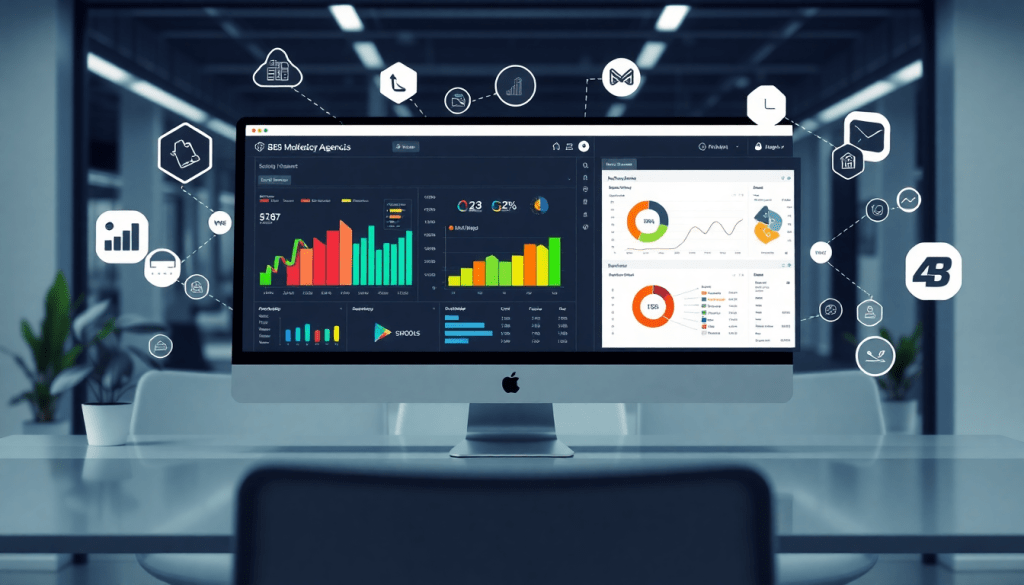
White-Label Marketing Dashboard for Agencies: Customizable & Branded
Agencies today face growing pressure to showcase results, automate reporting, and deliver a seamless client experience—all while managing diverse marketing channels. A white-label marketing dashboard empowers agencies to present data through fully branded, customizable client portals, making analytics clear, actionable, and professional. This guide explores what sets a top-tier agency reporting platform apart, how customizable dashboards can elevate your client relationships, and why automation is the key to scaling your services.
What Does a White-Label Marketing Dashboard Really Do for Agencies?
A white-label marketing dashboard is more than just a place to view numbers—it’s a customizable, agency-branded reporting portal that transforms how you deliver analytics and insights to your clients.
Why Agencies Use White-Label Dashboards
-
Full Custom Branding
- Add your logo, colors, and even your domain name.
- Present a seamless, professional experience that reinforces your agency’s identity.
-
Unified Reporting Hub
- Aggregate data from all channels—Google, Meta, LinkedIn, programmatic, SEO, and more.
- Give clients a single, unified view of every campaign and KPI.
-
Automated KPI Reporting
- Set up scheduled, white-labeled reports that go out automatically.
- Eliminate hours spent on spreadsheets and slide decks.
How White-Label Dashboards Improve Client Relationships
-
Build Trust and Authority
- Clients interact with your branded portal (not a third-party tool).
- Reinforces your position as a tech-enabled, strategic partner—not just another vendor.
-
Showcase Results, Not Just Data
- Automated visualizations make performance insights easy to understand.
- Let the data work for you—freeing up your team to focus on strategy.
The Real-World Impact
| Agency Challenge | How White-Label Dashboards Help |
|---|---|
| Manual report building | Automated, scheduled white-label reports |
| Generic, unbranded portals | Custom-branded experiences build loyalty |
| Siloed data across channels | Unified, cross-channel analytics in one view |
| Time spent on admin tasks | More bandwidth for creative and strategy |
Ready to See the Impact?
For a deeper look at how dashboard automation can transform your agency’s reporting, check out this guide: How Dashboard Automation Boosts Agency Reporting.
Key Features of the Best Agency Reporting Platform
The right agency reporting platform acts as the backbone of a high-performing marketing agency, enabling seamless client communication, precise data tracking, and impactful performance insights. Here are the must-have features that distinguish a top-tier white-label marketing dashboard:
1. Customizable Client Dashboards
A superior agency reporting platform provides fully customizable dashboards tailored to each client’s unique needs. Agencies can easily build branded views, highlight the most relevant KPIs, and organize data modules for different services—SEO, paid media, social, and more. This flexibility ensures every client gets a reporting experience that feels hand-crafted, not cookie-cutter.
2. Role-Based Access & Permission Controls
With multiple stakeholders involved—account managers, analysts, and clients—role-based access is essential. The best platforms allow agencies to define user permissions, ensuring sensitive data is only visible to the right people. This enhances security and supports collaboration, as each user sees only what’s most relevant to them.
3. Performance Tracking for All Clients, In One Place
Managing dozens or even hundreds of clients is simplified when you can oversee all accounts from a single dashboard. Look for solutions that scale effortlessly, giving agencies a master view of all client campaigns, budgets, and performance indicators, while still enabling granular drill-downs into individual accounts.
4. Cross-Channel Reporting & Deep Integrations
A modern agency dashboard must unify data from all major marketing channels—Google, Meta, LinkedIn, Bing, TikTok, email, and more—into a single source of truth. Deep integrations and smart connectors are critical for blending campaign data across platforms, giving agencies and their clients a holistic, actionable view of marketing performance.
5. Automated Data Visualization & Real-Time Updates
Automated, scheduled refreshes ensure that reports are always up to date, eliminating the manual labor of data pulls and spreadsheet wrangling. Advanced visualization tools—interactive graphs, heat maps, custom widgets—make it easy to spot trends and outliers at a glance, helping agencies tell clear, compelling stories with their data.
For a detailed side-by-side look at today’s leading platforms, including how TapClicks stacks up, explore this best marketing reporting software comparison. By prioritizing customization, automation, integration, and scalability, agencies can deliver outstanding client experiences and achieve operational excellence.
Customization & Branding: Elevate Your Client Experience
A white-label marketing dashboard isn’t just a reporting tool—it’s a direct extension of your agency’s brand. Customization and branding features empower agencies to deliver a client experience that feels both premium and personal, building lasting trust and differentiation in a crowded marketplace.
Tailor Every Detail: Logos, Colors, and Custom Domains
With leading platforms like TapClicks, agencies can seamlessly infuse their identity into every part of the client portal. Add your agency’s logo, apply your custom color palette, and use a branded domain (e.g., analytics.youragency.com) to ensure clients feel at home every time they log in. This consistent branding, from login screens to dashboard widgets, reinforces your agency’s professionalism and keeps your name top-of-mind.
Branded Analytics: More Than Just Looks
A fully branded analytics dashboard demonstrates your agency’s investment in the client relationship. When clients see reports and dashboards styled in your agency’s look and feel, it signals attention to detail and deepens their confidence in your services. Branded analytics software also reduces confusion for clients juggling multiple vendors, making it clear who’s delivering value.
Flexible Layouts for Diverse Client Needs
No two clients are alike. Custom dashboards let you design unique layouts tailored to each client’s KPIs, campaign channels, and reporting priorities. For a retail client, you might highlight foot traffic and local ad performance front and center. For a B2B client, lead generation metrics and pipeline analytics could take the spotlight. Drag-and-drop editors and widget libraries make it easy to adapt dashboards for each vertical, region, or executive audience.
Client Portal Features That Drive Transparency and Communication
Beyond aesthetics, a robust white-label dashboard enhances transparency and collaboration. Features like role-based access ensure each stakeholder sees the right data, while embedded notes or comment threads allow clients and account managers to discuss results right within the portal. Automated alerts and notifications keep everyone informed of key changes—so your agency is always proactive, not reactive.
By customizing and branding your agency’s client reporting portal, you don’t just deliver data; you deliver a polished, seamless, and confidence-inspiring experience—one that sets your agency apart and deepens client partnerships for the long term.
Streamlining Reporting with Marketing Automation for Agencies
Manual reporting is a notorious time sink for agencies, often involving endless data pulls, spreadsheet wrangling, and late-night edits to client presentations. Marketing automation transforms this process, freeing up your team to focus on strategy and campaign optimization rather than repetitive reporting tasks.
The true power of automation lies in its ability to connect, process, and deliver data without human intervention. With solutions like TapClicks, agencies can automate the scheduling of white-label KPI reports, ensuring clients receive up-to-date analytics on a regular cadence—whether that’s daily, weekly, or monthly. Automated data integration pulls in metrics from all your marketing channels, eliminating manual errors and providing a single source of truth across campaigns.
Best practices for setting up automated reporting include:
- Standardize data sources: Use robust integrations to connect all major platforms (Google, Meta, LinkedIn, programmatic, and more) for consistent, cross-channel insights.
- Customize templates: Build branded report templates tailored to your agency’s look and feel, then automate delivery with dynamic data.
- Set up scheduling and alerts: Automate delivery times and trigger alerts for key performance changes, so both your team and clients stay informed in real time.
- Review and refine: Regularly audit automated reports to ensure accuracy as you add new channels or KPIs.
By embracing automation, agencies can reduce manual reporting hours by 50% or more—helping analysts reclaim their time and agencies scale up client capacity without increasing headcount. To dive deeper into optimizing your reporting workflow, check out the TapClicks automation guide for agencies, which covers step-by-step strategies to implement automated reporting that delights your clients and empowers your team.
Performance Tracking & Cross-Channel Analytics
Delivering clear, actionable insights is at the heart of every agency’s value proposition—and it starts with unified performance tracking across all client campaigns. Today’s marketing landscape spans platforms like Google Ads, Facebook (Meta), LinkedIn, TikTok, and countless others. Without a centralized view, agencies risk missing out on key trends, underperforming channels, or the proof points clients need to justify spend.
A white-label marketing dashboard solves this challenge by consolidating data from every major ad network and marketing channel into a single, intuitive interface. Instead of juggling spreadsheets or logging into multiple platforms, agencies and their clients get a 360-degree view of campaign performance: impressions, clicks, conversions, cost-per-acquisition, ROAS, and custom KPIs—all updated in real time. With cross-channel agency reporting, you can quickly identify which tactics are driving results and which may need attention, empowering more strategic optimization.
Beyond just raw data, the best agency analytics white-label solutions offer advanced visualization and analysis tools. TapClicks, for example, allows agencies to create tailored dashboards with drag-and-drop widgets, interactive charts, and visually rich scorecards. Want to compare LinkedIn lead gen with Google Search performance in a single glance? Or highlight top-performing channels for a multi-location client? Customizable layouts make it easy to surface the metrics that matter most, while automated insights flag anomalies, trends, and opportunities for improvement.
With these capabilities, agencies not only save time but also elevate their role from data provider to strategic advisor—delivering cross-channel insights that drive smarter decisions and stronger client relationships. For more on how unified dashboards set the best marketing reporting software apart, see this comparison of top agency analytics solutions.
Security, Scalability, and Client Management
When selecting a white-label marketing dashboard for your agency, robust security, seamless scalability, and sophisticated client management are non-negotiable. Protecting client data and ensuring reliable access—whether you manage a handful or hundreds of accounts—are central to delivering a professional agency experience.
Data Security & Privacy in Client Portals
Client trust hinges on the safety of their information. Leading dashboards employ enterprise-grade encryption for data both at rest and in transit, alongside compliance with privacy standards like GDPR and CCPA. Secure authentication protocols (such as SSO and two-factor authentication) prevent unauthorized access, while detailed audit logs keep track of every action within the platform. Agencies should prioritize solutions where every client’s data is siloed, ensuring absolute confidentiality between accounts.
Scalability for Growing Agencies
As your agency adds new clients, launches more campaigns, or expands into new channels, your dashboard must scale effortlessly. Top-tier platforms like TapClicks are architected for high-volume environments, capable of managing thousands of dashboards and client reports without performance trade-offs. Automated workflows and bulk actions allow you to onboard new clients, replicate dashboards, or schedule reports for dozens (or hundreds) of accounts in minutes, not hours.
Advanced Permission Settings & Multi-User Roles
Client management isn’t just about data—it’s about collaboration and control. Role-based access ensures the right stakeholders see only what’s relevant: clients get their own branded portal with tailored views, while agency teams can access, edit, or approve dashboards as needed. Granular permissions allow you to designate account managers, analysts, or sales users, each with customized visibility and edit rights. Collaboration tools—such as shared annotations, approval workflows, and in-app messaging—streamline communication both internally and with clients, cutting down on email chains and manual follow-ups.
By choosing a white-label dashboard that excels in security, scalability, and user management, agencies can confidently grow their book of business, safeguard client data, and empower teams to deliver outstanding results—no matter the size or complexity of their client portfolio.
Choosing the Right Agency Analytics White-Label Solution
Selecting a white-label marketing dashboard isn’t just about checking off features—it’s about ensuring your agency can deliver a seamless, branded analytics experience that scales as you grow. Start your evaluation with this practical checklist:
Key Considerations When Evaluating Providers:
- Brand Customization: Can you fully white-label dashboards, reports, and portals with your agency’s logo, color palette, and domain?
- Integration Depth: Does the platform support a wide range of marketing, advertising, and business data sources—think Google, Meta, LinkedIn, programmatic platforms, and more?
- Automation & Scheduling: Are automated report generation, delivery, and data refreshes available to drastically reduce manual effort?
- User Management: Does the solution offer granular, role-based access for your team and clients, enabling secure collaboration?
- Scalability: How well does the platform handle reporting for dozens or even hundreds of clients without sacrificing speed or reliability?
- Insight Tools: Are AI-powered insights, predictive analytics, and custom KPI tracking included to help you move beyond basic dashboards?
TapClicks vs. Other Leading Platforms
When comparing agency analytics white-label solutions, TapClicks stands out for its unified scale, automation, and AI-driven insights. Unlike lightweight point tools or pure data connectors, TapClicks delivers:
- 10,000+ Data Connectors: Seamless integration with the marketing ecosystem, from ad platforms to CRMs.
- Branded, Custom Dashboards: Flexible layouts and full white-labeling to reflect your agency identity.
- Automated Workflow: ETL/ELT pipelines, scheduled reporting, and AI-generated insights save analysts 50+ hours/month.
- Role-Based Access: Robust client and team permissions for secure, scalable management.
- AI Insights: Features like SmartEmail and predictive modeling surface opportunities and risks proactively.
While other platforms such as Funnel.io, Supermetrics, and Agency Analytics offer portions of these capabilities, TapClicks’ combination of deep integrations, automation, and actionable analytics makes it a top choice for agencies serious about operational efficiency and client experience.
To see how TapClicks can transform your agency’s reporting and client management, visit the TapClicks website and explore its full suite of white-label analytics and automation tools.
Getting Started: Steps to Launch Your Branded Client Dashboards
Launching a white-label marketing dashboard transforms your agency’s client experience and reporting efficiency—but success depends on a well-structured rollout. Here’s a step-by-step guide to help agencies get up and running with branded dashboards, from onboarding to ongoing optimization.
1. Define Your Dashboard Goals and Client Needs
Start by clarifying what you want your dashboards to accomplish. Are you aiming to improve transparency, automate recurring reports, or consolidate cross-channel performance in one place? Survey your clients or review their feedback to pinpoint which metrics, KPIs, and visualizations matter most to them.
2. Select and Set Up Your Platform
Choose an agency analytics platform that supports deep customization, robust integrations, and true white-label features. With TapClicks, for example, you can connect to thousands of data sources, apply your agency branding, and configure user roles—all within a single unified interface. Once you’ve selected your solution, complete the initial platform setup, including:
- Customizing with your agency’s logo, color scheme, and domain.
- Setting up user permissions for internal team members and clients.
- Establishing folder structures and naming conventions for easy navigation.
3. Integrate Your Marketing Data
Connect all relevant data sources—Google Ads, Facebook, LinkedIn, programmatic platforms, SEO tools, and more—to ensure your dashboards provide a comprehensive view. Use automated connectors or smart integration tools to streamline this process and minimize manual data mapping.
4. Design and Customize Dashboards
Tailor dashboard layouts for different client segments or service tiers. Consider creating templates for common reporting needs (e.g., paid media performance, SEO, web analytics) and customizing widgets, filters, and visualizations to match each client’s goals. Branded dashboards should feel like an extension of your agency’s services, reinforcing your identity at every touchpoint.
5. Onboard Clients with Clear Communication
Roll out your new dashboards with a thoughtful onboarding process. Provide clients with a guided walkthrough—either live or via recorded video—highlighting where to find key metrics, how to access reports, and whom to contact for support. Setting clear expectations ensures clients see immediate value and feel confident using their new portal.
6. Automate Reporting and Alerts
Set up automated report scheduling and delivery to keep clients informed without additional manual work. Use platform features to trigger alerts or summary emails for campaign milestones, budget pacing, or notable performance changes. This not only saves your team time, but also demonstrates proactive client service.
7. Monitor, Optimize, and Gather Feedback
After launch, regularly review dashboard engagement and solicit client feedback. Are they accessing reports as expected? Do they find the insights actionable? Use this input to iterate on your layouts, add new data sources, or adjust report frequency. Continuous improvement ensures your dashboards remain a valuable asset.
Next Steps
Ready to modernize your agency’s client reporting? Start by evaluating your current data workflows, then explore how a unified, customizable dashboard solution like TapClicks can accelerate your transition. Invest in training your team, communicate changes transparently to clients, and make dashboard innovation a cornerstone of your agency’s value proposition.
Start Automating Your Marketing Data Today!
No Credit Card Required.

