

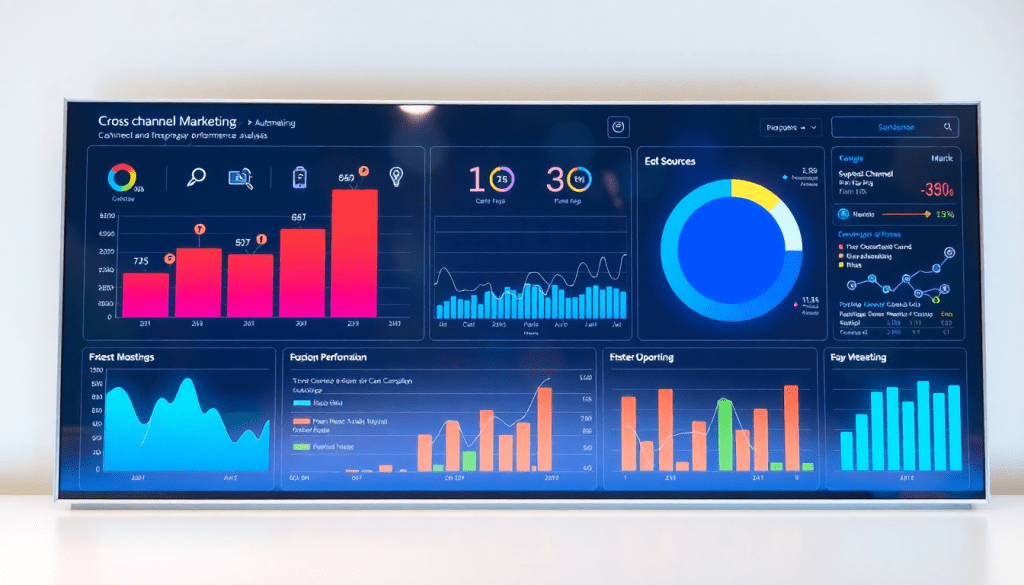
Performance Marketing Reporting Software: Automate Campaign Insights
Modern marketing moves fast, and the right performance marketing reporting software puts you ahead of the curve. These platforms do more than just collect campaign data—they automate reporting, unify cross-channel metrics, and surface actionable insights that help you drive better ROI. Whether you’re managing hundreds of client accounts or optimizing paid media in-house, automated tools can transform the way you track, analyze, and share campaign performance. Let’s break down how you can leverage these solutions for maximum impact.
What is Performance Marketing Reporting Software?
Performance marketing reporting software is a specialized digital solution designed to collect, aggregate, and analyze campaign data across multiple marketing channels—automatically. Unlike manual spreadsheets or siloed platform reports, these tools serve as the nerve center for modern marketing teams, providing unified visibility into campaign performance in real time. By centralizing metrics from sources like Google Ads, Facebook, LinkedIn, and programmatic platforms, performance marketing reporting software breaks down data silos, delivering a holistic view that empowers better, faster decision-making.
At its core, this software offers three essential features:
- Automated Campaign Reporting: Set up scheduled data pulls and report generation, eliminating repetitive manual tasks and ensuring stakeholders receive timely, accurate updates.
- Cross-Channel Data Aggregation: Seamlessly blend data from dozens—or even thousands—of advertising and analytics sources, so you can compare performance, track attribution, and optimize spend across the entire marketing mix.
- Real-Time Analytics: Gain instant access to campaign KPIs, trends, and anomalies, enabling agile optimization rather than waiting for end-of-month summaries.
These capabilities are invaluable for agencies managing reporting at scale, brands overseeing multi-location campaigns, and in-house marketing teams seeking to maximize ROI. By automating and streamlining reporting workflows, platforms like TapClicks free up analysts to focus on strategy, not spreadsheets. In fact, automation can boost efficiency dramatically—agencies leveraging dashboard automation save hours each week, reduce human error, and deliver more impactful insights to clients.
Ultimately, performance marketing reporting software transforms raw data into actionable intelligence, serving as a cornerstone for results-driven digital marketing.
What Sets the Best Campaign Reporting Tools Apart
Campaign reporting shouldn’t be tedious—or complicated. The most effective marketing reporting software gives you the power to move from data wrangling to strategic decision-making, all while saving hours each week. Let’s break down the key capabilities that matter most:
Instant Insights on Return
ROAS Tracking
- Instantly see which campaigns are delivering the best bang for your buck
- Automated calculations and visualizations for return on ad spend (ROAS) across all channels
- Pinpoint where to boost or pull back spend with clear, actionable data
Smarter Budget Management
Ad Spend Optimization Dashboards
- Centralized, real-time budget oversight across every media channel
- Visual warnings for overspend risks or under-pacing
- Easily spot and reallocate underperforming budgets—no more manual spreadsheet juggling
Deeper Conversion Analysis
Conversion Rate Analytics
- Detailed breakdowns of conversion paths (from click to close)
- Segment performance by audience, creative, or channel
- Automatically surface trends and optimization opportunities that manual reviews often miss
One Source of Truth for All Your Channels
Multi-Channel Aggregation
- Direct integration with all major ad platforms: Google, Facebook, LinkedIn, TikTok, and more
- Pulls every data point into a single, unified dashboard—no more chasing exports or logging into multiple accounts
- Eliminates data silos and ensures everyone’s working from the same playbook
Dashboards Built for Every Stakeholder
Customizable, Visual Dashboards
- Drag-and-drop editors for quick, tailored dashboards
- Visual storytelling: turn complex data into easy-to-understand charts and graphs
- Create unique views for executives, clients, or account managers in minutes
Hands-Free, Reliable Reporting
Automated, Scheduled Reporting
- Set it and forget it: reports are automatically delivered to inboxes or portals
- Fully branded and personalized for your agency or client needs
- Consistency and accuracy—without spending late nights building decks
Integrate Everything, Scale Anything
| Feature | Why It Matters |
|---|---|
| Advanced Integration | Connects to 10,000+ marketing and business data sources |
| Data Blending & Enrichment | Normalizes and enriches data from multiple platforms |
| Supports Complex Requirements | Perfect for agencies and brands with multi-platform ecosystems |
Why It All Matters
When these features work together, your analytics platform becomes a proactive engine for optimization—not just a rearview mirror. You get:
- Less time on manual tasks
- More clarity and confidence in your decisions
- The agility to adapt and maximize ROI, every day
Ready to move from reporting headaches to truly strategic marketing? With the right tool, you’ll spend less time wrangling data—and more time making it work for you.
Unified Dashboards for Cross-Channel Campaign Tracking
Today’s digital marketing landscape is sprawling—campaigns run simultaneously on Google Ads, Facebook, LinkedIn, TikTok, and dozens of other platforms. Juggling data from each source separately can quickly become overwhelming and leads to fragmented insights. That’s where unified dashboards come in: they centralize all your key paid media metrics, offering a single source of truth for performance marketing teams.
A robust paid media dashboard aggregates metrics like impressions, clicks, conversions, cost per acquisition, and ROAS across every channel you manage. This cross-channel visibility goes far beyond convenience. By unifying campaign data, you gain a holistic view of your marketing performance—revealing trends and opportunities that are easy to miss when reporting in silos. For example, you might spot that while Facebook is driving more top-of-funnel awareness, Google Ads is delivering higher-quality conversions, empowering you to optimize budget allocation with confidence.
Unified dashboards also surface digital advertising insights that help teams react in real time. You can instantly compare channel effectiveness, monitor pacing against goals, and drill down into specific campaigns or audience segments. Platforms like TapClicks make this process seamless by automating data integration from thousands of sources—so you spend less time wrangling spreadsheets and more time strategizing.
For a deeper dive on how unified dashboards can transform analytics and reporting, check out this guide to boosting analytics with automated marketing dashboards. With the right cross-channel dashboard in place, performance marketers are equipped to deliver clearer, faster, and more actionable insights—no matter how complex their campaign mix becomes.
Streamlining Client Performance Reports
For agencies and media companies managing dozens—or even hundreds—of client accounts, the process of reporting on campaign performance can quickly become overwhelming. Automated performance marketing reporting software is a game changer, not only saving significant time but also reducing manual errors that can creep in with traditional spreadsheet-based reporting.
Time savings come from automation at every step: these tools pull fresh data from all connected ad platforms, process and visualize it, and generate ready-to-share reports. This eliminates the need for tedious data exports, manual chart creation, and repetitive formatting, freeing your team to focus on strategy and client relationships. By automating routine reporting tasks, agencies often reclaim 50+ hours per analyst each month—a massive boost to productivity.
Customization is another major advantage. With modern reporting platforms, you can tailor performance reports by marketing channel, campaign objective, or even client location. Want to show paid search results side-by-side with social performance, or break down results for a franchise across multiple regions? It’s as simple as dragging and dropping widgets or leveraging pre-built templates. This flexibility ensures clients see the metrics most relevant to their goals, creating more impactful and actionable reports.
Automated scheduling takes the pain out of deadlines. Set up recurring reports—weekly, monthly, or even daily—and ensure clients or stakeholders always receive the latest data in their inbox, on time, without manual intervention. Branded templates reinforce your agency’s professionalism, while collaborative dashboards allow both internal teams and clients to explore data interactively.
For best results, follow these tips:
- Segment reports by audience—executives may want a high-level summary, while campaign managers need granular detail.
- Leverage white-labeling to deliver reports in your agency or client’s branding.
- Enable role-based access so clients see only their data, while your team maintains control across all accounts.
With streamlined, automated reporting, agencies can deliver higher-quality insights, foster greater transparency with clients, and scale their operations efficiently. To see how TapClicks powers automated, customized client reporting at scale, explore the platform.
ROAS Tracking and Ad Spend Optimization
In today’s hyper-competitive digital landscape, every marketing dollar counts. That’s why real-time ROAS (Return on Ad Spend) tracking is at the heart of effective performance marketing reporting software. With continuous visibility into ROAS, marketers and agencies can allocate budgets dynamically, ensuring the highest possible returns from every campaign.
A robust ad spend optimization dashboard empowers teams to go beyond static reports. Instead, you get live snapshots of spend, performance, and results across all paid media channels—Google Ads, Facebook, LinkedIn, programmatic display, and beyond. These dashboards aren’t just pretty visuals; they’re critical tools for campaign pacing. By monitoring spend rates and performance metrics in real-time, you can adjust bids, redistribute budgets, or pause underperforming ads before they drain resources, all within a single interface.
Performance analytics tools like TapClicks make this process seamless by automating data aggregation and surfacing actionable recommendations. Marketers can set custom thresholds for ROAS, receive AI-powered alerts when campaigns deviate from targets, and tap into predictive analytics to forecast future performance. For example, if a campaign’s ROAS dips below a set benchmark, automated workflows can notify the right team members or even trigger pre-defined budget shifts.
To truly maximize your return on ad spend, consider these strategies:
- Automate cross-channel ROAS reporting: Consolidate all paid media data for apples-to-apples comparisons and faster decision-making.
- Leverage real-time pacing alerts: Stay on top of budget caps and avoid overspending by letting your dashboard flag anomalies as they happen.
- Analyze historical trends: Use multi-period ROAS and spend data to identify seasonality, optimize timing, and inform future budget splits.
- Set rules-based optimizations: Implement automated triggers for bid adjustments or budget reallocations when performance thresholds are met.
In short, the combination of real-time ROAS tracking and intelligent ad spend optimization is a game-changer. It transforms marketing from a reactive process to a proactive, results-driven discipline—ensuring your campaigns always deliver the best possible ROI.
Performance Marketing Automation: From Insights to Action
Performance marketing automation is revolutionizing the way teams convert analytics into tangible business outcomes. Instead of simply presenting data, leading platforms now leverage automation to guide marketers from insight to action, closing the loop between analysis and optimization.
At the heart of this transformation are features like predictive analytics and anomaly detection. Predictive analytics uses historical and real-time trends to forecast campaign performance, helping marketers anticipate shifts in engagement, conversions, or spend. When paired with anomaly detection, teams are instantly alerted to spikes or dips outside of expected patterns—whether it’s a sudden drop in conversions or an overspend on a key channel. This level of automated oversight means marketers can act on issues and opportunities before they impact ROI.
Automated alerts and recommendations take things further by serving up next steps directly within the reporting interface. For instance, if a campaign’s cost-per-acquisition unexpectedly rises, the software can flag the change and suggest re-allocating budget or adjusting creative. These proactive nudges help teams not only identify what needs attention, but also understand why—and how to respond.
Central to these capabilities is the continuous, automated data collection that powers real-time marketing. With up-to-the-minute insights always available, marketers can pivot quickly and with confidence. The benefits are clear: less time spent wrangling spreadsheets, and more time executing strategies that drive performance. For a deeper look at how automated data collection fuels responsive marketing, see this guide on unlocking real-time marketing.
Ultimately, performance marketing automation bridges the gap between data and decision-making. By surfacing insights, predicting outcomes, and recommending next actions, these tools empower teams to optimize campaigns continuously—and at scale. To explore how an integrated platform can automate and amplify your marketing operations, discover more at TapClicks.
Choosing the Right Performance Marketing Reporting Software
Selecting the best performance marketing reporting software is a pivotal decision that impacts not just your analytics, but your team’s efficiency and the clarity of your campaign insights. To make a smart choice, it’s essential to weigh your options against the unique needs of your business—whether you’re an agency handling dozens of clients, an in-house brand marketer, or an enterprise team managing complex data environments.
Key Criteria to Evaluate
- Scalability: Can the platform handle your current reporting needs—and grow with you? Look for solutions designed to support thousands of dashboards, dozens of users, and multiple clients or locations without slowing down. Scalability is especially critical for agencies and multi-location brands.
- Integration Capabilities: The right software should connect seamlessly with all your marketing and advertising channels. Prioritize platforms offering a vast library of native integrations (Google, Meta, LinkedIn, TikTok, programmatic buys, etc.), as well as custom connectors for niche data sources or proprietary tools.
- Report Customization: One size rarely fits all. The ability to tailor dashboards, metrics, and visualizations—by channel, client, or KPI—is a must. Branded reporting options and flexible templates can elevate your client experience and internal communications.
- Ease of Use: A powerful platform is only valuable if your team can use it. Opt for intuitive drag-and-drop interfaces, straightforward setup, and clear documentation. A user-friendly experience minimizes training time and accelerates adoption.
- Support and Training: Responsive customer support, onboarding resources, and ongoing training are essential—particularly in fast-moving or high-volume environments. Check for dedicated account management, live chat, and a robust knowledge base.
Agencies vs. Brands: Tailoring Your Approach
Agencies often need granular client-level access controls, the ability to manage hundreds of custom dashboards, and strong automation for scheduled, branded reports. Brands (especially those with multiple locations or large in-house teams) may prioritize unified cross-channel analytics, budget oversight, and integration with broader business tools like CRMs or BI platforms.
Enterprise teams, meanwhile, should look for advanced data transformation capabilities, the ability to pipe cleaned data into external systems, and robust security features.
Steps to Evaluate and Pilot a Platform
- Map Your Use Cases: List your must-have integrations, reporting requirements, and workflow needs.
- Shortlist Vendors: Compare features, pricing, and peer reviews—focusing on platforms built for your scale and complexity.
- Request a Demo and Trial: Get hands-on with the user interface and test integrations with your data sources.
- Pilot with Real Data: Run a limited-scope pilot with actual client or campaign data to assess report accuracy, automation, and usability.
- Gather Feedback: Involve end users (analysts, account managers, clients) to ensure the solution fits daily workflows.
- Review Support and SLAs: Confirm the level of onboarding help and long-term support offered.
For an in-depth look at a platform that excels across these criteria—scalability, integration breadth, report flexibility, and AI-driven insights—explore TapClicks. With its unified marketing operations suite and advanced automation, TapClicks is built to help agencies, brands, and enterprise teams streamline reporting and unlock actionable campaign intelligence at scale.
Ready to Automate Your Reporting? Here’s How to Get Started
Automated marketing reporting doesn’t have to be daunting. With the right steps, you’ll unlock streamlined insights, save hours each week, and empower your team to focus on what matters most: strategy and results.
Below is a practical, step-by-step guide—plus a few pro tips—to get your automated reporting journey off on the right foot.
1. Gather Your Data Sources
Start by making a list of every platform your team uses, such as:
- Google Ads
- Facebook/Meta
- Programmatic DSPs
- Analytics platforms (Google Analytics, Adobe Analytics, etc.)
- CRM systems
Tip: Choose a reporting solution with extensive data connectors. For example, TapClicks offers 10,000+ integrations, making it easy to unify your data—no more manual exports or juggling APIs.
2. Build and Customize Dashboards
Once data is flowing in, design dashboards that mirror your business needs. Consider:
- Drag-and-drop editors for fast setup
- Views by channel, region, or client
- Branded templates for a consistent look
- Key metrics front and center (ROAS, conversion rates, budget pacing, multi-channel performance)
- Automated scheduling so reports are always on time
3. Set Up User Roles for Secure Collaboration
To keep things organized (and secure):
- Assign user roles: Account managers, analysts, and clients each get access to what’s relevant for them
- For brands, segment dashboards by team, region, or product line
- Protect sensitive data with permission controls
4. Onboard and Train Your Team
Don’t let new tools become shelfware. Make onboarding a priority:
- Host walkthroughs covering dashboard navigation, report customization, and troubleshooting
- Share quick-start guides and attend provider webinars
- Encourage team Q&A sessions to build confidence and boost adoption
5. Keep Improving: Review and Optimize
Automated reporting isn’t “set it and forget it.” Make it a living process:
- Schedule regular check-ins to review dashboards and KPIs
- Gather feedback from end users—what’s working, what isn’t?
- Use built-in analytics and AI-driven insights for optimization ideas
- Tweak reports and dashboards to reflect evolving goals
Quick-Start Checklist
- Inventory all data sources
- Connect platforms via robust data connectors
- Design branded, metric-focused dashboards
- Assign user roles and permissions
- Train your team with available resources
- Review and refine at regular intervals
With a thoughtful onboarding process and a commitment to continuous improvement, automated reporting can quickly become a cornerstone of your marketing operations—giving your team more time for strategy, creativity, and growth.
Start Automating Your Marketing Data Today!
No Credit Card Required.

