

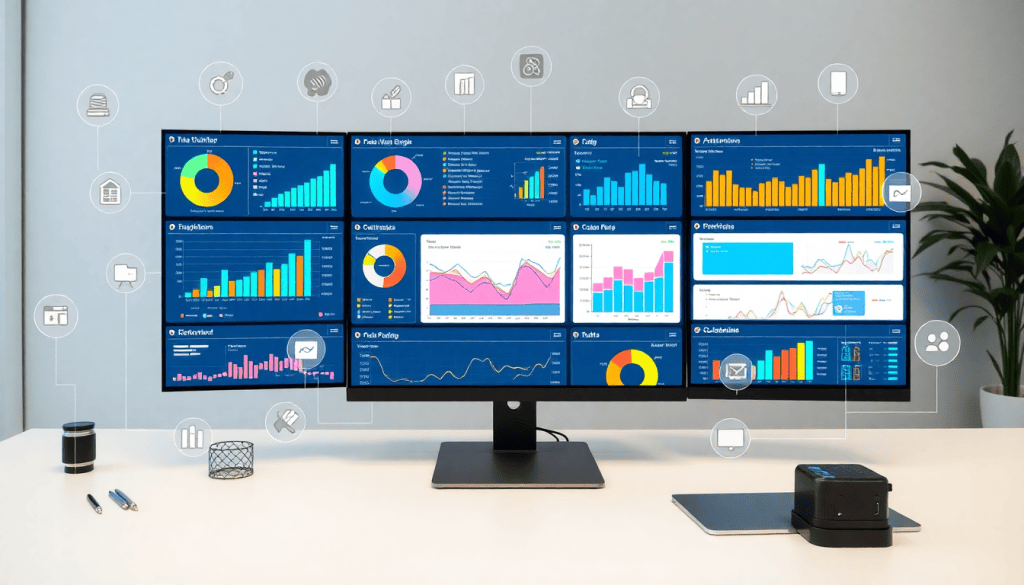
Marketing Dashboard Automation: Streamline Analytics & Reporting
Manual data wrangling, scattered spreadsheets, and slow reporting cycles can drag down any modern marketing team. Marketing dashboard automation offers a smarter, more scalable way to unify analytics, speed up reporting, and deliver actionable insights to stakeholders—without the tedious busywork. This guide explores how automation transforms agency reporting, cross-channel analytics, and performance marketing KPIs, and compares top platforms like TapClicks and Funnel.io to help you choose the right solution.
Understanding Marketing Dashboard Automation
Marketing dashboard automation transforms how teams handle data, reporting, and insights across all channels. Instead of juggling spreadsheets and manual updates, automation pulls everything together—so your dashboards are always up to date, accurate, and ready to drive action.
What Does Marketing Dashboard Automation Actually Do?
At its simplest, automated dashboards:
- Connect directly to your data sources (Google Ads, Facebook, CRMs, and more)
- Extract the latest performance data on a set schedule—no more manual downloads
- Aggregate and transform data from multiple platforms into a unified, interactive view
- Visualize KPIs, budget pacing, and campaign performance in real time
- Deliver automated reports to stakeholders, freeing you from repetitive tasks
Manual vs. Automated Dashboards: What’s the Difference?
| Manual Reporting | Automated Dashboards | |
|---|---|---|
| Data Collection | Download spreadsheets, copy-paste | Scheduled, automatic data pulls |
| Updates | Requires ongoing manual work | Real-time or scheduled refreshes |
| Scalability | Hard to grow with more clients/campaigns | Effortlessly handles hundreds at once |
| Accuracy | Prone to human error | Consistent and reliable |
| Stakeholder Access | Email PDFs or static charts | Always-on, web-based dashboards |
Why Teams Love Automated Dashboards
Here’s why agencies, media companies, and brands are making the switch:
- Save Time: Analysts and marketers reclaim dozens of hours each month by cutting out manual data wrangling and report building.
- Boost Accuracy: Automated pipelines mean fewer errors—stakeholders trust what they see.
- Scale with Ease: Whether you manage five campaigns or five hundred, automation keeps reporting fast and consistent, without adding headcount.
See It in Action
Curious how dashboard automation can accelerate your agency’s analytics?
Check out this in-depth overview of marketing dashboard automation to see real-world examples and tips.
Key Features of Automated Marketing Analytics Dashboards
Modern marketing dashboard automation platforms are built to do far more than simply gather data—they transform the entire analytics workflow. Here are the essential features that set automated dashboards apart and make them indispensable for marketers and agencies:
1. Robust Data Connectors and Real-Time Sync
The backbone of any automated dashboard is its ability to seamlessly pull data from a wide variety of marketing, advertising, and business platforms. Solutions like TapClicks offer access to over 10,000 pre-built data connectors, enabling instant integration with channels such as Google Ads, Facebook, LinkedIn, and countless others. These connectors eliminate the need for manual CSV uploads or API tinkering, keeping your dashboards automatically updated with the latest campaign results in real time. This real-time sync is crucial for timely decision-making and ensures that performance snapshots are always current.
2. Flexible Visualizations and Customizable Widgets
Automated dashboards provide intuitive, drag-and-drop interfaces for building custom visualizations. Marketers can create interactive charts, graphs, scorecards, and tables tailored to specific KPIs and reporting needs. Customizable widgets let you highlight what matters most—whether that's ROI by channel, top-performing creative, or audience engagement trends—so every stakeholder sees the metrics that drive their business. Branding options, such as white labeling and custom themes, further allow agencies to present data in a polished, client-ready format.
3. Cross-Channel Analytics and Data Blending
One of the most powerful features is the ability to blend data from multiple sources for holistic, cross-channel analytics. Automated platforms normalize disparate datasets, making it easy to compare performance across search, social, display, email, and more—all on a single dashboard. This unified view breaks down silos, enables attribution analysis, and streamlines multi-location or multi-client reporting. For agencies, this means less time spent reconciling spreadsheets and more time delivering strategic insights.
4. Automated Performance Reports and Scheduling
Say goodbye to manual report generation. Automated dashboards allow you to set up recurring, scheduled reports that are delivered directly to stakeholders’ inboxes—daily, weekly, or monthly. These reports pull live data and can be tailored for different audience segments, ensuring that everyone from account managers to executives has the information they need, when they need it. Advanced platforms even enable automated commentary or AI-generated insights to accompany the data, providing context and recommendations without extra analyst hours.
5. Enhanced Client Communication and Self-Serve Insights
With role-based access and client-specific dashboards, agencies can empower their clients with self-serve analytics. Clients can log in to view up-to-date campaign performance, review budget pacing, and explore custom dashboards—all without waiting for a monthly report. This transparency not only strengthens client relationships but also reduces the back-and-forth of ad hoc data requests.
In sum, automated marketing analytics dashboards—like those from TapClicks—deliver a unified solution for data aggregation, real-time insights, and streamlined reporting. By leveraging rich connectors, customizable visualizations, cross-channel analytics, and automated delivery, agencies and brands can move beyond manual busywork and focus on what matters: driving results and strategic growth.
Why Agencies Need Reporting Automation
Manual marketing reporting is a persistent headache for agencies—one that only intensifies as you take on more clients or campaigns. Let’s break down why automating reporting isn’t just helpful, but absolutely essential for scaling and delivering great service.
The Real Cost of Manual Reporting
Here’s what most agency teams face with manual reporting:
- Time Drain:
- Hours lost each week collecting data from different ad platforms
- Endless spreadsheet wrangling and manual updates to slide decks
- Error Risk:
- Human mistakes lead to inconsistent or inaccurate reports
- Corrections take even more time—eroding confidence with clients
- Scaling Struggles:
- Every new client or campaign multiplies the reporting workload
- Teams get bogged down, slowing response times and limiting growth
What Clients Expect Today
Clients don’t just want a monthly PDF—they want:
- Real-time access to campaign performance
- Interactive dashboards, not static reports
- Fast answers and actionable insights, not just raw data
If you can’t deliver, clients will quickly look elsewhere.
How Reporting Automation Solves the Problem
With reporting automation, agencies can:
- Centralize Data Connections
- Automatically pull in data from all major marketing and ad platforms.
- Generate Reports Automatically
- Schedule branded reports to go out weekly, monthly, or on-demand—no manual assembly required.
- Provide Live Dashboards
- Give clients always-on access to their metrics, anytime they need it.
- Reduce Human Error
- Automated workflows help ensure consistency and accuracy at scale.
- Free Up Your Team
- Analysts and account managers spend more time on strategy and optimization—not repetitive data entry.
Making the Most of Reporting Automation
To maximize impact, leading agencies:
- Standardize metrics across clients for apples-to-apples comparisons
- Customize dashboards for each client’s unique goals
- Leverage AI insights to surface trends, anomalies, and optimization opportunities
- Continuously refine reporting templates based on client feedback
Want a deeper dive? Check out these best practices for agency reporting automation.
The Bottom Line
Reporting automation isn’t just about saving time—it’s about delivering the speed, transparency, and insight that today’s clients expect. With the right tools and approach, your agency can scale effortlessly, exceed client expectations, and keep your team focused on high-impact work.
Comparing TapClicks vs Funnel.io for Reporting Automation
When it comes to marketing dashboard automation, two platforms frequently top the shortlist: TapClicks and Funnel.io. Both are designed to centralize data, automate reporting, and simplify analytics operations—but they take distinct approaches that suit different needs. Here’s how they stack up for agencies and teams looking to streamline reporting automation, digital marketing data visualization, and performance marketing KPIs.
TapClicks positions itself as an all-in-one marketing operations platform (MOP) that goes beyond data aggregation. It offers 10,000+ marketing, advertising, and business data connectors, automated ETL/ELT pipelines, customizable dashboards, workflow automation, client access controls, and advanced AI-powered insights. TapClicks is built for scale, making it ideal for agencies managing hundreds of clients or large brands with complex, multi-location reporting needs. Its strength lies in unifying cross-channel data, automating recurring reports, and layering on actionable intelligence—such as predictive models, campaign scoring, and optimization recommendations.
Funnel.io is a robust, cloud-based data pipeline tool focused primarily on extracting and transforming marketing data from multiple sources. It excels at pulling together data from a wide range of channels and exporting it into BI tools or data warehouses for further analysis. While Funnel.io does offer dashboarding, its core value is seamless data movement and normalization rather than end-to-end reporting automation. Agencies or brands already invested in external BI platforms (like Tableau or Looker) often use Funnel.io as a data pipe, but may need to build their own visualizations and reporting workflows.
Strengths and Limitations
| Feature | TapClicks | Funnel.io |
|---|---|---|
| Data Integrations | 10,000+ native connectors, smart enrichment tools | 500+ connectors, strong data normalization |
| Reporting Automation | Automated, scheduled reports (internal & client) | Exports data for use in BI tools; basic dashboards |
| Customization | Branded, drag-and-drop dashboards, white-labeling | Custom data exports; dashboards require BI tools |
| Scalability | Built for high-volume, multi-client use | Scales with data volume, but reporting is manual |
| Support | Dedicated onboarding, agency-focused support | Standard support, strong documentation |
Feature Highlights
- TapClicks stands out for unified dashboards, AI-driven insights (e.g., SmartEmail, predictive modeling), and built-in workflow automation—helping agencies save 50+ analyst hours per month.
- Funnel.io is best for teams seeking a flexible data pipeline to feed custom-built analytics stacks, but less suited for turnkey, automated client reporting.
For a deeper dive into the nuances and real-world use cases of each platform, check out this TapClicks vs Funnel.io comparison.
Ultimately, TapClicks delivers greater end-to-end automation and actionable intelligence for agencies and teams prioritizing scalable, client-ready reporting—while Funnel.io shines as a data integration layer for custom BI environments. To explore how TapClicks can unify your data, reporting, and analytics in one platform, visit TapClicks.
How Automated Dashboards Improve Cross-Channel Analytics
In today’s fragmented digital landscape, marketers run campaigns across a mix of platforms—search, social, display, email, and more. Each channel generates its own data, making unified performance analysis a significant challenge. This is where automated dashboards truly shine, providing a holistic view of marketing efforts by consolidating cross-channel analytics in a single, always-up-to-date interface.
Automated marketing dashboards pull data from all your paid, owned, and earned media sources—think Google Ads, Facebook, programmatic platforms, CRMs, and even offline channels—into one unified system. This eliminates the silos and manual data merges that can slow down and compromise your analysis. With platforms like TapClicks, for example, marketers can leverage 10,000+ data connectors and built-in enrichment tools to normalize disparate datasets. The result: apples-to-apples comparisons of campaign performance, regardless of channel or data format.
For agencies, the impact is especially powerful. Imagine monitoring a client’s cross-channel performance in real time—seeing how search, social, and display campaigns are working together to drive conversions. Automated dashboards not only visualize these metrics side by side but also enable advanced analytics, such as attribution modeling and media mix analysis, with minimal manual effort.
Consider a real-world example: A multi-location retail brand works with an agency to run geo-targeted ads on Google, local influencer campaigns on Instagram, and email promotions—all tracked in a TapClicks dashboard. The agency can instantly spot which combinations of tactics yield the highest ROI in each market, pivot strategies on the fly, and share insights with stakeholders via automated, branded reports.
Ultimately, automated cross-channel analytics empower marketers to move from fragmented, reactive reporting to proactive, data-driven decision making—unlocking better performance and smarter budget allocation, all while saving countless hours previously spent wrangling spreadsheets.
Delivering Actionable Insights with Client Dashboards
In today’s fast-paced marketing landscape, clients expect more than monthly static reports—they want real-time access to their performance data, with clear, actionable insights they can trust. Automated dashboards are reshaping the agency-client relationship by putting powerful analytics directly into the hands of stakeholders, fostering transparency, trust, and retention.
Self-Serve Analytics for Clients
Automated client dashboards empower clients to independently explore their marketing results at any time, from any device. No more waiting for ad hoc updates or navigating confusing spreadsheets. With platforms like TapClicks, agencies can offer clients a branded, intuitive portal where they can filter campaigns, drill into KPIs, and view cross-channel performance—all with just a few clicks. This self-serve access not only saves agency teams hours of manual reporting but also reinforces a sense of partnership and responsiveness.
Role-Based Access and Scheduled Reports
Security and relevance are key when sharing analytics. Modern dashboard automation solutions provide granular, role-based access controls, so each client, department, or stakeholder sees only the data that matters most to them. Scheduled reports can be configured to deliver targeted insights—daily, weekly, or monthly—directly to client inboxes. This ensures decision-makers always have the latest information without the noise, and account managers can focus on strategy rather than data wrangling.
Branded Visualizations and Custom Insights
Client dashboards are a prime opportunity for agencies to showcase their expertise and professionalism. Custom-branded dashboards reinforce the agency’s identity, while tailored visualizations and smart widgets highlight the KPIs that align with client goals. Features like AI-powered insight summaries and automated alerts ensure that important trends and anomalies are surfaced proactively—not buried in data tables.
Driving Transparency, Trust, and Retention
When clients can see exactly how their marketing investments are performing, trust grows. Automated dashboards eliminate the opacity of black-box reporting and open up a collaborative dialogue around optimization opportunities. This transparency not only strengthens client relationships but also drives retention, as clients feel informed, empowered, and confident in the agency’s value.
For a deeper look at how agencies are using marketing dashboard automation to deliver standout client experiences and streamline analytics, explore this in-depth overview of marketing dashboard automation. With the right tools, actionable insights are just a dashboard away.
Setting Up Automated Performance Reports: A Step-by-Step Guide
Implementing automated marketing dashboards may seem daunting, but breaking the process into clear steps ensures a smooth transition from manual reporting to a streamlined, insight-driven workflow. Follow this practical guide to set up automated performance reports that deliver consistent value to your team and clients.
1. Connect All Relevant Data Sources
The foundation of any automated dashboard is seamless data integration. Begin by identifying all critical marketing, advertising, and business platforms your campaigns utilize—think Google Ads, Facebook, LinkedIn, CRM systems, and ecommerce tools. Use a platform with robust data connectors (such as TapClicks), which can unify thousands of data streams in minutes. For custom or niche sources, look for smart connectors or ETL/ELT pipeline capabilities to ensure nothing falls through the cracks.
2. Configure KPIs and Metrics That Matter
Next, clarify the performance marketing KPIs that align with your goals and client expectations. Whether it’s ROAS, cost per conversion, multi-channel attribution, or local store visits, define these metrics upfront. Most leading platforms allow you to blend and normalize disparate data, so you can create unified views of critical KPIs—regardless of data source or campaign structure.
3. Customize Dashboard Visualizations
With your data and KPIs in place, design dashboards that surface insights at a glance. Use drag-and-drop editors to select widgets, charts, and tables that best represent each metric. Consider dashboard customization options like branded templates, filters for time periods or channels, and role-based views for different stakeholders. The goal: provide an intuitive, visually engaging experience that highlights trends and outliers instantly.
4. Automate Scheduled Reporting and Delivery
One of the biggest time-savers in marketing dashboard automation is report scheduling. Set up automated delivery so stakeholders receive updates daily, weekly, or monthly—without manual intervention. Advanced platforms offer features like SmartEmail, which not only sends reports but can also include AI-curated insights and summaries that add context to raw numbers. Ensure delivery settings match client preferences (e.g., email, portal login, CSV exports).
5. Align Dashboards with Client and Stakeholder Goals
Every client is different. Take time to map dashboards to each client’s unique objectives, sales cycles, and reporting needs. This might mean creating dedicated dashboards for executive overviews, campaign managers, or specific product lines. Regularly review dashboards in collaboration with clients to ensure the metrics and visualizations are driving meaningful conversations and decisions.
6. Troubleshoot and Optimize Continuously
Even the most automated dashboards need periodic refinement. Monitor for missing or delayed data, changes in platform APIs, or evolving client requirements. Leverage built-in enrichment and normalization tools to smooth out discrepancies. Solicit regular feedback from users and adjust dashboards to keep them actionable and relevant.
By following this step-by-step approach, you can transform your reporting process—delivering timely, accurate, and custom insights that drive performance and build client trust. For a deeper look at dashboard setup and best practices, explore the TapClicks resources for expert guides and support.
Wrapping Up: How to Choose the Right Marketing Dashboard Automation Platform
Modern marketing teams are experiencing a transformation—manual reporting is out, and automated dashboards are in. These platforms unify data, automate repetitive tasks, and put real-time insights at your fingertips, making it easier than ever to make confident, data-driven decisions.
Why Automation Matters
Here’s what a strong dashboard automation platform can offer:
- Unified data from all your marketing channels in one place
- Automated report generation, saving hours every week
- Actionable insights surfaced at scale, so you never miss an opportunity
- Faster, more accurate decision-making for campaigns and strategy
Whether you’re an agency juggling hundreds of clients or a brand optimizing cross-channel efforts, automation delivers the clarity and efficiency you need.
Comparing Your Options: TapClicks vs. Funnel.io
Not all platforms are created equal. When reviewing solutions like TapClicks and Funnel.io, keep these considerations in mind:
| Feature/Need | TapClicks | Funnel.io |
|---|---|---|
| Unified Workflow | ✔️ Robust, with integrated orders & workflow | ❌ Primarily a data pipeline |
| AI-Driven Insights | ✔️ Built-in recommendations & analysis | ❌ Limited |
| Scale | ✔️ Designed for high-volume, multi-client use | ⚠️ May require additional tools |
| Customization | ✔️ Flexible dashboards & reporting | ⚠️ Reporting often manual/external |
| Integration | ✔️ 10,000+ connectors, feeds BI tools easily | ✔️ Strong, but reporting add-ons |
In summary:
- TapClicks is ideal for agencies and brands managing large data volumes and client rosters who want unified reporting, deep automation, and AI-powered insights.
- Funnel.io is a solid choice if you only need a data pipeline, but you might need to supplement it with other reporting tools.
Putting It Into Practice: Your Next Steps
Here’s a simple checklist to help you move forward:
- Assess your data sources: What systems and channels do you need to connect?
- Prioritize automation: Which reports or dashboards take the most manual effort?
- Evaluate scalability: Will the platform grow with your client or campaign volume?
- Test for insights: Does the platform surface actionable recommendations, not just raw data?
- Pilot a platform: Start with a high-impact dashboard and measure the time and accuracy gains.
Ready to Dive Deeper?
- Explore further: TapClicks vs Funnel.io: A Detailed Comparison
- Get best practices: How Marketing Dashboard Automation Can Boost Analytics & Reporting
The future of marketing analytics is automated.
Start your journey now—connect your data, automate your first dashboard, and see how much more you can achieve with the right tools by your side.
Start Automating Your Marketing Data Today!
No Credit Card Required.

