

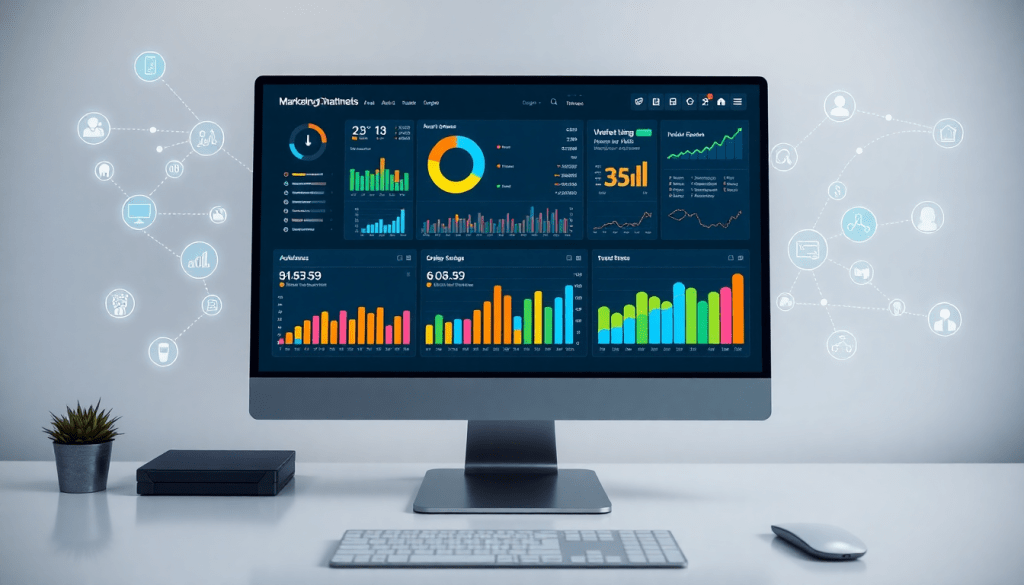
Marketing Dashboard Automation: Real-Time Reporting Made Easy
Managing today’s marketing operations means handling a constant flow of data from countless channels—often with tight deadlines for reporting and campaign optimization. Marketing dashboard automation solves these challenges by centralizing your data, automating workflows, and leveraging AI for instant insights. With TapClicks, teams can build real-time dashboards, schedule automated reports, and analyze campaign performance across every channel, all from one streamlined platform. This guide breaks down the essentials of marketing dashboard automation and shows you how to unlock powerful, time-saving analytics for your team.
What Is Marketing Dashboard Automation?
Marketing dashboard automation is the process of streamlining and centralizing your marketing data, analytics, and reporting through technology—transforming what was once a patchwork of manual, error-prone spreadsheets into a single source of real-time truth. Rather than spending hours each week pulling numbers from countless ad platforms, social channels, and analytics tools, marketing dashboard automation continuously gathers and visualizes your campaign performance data in interactive dashboards. These dashboards update automatically, giving you and your stakeholders instant access to the metrics that matter, whenever you need them.
Traditional manual reporting is time-consuming and often results in outdated information, data silos, and reporting inconsistencies. Teams must collect data from each platform individually, reconcile formats, and build static presentations—leaving little time for true analysis or action. In contrast, automated dashboards eliminate these bottlenecks. They aggregate data from all your channels, standardize it for easy comparison, and allow for scheduled or on-demand report delivery. This not only saves valuable hours but also empowers marketing teams to spot trends and optimize campaigns in real time.
TapClicks stands at the forefront of this transformation, offering a robust solution for automated reporting workflows and AI-powered dashboard creation. The TapClicks platform connects to over 10,000 data sources, enabling seamless marketing dashboard automation at scale. With TapClicks, agencies, media companies, and brands can build real-time dashboards, automate recurring reporting, and harness AI to surface actionable insights—turning data into a powerful strategic asset instead of a reporting burden.
Why Real-Time Marketing Analytics Matter
In an environment where marketing decisions can’t wait for yesterday’s numbers, real-time marketing analytics have become a game-changer. When you have up-to-the-minute insights into campaign performance, you can pivot quickly, optimize spend, and capitalize on trends as they unfold. This immediacy not only improves campaign outcomes but also gives teams the agility to allocate budgets where they’ll have the greatest impact—before opportunities are missed.
Instant access to performance data directly influences ROI. Instead of relying on static, outdated reports, marketers can identify underperforming channels and shift resources proactively. This level of responsiveness improves efficiency, reduces wasted ad spend, and enhances campaign effectiveness across the board. For agencies and brands managing multiple clients or locations, the ability to access and act on real-time analytics means staying ahead of the competition and delivering more value.
Platforms like TapClicks make this possible by providing always-on dashboards and automated reporting that update as new data flows in. With TapClicks’ real-time analytics capabilities, teams can keep a finger on the pulse of every campaign, no matter how complex or multi-faceted. The result is faster decision-making, more strategic budget allocation, and the confidence to move marketing initiatives forward—knowing you’re armed with the latest, most accurate information.
Key Features of Automated Reporting Workflows
Automated reporting workflows are the backbone of effective marketing dashboard automation. They ensure that the right data gets to the right people at the right time—without the tedious manual processes that slow down productivity. Here’s how TapClicks delivers on the core components that matter most:
Multi-Channel Data Aggregation
Today’s marketing landscape is fragmented across dozens of digital and offline channels, making data consolidation a daunting task. TapClicks solves this with over 10,000 marketing, advertising, and business data connectors, allowing agencies and brands to aggregate campaign data from every source—search, social, display, email, CRM, and more—into a single, unified platform. This centralized approach eliminates silos and enables marketers to see the full picture at a glance.
Automated Report Scheduling
Manual report generation is time-consuming and error-prone, especially when stakeholders expect frequent updates. With TapClicks, teams can schedule automated reports that pull the most recent data, apply custom visualizations, and deliver polished, branded dashboards directly to clients or internal teams. Whether you need daily, weekly, or monthly reports, this automation ensures consistency and saves analysts countless hours each month.
Unified Campaign Performance Dashboards
One of the greatest strengths of TapClicks is its ability to deliver unified dashboards that track performance across all channels and campaigns. Drag-and-drop dashboard builders let users create custom views tailored to specific goals—tracking KPIs, budget pacing, ROI, and more. These dashboards update in real time, giving agencies and brands the agility to monitor results, spot trends, and make informed decisions on the fly.
Seamless Cross-Platform Dashboard Building
For agencies managing multiple clients or brands overseeing multi-location operations, TapClicks makes it easy to build and replicate dashboards across platforms and accounts. Templates, role-based access, and scalable workflows ensure that insights are consistent, secure, and always available to those who need them.
TapClicks’ robust marketing data centralization and workflow automation capabilities set it apart from point solutions. By streamlining how data is gathered, visualized, and reported, TapClicks empowers teams to focus on strategy and optimization, rather than getting bogged down by manual tasks. Learn more about how TapClicks can transform your marketing operations at tapclicks.com.
How AI Makes Dashboard Creation Effortless
Building dashboards shouldn’t feel like a full-time job. With AI, the process transforms from manual drudgery to strategic advantage—especially when you’re using a platform like TapClicks.
What Does AI Actually Do in Dashboard Creation?
Here’s how TapClicks puts artificial intelligence to work for you, right from the moment your data arrives:
- Instant Trend Detection:
As soon as your marketing data streams in from thousands of sources, TapClicks’ AI agents scan for trends, anomalies, and hidden opportunities—automatically. - Actionable Recommendations:
Instead of just getting another chart, you’ll see prioritized suggestions on what matters most, so you know exactly where to focus. - No More Manual Report Building:
Forget about endless filter tweaking or spreadsheet wrangling. The AI does the heavy lifting, letting marketers spend more time on strategy.
Smarter Data Visualization, Powered by AI
Not sure which charts or widgets are best for your goals? TapClicks AI has you covered:
| AI-Driven Feature | How It Helps You |
|---|---|
| Widget Recommendations | Get the most relevant visual layouts—automatically. |
| Cross-Channel Analysis | Instantly compare performance across campaigns. |
| Predictive Analytics | Benchmark, forecast, and optimize budgets in real time. |
Plus, with SmartEmail, AI-curated insight summaries go straight to your inbox (or your clients’), so everyone is always on the same page—without logging into another dashboard.
Why Marketers Love AI-Powered Dashboards
- Faster Decisions:
Cut hours (or even days) from your reporting cycle. - Less Manual Labor:
Free up your team to focus on big-picture strategy, not data wrangling. - Real-Time Alignment:
Keep stakeholders updated instantly with automated, AI-curated emails.
Ready to level up?
Discover more about AI-powered dashboard reporting with TapClicks and see how next-generation automation can elevate your analytics.
Build Your Ultimate Cross-Platform Dashboard—Made Simple
Setting up a unified marketing dashboard doesn’t have to be complicated or time-consuming. With TapClicks, your team can monitor every channel—paid search, social, programmatic, email, and more—in one streamlined view. Here’s how you can create an automated, always-on dashboard that brings clarity (and time savings!) to your reporting workflows.
1. Connect All Your Marketing Data—Fast
What to Do:
- Link every channel: Google Ads, Facebook, LinkedIn, programmatic platforms, offline data, and more.
- Take advantage of TapClicks’ 10,000+ pre-built connectors for quick integrations.
- Ensure every campaign and data stream is up-to-date and accessible from one hub.
Tip:
Batch-connect accounts for multi-location brands or multi-client agencies in just a few clicks.
2. Design Your Dashboard—Your Way
Customize with:
- Drag-and-drop widgets: Visualize KPIs like impressions, spend, conversions, CPA, ROAS, and more.
- Unified charts and tables: Blend data from multiple sources for a single source of truth.
- Custom calculations: Compare platforms side-by-side (e.g., Facebook vs. Google Ads).
Checklist for Dashboard Widgets:
- Impressions
- Clicks/Engagements
- Spend/Budget
- CPA/ROAS
- Conversion Rate
- Custom Metrics
3. Automate Reporting—So You Never Miss a Beat
- Schedule reports to go out daily, weekly, or monthly.
- Choose interactive dashboards or branded PDFs for delivery.
- Set granular, role-based permissions so the right people see the right data.
| Audience | Report Format | Frequency | Access Level |
|---|---|---|---|
| Internal Teams | Interactive | Weekly | Full |
| Clients | Branded PDF | Monthly | Restricted |
| Executives | Summary Email | Monthly | Summary Only |
4. Share, Collaborate, and Align Your Team
- Grant access to teams, clients, and executives with TapClicks’ flexible permissions.
- Facilitate real-time collaboration—everyone stays informed and aligned.
- Use role-based dashboards to provide tailored views for every stakeholder.
Pro Tips for Cross-Platform Dashboard Success
- Normalize your data: Standardize naming, metrics, and calculations at setup for apples-to-apples comparisons.
- Leverage custom widgets: Use calculated fields to surface strategic insights at a glance.
- Automate everything: Data imports, report generation, and delivery—free up your team for analysis and optimization.
Ready to take your reporting to the next level?
- Dive deeper with this detailed guide on dashboard automation
- Explore what TapClicks can do for your organization at TapClicks.com
With these steps and best practices, your team will be set up for scalable, real-time reporting success—no matter how many clients or campaigns you manage.
Benefits of Marketing Data Centralization
Centralizing your marketing data is a game changer for teams seeking clarity, accuracy, and seamless collaboration. When all your campaign, channel, and performance metrics are unified within a single platform, you eliminate the confusion and data silos that slow down decision-making and reporting. Instead of hunting across spreadsheets, disparate analytics tools, and vendor portals, teams have one source of truth that everyone can rely on.
This streamlined approach translates directly into more accurate reporting and actionable insights. For example, when agencies or brands use a centralized solution like TapClicks, every channel—search, social, display, email, and more—feeds into a unified dashboard. This allows you to build campaign performance dashboards that not only summarize results at a glance but also enable deep dives into channel-specific or cross-channel trends, without manual data wrangling.
Centralization also supports scalable marketing automation software workflows, empowering teams to automate recurring reports, schedule real-time updates, and collaborate on optimizations—all within the same ecosystem. The result is faster turnaround on campaign analysis, reduced reporting errors, and a shared analytics environment where sales, marketing, and operations can align on strategy and outcomes.
Ultimately, marketing data centralization is foundational for high-performing teams. It transforms reporting from a fragmented, reactive process into a proactive, insight-driven workflow that scales as your organization grows. To see how TapClicks makes this possible, visit TapClicks for more details on unified data management and automated marketing dashboards.
TapClicks Marketing Dashboard: Use Cases and Success Stories
The true impact of marketing dashboard automation comes alive through real-world adoption. Agencies, media companies, and multi-location brands are leveraging TapClicks to transform their reporting workflows and campaign management—unlocking efficiency, accuracy, and deeper insights across the board.
Agencies: For agencies managing dozens or even hundreds of client accounts, TapClicks provides a single source of truth for multi-channel performance. Teams can automate client reporting with branded dashboards, schedule recurring updates, and ensure every client receives timely, data-rich insights—without hours of manual spreadsheet work. One agency, as highlighted in the TapClicks dashboard automation success stories, reduced their reporting workload by over 50 hours per analyst each month, allowing them to focus on strategic optimizations and client service.
Brands: Multi-location and enterprise brands use TapClicks to unify data from all marketing channels—search, social, display, traditional media, and more—into a single, real-time dashboard. This enables marketing leaders to monitor campaign performance across regions, optimize budgets on the fly, and empower local teams with role-based access to relevant analytics. The result is better coordination, faster decision-making, and improved ROI.
Executive Analytics: TapClicks doesn’t just streamline day-to-day campaign tracking; it also supports high-level executive analytics. Custom dashboards provide CMOs and VPs with at-a-glance visibility into KPIs, budget pacing, and strategic trends, ensuring leadership stays aligned with real-time performance and can quickly pivot when needed.
Whether you’re tracking hundreds of campaigns or delivering weekly updates to clients, the TapClicks platform is designed to scale with your needs. Explore additional success stories and case studies to see how leading organizations are driving measurable results with automated marketing dashboards.
Getting Started with Marketing Dashboard Automation
Ready to streamline your marketing reporting and unlock real-time insights? Implementing marketing dashboard automation is easier than you may think—and the payoff is immediate in time savings, data clarity, and campaign agility. Here’s how to get started:
1. Assess Your Current Reporting Workflow
Begin by mapping out your existing process for gathering, consolidating, and presenting marketing data. Identify pain points such as manual data pulls, time-consuming spreadsheet work, or delays in delivering insights to stakeholders.
2. Define Your Reporting Goals
Clarify what you want your dashboards to achieve. Are you focused on campaign performance, multi-channel ROI, or client-facing analytics? Pin down your KPIs and decide which data sources (social, search, email, CRM, etc.) need to be included.
3. Evaluate Marketing Automation Software
Not all dashboard solutions are created equal. Look for platforms that offer robust marketing data centralization, seamless integrations with your existing tools, and built-in automation for report scheduling and distribution. Software like TapClicks stands out by combining real-time analytics, AI-powered insights, and scalable workflows in one unified platform.
4. Connect Your Data Sources
Choose a solution that supports easy integration with your marketing channels. Leading platforms provide prebuilt connectors and smart tools to blend data from search, social, programmatic, and offline sources—no code required.
5. Customize and Automate Your Dashboards
Build your dashboards using intuitive drag-and-drop widgets. Automate report delivery on your schedule—whether that’s daily, weekly, or monthly—and set up role-based access for your team or clients.
6. Train Your Team and Iterate
Invest a little time in onboarding your team to the new system. Encourage feedback and continuously refine your dashboards to reflect what matters most to your business.
7. Explore Resources and Request a Demo
Stay ahead of the curve by tapping into expert guides, community forums, and support resources. For a firsthand look at how dashboard automation can transform your workflow, consider requesting a demo of the TapClicks marketing dashboard.
By following these steps, your team can move from slow, manual reporting to real-time, automated insights—boosting productivity and making data-driven decisions easier than ever.
Start Automating Your Marketing Data Today!
No Credit Card Required.

