

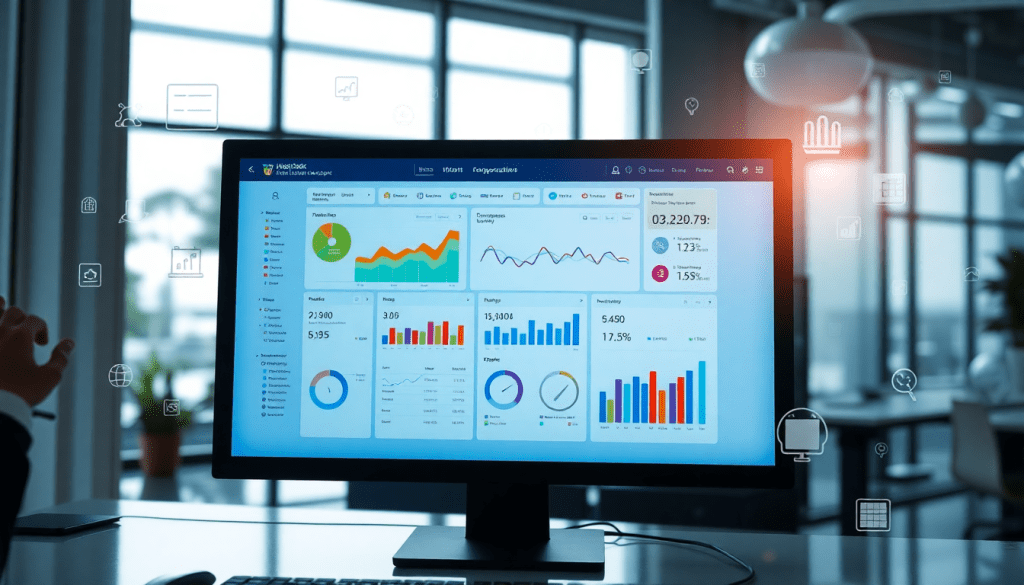
Digital Marketing KPI Dashboard: Visualize Metrics & Track ROI
A digital marketing KPI dashboard is your command center for making sense of campaign data, tracking ROI, and uncovering actionable insights across all your marketing channels. By consolidating metrics in a single, interactive performance tracking dashboard, marketers can move beyond spreadsheets and manual reports—unlocking the power of automated analytics, real-time visualization, and AI-driven recommendations. This guide explores how to choose, use, and maximize a digital marketing KPI dashboard for smarter, faster, and more impactful decisions.
What Is a Digital Marketing KPI Dashboard?
A digital marketing KPI dashboard is a centralized, interactive platform designed to visualize, monitor, and analyze key performance indicators (KPIs) across all your marketing channels. Think of it as your marketing mission control—where campaign data from search, social, email, display, and more is unified into one real-time view. The primary purpose of a KPI dashboard is to provide marketers, agencies, and stakeholders with immediate clarity on campaign performance, helping them track ROI, identify trends, and make fast, data-driven decisions.
Unlike traditional spreadsheets and manual reporting—which often involve time-consuming data entry, version control headaches, and static snapshots—a digital marketing KPI dashboard automates the collection and updating of metrics. This means you’re always looking at the latest numbers, without the risk of human error or outdated information. Instead of wrangling multiple files or logging into different ad platforms, a dashboard consolidates everything you need in one place.
The dashboard’s key functions revolve around making marketing data actionable:
- Marketing Metrics Visualization: Interactive charts, graphs, and tables let you instantly see how campaigns are performing, spot patterns, and compare results across channels.
- Campaign KPI Monitoring: Set up custom KPIs for every campaign or client, and monitor progress against goals in real time.
- Automated KPI Reports: Schedule and deliver branded performance reports automatically to stakeholders, freeing your team from manual report-building and allowing more time for strategy.
By bringing together these capabilities, a digital marketing KPI dashboard transforms the way teams track success and optimize campaigns—moving from reactive reporting to proactive, insight-driven marketing. To see how platforms like TapClicks empower organizations with unified dashboards and automated analytics, visit TapClicks.
Essential Marketing Metrics to Track
Selecting the right KPIs is at the heart of any effective digital marketing KPI dashboard. With countless possible metrics, knowing which ones to monitor is essential for accurately measuring campaign performance and ROI. Here are the most valuable marketing KPIs every digital marketer should consider tracking:
1. Click-Through Rate (CTR):
CTR measures the percentage of people who click on your ad or link compared to the number who view it. A high CTR often signals that your creative and targeting are resonating with your audience, making it a critical indicator of campaign relevance and engagement.
2. Cost Per Acquisition (CPA):
CPA shows how much you’re spending to acquire a new customer or lead. It’s a core metric for evaluating the efficiency of your marketing spend, helping you determine whether your campaigns are cost-effective and scalable.
3. Return on Ad Spend (ROAS):
ROAS calculates the revenue generated for every dollar spent on advertising. This metric is vital for understanding overall campaign profitability and justifying marketing investments to stakeholders.
4. Conversion Rate:
Conversion rate tracks the percentage of users who complete a desired action, such as filling out a form, signing up for a newsletter, or making a purchase. Monitoring this metric helps identify bottlenecks in your funnel and opportunities for optimization.
5. Engagement Metrics (Likes, Shares, Comments):
For social and content-driven campaigns, engagement metrics reveal how audiences are interacting with your brand. High engagement often correlates with increased brand awareness and loyalty, even if it doesn’t always lead directly to conversions.
Why These Metrics Matter for ROI Tracking
Each of these KPIs provides a lens into a different aspect of marketing performance. By monitoring them, marketers can pinpoint which channels and tactics deliver the best results, allocate budgets more effectively, and demonstrate tangible ROI to clients or executives. For example, a campaign with a low CPA and high ROAS is typically a strong performer, while a low conversion rate may signal a need for landing page optimization or creative refresh.
Prioritizing KPIs Based on Business Goals
Not all KPIs are equally important for every business or campaign. For brand awareness campaigns, engagement and reach may take precedence, while direct-response campaigns should prioritize conversion rate and CPA. Start by mapping your KPIs to specific objectives—whether it’s lead generation, revenue growth, or brand engagement—and build your dashboard around those priorities. This ensures your team stays focused on the metrics that truly drive results.
By thoughtfully selecting and prioritizing your marketing KPIs, your dashboard becomes a strategic asset—empowering data-driven decisions and fueling continuous improvement. For a holistic, automated approach to KPI tracking and visualization, explore how TapClicks can help unify your marketing data and reporting.
Key Features of an Effective KPI Dashboard
A truly effective digital marketing KPI dashboard isn’t just a collection of charts—it’s an intelligent performance hub that empowers marketers to make data-driven decisions, fast. To maximize the value of your dashboard, look for these essential features:
1. Cross-Channel Analytics Dashboard
Modern marketing rarely happens in a silo. Your dashboard should unify campaign data from all key channels—search, social, display, email, and more—into a single, consolidated view. This cross-channel capability allows you to spot trends, compare performance, and allocate budget with confidence, rather than relying on fragmented, channel-by-channel snapshots.
2. Interactive Performance Metrics
Static reports are yesterday’s news. An effective dashboard offers interactive elements: filter by date range, drill down into specific campaigns, or segment by audience demographics. Interactive dashboards enable deeper analysis and let stakeholders explore the data most relevant to their goals, without waiting for a new report to be built.
3. Seamless Data Integration
The best dashboards integrate directly with your marketing tools and platforms—ad networks, analytics suites, CRM, and more. With robust data integration, metrics update automatically as new data flows in, reducing manual work and ensuring you’re always seeing the latest results. Solutions like TapClicks stand out by offering thousands of data connectors and automated ETL/ELT pipelines, making it simple to bring all your marketing data together.
4. Automated KPI Reports and Real-Time Updates
Automation is a game-changer for marketing operations. Look for dashboards that can schedule and deliver branded KPI reports to your team or clients automatically, at any cadence you choose. Real-time data updates ensure you’re never making decisions based on stale information, while automation reduces reporting errors and hours spent on manual tasks. For a deeper dive into how automation can transform your dashboard workflow, see more.
5. Customization and Scalability
Every business and agency is unique. Your KPI dashboard should let you tailor layouts, select the most meaningful metrics, and apply custom branding. As your reporting needs evolve—whether you’re managing dozens or thousands of campaigns—your dashboard should scale seamlessly, supporting both granular insights and big-picture analysis.
By prioritizing these must-have features, marketers can move beyond basic reporting to actionable intelligence, streamlining performance tracking and unlocking new growth opportunities.
How to Visualize and Analyze Marketing Metrics
The true power of a digital marketing KPI dashboard lies not just in collecting metrics, but in presenting them in ways that spotlight trends, surface actionable insights, and drive faster decisions. Effective data visualization transforms raw numbers into compelling stories, enabling marketers to see at a glance what’s working and where to optimize next.
Best Practices for Visualizing Marketing Data
Start by choosing the right visualization for each metric. Line graphs are ideal for showing performance trends over time—such as conversion rates or spend—while bar charts are perfect for comparing channel results side-by-side, like social versus search ROI. Pie charts can quickly convey share of budget or audience, and heat maps are invaluable for spotting high-performing regions or segments across geographies.
Interactive dashboards take visualization further by letting users drill down into specific campaigns, filter by custom date ranges, or layer in additional data dimensions (like device type or creative variant). These features empower teams to move from surface-level reporting to deep, on-the-fly analysis.
Harnessing AI for Deeper Insights
AI-powered marketing dashboards, such as those provided by TapClicks, go beyond static charts. AI agents can automatically analyze trends, flag anomalies, and surface recommendations—such as which campaigns are pacing ahead or falling behind benchmarks, or where budget reallocations could yield higher returns. These intelligent insights help marketers not only understand what’s happening, but also why, and what to do next.
For example, an AI-driven dashboard might highlight a sudden spike in cost per acquisition (CPA) on a particular channel, prompting a closer look at creative, audience targeting, or bid strategies. Or it might forecast future spend patterns based on historical data, allowing for proactive budget adjustments before issues arise.
Examples of Effective Dashboard Reporting
The most impactful dashboards blend clear visualization with contextual insights. A best-in-class digital campaign dashboard might feature:
- A real-time performance overview: Key KPIs visualized with color-coded status indicators.
- Channel-by-channel breakdowns: Bar graphs comparing spend, clicks, and conversions across platforms.
- Geographic heat maps: Instantly see which regions are outperforming.
- Automated insights panels: AI-generated summaries and recommendations delivered alongside the data.
To see how marketers are leveraging these techniques in practice, learn more about effective dashboard reporting and visualization strategies.
By combining best-practice visualizations with AI-driven analysis, modern KPI dashboards empower marketers to unlock insights from their data—fueling smarter, faster, and more impactful campaign decisions.
Automating KPI Reporting and Campaign Monitoring
Manual reporting has long been a bottleneck in marketing operations—consuming countless hours, introducing human error, and delaying critical insights. Automation changes the game by streamlining the entire process, allowing marketers to focus on strategy and optimization rather than repetitive data pulls and report formatting.
Why Automate KPI Reporting?
Automated KPI reporting eliminates the risks of copy-paste errors and outdated numbers, ensuring that every stakeholder receives accurate, up-to-date insights. With automation, routine reports are generated and distributed on a predefined schedule, reducing the reporting workload by dozens of hours each month. This frees up analysts and account managers to focus on higher-value tasks like campaign optimization and client communication.
Setting Up Automated Reports and Alerts
The workflow of automating KPI reports typically includes:
- Integration: Connect all relevant marketing platforms (such as Google Ads, Facebook, programmatic channels, and CRM systems) to your dashboard tool.
- Dashboard Design: Select or customize templates to visualize your most important KPIs by campaign, channel, or client.
- Scheduling: Set up automated delivery—whether it’s weekly performance summaries for clients or daily alerts for your internal team.
- Custom Alerts: Define threshold-based alerts for anomalies (for example, if a campaign’s CPA spikes or conversion rates drop below target), so you’re notified instantly when attention is needed.
How TapClicks Powers Automated Reporting
TapClicks stands out for its robust automation capabilities designed specifically for agencies and brands managing complex marketing portfolios. With TapClicks, users can automate the collection, normalization, and visualization of data from over 10,000 marketing sources. The platform’s drag-and-drop dashboard builder allows for rapid customization, while scheduled reports ensure that clients and internal teams always have access to the latest insights—without manual intervention.
TapClicks’ AI-driven features, like SmartEmail, go a step further by automatically generating and emailing insight summaries, surfacing not just data but actionable recommendations. This level of automation means marketers can monitor campaigns in real time, quickly react to changes, and deliver proactive updates to stakeholders with minimal effort.
In short, automating KPI reporting and campaign monitoring with platforms like TapClicks helps marketing teams move faster, eliminate errors, and consistently deliver data-driven value to clients and stakeholders.
Cross-Channel Analytics: See Your Whole Marketing Story
In today’s fast-moving marketing world, you can’t afford to look at your channels in silos. A cross-channel analytics dashboard lets you see everything—paid ads, social media, email, web engagement, and more—side by side, so you can make smarter, faster decisions.
What Can You Track in a Cross-Channel Dashboard?
- Ad Spend: Compare Google, Facebook, programmatic, and more in one unified view.
- Organic & Social Engagement: Monitor likes, shares, comments, and reach across all platforms.
- Email Performance: Track opens, clicks, unsubscribes, and conversion rates.
- Website Conversions: See how all channels contribute to leads and sales.
- Influencer & Partner Campaigns: Measure earned media alongside your owned and paid efforts.
Why Unify Your Marketing Data?
When you bring everything together, you unlock insights you’d never see in isolation:
- Spot Patterns: See how spikes in one channel (like social) impact others (like paid search).
- Reveal Hidden Correlations: Discover synergies—maybe your email campaign boosts influencer ROI, or organic posts nudge paid conversions.
- Optimize Campaigns: Use the full picture to shift budgets, refine messaging, and double down on what works.
- Measure True ROI: Attribute impact accurately across campaigns, clients, and locations.
How TapClicks Makes It Easy
With TapClicks, cross-channel analytics isn’t just possible—it’s effortless:
| TapClicks Feature | What It Delivers |
|---|---|
| 10,000+ Data Connectors | Instantly pull from any ad, analytics, or martech source |
| Data Blending & Enrichment | Normalize, compare, and enrich data for real insights |
| Automated Reporting | Scheduled, branded reports tailored for each stakeholder |
| Real-Time Dashboards | Customizable views for clients, execs, and ops teams |
| Attribution & Budget Pacing | Track every dollar and conversion across your ecosystem |
Want a deeper dive on the power of integration? Explore integration benefits.
Your Competitive Edge: Actionable, Unified Insights
When you move beyond siloed reporting, you:
- Save hours (or days!) on manual data wrangling
- Uncover trends and drivers that fuel growth
- Prove ROI with confidence
- Enable truly data-driven decision making for every campaign
Ready to unify your marketing analytics and reporting? See how TapClicks delivers at scale.
Turning Dashboard Insights into Marketing Action
A digital marketing KPI dashboard is only as valuable as the actions it inspires. The real power lies in transforming raw data and visualized metrics into strategic decisions that drive campaign performance. Here’s how to leverage your dashboard’s insights to optimize campaigns, maximize ROI, and create a cycle of continuous improvement:
Interpreting Dashboard Data for Real-Time Optimization
First, focus on the story your dashboard tells. Are certain channels consistently outperforming others? Is your cost per acquisition (CPA) creeping higher on a specific campaign? Use the dashboard’s real-time views to spot these trends early. For example, if you notice a spike in click-through rates (CTR) but a drop in conversions, it might signal a disconnect between your ad creative and landing page experience—prompting a quick test and adjustment.
Dashboards like those from TapClicks make it easy to filter by date, channel, audience segment, or creative, helping you pinpoint the factors behind shifts in performance. This immediacy empowers marketers to pause underperforming ads, reallocate budget, or deploy new creative assets without waiting for end-of-month reporting cycles.
Leveraging AI-Powered Insights and Predictive Analytics
Modern marketing dashboards go beyond simple visualization—AI-powered features can automatically surface optimization opportunities. TapClicks’ AI agents, for example, analyze live datasets to detect anomalies, identify patterns, and forecast potential outcomes. If your dashboard flags an unusual spike in cost per lead, predictive modeling can estimate the impact on your monthly budget and recommend an adjustment before overspending occurs.
Smart insights delivered through features like SmartEmail ensure stakeholders receive timely, actionable summaries—keeping your team proactive instead of reactive. By integrating predictive analytics into your workflow, you can make data-backed decisions for bid adjustments, channel mix, and creative refreshes before small issues become costly problems.
Reviewing, Iterating, and Acting on Insights
To maximize impact, make dashboard review a regular part of your marketing cadence. Set aside a recurring time each week or month to evaluate performance against KPIs, dig into anomalies, and document learnings. Encourage cross-functional collaboration—invite sales, creative, and operations teams into dashboard reviews to foster holistic decision-making.
Use dashboard findings as the foundation for test-and-learn cycles: launch A/B tests based on insights, track results directly in your dashboard, and iterate quickly. Over time, this approach builds a culture of continuous optimization, ensuring your marketing strategy stays aligned with real-world data and evolving business goals.
By consistently turning dashboard insights into action, marketers can move from reporting what happened to proactively shaping what happens next—driving smarter campaigns and better ROI with every iteration.
Wrapping Up: Why Your KPI Dashboard Matters More Than Ever
In a world where speed and clarity drive marketing success, your digital marketing KPI dashboard isn’t just another reporting tool—it’s the nerve center of your entire strategy. The right dashboard enables you to:
- Track Performance Effortlessly: Monitor key metrics across all your channels, campaigns, and clients in one unified view.
- Measure ROI with Precision: Understand what’s working (and what’s not) so you can allocate budgets intelligently and maximize returns.
- Make Data-Driven Decisions: Stop guessing and start acting on real-time insights that fuel smarter optimizations.
What To Look For in a Modern KPI Dashboard
When choosing your next dashboard solution, prioritize features that truly move the needle:
- Cross-Channel Analytics: Blend data from everywhere—social, search, display, email, and more—for a holistic view.
- Real-Time Automation: Eliminate manual work with scheduled reports and up-to-the-minute updates.
- AI-Powered Insights: Let intelligent recommendations and predictive analytics guide your next move.
- Scalability: Support for multi-location brands, high-volume agencies, or enterprises managing thousands of dashboards.
Who Benefits Most?
- Agencies: Streamline reporting for every client, no matter how many campaigns you’re running.
- Brands: Gain visibility across all regions and product lines without manual data crunching.
- Enterprise Teams: Feed cleansed, unified data directly into BI, CRM, or finance systems—no more data silos.
Ready to take control of your marketing analytics?
Explore how TapClicks can:
- Unify your marketing data,
- Automate reporting,
- Deliver actionable, AI-powered insights.
Request a demo or dive into our resource library to see how you can transform the way your team approaches marketing analytics and ROI tracking—starting today.
Start Automating Your Marketing Data Today!
No Credit Card Required.

