

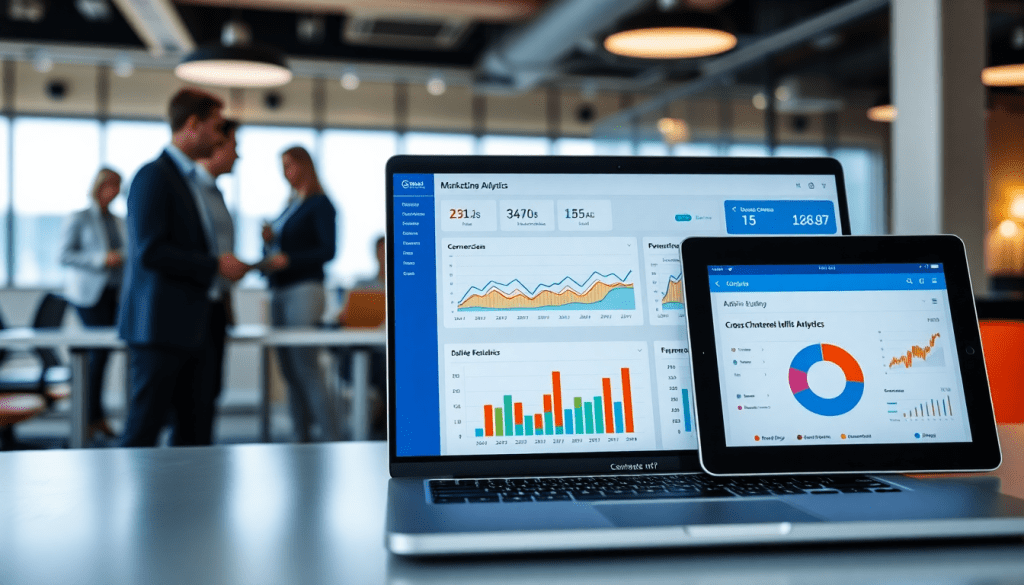
Digital Marketing KPI Dashboard: Visualize Metrics & Track ROI
A digital marketing KPI dashboard is more than just a reporting tool—it’s your command center for understanding campaign performance and optimizing ROI across every channel. With the right dashboard, you can turn raw data into clear, actionable insights, automate complex reporting, and spot opportunities for growth at a glance. Whether you’re managing a handful of campaigns or overseeing hundreds, leveraging a robust dashboard helps you keep teams aligned, clients informed, and business goals on track.
What is a Digital Marketing KPI Dashboard?
A digital marketing KPI dashboard is a centralized, visual workspace designed to track, measure, and analyze your most important marketing metrics in real time. Think of it as your mission control: it pulls together data from multiple channels—such as search, social, display, and email—into one unified interface, allowing marketers and stakeholders to monitor performance at a glance.
At its core, a KPI dashboard organizes your key performance indicators (KPIs), the quantifiable metrics that define success for your campaigns. These might include impressions, click-through rates, conversions, cost per acquisition, and return on ad spend, among others. With customizable widgets and dynamic charts, a KPI dashboard makes complex data easy to interpret, empowering you to spot trends, identify bottlenecks, and make data-driven decisions faster.
The importance of real-time marketing metric visualization cannot be overstated. Marketing moves quickly, and delays in accessing performance data can mean missed opportunities or wasted spend. A well-built dashboard enables you to monitor live campaign progress, quickly diagnose issues, and pivot strategy as needed—without waiting for manual reports or juggling spreadsheets. This agility is especially crucial for agencies and brands managing multiple campaigns or clients, where alignment and transparency are essential for delivering results.
For a deeper dive into the functions and benefits of a digital marketing KPI dashboard, TapClicks provides an excellent overview of KPI dashboards, including practical examples and expert insights to help marketers get started.
Key Metrics to Track in Your Marketing Dashboard
The true power of a digital marketing KPI dashboard lies in its ability to surface the metrics that matter most for your business goals and campaign objectives. While every organization’s needs will vary, several essential KPIs form the core of effective digital marketing measurement:
Impressions measure how often your ads or content are displayed, providing a baseline for brand visibility and reach. Clicks and Click-Through Rate (CTR) reflect audience interest and engagement, showing how compelling your creative and messaging are in driving immediate action.
Conversions—whether a form fill, purchase, or another desired action—are the ultimate indicator of campaign success. Closely tracking your Cost Per Acquisition (CPA) helps you evaluate efficiency, while Return on Ad Spend (ROAS) quantifies the revenue generated for every dollar invested, making it indispensable for ROI tracking.
Engagement rates (likes, shares, comments) are especially critical for social campaigns, revealing how audiences interact with your content beyond simple exposure. For lead generation-focused efforts, metrics like Cost Per Lead (CPL) and Lead Quality Scores provide deeper insight into pipeline health.
Why do these KPIs matter? They empower marketers to move beyond vanity metrics, focusing on what actually drives business outcomes. For example, a high CTR but low conversion rate might signal landing page friction, while strong engagement but poor ROAS could prompt a review of targeting or creative strategy.
Importantly, the best dashboards are not one-size-fits-all. Tailor your tracked metrics to align with specific campaign goals. For brand awareness, prioritize impressions, reach, and share of voice. For lead generation, focus on conversions, CPL, and funnel progression. Ecommerce teams should zero in on ROAS, average order value, and cart abandonment rates.
By thoughtfully selecting and customizing KPIs within your dashboard, you enable precise campaign monitoring, faster optimization cycles, and clearer communication with stakeholders. For a deeper dive into setting up and visualizing these metrics, explore TapClicks’ overview of KPI dashboards.
Benefits of Automated KPI Reports and Performance Tracking
Automated KPI reports are game-changers for digital marketing teams, offering both immediate and long-term benefits that streamline operations and elevate campaign results. First and foremost, automation delivers substantial time savings—what once took hours or even days to manually compile can now be executed in minutes or on a set schedule. By eliminating the repetitive, tedious aspects of data collection and report generation, marketers are free to focus on strategies, optimizations, and client engagement that drive real business value.
Beyond efficiency, automated reporting significantly improves accuracy, consistency, and transparency. Manual processes are notoriously prone to human error: a missed spreadsheet update or copy-paste mistake can skew results and undermine trust. Automation ensures that every report pulls from the most current and reliable data sources, applying standardized calculations and formatting every time. This means internal stakeholders and clients always receive consistent, apples-to-apples performance insights, which builds credibility and accelerates decision-making.
Scheduled reports are another core benefit, especially for organizations managing multiple campaigns or clients. With automation, you can guarantee timely delivery—weekly, monthly, or even daily—without scrambling at the last minute. This reliability keeps teams and clients aligned, proactively surfaces trends or issues, and supports a culture of transparency and accountability. For agencies and brands alike, automated reporting is a foundation for scalable growth and enhanced client relationships.
For a deeper dive into how automated dashboard reporting can transform your digital marketing workflow, check out TapClicks’ detailed article on automated dashboard reporting. To explore how TapClicks can help your team streamline and scale performance tracking, visit TapClicks.
Cross-Channel Analytics: Unifying Data for Holistic Insights
In today’s multi-platform marketing landscape, a cross-channel analytics dashboard is not just helpful—it’s essential. Modern digital marketers run campaigns across search engines, social networks, display ads, email, influencers, and more. Yet, when performance data lives in silos within each channel, it’s nearly impossible to see the true impact of your efforts or make informed decisions quickly. That’s where a unified dashboard transforms the game.
A cross-channel dashboard brings together data streams from every marketing platform—Google Ads, Meta, LinkedIn, programmatic display, email automation tools, and beyond—into one cohesive view. With all your key performance indicators aligned side-by-side, you can compare metrics like impressions, conversions, and cost per acquisition (CPA) across channels, spot trends, and allocate budget more effectively. This holistic visibility is vital for understanding not just which channels perform best, but how they work together to drive results.
Siloed data creates blind spots. Marketers often waste hours manually compiling spreadsheets from disparate sources, risking errors and missed insights. Integration solves these pain points by automatically aggregating and standardizing campaign data. Platforms like TapClicks offer thousands of connectors and enrichment tools that blend multi-source data, normalize metrics, and power dashboards that tell the complete story at a glance. With unified cross-channel analytics, marketers gain the agility to pivot strategies, justify spend, and communicate value to stakeholders with confidence.
Interactive Visualization & AI-Powered Insights
Today’s most effective digital marketing KPI dashboards go far beyond static charts—they deliver interactive, real-time visualizations powered by AI, transforming how marketers interpret and act on campaign data.
Interactive dashboards empower users to drill down into performance metrics, filter by channel, date, or audience, and instantly uncover granular insights. This hands-on approach not only increases engagement but also helps teams and clients quickly identify what’s working and what needs attention. For example, you might spot a sudden spike in conversions from a paid social campaign or pinpoint underperforming keywords on search—all within a few clicks.
But the real game-changer is the integration of AI-driven analytics. AI marketing dashboards do more than display numbers—they continuously scan your data for trends, anomalies, and emerging patterns that manual analysis might miss. As detailed in TapClicks' guide to AI marketing dashboards, AI agents can automatically surface actionable insights, flag budget pacing issues, and even recommend optimization steps to maximize ROI. This ensures marketers spend less time hunting for answers and more time executing strategy.
Predictive analytics further elevates dashboard value by forecasting future outcomes based on historical data. Imagine your dashboard alerting you to a likely drop in CTR before it happens, or recommending budget shifts to capitalize on high-performing channels. Automated recommendations and smart alerts become your digital co-pilot—helping you stay agile in a fast-moving environment.
By combining interactive visualization with AI-powered intelligence, today’s digital marketing KPI dashboards—like those from TapClicks—not only make data more accessible but also empower marketers to drive smarter, faster decisions across every campaign.
How to Choose and Implement the Right KPI Dashboard
Selecting the right digital marketing KPI dashboard is a strategic decision that impacts every aspect of campaign management, reporting, and optimization. With countless tools on the market, it’s vital to focus on features that ensure your dashboard not only meets today’s needs but can also grow alongside your marketing operations.
1. Key Features to Look For
- Robust Data Connectors: Choose a platform that offers broad integrations with marketing, advertising, and business data sources. Look for support for all your key channels—search, social, display, email, and more—to eliminate data silos.
- Customization & Flexibility: The dashboard should allow you to tailor metrics, visualizations, and reports to match your goals and audience—whether you’re tracking brand awareness, lead generation, or ecommerce performance.
- Scalability: As your campaigns, locations, or clients increase, your dashboard must handle growing data volumes and user numbers without performance issues.
- User Roles & Permissions: Ensure the platform supports multiple user types, enabling granular access controls for agencies, internal teams, and clients.
- Export & Sharing Options: Look for automated report scheduling, branded exports, and easy sharing via links or email to streamline stakeholder communication.
2. Step-by-Step Implementation Guide
- a. Needs Assessment: Start by identifying the KPIs and data sources critical to your business goals. Involve stakeholders from marketing, analytics, and client-facing teams to build consensus on reporting requirements.
- b. Platform Evaluation: Compare dashboard solutions based on feature sets, integration capabilities, and scalability. Platforms like TapClicks stand out for their unified approach, robust connectors, and workflow automation.
- c. Data Integration: Connect your marketing and business data sources. Leverage automated ETL/ELT processes to ensure data is reliably extracted, transformed, and loaded into your dashboard.
- d. Customization: Design dashboards and reports tailored to your audience—internal teams may need granular performance views, while clients may prefer high-level summaries.
- e. Team Training & Adoption: Provide onboarding sessions and resources to ensure all users understand how to navigate the dashboard, interpret metrics, and generate reports.
- f. Testing & Iteration: Pilot your dashboard with a select group of users. Gather feedback, refine visualizations, and adjust metric definitions to ensure clarity and accuracy.
- g. Full Rollout & Support: Launch the dashboard organization-wide, and establish a support process for ongoing questions or technical issues.
3. Best Practices for Ongoing Optimization
- Regularly Review Metrics: As your marketing objectives evolve, revisit which KPIs are surfaced in your dashboards to maintain alignment with business goals.
- Automate Where Possible: Use scheduling and automated insights to free up analyst time and ensure reports are consistently delivered to stakeholders.
- Solicit Stakeholder Feedback: Set up regular check-ins with users—both internal and external—to identify opportunities for dashboard improvement.
- Stay Current: As new platforms and metrics emerge, ensure your dashboard can adapt by adding new data connectors or updating visualization options.
By carefully choosing a scalable, customizable platform and following a structured implementation process, you’ll unlock the full power of KPI dashboards—delivering accurate, real-time insights that drive smarter marketing decisions and measurable ROI.
KPI Dashboards: How Real Teams Are Getting Results
Digital marketing KPI dashboards aren’t just theoretical—they’re the engine behind real, measurable improvements for agencies, brands, and large enterprises. Here’s how top organizations put dashboards like TapClicks into action:
How Agencies Make Dashboards Work for Them
Agencies typically handle reporting for dozens—or even hundreds—of clients at once. TapClicks empowers agencies to:
- Aggregate multi-channel data (search, social, display, and more) into unified, client-branded dashboards
- Automate repetitive manual work—one multi-location agency cut over 50 hours of analyst time per month by automating weekly client reports
- Enable real-time campaign optimization as data updates automatically
- Keep clients informed with scheduled, automated reports
- Protect sensitive data using role-based access, so each team member sees only what’s relevant
Quick Win:
A multi-location agency used TapClicks to automate reporting, freeing up time for deeper strategy and faster campaign adjustments.
Brands: Gaining Clarity Across Complex Campaigns
For brands managing campaigns across multiple regions or product lines, dashboards deliver much-needed visibility:
- Centralize campaign KPIs (impressions, conversions, CPA, ROAS) from dozens of cities or regions
- Quickly identify underperformers and reallocate budget in the moment
- Benchmark performance across markets without digging through spreadsheets
Real Result:
A national retail brand used a unified dashboard to pinpoint a hidden opportunity in their email marketing channel—optimizing it for a 30% boost in engagement.
Enterprise Teams: Unifying Marketing, Sales, and Finance
Large enterprise teams need solutions that scale and integrate:
- Seamless data connectors pull in marketing, sales, CRM, and finance data
- Granular user permissions keep teams focused and data secure
- Cross-channel analytics visualize KPIs across hundreds of clients or business units
In Action:
A global media company blended analytics from 200+ clients. When AI-powered insights flagged a dip in paid search ROI, the team quickly refreshed creative, reversing the trend in days.
Why Scalable Reporting Matters
With TapClicks, scalable reporting means:
- Automated roll-up reports for every stakeholder—from local teams to the C-suite
- Customizable dashboards provide tailored insights for each user
- Faster, data-driven decisions at every level of your organization
Want to see more examples and best practices?
👉 See how unified dashboards drive efficiency and impact
Conclusion & Next Steps
A digital marketing KPI dashboard is more than just a reporting convenience—it’s a transformative tool for marketers who want to move from reactive measurement to proactive growth. By unifying cross-channel metrics, automating time-consuming reporting, and leveraging AI-powered insights, these dashboards put marketers in control of their data and their results. The ability to visualize performance in real time and access actionable analytics empowers teams to optimize campaigns, improve ROI, and deliver measurable value to clients and stakeholders alike.
Now is the ideal time to assess your current reporting setup. Are you manually wrangling spreadsheets, or struggling to bring together siloed data? If so, there’s a clear opportunity to streamline your workflow, boost accuracy, and free up your team for higher-impact work. Consider exploring solutions like TapClicks, which offers a unified platform for automated reporting, seamless integrations, and AI-driven insights tailored for agencies, brands, and enterprise teams alike.
Ready to unlock better performance tracking? Start by reviewing your must-have KPIs and reporting pain points, then dive deeper with a free dashboard trial or demo. With the right dashboard, you’ll gain the clarity and confidence needed to drive marketing success—today and into the future.
Start Automating Your Marketing Data Today!
No Credit Card Required.

