

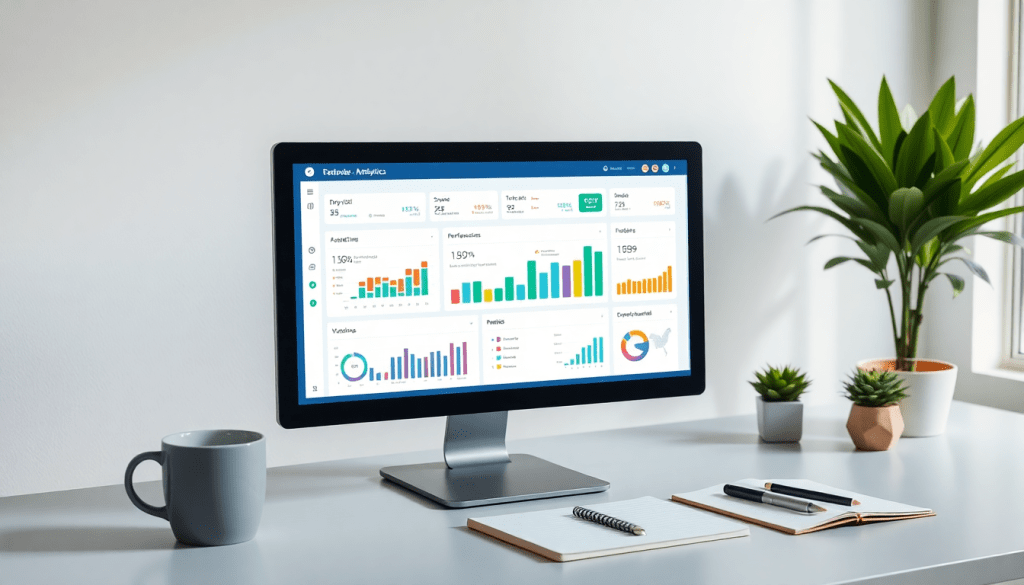
Digital Marketing KPI Dashboard: Visualize Metrics & Track ROI
A digital marketing KPI dashboard brings all your key performance metrics into one place, making it easier to measure, understand, and improve your marketing efforts. Instead of juggling spreadsheets or siloed tools, a well-designed dashboard gives marketing teams a real-time, interactive view of campaign performance, ROI, and actionable insights—across every channel. In this guide, you’ll learn what a digital marketing KPI dashboard is, why it matters, and how to get the most out of your marketing data with advanced visualization and automation.
What is a Digital Marketing KPI Dashboard?
A digital marketing KPI dashboard is a centralized, interactive platform that brings all your most important marketing metrics together in one easy-to-understand view. Its core purpose is to provide marketers, agencies, and brands with a real-time pulse on campaign performance, so they can make faster, data-driven decisions. Instead of sifting through disconnected spreadsheets or logging into multiple ad platforms, you get a single source of truth for all your key performance indicators—whether you’re tracking website traffic, lead generation, paid ad spend, or social engagement.
Dashboards like these are designed to unify metrics from every channel—think Google Ads, Facebook, SEO, email marketing, and more—into a cohesive, visual workspace. This not only removes reporting silos, but also helps teams spot trends, diagnose issues, and optimize campaigns on the fly. By surfacing the most critical KPIs in real time, a well-designed dashboard empowers marketers to quickly answer questions like: Are we hitting our goals? Which channels are delivering the best ROI? Where should we reallocate budget to maximize results?
The true power of a digital marketing KPI dashboard lies in its ability to enable fast, evidence-based action—whether that means celebrating wins, course-correcting campaigns, or sharing results with stakeholders. For a deeper dive into exactly how KPI dashboards work and why they’re essential for modern marketing teams, check out these in-depth explanations of KPI dashboards.
Key Features of an Effective KPI Dashboard
A high-impact digital marketing KPI dashboard should go beyond basic number-tracking—it should empower marketers with a comprehensive, intuitive, and actionable view of their performance. Here are the essential features every modern dashboard should include:
1. Cross-Channel Analytics
To truly understand your marketing efforts, your dashboard must unify data from all relevant sources: paid ads, social media, SEO, email, and more. Cross-channel analytics provide a holistic view, connecting the dots between campaigns and channels, so you can see which tactics are driving the best results and where to optimize spend.
2. Marketing Metrics Visualization
Effective dashboards turn complex data into clear, interactive visuals. Whether you’re looking at campaign ROI by channel, lead conversion rates, or engagement trends over time, smart visualizations—such as charts, graphs, and scorecards—make insights easy to grasp at a glance. This visual clarity is essential for both quick decision-making and deeper performance analysis.
3. Campaign KPI Monitoring
Real-time KPI tracking allows marketers to monitor performance as it happens. Customizable dashboards let you surface the most important metrics for your business or clients—like cost per acquisition, click-through rates, or revenue by campaign—enabling you to react swiftly to changing trends and capitalize on opportunities.
4. Interactive Performance Metrics
The best dashboards aren’t static—they allow users to drill down, filter, and segment data by date ranges, campaign types, geographic regions, or audience segments. This interactivity turns your dashboard into a dynamic tool for exploration and discovery, helping uncover insights that drive smarter strategies.
5. Automated KPI Reports and Real-Time Updates
Automated reporting is a game-changer for marketing teams. Instead of manually compiling spreadsheets or PowerPoints, dashboards should deliver scheduled, branded reports to stakeholders with the latest data—saving time and reducing errors. Real-time data feeds ensure your team is always working with the most up-to-date information, which is crucial for fast-paced campaigns and agile marketing decisions.
For a deeper dive into these key features and how they drive marketing success, check out this detailed feature breakdown.
By combining these capabilities, a robust KPI dashboard becomes the single source of marketing truth—streamlining campaign management, surfacing actionable insights, and maximizing the value of your marketing data. To see how leading platforms like TapClicks deliver on these must-have features, visit TapClicks.
Visualizing Marketing Metrics: From Data to Insights
The true value of a digital marketing KPI dashboard lies in its ability to transform complex, disparate data into clear, actionable insights. Visualization is the bridge between raw numbers and strategic decisions—turning spreadsheets into stories that drive results.
Turning Data into Actionable Insights
Marketing data, when left in its raw form, is often overwhelming or too granular to steer meaningful action. Visualizing this data—whether through interactive dashboards or automated reports—makes patterns, trends, and anomalies immediately apparent. Instead of searching through hundreds of rows, marketers can spot campaign spikes, dips in engagement, or shifts in channel performance at a glance. This clarity empowers teams to act quickly, optimize campaigns, and confidently report ROI to stakeholders.
Types of Visualizations for Marketers
A well-designed marketing dashboard leverages a variety of visual formats, each suited to different types of KPI storytelling:
- Charts & Graphs: Line, bar, and area charts are perfect for tracking campaign performance over time, comparing spend across channels, or visualizing conversion funnels.
- Scorecards: These provide at-a-glance summaries of essential KPIs—like impressions, clicks, conversions, or ROI—so teams can quickly assess campaign health.
- Maps: For brands with multi-location or geo-targeted campaigns, heat maps and geographic visualizations reveal regional opportunities and gaps.
- Custom Widgets: Interactive tables, trend arrows, and segmentation filters help marketers zoom in on specific cohorts, audiences, or tactics.
Real-World Visualization in Performance Dashboards
Imagine a paid search manager monitoring daily spend and conversions across Google Ads, Microsoft Ads, and Facebook. Instead of toggling between platforms, a unified dashboard displays all channels side by side, highlights underperforming keywords with red alerts, and uses scorecards to summarize cost per acquisition by channel. Or, a multi-location retailer can use geographic heat maps to see which regions are delivering the highest returns on ad spend—enabling fast budget reallocations.
Visualization Best Practices
Effective dashboard visualization isn’t just about pretty charts; it’s about clarity, relevance, and actionability. Focus on visualizations that spotlight trends, outliers, and benchmarks. Use color and hierarchy to guide attention to what matters most. And always tailor dashboards to your audience—executives may want high-level scorecards, while channel managers prefer granular funnel breakdowns. For a deeper dive into design recommendations, see best practices for visualization.
In short, data visualization is the catalyst that turns marketing metrics into business impact. To see how TapClicks brings advanced visualization to every level of your marketing operation, visit TapClicks.
Tracking ROI and Campaign Performance
A digital marketing KPI dashboard is essential for tracking ROI and campaign performance across all your marketing channels. By centralizing data from platforms like Google Ads, Facebook, SEO, and email marketing, dashboards give marketers instant clarity on which efforts are delivering results—and which need adjustment.
How Dashboards Enable ROI Tracking
Dashboards eliminate manual data pulls and fragmented reporting, enabling real-time visibility into return on investment. With automated data integration, marketers can monitor spend, leads, conversions, and revenue in one place, making it easy to attribute results back to specific campaigns or channels. For example, you can quickly see which paid ad campaigns drive the highest cost-per-acquisition (CPA) or which email sequences generate the most qualified leads. This centralized view is critical for both tactical optimization and strategic budget planning.
Which KPIs to Track for Different Channels
Effective ROI tracking starts by monitoring the right KPIs for each channel:
- Paid Search & Social: Track impressions, clicks, click-through rate (CTR), cost-per-click (CPC), conversions, and cost-per-acquisition (CPA).
- SEO: Monitor organic traffic, keyword rankings, bounce rate, and goal completions.
- Email Marketing: Analyze open rates, click rates, unsubscribe rates, and conversion rates.
- Display & Programmatic: Measure reach, viewability, engagement, and post-view conversions.
A robust KPI dashboard allows you to compare these metrics side by side, revealing the true performance of each channel and highlighting opportunities for optimization.
Setting Up ROI Calculations and Benchmarks
To accurately measure ROI, your dashboard should combine cost and revenue data for each campaign. Most dashboards, like those detailed in this guide to campaign performance dashboards, let you input budget figures and connect to sales or CRM systems for closed-loop reporting. This enables automated calculation of key ROI formulas, such as:
- ROI (%) = (Revenue – Cost) ÷ Cost × 100
- ROAS (Return on Ad Spend) = Revenue ÷ Ad Spend
For meaningful insights, set benchmarks based on historical performance or industry standards. Your dashboard can then flag campaigns that fall outside these thresholds, helping you prioritize your next actions.
With a unified, real-time KPI dashboard, marketers move beyond just reporting—they gain the tools to optimize spend, prove value, and drive continuous improvement across every campaign. For more on building and leveraging these dashboards, visit TapClicks.
Automating KPI Reports for Marketing Teams
Automated KPI reports are a game-changer for modern marketing teams, delivering substantial benefits in time savings, accuracy, and consistency. By eliminating manual data pulls and repetitive spreadsheet work, automation frees up valuable hours—often saving analysts 50+ hours per month—that can be reinvested in strategy and campaign optimization. Perhaps even more crucially, automated reporting minimizes the risk of human error, ensuring stakeholders are working from a single, reliable source of truth.
AI-powered marketing dashboards, like those offered by TapClicks, take automation a step further. These platforms leverage AI to not only assemble and update reports in real time, but also surface actionable insights, flag anomalies, and recommend optimizations—without the need for constant analyst intervention. Smart scheduling tools allow teams to set up recurring, fully customized reports that land in the right inboxes at the right time, whether daily, weekly, or monthly. This ensures everyone stays informed with consistent, branded, up-to-date performance summaries.
To maximize the benefits of automated KPI reports, consider a few best practices:
- Schedule reports based on stakeholder needs—executives may prefer high-level weekly rollups, while channel managers benefit from daily granular updates.
- Customize report templates to reflect brand identity and focus on the metrics that matter most to each audience.
- Leverage AI features that auto-generate narrative summaries or highlight significant changes in performance.
- Set up automated sharing and permissions to maintain data security and streamline collaboration.
By integrating automation and AI into your reporting workflows, marketing teams can deliver insights faster, drive better decisions, and keep their focus where it matters most—growing the business. For more on the power and possibilities of automated KPI dashboards, explore detailed feature breakdowns.
Cross-Channel Analytics: See the Full Picture
Today’s digital marketing landscape is fragmented across dozens of platforms—Google Ads, Facebook, LinkedIn, programmatic display, SEO tools, email providers, and more. Cross-channel analytics dashboards solve the complexity by unifying all this data in one interactive view. Instead of toggling between siloed reports, marketers can monitor multi-channel campaign performance at a glance, compare results side by side, and spot trends or discrepancies instantly.
A strong cross-channel dashboard lets you blend paid, organic, social, and offline campaign metrics, providing a holistic understanding of your marketing funnel. For agencies managing multiple clients, this means you can deliver consolidated reporting across every active channel—no more endless spreadsheets or copy-pasting between platforms. For brands and enterprise teams, it’s the fastest way to understand overall marketing ROI, reallocate budgets, and optimize messaging based on real performance signals.
The real power comes from being able to see, for example, how a spike in paid social impressions correlates with branded search clicks, or how email campaigns drive website conversions alongside organic search trends. With a unified dashboard, marketers can quickly identify which channels are working together, where there are attribution gaps, and how to optimize spend for the best possible results.
To see how cross-channel analytics help teams maximize impact and efficiency, check out this detailed feature breakdown. And for organizations ready to consolidate their marketing data and reporting at scale, platforms like TapClicks offer robust, customizable cross-channel analytics built for agencies, brands, and enterprises alike.
Choosing the Right Digital Marketing KPI Dashboard
Selecting the right digital marketing KPI dashboard is crucial for maximizing your marketing impact and streamlining operations. With a crowded landscape of solutions, it’s important to weigh a few essential criteria before making your choice:
1. Integration Capabilities
A powerful dashboard platform should seamlessly connect with all your marketing channels, ad platforms, CRMs, and analytics tools. Look for solutions that offer a wide range of pre-built connectors as well as custom integration options for niche or proprietary data sources.
2. Scalability and Performance
Your dashboard needs may start small, but as your campaigns grow and your reporting expands across brands, clients, or locations, your platform must keep up. Seek out solutions designed for high-volume data processing and multi-tenant support, ensuring reporting remains fast and reliable at any scale.
3. Ease of Use and Customization
A user-friendly interface with drag-and-drop functionality, interactive widgets, and customizable templates helps teams build dashboards that fit their exact needs—with minimal training or IT support. The ability to create role-based views for different stakeholders is also a major plus.
4. AI and Automation Features
Modern marketing dashboards go beyond static reports. Platforms equipped with AI agents can surface actionable insights, automate KPI monitoring, and even provide optimization recommendations. Features like automated data pulls and scheduled, branded reporting can save teams dozens of hours per month.
How Top Solutions Compare
While there are several strong options in the market, each has its unique strengths. Solutions like Funnel.io and Supermetrics are excellent for pure data integration, but may require additional tools for visualization and workflow. Agency Analytics and NinjaCat are great for smaller agencies needing lightweight reporting, but can fall short on enterprise-grade scalability and automation.
TapClicks stands out by offering a unified platform that brings together data aggregation, robust analytics, and workflow automation—all powered by advanced AI insights. With support for over 10,000 connectors, TapClicks enables agencies, brands, and enterprise teams to centralize all their marketing data, automate reporting, and uncover new growth opportunities—at scale. Its recent innovations, such as SmartEmail automated insights and customizable AI agents, keep it at the forefront for power users seeking both flexibility and depth.
Consider Your Needs and Priorities
Before deciding, map out your specific requirements:
- How many channels and clients do you need to support?
- Do you need advanced AI-driven insights, or just basic visualization?
- Is automation and workflow management important to your team?
By aligning these needs with each platform’s capabilities, you’ll find the dashboard that best supports your team’s goals and growth.
To explore what a unified, AI-powered dashboard can do for your organization, learn more about TapClicks and see how it compares to other leading solutions.
Getting Started: Tips for Building Your Own Dashboard
Building a digital marketing KPI dashboard can feel overwhelming at first, but with a structured approach, you can create a powerful tool that delivers clarity and value. Here’s how to get started, step by step:
1. Identify Your Core Objectives and Stakeholders
Before diving into data, clarify the goals of your dashboard. Are you tracking campaign ROI, monitoring brand awareness, or optimizing lead generation? Involve key stakeholders—such as marketing managers, client teams, or executives—to ensure the dashboard addresses everyone’s needs.
2. Select the Right KPIs
Focus on the metrics that matter most to your objectives. For paid campaigns, consider KPIs like cost per acquisition (CPA), click-through rate (CTR), and return on ad spend (ROAS). For SEO, track organic traffic and keyword rankings. For email, open and conversion rates are vital. Prioritize quality over quantity to keep your dashboard actionable and uncluttered.
3. Integrate Reliable Data Sources
To avoid manual entry and errors, connect your dashboard with all relevant marketing platforms—Google Analytics, Facebook Ads, CRM systems, and more. Platforms like TapClicks offer integrations with thousands of data sources, ensuring your dashboard always reflects up-to-date metrics.
4. Design Visualizations for Clarity
Choose the right visual formats for each KPI:
- Use line graphs for trends over time
- Bar charts for comparing performance across channels
- Scorecards for quick-glance metrics
- Geographic maps for location-based data
Customize layouts and color schemes to highlight what’s most important to your team. For inspiration, review best practices for visualization.
5. Ensure Data Accuracy and Consistency
Set up data validation rules and normalization processes to standardize metrics from different sources. Regularly audit your dashboard to catch discrepancies early. Automated platforms can help by flagging anomalies or missing data.
6. Start Small and Iterate
Begin with a core set of KPIs and basic visualizations. Share the dashboard with stakeholders, gather feedback, and refine as needed. Over time, you can add new data sources, advanced analytics, and automation features.
7. Automate and Schedule Reporting
Take advantage of automation to save time and maintain consistency. Set up regular report delivery to your team or clients, and customize them for different audiences. Automated summary features and AI-driven insights (like those in TapClicks) can further streamline the process.
By following these steps, you’ll create a marketing KPI dashboard that grows alongside your strategy—delivering real-time insights, boosting efficiency, and elevating your marketing impact.
Conclusion
In today’s fast-moving digital landscape, harnessing the power of your marketing data is essential—not just for reporting, but for driving continuous improvement and real ROI. A well-designed digital marketing KPI dashboard brings clarity to complex data, turning metrics into actionable insights through intuitive visualization and real-time automation. By centralizing your key performance indicators across every channel, you empower your team to make smarter, faster decisions that directly impact your bottom line.
Whether you’re part of a growing agency, a multi-location brand, or an enterprise marketing team, the right dashboard solution can save you hours of manual work, reduce errors, and transform scattered reports into a single source of truth. Automation and AI-driven insights streamline reporting, while cross-channel analytics reveal the full picture of your campaign performance.
Ready to take control of your marketing data? Explore more with TapClicks’ digital marketing KPI dashboard resources for best practices, expert tips, and platform comparisons. As a next step, consider auditing your current reporting processes—identify gaps, inefficiencies, or opportunities for improvement. With the right dashboard in place, you’ll be positioned to maximize ROI, optimize spend, and accelerate growth in every campaign.
Start Automating Your Marketing Data Today!
No Credit Card Required.

