

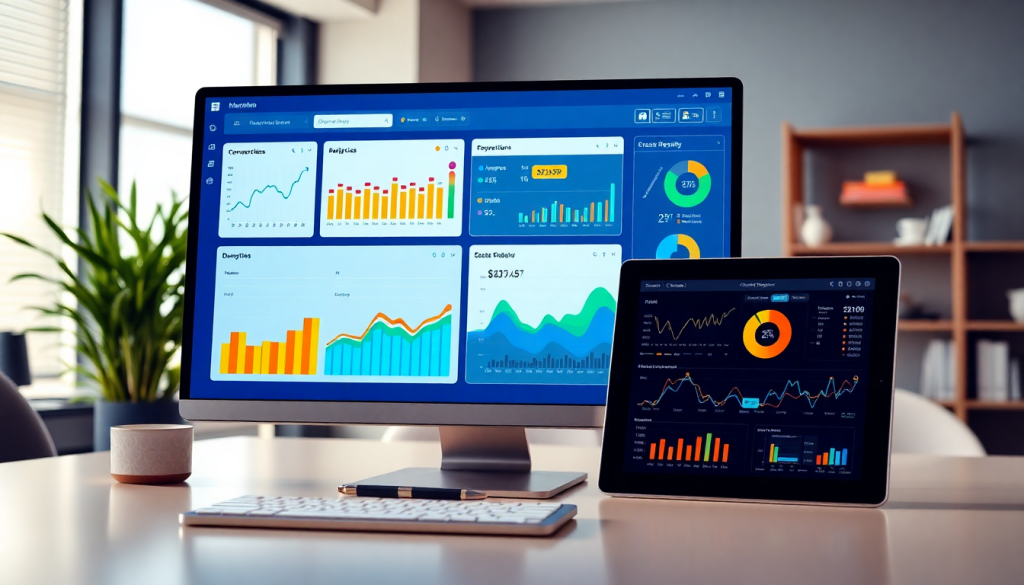
Digital Marketing KPI Dashboard: Visualize Metrics & Track ROI
A digital marketing KPI dashboard gives marketers the power to bring all their essential performance data into one place—making it easy to visualize, analyze, and act on insights in real time. Instead of chasing scattered spreadsheets or manually building reports, dynamic dashboards automate marketing metrics visualization, provide instant clarity on campaign results, and help teams focus on what drives ROI. Whether you’re managing multi-channel campaigns, tracking dozens of KPIs, or presenting results to clients and stakeholders, the right performance tracking dashboard transforms raw data into actionable marketing intelligence.
What Is a Digital Marketing KPI Dashboard?
A digital marketing KPI dashboard is a centralized, interactive platform that brings together all your most important marketing metrics—your Key Performance Indicators (KPIs)—into one real-time, visual workspace. Unlike static spreadsheets or one-off reports, a KPI dashboard gives marketers, agencies, and stakeholders a living snapshot of campaign performance across every channel, campaign, and client. This means you can monitor progress, zero in on trends, and make data-driven decisions faster than ever.
At its core, a digital marketing KPI dashboard typically features:
- Real-time data updates: Instantly see performance shifts as new data flows in from advertising platforms, analytics tools, and CRM systems.
- Cross-channel analytics: Visualize and compare metrics from Google Ads, Facebook, LinkedIn, email, and more—all in one place.
- Customizable widgets and views: Tailor dashboards to highlight the KPIs that matter most for each user, team, or client.
- Automated KPI reports: Schedule and share branded, up-to-date reports with internal teams or clients, eliminating manual busywork.
The difference between dashboards and static reports is night and day. Traditional reports are often out of date the moment they’re created and require tedious manual compilation. In contrast, a marketing KPI dashboard is dynamic and interactive—empowering teams to filter, drill down, and explore the data behind every chart or graph.
By automating data aggregation and visualization, dashboards free marketers from the cycle of chasing spreadsheets and let them focus on what truly moves the needle. For a deeper dive into the advantages of dashboard automation, check out How Dashboard Automation Boosts Reporting.
To learn how platforms like TapClicks are transforming marketing intelligence with unified, customizable dashboards, visit TapClicks.
Key Marketing Metrics to Visualize
A digital marketing KPI dashboard is only as powerful as the metrics it brings into focus. To unlock actionable insights, marketers should prioritize visualizing the KPIs that align with their strategic goals and campaign types. Here’s how to select and leverage the right metrics for maximum impact:
Essential Marketing KPIs for Digital Campaigns
Every digital campaign generates a wealth of data—but not all metrics are created equal. The most effective dashboards start by tracking core KPIs such as:
- Impressions: The number of times your ads or content are displayed, crucial for measuring reach and brand exposure.
- Click-Through Rate (CTR): The percentage of viewers who click on your ad or link, indicating the effectiveness of your messaging and creative.
- Conversion Rate: The ratio of conversions (purchases, sign-ups, downloads) to total interactions, a direct measure of campaign success.
- Return on Ad Spend (ROAS): Revenue generated for every dollar spent on advertising, essential for evaluating channel profitability.
- Customer Acquisition Cost (CAC): The average cost to acquire a new customer—a vital metric for budget planning and scalability.
- Cost per Lead (CPL): The cost to generate a single lead, especially important for lead generation campaigns.
- Engagement Metrics: Likes, shares, comments, time on site—these reveal how audiences interact with your content.
Choosing the Right Metrics for Your Goals
The KPIs you visualize should be tailored to your specific objectives:
- Brand Awareness Campaigns: Focus on impressions, reach, and engagement.
- Lead Generation: Prioritize CPL, conversion rates, and form fills.
- Ecommerce: Track ROAS, average order value, and cart abandonment rates.
Using a dashboard that allows for custom views ensures each team—whether sales, content, or executive leadership—sees the KPIs most relevant to their roles. For example, sales teams may focus on qualified leads and pipeline value, while marketing may zero in on CTR and engagement metrics.
The Value of Interactive Metrics and Customization
Static reports can’t keep pace with the dynamic needs of modern marketing teams. Interactive dashboards empower users to:
- Drill down into specific channels, campaigns, or time periods
- Adjust filters to compare metrics across locations or audience segments
- Create customized views for different stakeholders or clients
This flexibility is crucial for agencies managing multiple accounts, as well as brands seeking granular performance insights across regions or product lines. For a deeper dive into how dashboard automation can streamline the visualization and reporting of these KPIs, check out How Dashboard Automation Boosts Reporting.
Ultimately, the best marketing KPI dashboards—like those offered by TapClicks—make it easy to visualize the metrics that matter, enabling rapid, data-driven decisions that drive ROI.
Why Automated KPI Reports Make Life Easier for Marketers
Automated KPI reporting is a game-changer for digital marketers and agencies, transforming tedious, manual tasks into fast, reliable processes. Here’s how automation improves the day-to-day for marketing teams:
No More Manual Data Wrangling
Instead of:
- Pulling data from multiple ad platforms and analytics tools
- Reconciling spreadsheets, fixing errors, and reformatting tables
- Creating presentations from scratch each week or month
You get:
- Scheduled data pulls: Automated dashboards gather and process your KPIs without lifting a finger.
- Consistent formatting: Branded, ready-to-share reports are generated on a set schedule.
- Reduced risk: Less manual handling means fewer errors and more accurate numbers.
Faster, More Transparent Communication
With automation, you can:
- Share up-to-date dashboards: Clients and stakeholders get the freshest performance data—no more waiting for month-end recaps.
- Highlight what matters: Visually engaging reports make wins obvious and flag issues before they become problems.
- Empower real-time decision-making: Teams can react quickly to campaign results, optimizing on the fly.
Custom Reports for Every Stakeholder
Automated KPI tools (like those in TapClicks) let you:
- Tailor dashboards for executives, account managers, or channel specialists.
- Set role-based access—everyone sees only what’s relevant to them.
- Build trust and collaboration by giving the right people the right insights, at the right time.
See It in Action
Curious how streamlined analytics reporting can transform your workflow?
- How to Streamline Analytics Reporting: Practical strategies and tips.
- TapClicks: Discover a unified platform that brings all these benefits together.
Automated KPI reporting isn’t just a time-saver—it’s a smarter way to work, collaborate, and drive results.
Cross-Channel Analytics and Campaign KPI Monitoring
Modern digital marketing rarely happens on a single platform. Today’s campaigns stretch across Google Ads, Facebook and Instagram, LinkedIn, TikTok, programmatic networks, and more. Each channel provides its own unique data, formats, and reporting quirks—making it a challenge to get a unified, accurate view of overall performance. Marketers often find themselves toggling between multiple dashboards, manually consolidating spreadsheets, or struggling to compare apples to oranges when it comes to campaign KPIs.
A cross-channel analytics dashboard solves this fragmentation by automatically aggregating and normalizing data from all campaign sources into a single, unified view. Instead of wrestling with siloed reports, marketers can instantly see how their campaigns are performing across every channel, monitor total spend and ROI, and compare results side by side. This holistic approach empowers teams to identify which channels drive the most conversions, spot underperformers, and make data-driven budget decisions in real time.
For example, imagine an agency managing a multi-channel product launch for a retail client. With a cross-channel KPI dashboard, they can monitor impressions, clicks, conversions, and return on ad spend (ROAS) across Google Ads, Meta, and LinkedIn—all visualized together. If Google is delivering a higher conversion rate but Meta is driving more cost-effective leads, the dashboard makes it easy to reallocate budget accordingly. Campaign monitoring widgets can trigger alerts when a KPI drops below a set threshold, prompting the team to investigate and optimize quickly.
Ultimately, cross-channel analytics dashboards not only save time but also provide the visibility required to track holistic marketing ROI and prove the value of digital investments. To dive deeper into how automation streamlines this process, check out How Dashboard Automation Boosts Reporting or explore comprehensive solutions like TapClicks for scalable, unified campaign analytics.
See Your Marketing in Action—Not Just in Spreadsheets
Modern marketers crave more than static tables. They need dynamic, interactive dashboards that make campaign data come alive. With intuitive, drag-and-drop interfaces, teams can visualize performance from every angle—customizing the view for the KPIs that matter most.
Why Interactive Dashboards Matter
- Instant Insights:
Spot trends, outliers, and opportunities at a glance with real-time charts, graphs, scorecards, and heatmaps. - Collaboration-Ready:
Visualizations make complex data accessible for everyone—fueling data-driven discussions across marketing, sales, and leadership. - Faster Pivots:
Dynamic dashboards help you detect a dip in conversion rate or a spike in cost per lead early—so you can course-correct fast.
Explore Data Your Way
Here’s how interactive dashboards turn marketing performance into actionable insight:
| Drill-Down Option | What You Can Discover |
|---|---|
| By Channel (Google Ads, Facebook, etc.) | Compare which channels drive the best ROI |
| By Campaign | Identify top- and under-performing campaign creatives |
| By Geography | Pinpoint regional strengths and weaknesses |
| By Time Period | Track seasonal trends or launch-specific performance |
How TapClicks Makes It Effortless
With TapClicks, you get:
- Customizable, drag-and-drop dashboards—no IT bottlenecks
- Multi-level visualization: From big-picture overviews to granular, drill-down reports
- Centralized, real-time data: Unify all your marketing sources—ads, social, web, and more—in one place
Result:
Your marketing teams can confidently shift budgets, optimize strategies, and demonstrate value—backed by clear, interactive performance data.
Ready to move beyond spreadsheets? TapClicks brings your marketing story to life.
How AI Supercharges Your Marketing Dashboard
Modern KPI dashboards aren’t just about displaying data—they’re smarter, more proactive, and designed to help you act fast and optimize with confidence. Here’s how AI is transforming marketing dashboards into essential engines for growth.
What AI Brings to Your Dashboard
Instead of just reporting, AI-driven dashboards bring true intelligence into your workflow:
-
Automatic Anomaly Detection:
Instantly flags unexpected spikes or drops in campaign performance so you can react in real time—no more sifting through endless charts to spot issues. -
Proactive Optimization Recommendations:
Get actionable suggestions for budget adjustments, channel optimizations, and targeting tweaks—delivered right where you need them. -
Automated Insights Delivery:
With AI agents like TapClicks’ SmartPilot and SmartEmail, you can:- Summarize complex campaign results automatically
- Receive key findings and recommendations straight to your inbox
- Ensure stakeholders and clients never miss a critical update
-
Customizable AI Agents:
Set up agents to monitor specific campaigns, KPIs, or clients. They’ll run analyses, watch for trends, and notify you of anything that needs attention.
Why This Matters for Marketers
By leveraging AI-powered dashboard features, your team can:
-
Save Time:
No more manual data crunching—AI automates the heavy lifting. -
Act Faster:
Real-time alerts mean you can seize opportunities or fix issues before they impact results. -
Drive Better Results:
Intelligent recommendations help you continually refine strategy and maximize ROI.
See AI in Action with TapClicks
TapClicks brings all these AI-powered dashboard features together in one unified platform—combining data integration, reporting, workflow automation, and actionable insights. Want to see how it works?
Discover TapClicks AI marketing analytics
Tip:
If your team is still combing through spreadsheets or waiting days for manual reports, it’s time to let AI-powered dashboards do the work—freeing you to focus on strategy, creativity, and growth.
How to Choose the Right Marketing Dashboard Solution
Selecting the right digital marketing KPI dashboard is a critical investment for any data-driven marketing team. With the sheer volume and complexity of modern marketing data, your dashboard platform must do more than just display numbers—it needs to unify, automate, and scale with your business. Here’s how to evaluate your options:
1. Data Connector Breadth:
The best dashboards connect seamlessly to all the marketing, advertising, and business data sources you use—whether that’s Google, Meta, LinkedIn, CRMs, or offline channels. Look for platforms offering a wide range of pre-built connectors and custom integration options, so you can pull in every relevant KPI without manual wrangling.
2. Ease of Use:
A dashboard’s power is wasted if it’s too complex for your team. Prioritize intuitive, drag-and-drop interfaces, customizable widgets, and straightforward report builders. This ensures everyone—analysts, marketers, and clients—can access the insights they need without steep learning curves.
3. Scalability:
Whether you’re an agency handling hundreds of clients or a brand managing dozens of campaigns, your dashboard should easily scale up. Evaluate how the solution manages large data volumes, supports multiple users and clients, and automates repetitive reporting tasks.
4. Customization and Flexibility:
Every organization is unique. Choose a dashboard that adapts to your workflows, branding, and reporting needs. This includes custom visualizations, branded report templates, role-based access control, and the ability to create tailored KPI views for teams or clients.
5. Integration with Existing Systems:
Your dashboard should fit into your broader marketing tech stack. Consider whether it integrates with BI tools (like Tableau or Power BI), CRMs, data warehouses, or finance platforms. This ensures marketing data flows smoothly across your organization, supporting unified decision-making.
6. Support and Ongoing Improvement:
Look for vendors that offer responsive support, onboarding resources, and regular feature updates. As marketing evolves, your dashboard should keep pace—with new connectors, AI features, and workflow enhancements.
To see how a unified, automated dashboard solution can transform reporting speed and effectiveness, explore Boost Agency Reporting Fast with Marketing Dashboard Automation.
If you’re ready to compare leading solutions, platforms like TapClicks bring together data integration, analytics, AI-powered insights, and workflow automation—making them a top choice for agencies, brands, and enterprises seeking scale, flexibility, and actionable intelligence.
Getting Started with Digital Campaign Reporting and ROI Tracking
Implementing a digital marketing KPI dashboard doesn’t have to be daunting. By following a structured approach, you can quickly unlock the benefits of unified campaign reporting and smarter ROI tracking. Here’s a straightforward, step-by-step guide to help you get started:
1. Define Your Objectives and KPIs
Begin by aligning your dashboard with your business goals. Identify the most important KPIs for your campaigns—whether it’s lead generation, ecommerce sales, brand awareness, or customer retention. Being selective up front ensures your dashboard delivers clarity, not clutter.
2. Choose the Right Dashboard Platform
Look for a solution that offers broad data integrations, real-time updates, and customizable reporting. Platforms like TapClicks make it easy to connect data from all your marketing channels, automate report generation, and scale as your needs grow.
3. Connect Your Data Sources
Integrate all relevant platforms—such as Google Ads, Facebook, LinkedIn, email, and web analytics—into your dashboard. With robust connectors, your campaign data flows in automatically, eliminating the need for manual uploads or spreadsheet wrangling.
4. Build and Customize Dashboards
Use intuitive drag-and-drop tools to create tailored dashboards for different teams or stakeholders. Set up widgets for each KPI, and design views that make insights easy to spot—like visualizing spend, conversions, or ROI by channel or campaign.
5. Automate Report Workflows
Schedule recurring, branded reports for internal teams or clients. Automation ensures everyone receives timely updates without manual effort, increasing transparency and freeing up your time for higher-value analysis.
6. Onboard Team Members
Provide training or quick-start guides to help users navigate the dashboard and interpret reports. Encourage regular use and feedback so the dashboard remains a trusted source of insight across your organization.
7. Review, Optimize, Repeat
Regularly review your dashboard setup and KPIs to ensure they stay aligned with evolving goals. Leverage built-in analytics and AI-driven insights to spot trends, uncover anomalies, and optimize campaigns for better ROI.
By following these steps and embracing best practices—like automating workflows and continuously reviewing your performance data—you’ll transform digital campaign reporting from a chore into a strategic advantage. A well-implemented KPI dashboard empowers your team to make data-driven decisions and achieve sustained marketing success.
Start Automating Your Marketing Data Today!
No Credit Card Required.

