

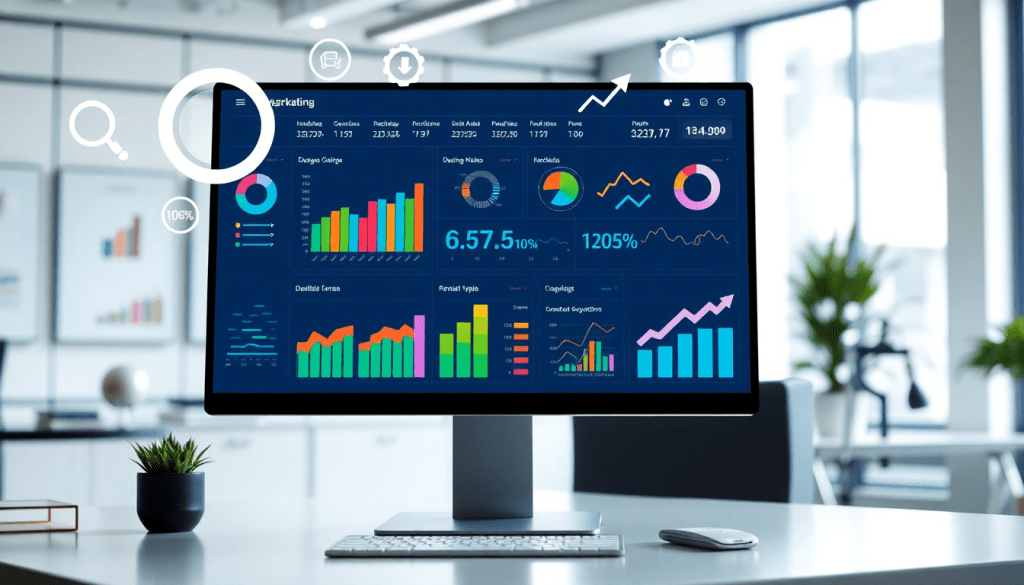
Digital Marketing KPI Dashboard: Visualize Metrics & Track ROI
A digital marketing KPI dashboard brings all your essential campaign data into one interactive hub, making it easier to visualize marketing metrics, track ROI, and monitor performance in real time. Whether you’re managing a single brand or dozens of clients, a well-designed dashboard transforms raw data into actionable marketing insights. With advanced features like AI-generated reports and cross-channel analytics, today’s dashboards empower marketers to optimize campaigns faster and make confident, data-driven decisions.
What is a Digital Marketing KPI Dashboard?
A digital marketing KPI dashboard is a centralized, interactive platform designed to collect, organize, and visualize the most important marketing metrics—your key performance indicators (KPIs)—in one place. Its core purpose is to provide marketers, agencies, and brands with real-time visibility into campaign performance, making it easy to monitor results, identify trends, and make data-driven decisions with confidence.
Rather than toggling between spreadsheets, analytics tools, and ad platforms, a KPI dashboard brings together data streams from every channel—social, search, email, display, and more—into a single, unified view. This centralization streamlines campaign KPI monitoring and ensures that everyone, from analysts to executives, is working from the same up-to-date set of numbers. Metrics like click-through rate (CTR), cost per acquisition (CPA), return on ad spend (ROAS), and conversion rates are automatically updated and visualized, allowing for instant assessment of marketing effectiveness.
For agencies, a digital marketing KPI dashboard is indispensable for managing complex, multi-client reporting at scale. Branded dashboards can be tailored for each client, providing transparent, scheduled updates without manual effort. Brands—especially those with multiple locations or business units—benefit from holistic oversight, enabling marketing teams to compare performance across markets and optimize budgets with precision. Analytics teams gain a powerful tool for surfacing insights, benchmarking results, and sharing findings across the organization.
By automating the process of data collection, visualization, and reporting, dashboards free up valuable analyst hours and reduce the risk of human error. Marketers can focus on interpreting results and fine-tuning campaigns rather than wrangling disparate data sources. For a deeper dive into how dashboard automation can supercharge analytics and reporting efficiency, check out How Marketing Dashboard Automation Boosts Analytics & Reporting.
In short, a digital marketing KPI dashboard transforms raw data into actionable intelligence—empowering any marketing operation to move faster, adapt smarter, and achieve better ROI. To learn more about how TapClicks powers unified, scalable dashboards for agencies and brands, visit TapClicks.
Key Metrics to Track in a Marketing Dashboard
Selecting the right KPIs is the backbone of any effective digital marketing dashboard. These metrics not only provide a snapshot of your campaign’s health but also reveal actionable opportunities for optimization and growth. Here are some of the most important KPIs to track, along with guidance on how cross-channel dashboards elevate your analytics:
Essential KPIs for Digital Campaigns
- Click-Through Rate (CTR): Measures the percentage of users who click on your ad after seeing it. High CTRs often indicate compelling creative and strong audience targeting.
- Cost Per Acquisition (CPA): Shows how much you’re spending to acquire a customer or lead. Monitoring CPA helps ensure you’re getting value from your ad spend.
- Return on Ad Spend (ROAS): Calculates the revenue generated for every dollar spent on advertising. This is a key metric for evaluating campaign profitability.
- Conversion Rate: Tracks the percentage of visitors who complete a desired action—like filling out a form or making a purchase—helping you gauge landing page and funnel effectiveness.
- Engagement Metrics: Includes likes, shares, comments, and time spent, which are especially valuable for measuring brand awareness and audience interaction on social channels.
Cross-Channel Analytics for Holistic Insights
Modern dashboards unify data from search, social, display, email, and other channels, letting you compare performance side-by-side. For example, you might track impressions and engagement rate for Facebook ads, average position and quality score for Google Search, and open/click rates for email campaigns—all in one place. This comprehensive view helps you identify which channels drive the best results and where to allocate budget.
Custom KPIs for Different Clients and Channels
Every business and campaign is unique. Agencies might build custom KPIs like “store visits per ad dollar” for retail clients, while B2B marketers may focus on “qualified leads generated” from LinkedIn campaigns. With customizable dashboards, you can tailor metrics to reflect each client’s goals, vertical, and business model.
Aligning Metrics with Campaign Goals and ROI
The best dashboards don’t just collect data—they connect each KPI to business objectives. For example, a brand focused on growth might prioritize customer lifetime value (CLV) and new user acquisition, while a performance-driven campaign will watch CPA and ROAS closely. By aligning dashboard metrics with campaign goals, marketers can track ROI with precision and make smarter, faster decisions.
For organizations seeking a scalable, unified approach to KPI monitoring and cross-channel analytics, platforms like TapClicks offer robust integrations, customization, and automation to keep teams focused on what matters most—driving results and maximizing ROI.
Benefits of Automated KPI Reports
Automated KPI reports are a game-changer for digital marketing teams striving to keep pace with the increasing volume and complexity of campaign data. By eliminating manual data pulls and spreadsheet wrangling, automation not only saves countless hours each month but also significantly reduces the risk of human error. Marketers can trust that their reports are accurate, up-to-date, and consistent—no matter how many campaigns, clients, or channels they’re managing.
One of the standout advantages of automation is real-time performance tracking. With an automated KPI reporting dashboard, key metrics from across all marketing channels are instantly updated and visualized as new data flows in. This empowers marketing teams and stakeholders to identify performance trends, spot anomalies, and react to opportunities or issues as they arise—instead of waiting for the next reporting cycle.
Scheduled reporting is another major benefit. Automated dashboards like TapClicks allow users to set recurring delivery of branded reports to internal teams or clients, ensuring everyone stays informed without the burden of repetitive manual work. With customizable alerts and notifications, users can be instantly informed if a KPI crosses a critical threshold—enabling proactive campaign management.
For agencies and marketing teams, the ability to automate report delivery and insights at scale means more time can be spent on strategy, optimization, and client service. Rather than getting buried in data prep, teams can focus on high-value tasks that directly impact ROI.
For a deeper look at how automation simplifies analytics and reporting workflows, see Streamline Analytics & Reporting with Dashboard Automation.
Visualizing Marketing Data for Actionable Insights
Effective marketing metrics visualization is the key to turning complex data into actionable insights. The most impactful digital marketing KPI dashboards leverage a variety of visualization techniques—such as line and bar graphs for trend analysis, heatmaps to spotlight engagement patterns, and scorecards for at-a-glance KPI tracking. These visual elements not only make it easier to interpret dense datasets but also help marketers quickly identify performance trends, outliers, and growth opportunities across channels.
Why does visualization matter so much? When you transform raw campaign numbers into intuitive charts and graphs, patterns emerge that might otherwise go unnoticed in spreadsheets. For example, a sudden spike in a heatmap could signal a viral social post, while a dip in a scorecard’s conversion rate may prompt immediate campaign adjustments. Interactive dashboards take this a step further by allowing users to drill down into specific time periods, channels, or audience segments, enabling real-time analysis and swift optimization.
Customization is another critical factor. Modern dashboards, like those powered by TapClicks, allow users to tailor visualizations to their needs—whether it’s assembling a client-facing report with branded color schemes or building deep-dive analytics views for internal teams. This flexibility ensures every stakeholder gets the insights that matter most to them, supporting smarter, faster decision-making.
Ready to explore the full potential of automated dashboards for marketing analytics? Discover how to unlock analytics & reporting with automated dashboards and start transforming your marketing data into a strategic advantage.
AI-Powered Marketing Dashboards: Smarter Insights, Less Guesswork
As marketing data grows more complex, AI-powered dashboards are transforming how teams interpret, optimize, and act on their results. With embedded artificial intelligence, today’s best dashboards go far beyond static charts—they actively analyze your campaign data, flag anomalies, and surface strategic recommendations, all in real time.
Predictive analytics lies at the heart of these innovations. Instead of just reporting what happened, AI models within the dashboard can forecast future trends, estimate budget pacing, and even predict campaign outcomes. For example, predictive models can analyze historical spend and engagement data to recommend optimal allocation for the next quarter, helping marketers maximize ROI before making major investments.
Campaign scoring is another breakthrough. AI agents evaluate dozens of performance indicators—from CTR to ROAS to engagement velocity—assigning scores that quickly identify which campaigns need attention and which are exceeding benchmarks. This automated triage lets teams prioritize actions and scale successes with minimal guesswork.
Perhaps most game-changing is the ability to generate automated insight summaries. Platforms like TapClicks use AI-driven features such as SmartEmail to scan dashboard metrics and deliver plain-language summaries directly to your inbox or clients. Instead of sifting through countless graphs, marketers and stakeholders receive concise, actionable takeaways—streamlining internal updates and elevating client-facing reporting.
For in-house marketing teams, these AI-powered dashboards mean less time spent on manual data crunching and more time crafting strategy. For agencies and media companies, automated insights and smart reporting support transparent, value-driven client communications—setting your services apart in a crowded marketplace. Ultimately, AI-powered dashboards turn overwhelming data volumes into a strategic asset, empowering everyone to make faster, smarter marketing decisions.
How to Build and Customize Your KPI Dashboard
Creating a high-impact digital marketing KPI dashboard doesn’t just start with technology—it begins with a clear understanding of your campaign goals and the metrics that matter most to your business or clients. Here’s a step-by-step guide to building and customizing a dashboard that delivers actionable insights, empowers teams, and makes reporting seamless.
1. Define Your Objectives and Audience
Start by clarifying the purpose of your dashboard. Are you reporting to clients, optimizing internal campaigns, or monitoring multi-location brand performance? Knowing your audience ensures you prioritize the right data and design the dashboard for maximum clarity and relevance.
2. Connect Your Data Sources
Modern marketing campaigns span multiple channels—social, search, display, email, and more. Choose a dashboard platform that offers robust data integrations for all your marketing, ad, and analytics platforms. For example, TapClicks connects seamlessly to thousands of sources, letting you unify paid media, organic, CRM, and web analytics data in one place. This eliminates manual data wrangling and ensures your dashboard updates in real time.
3. Select the Right KPIs for Your Goals
Identify the most important key performance indicators for your objectives. Common digital marketing KPIs include impressions, clicks, click-through rate (CTR), conversions, cost per acquisition (CPA), return on ad spend (ROAS), and engagement metrics. Customize further for specific channels or client needs—think video completion rate for YouTube, or cost per lead for Facebook campaigns. Limit the dashboard to the metrics that truly guide decision-making to avoid information overload.
4. Design for Usability and Clarity
A great dashboard is intuitive and actionable. Use clear labels, logical groupings, and a hierarchy that puts critical KPIs front and center. Incorporate visualization elements like bar charts, line graphs, scorecards, and heatmaps to make trends and outliers easy to spot. Interactive filters by date range, channel, or campaign allow users to drill down for deeper analysis.
5. Automate and Schedule Reporting
Set up automated data refreshes and scheduled report deliveries so stakeholders always have the latest insights. Leading platforms like TapClicks enable you to automate recurring reporting, distribute dashboards via email, and trigger alerts when KPIs hit certain thresholds. This not only saves time but ensures your team or clients are always in the loop.
6. Encourage Team Adoption and Iteration
Drive adoption by training users on dashboard features and demonstrating how the insights can inform strategy. Solicit feedback regularly to refine the dashboard layout, add new metrics, or adjust visualizations as campaign needs evolve.
Building and customizing your own KPI dashboard is an investment in smarter marketing operations. By connecting your data, focusing on relevant KPIs, and designing for usability, you’ll create a powerful hub that streamlines reporting, fosters team collaboration, and drives better results.
Real-World Use Cases: How Leading Teams Rely on KPI Dashboards
Digital marketing KPI dashboards aren’t just “nice to have”—they’re the backbone of performance-driven organizations. Here’s how agencies, brands, and enterprise teams are putting cross-channel analytics dashboards to work for real-world impact.
Agencies: Simplifying Multi-Client Reporting
Managing dozens (or hundreds) of clients comes with unique challenges:
- Data Chaos: Campaign data flows in from Google Ads, Meta, programmatic channels, and more.
- Manual Overload: Analysts spend hours wrangling spreadsheets and copy-pasting into slide decks.
- Branding Needs: Reports must look professional and be tailored to each client.
How Agencies Win with TapClicks:
- Data Unification: Automatically aggregate all client data into one platform—no manual exports needed.
- Automated Reporting: Set up scheduled, branded reports for each client.
- Role-Based Access: Give clients real-time dashboard access while maintaining strict controls.
- Result: Analysts reclaim hours for strategy and clients get timely, actionable insights.
Brands: Overseeing Multi-Location Campaigns with Ease
For national or global brands, marketing complexity scales quickly:
- Multiple Locations/Franchises: Hundreds of campaigns run simultaneously.
- Inconsistent Data: Varying formats and KPIs across regions.
- ROI Blind Spots: Difficult to compare performance or spot underperforming areas.
How Brands Gain Oversight:
- Centralized Dashboards: Monitor every campaign, in every region, in one view.
- Custom KPIs: Track metrics like in-store visits or regional conversions.
- Automated Alerts: Get instant notifications when a location or region underperforms.
- Result: Teams optimize campaigns faster and ensure brand consistency everywhere.
Enterprise Teams: Connecting Marketing to the Business
Enterprises need marketing data to sync with BI, finance, and executive stakeholders:
- Siloed Systems: Marketing, sales, and finance each use different tools.
- Complex Workflows: Multiple business units, each with unique campaigns.
- Data Integrity: Risk of manual errors when moving data between platforms.
How Enterprises Integrate with TapClicks:
- Unified Data Hub: TapClicks feeds cleaned, normalized data directly into Tableau, Power BI, and more.
- Automated Workflows: Streamline reporting and analytics—no more “Excel gymnastics.”
- Single Source of Truth: Ensure every stakeholder works with the same, up-to-date numbers.
- Result: Marketing impact is visible across the organization, supporting smarter budgeting and long-term planning.
What’s the Bottom Line?
No matter the organization, the outcomes are clear:
| Benefit | Agencies | Brands | Enterprises |
|---|---|---|---|
| Time Savings | Drastically reduced manual work | Faster campaign pivots | Automated, cross-team workflows |
| Data Visibility | Real-time client insights | Full regional performance view | Unified reporting for all units |
| ROI Tracking | Automated, client-facing reports | Instant budget and lift analysis | Ties marketing to business KPIs |
Want to see dashboard automation in action?
Check out Unlock Analytics & Reporting with Automated Dashboards for a closer look at transforming analytics and reporting with TapClicks.
Choosing the Right Digital Marketing KPI Dashboard Solution
Selecting the ideal digital marketing KPI dashboard is a strategic decision that can define how effectively your team tracks performance, optimizes campaigns, and demonstrates ROI. With a crowded marketplace and a spectrum of feature sets, it’s crucial to know what truly matters for your organization’s needs.
Key Features to Look For
- Automated KPI Reports: Automation is a game-changer. Look for platforms that offer robust automated reporting—delivering scheduled, error-free KPI reports directly to your team or clients. This ensures everyone has the latest performance data without manual effort.
- AI Insights: Modern dashboards go beyond static charts. AI-powered features like predictive analytics, campaign scoring, and automated insight summaries help you uncover trends and optimization opportunities you might otherwise miss.
- Data Integrations: Your dashboard should easily connect to all your marketing, advertising, and CRM data sources. Solutions like TapClicks stand out with thousands of built-in connectors, supporting true cross-channel analytics.
- Customization & Interactivity: Every brand, agency, or client has unique reporting needs. Opt for dashboards with drag-and-drop customization, interactive visualizations, and flexible branding to tailor experiences for different stakeholders.
- Scalability: Whether you’re reporting for a single brand or hundreds of clients, scalability is non-negotiable. The right platform should handle high data volumes and support multi-user, multi-client, and multi-location use cases without sacrificing speed or reliability.
Must-Have vs. Nice-to-Have Capabilities
- Must-Have: Automated, real-time data refreshes; multi-source integrations; customizable dashboards; permission-based access; AI-driven insights; and robust support.
- Nice-to-Have: Predictive budget pacing, native workflow management, white-labeled client portals, and embedded media planning tools—valuable for more advanced or specialized teams.
Next Steps for Evaluation and Adoption
- Assess Current Needs: Identify your core reporting challenges and desired outcomes, whether it’s reducing manual workload, enabling cross-channel analysis, or improving client transparency.
- Pilot Leading Solutions: Test drive platforms with strong reputations for integration, automation, and AI insights. Many, including TapClicks, offer demos or pilot programs so you can experience the difference firsthand.
- Involve Stakeholders: Gather feedback from marketers, analysts, and end users to ensure the platform fits team workflows and reporting requirements.
- Plan for Growth: Choose a dashboard solution that not only meets today’s needs but can scale with your expanding client base, channels, and data complexity.
By focusing on these essentials and taking a strategic approach to platform selection, you’ll unlock more actionable insights, streamline your reporting processes, and empower better marketing decisions.
Start Automating Your Marketing Data Today!
No Credit Card Required.

