

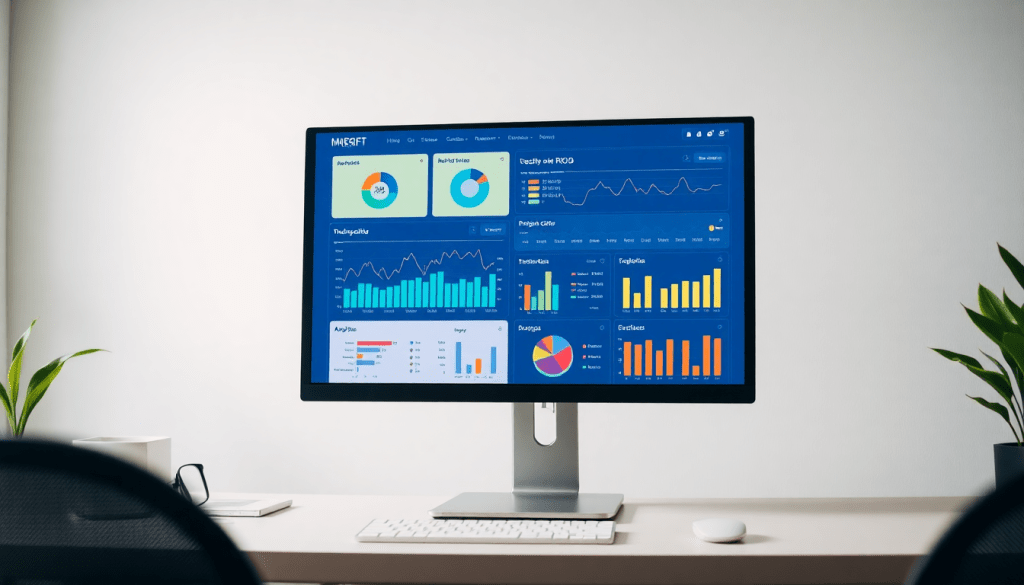
Digital Marketing KPI Dashboard: Visualize Metrics & ROI Fast
A digital marketing KPI dashboard is more than just a collection of numbers and charts—it's the command center for marketers who want to see, understand, and act on their campaign performance in real time. By centralizing cross-channel data and automating KPI tracking, these dashboards make it possible to visualize trends, drill into campaign drivers, and quickly communicate ROI to stakeholders. Whether you're managing a handful of platforms or juggling dozens of campaigns, the right dashboard helps you turn marketing data into actionable insights, save hours on manual reporting, and prove the impact of your efforts.
What is a Digital Marketing KPI Dashboard?
A digital marketing KPI dashboard is a centralized, visual workspace that brings clarity to the complex world of marketing performance metrics. At its core, it’s a dynamic tool that consolidates data from multiple marketing channels—think paid search, social media, display ads, email, and more—into a single, easily digestible interface. This empowers marketers to track their most important KPIs (Key Performance Indicators) in real time, spot trends, and make data-driven decisions with confidence.
Why does this matter? Modern marketing is inherently multi-channel and fast-moving. Without a unified dashboard, teams often struggle with siloed data, manual reporting, and delayed insights—making it difficult to gauge success and optimize results. A KPI dashboard eliminates these pain points by aggregating data, automating calculations, and presenting information through intuitive visualizations like charts, graphs, and tables. This not only streamlines workflow but also enables marketers to quickly communicate ROI, campaign progress, and strategic insights to stakeholders.
For example, TapClicks’ comprehensive dashboard solution exemplifies how a well-designed dashboard can unify disparate marketing data sources, provide customizable reporting, and offer actionable intelligence at scale. Whether you’re an agency juggling dozens of client campaigns or a brand managing multi-location initiatives, a robust KPI dashboard transforms raw data into meaningful insights—making it an indispensable command center for today’s data-driven marketers.
What Metrics Matter Most in Your Marketing Dashboard?
Building a digital marketing dashboard isn’t just about plugging in numbers—it’s about choosing the right numbers that drive action. Let’s break down the essential KPIs every marketer should consider, and how to make metrics visualization work for your unique campaigns.
The Core Metrics Every Marketer Tracks
-
Impressions
See how many times your ads or content were viewed—your first indicator of brand visibility and campaign reach. -
Clicks & Click-Through Rate (CTR)
- Clicks reveal engagement: who’s interested enough to interact.
- CTR = Clicks ÷ Impressions. A high CTR means your messaging or creative is hitting the mark.
-
Conversions
The ultimate goal—form fills, purchases, downloads, or any action that signals campaign success and ROI. -
Spend
Track how much you’re investing on each platform to ensure budget control and efficiency. -
Return on Investment (ROI)
The bottom line: how much value your marketing generates compared to what you spend.
Customizing Metrics for Your Campaign Goals
Every campaign is different. Here’s how you might tailor your dashboard metrics:
| Campaign Type | Focus Metrics |
|---|---|
| Brand Awareness | Impressions, Reach, Share of Voice |
| Lead Generation | Cost per Lead, Conversion Rate, CPL |
| E-commerce/Sales | ROAS, Transactions, Avg. Order Value |
| Multi-Location/Franchise | Location-Level Performance, Local CTR |
Tip: With TapClicks, you can blend data from all your platforms—Google, Facebook, LinkedIn, programmatic, and more—into a single dashboard tailored for your goals.
Why Visualization Makes the Difference
A well-designed dashboard does more than display numbers:
- Spot trends instantly: See seasonality or campaign surges at a glance.
- Catch outliers: Quickly identify spikes, dips, or anomalies that need attention.
- Tell the story: Visualizations reveal the narrative behind your data—what’s working, what’s not, and where to act next.
Move from Data Overload to True Marketing Intelligence
With a unified dashboard solution like TapClicks:
- Choose and customize the KPIs that matter most.
- Blend and normalize data from all your marketing sources.
- Visualize performance for clearer, faster decision-making.
Focus on the right metrics, surface them clearly, and empower your team to turn insights into action.
Benefits of Automated KPI Reports
Automated KPI reports are a game-changer for marketers seeking to maximize efficiency and minimize reporting headaches. Instead of manually compiling data from multiple channels and building presentations from scratch, automation enables you to streamline the entire process—delivering timely, error-free insights at scale.
Save Time and Eliminate Manual Errors:
Manual reporting is time-consuming and prone to mistakes, especially when pulling data from disparate sources or updating complex spreadsheets. Automated KPI dashboards, like those offered by TapClicks, aggregate and refresh your marketing data in real time, dramatically reducing the hours spent on routine reporting tasks. This not only frees up your team to focus on higher-value activities but also ensures that your numbers are always accurate, consistent, and trustworthy.
Effortless Scheduling and Delivery:
With automation, you can set up recurring report schedules tailored to internal teams or external clients. Whether it's a daily, weekly, or monthly cadence, stakeholders receive up-to-date performance snapshots—no manual intervention required. Automated delivery means everyone stays informed, aligned, and ready to act on the latest insights, leading to faster decision-making and stronger campaign results.
Best Practices for Automating KPI Reports:
To get the most out of automation, it's essential to follow proven strategies for configuring your dashboard and report flows. From selecting the right metrics and visualizations to customizing templates for different audiences, a considered approach ensures that your reports are both actionable and easy to understand. For a step-by-step guide and practical tips, check out these best practices for automating KPI reports with dashboards.
By embracing automated KPI reporting, marketing teams gain a powerful edge—reducing administrative burden, eliminating errors, and empowering smarter, faster campaign optimization.
Cross-Channel Analytics: Making Sense of Your Marketing Universe
Modern marketing rarely happens in a single channel. If you’re running campaigns on Google, Facebook, LinkedIn, programmatic networks, email, and beyond, you know how quickly data becomes siloed and overwhelming. That’s where cross-channel analytics dashboards shine—they bring order to chaos, giving you true visibility into your overall marketing impact.
Why Cross-Channel Dashboards Matter
Instead of jumping from spreadsheet to spreadsheet or logging into a dozen platforms, a unified dashboard:
- Centralizes all your data — See every channel’s metrics in one place.
- Normalizes and harmonizes data — Compare apples to apples, not apples to oranges.
- Enables instant insight — Quickly spot trends, identify top performers, and catch issues early.
What Can You Do with Cross-Channel Analytics?
With your marketing data unified, you can:
- Track Total Performance:
- Monitor reach, engagement, conversions, and ROI across every channel, side-by-side.
- Optimize Budget Allocation:
- Instantly see where your spend delivers the best results.
- Pause or adjust underperforming campaigns in real time.
- Uncover Winning Strategies:
- Identify which creative, messaging, or channel mix works best for each audience.
- Spot patterns you’d miss with siloed data (e.g., “Search ads get clicks, but social wins on cost-per-acquisition.”)
- Easily Communicate Results:
- Share clear, customizable dashboards with stakeholders and clients—no more messy, manual reports.
Real-World Scenarios
Here’s what you might uncover with a true cross-channel view:
| Channel | Click-Through Rate | Cost-Per-Acquisition | Best Performing Message |
|---|---|---|---|
| Google Search | High | Moderate | “24/7 Support” |
| Moderate | Low | “Exclusive Offer This Week” | |
| Low | Lowest | “Industry-Leading Solutions” | |
| Highest | Moderate | “Behind-the-Scenes Stories” |
- Example Insight: While your Google ads are generating clicks, LinkedIn is delivering the lowest acquisition costs—and Instagram creative is driving the most engagement. That’s actionable intelligence you can use to optimize spend and messaging.
Why TapClicks Is Built for This
Platforms like TapClicks go beyond simple dashboards, offering:
- Advanced Data Blending to unify metrics from thousands of sources,
- AI-Powered Insights that highlight what matters most (no data scientist required),
- Customizable Views for managing hundreds of clients or campaigns at once,
- Automated Reporting so your team gets back hours every week.
By centralizing your cross-channel analytics with TapClicks, you empower your team to work smarter, not harder—making every marketing dollar count, and every client conversation clearer.
In short:
Cross-channel analytics isn’t just nice to have—it’s mission-critical in today’s marketing landscape. With the right dashboard, you move from siloed data chaos to confident, data-driven decisions.
Real-Time Performance Tracking Dashboard Features
In today’s accelerated digital landscape, the ability to monitor campaign KPIs in real time is no longer a luxury—it’s a necessity. Real-time performance tracking dashboards empower marketing teams to move beyond static, lagging reports and into a world where up-to-the-minute data translates to immediate action. Instead of waiting days or weeks to spot critical trends or problems, marketers can react in the moment, optimizing campaigns, reallocating budgets, or correcting underperformance before it impacts ROI.
Key features set these dashboards apart. Interactive charts and widgets allow users to drill down into performance by channel, campaign, or even creative asset, revealing the story behind every KPI. Custom alerts can be configured to notify teams the instant spend spikes, conversion rates dip, or any metric crosses a defined threshold—so you’re never caught off guard by issues or opportunities. Instant ROI tracking brings visibility to your marketing spend, letting you see what’s working right now and justify decisions to stakeholders with confidence.
TapClicks’ real-time performance tracking capabilities exemplify this next-level dashboard experience. By unifying data from thousands of sources and refreshing dashboards as new metrics flow in, TapClicks lets marketers visualize campaign health at a glance, spot anomalies, and pivot strategies on the fly. With features tailored to agencies, brands, and enterprise teams, TapClicks ensures that critical performance data is never more than a click away, supporting rapid, data-driven marketing decisions that drive results.
AI and Advanced Insights: The Next Generation of Dashboards
The future of marketing dashboards is being shaped by the power of artificial intelligence. Modern AI marketing dashboard features are redefining what’s possible, embedding predictive analytics, automated recommendations, and intelligent anomaly detection directly into the marketer’s daily workflow.
With AI-driven insights, your dashboard becomes more than a passive display—it turns into an active partner. For example, platforms like TapClicks empower marketers with AI Agents that continuously scan campaign data, surfacing not just what’s performing but also why. These agents automatically highlight underperforming channels, suggest budget reallocations, and even forecast potential outcomes based on historical trends. This means you’re alerted to risks and opportunities before they impact your bottom line, moving from reactive reporting to proactive optimization.
Advanced dashboards also feature interactive performance metrics, allowing users to dig deeper into the “why” behind the numbers. Through smart visualizations and drill-down capabilities, marketers can explore patterns, identify outliers, and ask more nuanced questions—unlocking insights that fuel smarter strategy. And with tools like SmartEmail from TapClicks, AI summarizes key findings and delivers personalized insight reports straight to stakeholders’ inboxes, keeping teams aligned and accelerating decision-making.
In short, AI-powered dashboards don’t just show you what happened—they help you understand what’s next, guiding marketers toward higher ROI and more agile, data-driven campaigns.
From Data to Action: How to Use Marketing Data Insights
Gathering marketing data is only the first step—true impact comes from transforming those insights into meaningful actions. Here’s how you can bridge the gap between analysis and execution to drive continual improvement in your campaigns.
1. Turn Insights into Campaign Optimizations
Start by regularly reviewing your dashboard’s key performance indicators (KPIs) to spot patterns, outliers, or sudden shifts. For example, if your dashboard highlights a spike in cost per acquisition (CPA) on a specific channel, drill down to pinpoint the root cause—maybe it’s a creative that’s underperforming or a targeting segment that needs adjustment. Use these findings to tweak bids, reallocate budget, pause ineffective ads, or test new creative—all decisions fueled by real-time data, not guesswork.
2. Share Reports for Faster Team and Stakeholder Alignment
A digital marketing KPI dashboard isn’t just for analysts. Automated, visual reports make it easy to share the story behind your numbers with internal teams and clients. Leverage features like scheduled dashboards and role-based access (as found in comprehensive solutions like TapClicks) to ensure everyone—from sales to fulfillment—has the information they need, exactly when they need it. This transparency accelerates decision-making, builds trust, and keeps everyone moving toward common goals.
3. Refine KPIs and Dashboard Views as Goals Evolve
Marketing objectives aren’t static, and your dashboards shouldn’t be either. As your strategy shifts—say, from brand awareness to lead generation—update your KPIs and visualization settings to reflect what matters most now. Customize dashboards by campaign, region, or client to maintain relevance, and don’t hesitate to sunset metrics that no longer drive value. Continuously iterating on your dashboard setup ensures your team stays focused on the insights that truly move the needle.
By using your digital marketing KPI dashboard as an active tool—not just a passive report—you can close the loop between data, insight, and action. This approach transforms your analytics from a rearview mirror into a real-time GPS for marketing success.
Choosing the Right Digital Marketing KPI Dashboard
Selecting the ideal digital marketing KPI dashboard is a pivotal decision that can dramatically impact both day-to-day efficiency and long-term campaign success. With an ever-expanding landscape of platforms and point solutions, marketers must weigh several factors to ensure their dashboard not only meets their current needs but can also scale as their strategies evolve.
Key Evaluation Criteria
- Scalability: As your business or client roster grows, your dashboard must effortlessly handle increasing data volumes, more campaigns, and additional users—without sacrificing performance. Look for solutions built from the ground up for high-volume use, such as TapClicks, which is designed to manage thousands of dashboards and reports simultaneously.
- Ease of Use: A dashboard should empower all users, from analysts to executives, with intuitive navigation, drag-and-drop interfaces, and minimal setup time. The best platforms eliminate technical bottlenecks so teams can focus on insights, not troubleshooting.
- Data Integrations: The ability to connect to all your marketing, advertising, and business data sources is non-negotiable. Leading solutions like TapClicks offer 10,000+ connectors and robust enrichment tools to unify cross-channel data, ensuring no metric gets left behind.
- Customization: Every organization has unique reporting requirements. Choose a dashboard that enables custom views, tailored KPIs, and white-labeled branding—so you can present metrics in the way that matters most to your team and stakeholders.
- Support & Training: Strong onboarding, responsive support, and ongoing education are critical. Top vendors provide dedicated account management and resources to help you maximize the platform’s value.
Comparing Leading Platforms
When reviewing the top players in the market, consider how each addresses these criteria:
- TapClicks: Excels in unified scale, deep integrations, automated reporting, and advanced AI insights. Its workflow tools and role-based access are ideal for agencies, media companies, and multi-location brands managing complex operations.
- Funnel.io, Supermetrics, Adverity: Known for robust data pipelines and integrations, but may require layering on additional tools for reporting, visualization, or workflow, which can add cost and complexity.
- Agency Analytics, NinjaCat: User-friendly for smaller teams or agencies but may lack the scalability, depth of customization, or advanced analytics required by enterprise users.
- Datorama (Salesforce): Powerful for large enterprises, with strong integration to Salesforce products, but can be complex to implement and expensive for mid-market organizations.
Aligning Your Choice with Your Workflow
Ultimately, the best dashboard is the one that fits seamlessly into your analytics, reporting, and collaboration processes. Seek out solutions that not only centralize your data but also automate your most time-consuming tasks, empower users with insights, and adapt as your marketing goals shift. For a comprehensive look at what a next-generation dashboard can deliver, explore TapClicks’ marketing operations platform and discover how unified data, automated reporting, and AI-driven insights can transform your approach to marketing analytics.
Start Automating Your Marketing Data Today!
No Credit Card Required.

