

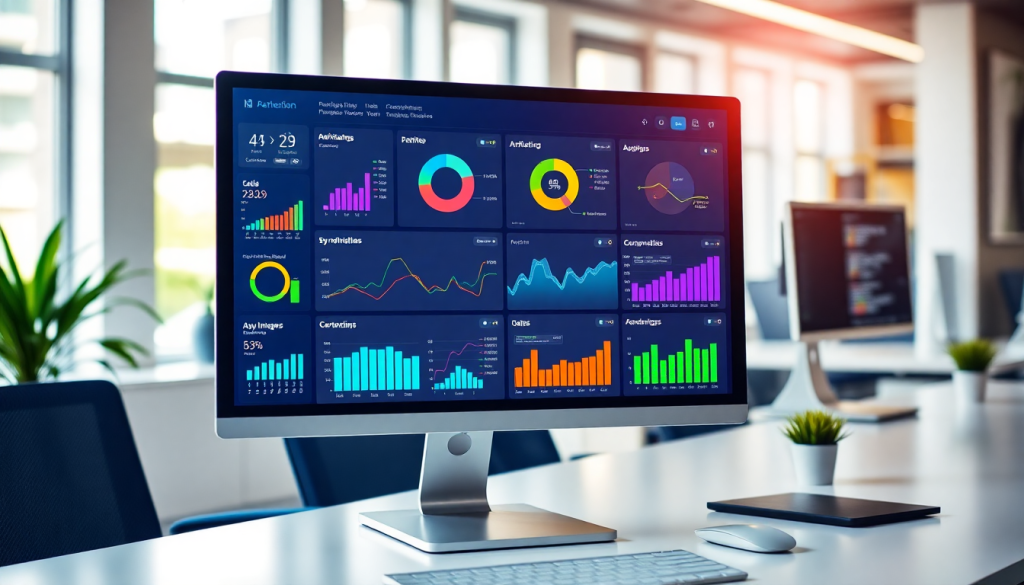
Digital Marketing KPI Dashboard: Visualize Metrics & ROI Fast
A digital marketing KPI dashboard is your command center for campaign performance. With the right dashboard, you’ll see all your marketing metrics in one place—updated automatically, visualized clearly, and ready for decisive action. This guide explains how a modern KPI dashboard can unify your marketing data, drive ROI tracking, and empower smarter, faster decisions for agencies, brands, and enterprise teams.
What is a Digital Marketing KPI Dashboard?
A digital marketing KPI dashboard is a centralized, interactive interface designed to track and visualize your most important marketing performance indicators in real time. Unlike static reports or manual spreadsheets, a KPI dashboard automatically pulls metrics from all your marketing channels—search, social, display, email, and more—into one unified view. Its primary purpose is to give marketing teams, agencies, and enterprise stakeholders instant visibility into campaign health, spend, and ROI, empowering them to make faster, data-driven decisions.
Key features of a modern digital marketing KPI dashboard include:
- Real-time updates: Metrics are refreshed automatically as new data comes in, ensuring you’re always working with the latest information.
- Customizable views: Users can tailor dashboards to highlight the KPIs that matter most to their role, campaign, or client—filtering by channel, date range, region, and more.
- Scalability: Whether you’re managing a single brand or hundreds of client accounts, dashboards are built to handle large volumes of data and users without sacrificing performance or accuracy.
What sets a KPI dashboard apart from traditional reports or spreadsheets is its ability to synthesize data from disparate sources, deliver instant insights through intuitive visualizations, and support interactive exploration. Instead of static, backward-looking documents, you get a living, breathing command center that streamlines decision-making and keeps everyone aligned on business goals.
For a deeper dive into how digital marketing KPI dashboards work and why they’re essential for modern marketers, check out this in-depth overview.
Core Marketing Metrics Every Dashboard Should Track
A high-performing digital marketing KPI dashboard isn’t just about pretty charts—it’s about surfacing the metrics that truly move the needle. To achieve this, it’s crucial to track a core set of key performance indicators (KPIs) that reflect the health, efficiency, and ROI of your marketing efforts. Here are the essential KPIs every dashboard should include, along with why they matter:
1. Impressions
Impressions measure how often your ad or content is displayed, regardless of clicks. Tracking impressions is fundamental for understanding your campaign’s reach and brand visibility, especially in upper-funnel awareness campaigns.
2. Clicks and Click-Through Rate (CTR)
Clicks show the number of users engaging with your ads or links, while CTR (clicks divided by impressions) gauges the effectiveness of your creative and targeting. A high CTR signals compelling messaging; a low CTR may point to misalignment between your audience and content.
3. Conversions and Conversion Rate
Conversions are the actions you want users to take (e.g., purchases, form fills, downloads). Conversion rate (conversions divided by clicks) reveals how efficiently your campaigns turn interest into outcomes—a direct measure of marketing impact.
4. Cost Per Acquisition (CPA) / Cost Per Lead (CPL)
CPA and CPL indicate how much you’re spending to acquire a new customer or lead. These metrics are vital for budget optimization and for comparing performance across channels and campaigns.
5. Return on Investment (ROI) / Return on Ad Spend (ROAS)
ROI and ROAS go beyond surface metrics to show the actual value generated versus spend. These KPIs keep your team—and your stakeholders—laser-focused on business results, not just activity.
6. Engagement Metrics
Depending on channel, engagement might include likes, shares, comments, video completes, or average session duration. These metrics help you gauge audience interest and content resonance, informing creative and content strategy.
Why KPI Selection Matters
Choosing the right KPIs is critical; tracking vanity metrics or overlooking key outcomes can distort your understanding of performance. Common mistakes include focusing only on high-level metrics (like impressions) without connecting them to conversions, or measuring too many metrics and losing sight of what truly matters. The best practice? Start with your business objectives, map them to actionable KPIs, and ensure your dashboard highlights these priorities front and center.
For a more comprehensive look at building a KPI-driven dashboard, check out this in-depth overview on the TapClicks blog. With the right metrics in focus, your dashboard becomes a true decision-making engine, not just a reporting tool.
Marketing Metrics Visualization: Turning Data into Insights
Marketing data is only as valuable as your ability to interpret—and act on—it. That’s where visualization comes in. A digital marketing KPI dashboard transforms streams of raw metrics into clear, actionable visuals, making it dramatically easier to spot trends, diagnose issues, and track progress toward your goals.
Why Visualization Matters:
Raw numbers alone rarely tell the full story. With effective visualization, complex campaign performance data is distilled into intuitive formats so you can instantly see what’s working and what needs attention. For example, a spike in cost-per-acquisition (CPA) is immediately obvious in a line graph, while a heatmap can highlight which channels or regions are underperforming. These visual cues help decision-makers focus on what matters most, prioritize optimizations, and communicate results with clarity.
Comparing Visualization Types:
- Bar and Column Charts are ideal for comparing performance across channels, campaigns, or time periods—making it easy to see which initiatives deliver the highest ROI.
- Trend Lines or Area Charts are perfect for monitoring KPIs over time, revealing growth patterns, anomalies, or seasonal dips at a glance.
- Heatmaps provide a bird’s-eye view of performance by region, product, or audience segment, quickly uncovering hidden patterns in large datasets.
- Pie Charts and Donut Charts can show share-of-voice or budget allocation but should be used sparingly to avoid clutter.
- Scorecards or KPI Widgets are best for highlighting single, high-impact numbers (like total conversions or current ROI) right at the top of your dashboard.
Designing Dashboards for Impact:
To maximize insight and minimize distraction, follow a few key design tips:
- Prioritize the KPIs that align directly with your campaign objectives.
- Group related metrics together and use consistent color schemes for easy scanning.
- Avoid overcrowding; white space and hierarchy help users focus on what’s important.
- Enable interactivity—allow users to filter by date, channel, or region so they can answer their own questions in real time.
For more guidance on building dashboards that deliver actionable insight, check out these visualization best practices.
Ultimately, when your dashboard visualizes marketing metrics effectively, you empower your team to move faster, optimize smarter, and prove ROI with confidence. To see how a unified marketing operations platform like TapClicks can elevate your visualization strategy, explore their comprehensive dashboard solutions.
Campaign KPI Monitoring Across Channels
Today’s marketing landscape is omnichannel by default. Your campaigns span paid search, paid social, programmatic display, email, video, and more—each with its own metrics, platforms, and data silos. A well-designed digital marketing KPI dashboard brings all these channels together into a single, panoramic view, transforming fragmented data into unified, actionable analytics.
The real power lies in automated data integration. Instead of manually exporting spreadsheets from Google Ads, Facebook, LinkedIn, and other platforms, a modern dashboard like TapClicks connects directly to thousands of data sources. This automated pipeline not only saves hours of tedious work but also ensures that your metrics are always up to date, accurate, and ready for real-time decision-making.
With all your channel data unified, you can quickly spot trends, outliers, and relationships that would otherwise stay hidden. For example, you might identify that a spike in conversions on paid search coincides with a drop in social engagement—or discover that certain display networks consistently deliver higher ROI for specific audience segments. Dashboards visualize these trends using bar charts, time series, and heatmaps, making it easy to compare performance across channels at a glance.
Crucially, cross-channel analytics empower you to optimize spend and strategy holistically, rather than in silos. Instead of chasing isolated channel KPIs, you can see the big picture and shift budgets to where they’ll drive the greatest impact. To dig deeper into effective cross-channel analytics strategies, check out this comprehensive guide from TapClicks.
By embracing unified KPI monitoring, marketers gain the clarity and agility needed to navigate today’s complex digital campaigns—and unlock smarter, faster growth.
Automated KPI Reports & AI-Driven Insights
Modern digital marketing teams no longer have the bandwidth—or the patience—for hours spent gathering data and manually assembling reports. That’s where automated KPI reporting and AI-driven insights fundamentally transform the marketing workflow.
Setting Up Automated KPI Reports
With a sophisticated dashboard platform, setting up automated KPI reports is straightforward. Users select their desired metrics (such as conversions, CPA, or ROI), define reporting intervals, and assign recipients. The platform then continuously pulls fresh campaign data from every connected source, compiles it into a branded, easy-to-read report, and delivers it automatically—whether to internal teams or directly to clients. This process ensures everyone gets the performance insights they need, right on schedule, with zero manual effort.
The Power of AI-Powered Insights
What truly sets the new generation of dashboards apart is the integration of AI. AI agents can analyze campaign data across all channels, surfacing trends and anomalies that might otherwise go unnoticed. For example, if your paid search CPA spikes unexpectedly, or a social campaign outperforms historical benchmarks, the AI will flag this instantly—often with a plain-language summary delivered via SmartEmail or shown in your dashboard alert center.
Advanced AI features go beyond anomaly detection. Predictive models can assess whether your budget pacing aligns with monthly goals, recommend channel optimizations, and even benchmark your performance against industry standards. These actionable insights help marketers make data-driven decisions faster and with greater confidence.
Benefits of Automation and AI
The benefits of automated reporting and AI-driven insights are clear:
- Time savings: Marketers can reclaim dozens of hours per month previously spent on manual data pulls and report-building.
- Accuracy: Automated workflows reduce the risk of human error and ensure that every stakeholder is working from the same, up-to-date information.
- Proactive optimization: AI recommendations and alerts empower teams to act quickly—adjusting campaigns before small issues become major budget drains.
When evaluating dashboard solutions, prioritize platforms that combine robust automation with intelligent analytics—like TapClicks. These capabilities not only streamline reporting but also deliver the strategic insights needed to maximize campaign ROI and client satisfaction.
Why Interactive Dashboards Change the Game for Marketers
Static reports belong to yesterday’s marketing world. Today, interactive dashboards are the go-to for agencies, brands, and enterprise teams who need to move fast and make smarter decisions. Here’s why:
What Makes Interactive Dashboards So Powerful?
- Real-Time Exploration:
No more waiting for next week’s report. Filter by channel, campaign, region, or timeframe—instantly. - Drill Down with a Click:
Start with a high-level ROI snapshot, then zoom in on ad groups, creative variations, or locations to answer business questions as they arise. - On-the-Fly Insights:
Spot trends, identify challenges, and act—before your competitors even know there’s a problem.
Everyone Gets the View They Need
Not all stakeholders want the same information. Interactive dashboards let you customize experiences for different audiences:
| Stakeholder | What They See | How They Use It |
|---|---|---|
| Executives | Big-picture KPIs, budget pacing | Track ROI and strategic goals |
| Analysts | Granular channel/campaign data | Deep-dive into performance, optimize |
| Clients | Branded, focused campaign results | Transparency and real-time updates |
| Field Teams | Localized or product-level insights | Adjust tactics by region or initiative |
- Drag-and-drop layouts for quick personalization
- Role-based permissions to control access and views
Where Interactive Dashboards Shine
- Agencies:
Deliver branded, always-on dashboards to clients—no more static PDFs. - Brands:
Instantly segment results by location, product, or initiative. - Enterprise Teams:
Monitor dozens (or hundreds) of campaigns and channels at once, pivoting quickly when KPIs shift.
Example:
A marketing manager spots an underperforming channel in real time, drills down, and triggers optimizations—while the client logs in to see only their campaign’s data, filtering by date range or key metric.
Why TapClicks?
TapClicks dashboards are designed for scale, speed, and flexibility:
- 10,000+ integrations for unified, cross-channel reporting
- Custom widgets and scheduled insights
- Automated, role-based reporting for teams and clients
Ready to see what interactive dashboards can do for you? Learn more at tapclicks.com.
Making Your Dashboard Tell the ROI Story
A digital marketing KPI dashboard should do more than display numbers—it should make the business impact of marketing unmistakably clear. With real-time performance data at your fingertips, you can tie every campaign back to ROI and communicate results with confidence.
Why Dashboards Are the Secret to ROI Clarity
A well-built dashboard empowers you to:
- Centralize Data: Pull metrics from all channels (search, social, programmatic, and more) into one place.
- Monitor in Real Time: Automated data refreshes keep your numbers current, so you always know where you stand.
- Spot and Solve Issues: Instantly see when budget pacing is off or performance dips, so you can course-correct on the fly.
- Prove Value: Show stakeholders exactly how marketing spend translates into revenue, leads, or engagement.
What Metrics Should You Track?
To truly measure ROI, focus your dashboard on key metrics like:
| Metric | What It Shows | Why It Matters |
|---|---|---|
| Cost Per Acquisition (CPA) | Cost to gain a new customer/lead | Measures efficiency of spend |
| Return on Ad Spend (ROAS) | Revenue generated per ad dollar spent | Evaluates campaign profitability |
| Conversion Rate | % of users who take the desired action | Tracks effectiveness of campaigns |
| Attributed Revenue | Revenue directly linked to specific campaigns | Connects marketing to business goals |
Best Ways to Present Results
Here’s how to make your dashboard insights resonate:
- Lean Into Visuals
- Use trend lines, funnels, and bar charts to make complex data instantly understandable.
- Tell the Business Story
- Frame every result in terms of business goals. For example, don’t just report a lower CPA—show how it boosted profit.
- Highlight What Really Matters
- Prioritize outcomes like qualified leads, sales, or brand lift—not just vanity metrics.
- Make It Interactive
- Let stakeholders filter by channel, geography, or timeframe to answer their own questions.
Must-Have Dashboard Visuals
Consider adding these impactful elements:
- ROI Over Time: Line charts showing how ROI evolves by week or month.
- Attribution Paths: Visual flows mapping which channels drive conversions.
- Spend vs. Revenue: Side-by-side bars making budget efficiency clear at a glance.
- Goal Progress: Scorecards or progress bars tracking how close you are to target.
Turning Insights Into Action
When your dashboard clearly tracks and visualizes ROI, it becomes more than a reporting tool—it’s your business case for future marketing investment. Want inspiration? Dive into this in-depth overview on digital marketing KPI dashboards and ROI.
Ready to level up?
TapClicks unifies your data and turns reporting into business impact.
How to Get Started: Choosing the Right Dashboard Solution
Selecting the ideal digital marketing KPI dashboard goes beyond aesthetics or a simple list of metrics—it’s about empowering your team with the right data, at the right time, in the right format. Before you commit to a dashboard solution, use this checklist to guide your evaluation:
- Data Integration: Does the dashboard seamlessly connect to all your key marketing and advertising platforms (Google Ads, Meta, programmatic, email, etc.)? Look for solutions with a wide range of native connectors and the ability to build custom integrations.
- Scalability: Can the platform handle your current data volume—and grow with you as you add more campaigns, clients, or locations? Scalability is critical for agencies and enterprise teams managing hundreds of dashboards and reports.
- Customization & Visualization: Does the dashboard offer customizable, interactive views tailored to your unique KPIs and brand identity? Prioritize solutions that support drag-and-drop widgets, branded reporting, and multiple visualization types.
- Automation & AI: Does the platform automate data refreshes, reporting, and insight generation? Advanced features—like AI-driven anomaly detection and predictive recommendations—can save your team hours while surfacing new opportunities.
- Collaboration & Support: Can different stakeholders access the data they need while maintaining data security and role-based permissions? Evaluate the vendor’s support resources, onboarding, and training.
As you compare options, consider all-in-one platforms like TapClicks, which is purpose-built to unify data integration, reporting, workflow, and AI-powered insights in a single, scalable solution. TapClicks is trusted by agencies, brands, and enterprises to automate reporting, track cross-channel KPIs, and drive real business outcomes—all while saving time and reducing manual errors.
Ready to take the next step? Explore TapClicks’ expert guidance and platform capabilities in this in-depth resource on KPI dashboards to start visualizing and optimizing your marketing performance today.
Start Automating Your Marketing Data Today!
No Credit Card Required.

