

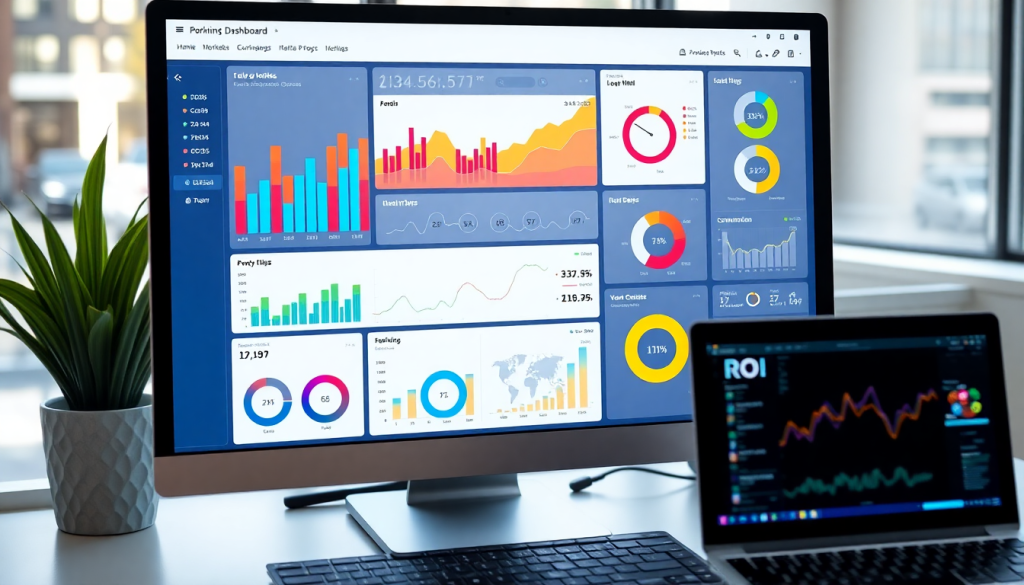
Digital Marketing KPI Dashboard: Visualize Metrics & ROI Fast
A digital marketing KPI dashboard gives you instant visibility into your most important campaign metrics, making it easier to see what’s working, what isn’t, and where to focus next. With automated KPI reports, cross-channel analytics, and real-time performance tracking, these dashboards enable smarter, faster marketing decisions. Whether you manage one brand or hundreds of clients, a well-designed dashboard can save hours of manual reporting and give your team a clear path to optimizing ROI.
What Is a Digital Marketing KPI Dashboard?
A digital marketing KPI dashboard is your mission control for tracking marketing success. Instead of juggling spreadsheets and logging into countless platforms, you get a single, real-time view of all your key performance indicators (KPIs)—across every channel, campaign, and client.
Why Marketers Rely on KPI Dashboards
- Centralized Metrics:
Instantly see data from social ads, email, search, and more—all in one place. - Eliminates Data Silos:
No more bouncing between disconnected reports. Everything syncs together for full clarity. - Real-Time Monitoring:
Spot wins and issues as they happen, not weeks later in a monthly recap.
What You Can Track
A great KPI dashboard transforms raw numbers into actionable insights, including:
| Metric | What It Tells You |
|---|---|
| Impressions | Ad visibility and reach |
| Clicks | Engagement with your content |
| Conversion Rate | How many users take desired actions |
| ROAS (Return on Ad Spend) | The returns you get for every ad dollar spent |
| Cost per Acquisition | Efficiency of your budget allocation |
Customize your dashboard with widgets, interactive filters, and drag-and-drop layouts to focus on what matters most for your goals or your clients.
How Dashboards Empower Modern Teams
- Faster, Smarter Decisions:
Quickly identify what’s working and pivot struggling campaigns. - Transparency for Everyone:
Share live dashboards with clients or stakeholders—no more static slides or manual updates. - Scalable Reporting:
Perfect for agencies or brands managing multiple campaigns or locations.
See It in Action
If you want to explore practical examples and tips, check out "Digital Marketing KPI Dashboard: Visualize Metrics & ROI Fast".
With the right dashboard in place, you’ll spend less time wrangling data and more time optimizing for results.
Key Metrics Every Marketing Dashboard Should Track
A high-impact digital marketing KPI dashboard is only as powerful as the metrics it tracks. To provide true visibility and actionable insights, your dashboard must go beyond surface-level stats and deliver a comprehensive view of campaign performance. Here are the must-have performance metrics every marketing dashboard should include:
Impressions measure how often your ads or content are displayed, offering a baseline for brand reach. Clicks track direct audience engagement, while click-through rate (CTR)—the ratio of clicks to impressions—reveals the effectiveness of your creative and targeting.
Conversions are the ultimate indicator of campaign success, showing how many users completed a desired action, whether it’s a purchase, sign-up, or download. Cost per acquisition (CPA) quantifies how efficiently you’re turning investment into results, while return on ad spend (ROAS) directly connects spend to revenue, making it a mission-critical metric for budget optimization.
Interactive dashboards like those powered by TapClicks make it easy to go beyond these basics. They support custom KPIs tailored to your unique goals—such as lead quality score, customer lifetime value (CLV), or funnel drop-off rates—enabling you to track what matters most to your business, not just industry standards.
Equally important is the ability to unify and analyze data across channels. A robust cross-channel analytics dashboard pulls metrics from social, search, email, and paid media into one interface, eliminating data silos and showing you the full marketing picture. This unified approach helps you identify cross-channel synergies, allocate budgets more effectively, and spot trends that might be missed when viewing platforms in isolation.
For a deeper dive into must-track metrics and real-world dashboard examples, check out "Digital Marketing KPI Dashboard: Visualize and Track Metrics". The right metrics, paired with interactive dashboards, empower marketers and agencies to track performance, optimize campaigns, and drive ROI with confidence.
Benefits of Marketing Metrics Visualization
Visualizing your marketing metrics isn’t just about making data look attractive—it’s about transforming raw numbers into actionable insights, fast. A well-crafted digital marketing KPI dashboard uses intuitive visualization tools to accelerate understanding, helping marketers and stakeholders of any technical level grasp what’s working and what needs attention at a glance.
Accelerated Insights with Visual Dashboards
Charts, graphs, and other visual elements enable teams to spot trends and outliers in seconds. For example, a line graph can instantly reveal upward or downward movement in conversions over time, while a bar chart makes it easy to compare ad performance across multiple channels. These visual cues eliminate the need to sift through complex spreadsheets, empowering data-driven decisions on the spot.
Common Visualization Types for Maximum Clarity
The most effective dashboards leverage a variety of visualization types:
- Bar charts compare metrics like cost per acquisition (CPA) or return on ad spend (ROAS) across campaigns or platforms, making it simple to benchmark performance.
- Line graphs track metrics such as clicks, impressions, or website sessions over time, highlighting seasonal trends or the impact of recent optimizations.
- Heatmaps bring attention to high- and low-performing regions, channels, or even hours of the day—helpful for local businesses or multi-location brands.
- Funnel visualizations map the customer journey, showing drop-off points from awareness all the way to conversion, so teams can pinpoint and address bottlenecks.
From High-Level Overviews to Granular Detail
Data visualization serves both top-level strategists and hands-on marketers. Executives can review a single dashboard for a snapshot of overall ROI, while campaign managers drill down into specific KPIs to fine-tune tactics. Interactivity—such as filtering by date range, channel, or campaign—lets users investigate anomalies or double-click into the details behind the trends.
By leveraging visual marketing dashboards, organizations reduce time-to-insight, minimize misunderstandings, and make it easier for everyone to act on real performance data. To see how a unified dashboard can level up your marketing analytics, explore TapClicks’ marketing operations platform.
Automated KPI Reports: Save Time and Reduce Errors
For marketing teams and agencies, reporting can quickly become a major drain on resources—especially when juggling dozens (or hundreds) of campaigns across multiple platforms. Manual data pulls, spreadsheet wrangling, and copy-pasting metrics from various sources not only chew up valuable analyst hours but also introduce ample opportunity for human error. This is where automated KPI reports deliver a transformative advantage.
Automated KPI reporting tools streamline the entire workflow by connecting directly to your marketing data sources—Google Ads, Facebook, email platforms, analytics suites, CRMs, and more. Once connected, these tools enable you to set up custom dashboards and reports that update on a schedule you control (daily, weekly, monthly) or on-demand. Instead of building every report from scratch, you can generate consistent, accurate updates for stakeholders with just a few clicks.
The benefits are immediate and measurable:
- Time Savings: Automation eliminates repetitive manual tasks, freeing up analysts and account managers to focus on higher-value analysis and strategy. Agencies that adopt automated reporting often reclaim 50+ hours per analyst each month.
- Fewer Errors: By pulling data directly from verified sources and using predefined logic, automated reports reduce the risk of typos, copy/paste mistakes, and misaligned data. This increases trust in your numbers and makes audits far easier.
- Consistency and Scalability: Automated reports ensure every client or business unit receives information in the same format, on time, every time—even as your reporting needs scale from a handful of campaigns to thousands.
- On-Demand Reporting: Need to show a client last-minute results? With on-demand reporting, you can instantly generate up-to-date KPI summaries or deep-dive dashboards, tailored to their specific needs.
With platforms like TapClicks, automated KPI reporting goes even further. You can build branded, drag-and-drop dashboards, schedule delivery to any inbox, and even leverage AI-powered summaries for extra context—all while maintaining control over data access and report customization. For agencies and brands seeking to minimize errors, accelerate workflows, and reclaim time, automated KPI reports are an essential upgrade to your marketing operations.
Real-Time ROI Tracking for Marketers
In today’s fast-paced digital landscape, waiting days or weeks to evaluate campaign effectiveness simply isn’t an option. Modern digital marketing KPI dashboards empower marketers with real-time ROI tracking, delivering instant visibility into return on ad spend (ROAS), cost per acquisition, and overall campaign profitability at every stage. This immediate access to up-to-date metrics means you can make smarter, faster decisions—pausing underperforming ads, reallocating budget to high-performing channels, or experimenting with creative assets based on what’s working right now.
Dashboards equipped with real-time data feeds transform campaign management from reactive to proactive. Instead of relying on static, end-of-month reports, marketers can spot trends as they emerge, identify bottlenecks in the funnel, and adjust tactics on the fly. For example, if a paid social campaign suddenly sees a spike in cost-per-click, you’ll know instantly—and can pivot your strategy before wasted spend adds up.
This level of agility is especially critical for agencies and multi-location brands, where every minute counts and campaign budgets can be significant. Real-time ROI tracking also enables more granular budget allocation: with up-to-the-minute insights, it’s easy to shift spend from one channel or market to another for maximum impact, maximizing returns across the board.
For a deeper look at how real-time dashboards drive smarter budget decisions and ongoing campaign optimization, see "Digital Marketing KPI Dashboard: Visualize Metrics & Track ROI".
With a platform like TapClicks, marketers can automate the collection and visualization of ROI metrics from thousands of data sources. This not only accelerates insight generation but also ensures your team is always working with the freshest, most accurate data—empowering you to optimize campaigns the moment opportunities (or issues) arise.
Cross-Channel Analytics: See the Full Picture
Today’s digital marketing landscape is more fragmented than ever—your audience interacts with your brand across paid ads, organic search, social media, email, and even offline channels. That’s why a modern marketing KPI dashboard must unify these disparate data sources into a true cross-channel analytics dashboard. Without this unified view, marketers risk making decisions based on incomplete information, missing crucial insights about how tactics and channels influence each other.
Cross-channel analytics dashboards integrate data from all your marketing activities—whether it’s Google Ads, Facebook campaigns, email newsletters, SEO, or in-store promotions—so you can see how each channel contributes to your overall goals. This integration breaks down data silos, enabling you to spot trends, correlations, and attribution paths that would otherwise remain hidden.
For in-house teams, this means you can finally answer critical questions like: Which channel combination drives the most valuable conversions? Where are you overspending with limited returns? Agencies managing multiple clients benefit even more—they gain a consolidated platform that standardizes reporting, improves transparency, and allows faster, more strategic optimizations across the board.
With a robust cross-channel analytics dashboard, you’re not just measuring isolated metrics. You’re uncovering the complete customer journey and making smarter decisions for every campaign, every client, and every dollar spent. To discover more on how unified analytics drive better marketing performance, check out "Digital Marketing KPI Dashboard: Visualize and Track Metrics".
AI Marketing Dashboards: Smarter Insights, Less Guesswork
AI is transforming how marketers interact with data—turning dashboards from static charts into dynamic, insight-driven workspaces. Instead of just displaying numbers, the latest AI-powered dashboards do the heavy lifting, analyzing campaign data, surfacing key findings, and recommending next steps. The result? Less time spent decoding spreadsheets, and more time making impactful decisions.
What Makes AI Dashboards Different?
Here’s how AI elevates the standard marketing dashboard:
-
Predictive Analytics:
Forecasts future performance by learning from historical trends.
Example: Anticipate budget needs or project ROI for upcoming campaigns. -
Anomaly Detection:
Instantly flags outliers—like a sudden spike in CPA or an unexpected dip in leads—so you can act before issues escalate. -
Smart Recommendations:
Suggests optimizations such as reallocating spend, tweaking creatives, or shifting channel strategy. -
AI Agents (e.g., TapClicks SmartPilot):
Automatically comb through your dashboards, surfacing insights you may have missed and even emailing summaries directly to your team or clients.
How AI Turns Data Into Decisions
With AI at the core, your dashboard becomes a true decision-making partner. Here’s what you can expect:
| AI Capability | Real-World Benefit |
|---|---|
| Auto-identify underperforming campaigns | Cut waste and reallocate budget quickly |
| Highlight high-performing assets | Double down on what’s working (keywords, ads, creative, etc.) |
| Generate actionable insight summaries | Get auto-emailed, plain-English recaps of what matters most |
| Benchmark and pacing insights | Stay on track with goals, detect issues early |
Platforms like TapClicks make it simple—automating not just reporting, but also the “so what?” and “what next?” for every campaign.
What’s Next? Always-On, AI-Powered Reporting
Looking to the future, AI will take campaign reporting even further:
-
Automated Campaign Scoring:
Instantly assess campaign health for every client or product line. -
Budget Pacing Recommendations:
Let AI monitor spend and suggest adjustments in real time. -
AI Agents for Every Role:
Imagine a virtual analyst proactively reviewing performance, flagging issues, and sending tailored recommendations—no manual digging required.
As highlighted in "Digital Marketing KPI Dashboard: Visualize Metrics & Track ROI", the next wave of dashboards is about creating a continuous, AI-powered feedback loop. This means smarter, faster decisions—and a lot less guesswork—for every marketer.
Choosing the Right Dashboard for Your Needs
Selecting the ideal digital marketing KPI dashboard isn’t just about pretty graphs—it’s about ensuring the platform fits your team’s workflow, data complexity, and growth ambitions. Here are the most important factors to consider as you evaluate your options:
1. Scalability
Think beyond your current needs. Can the dashboard scale to handle hundreds of campaigns, thousands of data sources, or multiple client accounts as you grow? Enterprise-grade solutions like TapClicks are designed to support agencies and brands managing high report volumes, while lighter tools may be better suited for solo marketers or small teams.
2. Ease of Use
A dashboard only drives results if your team actually uses it. Look for intuitive, drag-and-drop interfaces, customizable templates, and minimal setup time. The best platforms remove friction, letting you build, share, and iterate reports quickly—no advanced technical skills required.
3. Integration Options
Your dashboard should unify data from all your marketing channels: paid, organic, social, email, and even offline. Make sure the platform offers robust connectors for your current and future tools. Flexible integration—preferably with automated ETL/ELT pipelines—means you won’t waste time on manual imports or juggling spreadsheets.
4. Customization and Flexibility
Every organization has unique KPIs and client requirements. Seek out dashboards that let you tailor metrics, visualizations, and reporting workflows. This might mean custom widgets, white-labeling, or advanced user permissions for agency-client collaboration.
5. Support and Training
Onboarding and ongoing support matter, especially if your team is new to marketing analytics. Prioritize vendors with responsive support, comprehensive documentation, and training resources to help you maximize platform value.
Tips for Making the Right Choice:
- Demo multiple dashboard platforms with your real data and reporting needs in mind.
- Read case studies or testimonials from similar businesses.
- Consider not just cost, but total time savings, error reduction, and the ability to surface actionable insights.
For marketers seeking a unified, scalable solution, TapClicks stands out by offering interactive performance metrics, cross-channel analytics, and automated reporting—all within a single, easy-to-use platform. With thousands of data connectors, robust customization, and advanced AI insights, TapClicks can adapt to agencies and brands of any size, supporting smarter, faster marketing decisions as you grow.
Start Automating Your Marketing Data Today!
No Credit Card Required.

