

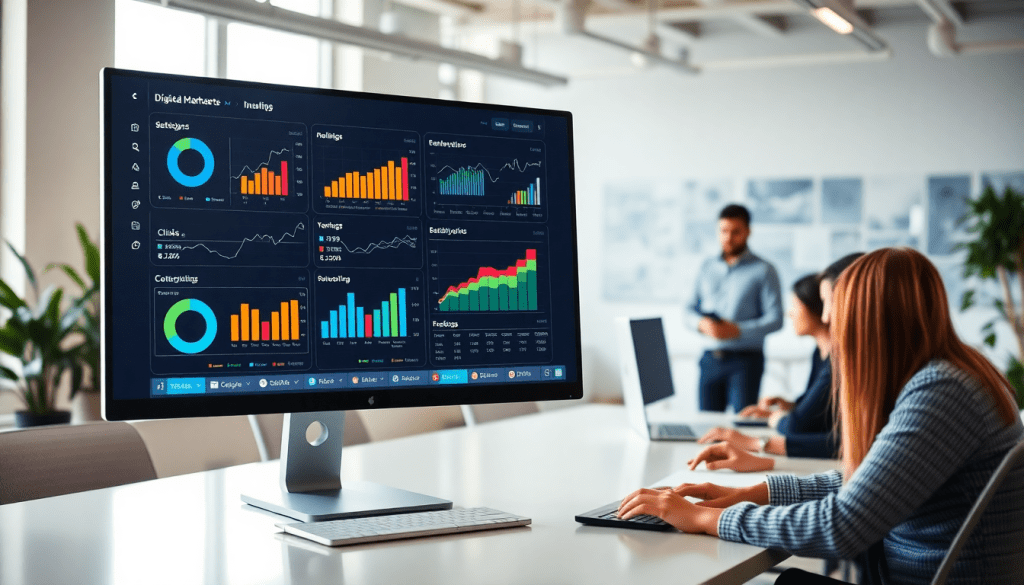
Digital Marketing KPI Dashboard: Visualize Metrics & ROI Fast
A digital marketing KPI dashboard gives marketers the clarity and speed they need to track campaign performance, visualize key metrics, and prove ROI—without wrestling with spreadsheets or scattered data. By centralizing cross-channel analytics, automating KPI reports, and surfacing actionable insights, these dashboards empower marketing teams and agencies to make smarter, faster decisions. Whether you’re monitoring paid ad campaigns, optimizing content strategy, or reporting to clients, a well-designed KPI dashboard transforms complex data into interactive, digestible visuals—bringing focus and efficiency to your marketing operations.
What is a Digital Marketing KPI Dashboard?
A digital marketing KPI dashboard is a centralized, interactive interface that aggregates and visualizes your most important marketing metrics—your key performance indicators (KPIs)—in real time. Unlike static marketing reports, which are typically backward-looking and require manual data compilation, a KPI dashboard delivers a dynamic, at-a-glance view of campaign performance across all your digital channels. It pulls live data from multiple sources (such as Google Ads, Facebook, email platforms, and more) to provide marketing teams and agencies with up-to-the-minute insights on impressions, clicks, conversions, cost per acquisition, ROI, and beyond.
What sets a digital marketing KPI dashboard apart is its role as a mission control center for campaign monitoring. Instead of juggling spreadsheets or siloed analytics tools, marketers can track the metrics that matter most—customized for their objectives—in one unified place. This interactivity is crucial: users can drill down into data, filter by date range or channel, and instantly spot trends, anomalies, or underperforming campaigns.
For in-house marketing teams, dashboards streamline daily performance checks and accelerate decision-making. For agencies, they provide a transparent, client-ready reporting solution that builds trust and demonstrates value. Ultimately, a well-designed KPI dashboard transforms raw data into actionable, visual stories—empowering marketers to optimize spend, prove ROI, and respond to changes faster than ever before. For more on how TapClicks powers this kind of marketing clarity, visit TapClicks.
Core Metrics to Track on Your Dashboard
A digital marketing KPI dashboard is only as valuable as the metrics it tracks. To truly understand campaign performance and maximize ROI, marketers should focus on a core set of KPIs that offer both granular detail and big-picture clarity. Here are the essential metrics every marketing team and agency should include:
Impressions
Impressions measure how often your ads or content are displayed to users. While they don’t indicate engagement, they’re vital for assessing reach and brand awareness across channels.
Clicks & Click-Through Rate (CTR)
Clicks show direct user interaction, while CTR (clicks divided by impressions) reveals how compelling your ads or content are. A high CTR signals effective messaging and targeting, while a low CTR may highlight creative or audience misalignment.
Conversions
Conversions—whether a purchase, sign-up, or download—are the ultimate indicator of campaign success. Tracking conversions helps you tie marketing activities directly to business goals.
Cost Per Lead (CPL) & Cost Per Acquisition (CPA)
CPL and CPA measure how efficiently your campaigns are driving valuable actions. By monitoring these costs, marketers can optimize budget allocation and maximize return on spend.
Return on Ad Spend (ROAS)
ROAS is the gold standard for measuring paid media effectiveness. It calculates the revenue generated for every dollar spent, providing a clear link between investment and results.
Other Key Metrics:
- Engagement Rate: Tracks likes, shares, and comments to gauge audience interaction.
- Bounce Rate: Reveals how many visitors leave without taking action, highlighting landing page or targeting issues.
- Lifetime Value (LTV): Estimates the revenue a customer generates over time, crucial for long-term strategy.
Why These Metrics Matter
Together, these KPIs paint a comprehensive picture of your marketing funnel—from initial exposure to final conversion. Tracking them in real time enables marketers to identify what’s working, spot bottlenecks, and swiftly adjust strategy for optimal performance.
The Power of Cross-Channel Analytics
A major advantage of a digital marketing KPI dashboard is its ability to unify metrics from multiple platforms—search, social, display, email, and more—into a single, interactive view. Cross-channel analytics eliminate data silos, making it easy to compare performance, attribute results, and ensure every dollar is working its hardest.
For organizations managing campaigns across different channels, clients, or locations, a unified dashboard such as TapClicks delivers the visibility and control needed to scale success and prove ROI with confidence.
Why Automated KPI Reports and Data Visualization Are Game-Changers
Automating your KPI reports and embracing data visualization brings big wins for marketing teams and agencies. Here’s how these tools can transform your day-to-day operations and overall performance.
What You Gain by Automating KPI Reports
-
Major Time Savings:
- No more manual data pulls or spreadsheet wrangling.
- Automated dashboards update in real time—giving your analysts and account managers more time for strategy and optimization.
-
Fewer Errors, More Trust:
- Automation minimizes human error.
- Everyone works from a single source of truth, so you can rely on the numbers to make fast, confident decisions.
-
Always Up-to-Date Insights:
- Forget waiting for end-of-month reporting.
- Real-time data means you spot trends and course-correct as campaigns unfold.
Why Data Visualization Makes the Difference
-
Instant Clarity:
- Interactive charts and graphs reveal trends, anomalies, and opportunities at a glance.
- No more sifting through endless rows of numbers.
-
Better Storytelling for Clients and Stakeholders:
- Visual reports make it easy to communicate ROI, channel performance, and budget impact.
- Build trust and credibility by showing—not just telling—how campaigns are performing.
How to Make It Work for Your Team
- Centralize Your Data:
Use a unified platform (like TapClicks) to consolidate all your performance metrics. - Automate Regular Reporting:
Schedule dashboards and reports to update and distribute automatically—internally or to clients. - Visualize What Matters:
Focus on KPIs that drive business outcomes. Use visualizations to highlight wins, spot risks, and inform strategy. - Act on Insights, Not Just Data:
Real-time visual reports empower your team to make quick, confident decisions.
Ready to Dive Deeper?
Explore our complete guide: How Marketing Dashboard Automation Boosts Agency Reporting Efficiency.
By centralizing, automating, and visualizing your marketing KPIs, you’ll lay the foundation for smarter, more impactful campaigns—whether you’re managing in-house or delivering results to clients at scale.
How to Set Up a Performance Tracking Dashboard
Setting up a digital marketing KPI dashboard doesn’t have to be overwhelming—especially if you break the process into clear, manageable steps. Whether you’re a marketing agency looking to streamline client reporting or an in-house team aiming for real-time campaign oversight, following a structured approach ensures your dashboard delivers actionable, business-aligned insights from day one. Here’s how to get started:
1. Define Your KPIs and Objectives
Begin by clarifying your marketing goals and determining which KPIs map directly to those objectives. Are you optimizing for lead generation, sales conversions, brand awareness, or a blend of outcomes? Typical KPIs to consider include impressions, clicks, click-through rate (CTR), conversions, cost per lead (CPL), cost per acquisition (CPA), and return on ad spend (ROAS). Select metrics that matter most for your business stage and reporting needs—avoiding vanity metrics that don’t drive decisions.
2. Integrate Your Data Sources
A powerful dashboard thrives on unified data. List all your marketing channels—Google Ads, Facebook, LinkedIn, programmatic platforms, email, CRM, and even offline sources—that generate relevant performance data. Use a platform like TapClicks to connect these sources via native connectors or custom integrations. This ensures your dashboard pulls in fresh, accurate data automatically, eliminating the need for manual exports or error-prone spreadsheets.
3. Set Up Automated Data Workflows
Once your data sources are connected, configure automated data extraction, transformation, and loading (ETL) workflows. This step is crucial for real-time or near-real-time reporting, as it keeps your dashboard always up to date. Platforms like TapClicks let you schedule data refreshes, automate normalization (so metrics align across campaigns), and set up rules for data enrichment or cross-channel blending.
4. Customize Dashboard Views and Reporting
Tailor your dashboard layouts to match the needs of your audience—executive overviews for leadership, granular channel breakdowns for analysts, or custom branding for client-facing reports. Most modern dashboards offer drag-and-drop widgets, customizable charts, and flexible filtering options. Consider adding goal tracking or budget pacing visualizations to keep teams proactive, not just reactive.
5. Address Common Setup Challenges
- Data Silos: If some platforms don’t integrate natively, use smart connectors or API bridges.
- Metric Consistency: Standardize naming conventions and data formats during setup to ensure apples-to-apples comparisons.
- User Access: Set role-based permissions so team members and clients see only what’s relevant to them.
6. Continuously Iterate and Optimize
Your dashboard isn’t static. Regularly review which metrics are most impactful, solicit feedback from users, and adjust visualizations or workflows as your campaigns evolve. Leverage built-in analytics or AI-powered recommendations (if available) to highlight trends and optimization opportunities.
Setting up a performance tracking dashboard with these best practices ensures you not only visualize your digital marketing KPIs with clarity but also empower your team to act quickly and confidently on the insights revealed.
Advanced Features: AI Marketing Dashboards & Insights
Today’s most effective digital marketing KPI dashboards go far beyond static charts and historical reporting—they leverage artificial intelligence to deliver dynamic insights, predictive analytics, and real-time optimization cues. AI-powered dashboards transform how marketers interact with their data, surfacing trends and anomalies that would otherwise go unnoticed and providing actionable recommendations for campaign improvement.
With AI-driven features such as TapClicks’ SmartPilot and TapInsights, dashboards can automatically analyze complex datasets, detect performance shifts, and highlight emerging opportunities or risks across channels. Instead of combing through endless rows of data, marketers receive smart alerts and visual cues that pinpoint what’s working, what needs attention, and where budgets can be optimized. These intelligent tools not only accelerate reporting but also empower teams to make proactive, evidence-based decisions.
Predictive analytics adds another layer of sophistication by forecasting future campaign outcomes, budget pacing, and conversion trends based on historical and real-time data. This allows marketers to anticipate challenges, adjust strategy preemptively, and maximize ROI. AI-powered dashboards also streamline communication with features like SmartEmail, which automatically generates and delivers insight summaries to internal teams or clients, ensuring everyone stays informed without manual effort.
To explore how AI-driven dashboards are transforming marketing analytics, check out this deep dive on "powerful marketing analytics insights". By integrating advanced AI features, platforms like TapClicks are redefining what’s possible in campaign management—helping marketers spend less time wrangling data and more time driving strategy and results.
Cross-Channel Analytics: Unifying Data for Full-Funnel Reporting
Today’s marketing landscape is multi-dimensional, with campaigns running across paid search, social, display, email, organic channels, and more. Siloed reporting—where each channel is tracked separately—can leave you blind to the true customer journey and make it nearly impossible to measure full-funnel ROI. That’s where cross-channel analytics dashboards come in, consolidating paid, owned, and earned channel data into a single, unified view.
By bringing together data from platforms like Google Ads, Facebook, LinkedIn, programmatic display, SEO tools, web analytics, and CRM systems, a cross-channel dashboard reveals the big picture. For example, you might see how a paid social campaign sparks initial engagement, which is then nurtured by email and finally converted via organic search—insights that are impossible to uncover when looking at metrics in isolation. This holistic approach not only supports more accurate attribution modeling but also uncovers hidden optimization opportunities across the entire marketing funnel.
Scalability is critical, especially for agencies managing dozens or hundreds of client accounts, or for multi-location brands that need to compare regional performance. Leading solutions like TapClicks offer 10,000+ pre-built and custom connectors, making it easy to integrate data from virtually any source. With automated data pipelines, these platforms maintain up-to-date dashboards and allow marketers to drill down by channel, campaign, region, or client—all without manual wrangling. Ultimately, a robust cross-channel analytics dashboard empowers teams to align strategy, prove value, and drive better outcomes, no matter how complex the marketing ecosystem.
Turning Data into Action: From Visualization to Strategy
A digital marketing KPI dashboard isn’t just a reporting tool—it’s a springboard for strategic action. While metrics and colorful charts provide much-needed visibility, the true value comes when marketers use those visuals to uncover opportunities, address challenges, and refine their approach in real time.
Interactive dashboards empower teams to dive beneath the surface of the numbers. With drill-down capabilities and dynamic filters, you can quickly identify which campaigns, channels, or creative assets are driving results—or where performance is lagging. For example, if a dashboard highlights a sudden dip in conversion rate, you can immediately trace it back to a specific ad group or landing page, eliminating guesswork and speeding up decision-making.
Best practices for turning visualization into strategy include:
- Set clear benchmarks and goals: Visualize progress against your KPIs and industry standards to spot over- or underperformance.
- Surface insights with automated alerts: Use built-in AI or rule-based notifications to flag anomalies and trends as soon as they happen, so you can act before minor issues become major problems.
- Collaborate with context: Annotate dashboards or share real-time views with stakeholders so everyone’s on the same page—and can weigh in on next steps.
- Optimize iteratively: Let dashboard insights guide your adjustments, whether that means reallocating budget, tweaking creative, or testing new tactics.
The most successful marketing teams treat dashboards as living tools, not static reports. By regularly reviewing visualized data and discussing insights, they foster a culture of continuous improvement—an essential driver of ROI in today’s fast-moving digital landscape.
For more practical tips on using dashboards to bridge the gap between data and action, check out how TapClicks supports better digital marketing reporting and helps marketers turn analytics into impact.
Choosing the Right Digital Marketing KPI Dashboard Solution
Selecting the ideal digital marketing KPI dashboard is crucial for maximizing your team’s efficiency, clarity, and impact. With so many tools on the market, it’s important to focus on the features and capabilities that truly matter for long-term growth and day-to-day performance.
Must-Have Features for Modern KPI Dashboards
- Automation: Look for dashboards that automate data pulls, report generation, and KPI tracking. This not only saves hours every week but also ensures your data is always fresh and reliable.
- Integrations: Your dashboard should connect seamlessly with all your marketing, advertising, and business data sources—Google Ads, Facebook, LinkedIn, CRM platforms, and more. The broader the integration library, the less manual work you’ll need.
- Scalability: Whether you’re managing 10 campaigns or 1,000, the platform should handle growth without slowing down. This is especially crucial for agencies or multi-location brands with complex reporting needs.
- AI & Insights: Modern dashboards go beyond static visuals. Look for AI-driven insights, anomaly detection, and predictive analytics to highlight what’s working—and what needs attention—so you can act proactively.
- Customization: Every business has unique goals. Your dashboard should offer flexible widgets, branded reporting, and tailored views for different stakeholders, whether it’s internal teams or external clients.
Comparing Dashboard Solutions: What Sets TapClicks Apart
While many platforms offer piecemeal solutions—some focused solely on data integration, others on lightweight reporting—TapClicks stands out by unifying data, reporting, AI insights, and workflow in a single, scalable solution. Unlike competitors such as Funnel.io or Agency Analytics, TapClicks is designed for high-volume users, supporting thousands of dashboards and clients while delivering actionable recommendations, not just raw data. Its AI-powered agents automatically surface trends and optimization opportunities across channels, while role-based access and automated workflows make it easy to collaborate and deliver consistent, branded reports at scale.
Next Steps: Evaluating and Implementing Your Dashboard
Ready to take your marketing operations to the next level? Start by mapping your must-have KPIs, identifying your most important data sources, and outlining your reporting workflow. Then, compare dashboard solutions based on automation, integrations, AI capabilities, and scalability. For a platform built to unify, automate, and elevate your marketing reporting, explore TapClicks and see how it can transform your approach to digital marketing KPIs.
Start Automating Your Marketing Data Today!
No Credit Card Required.

