

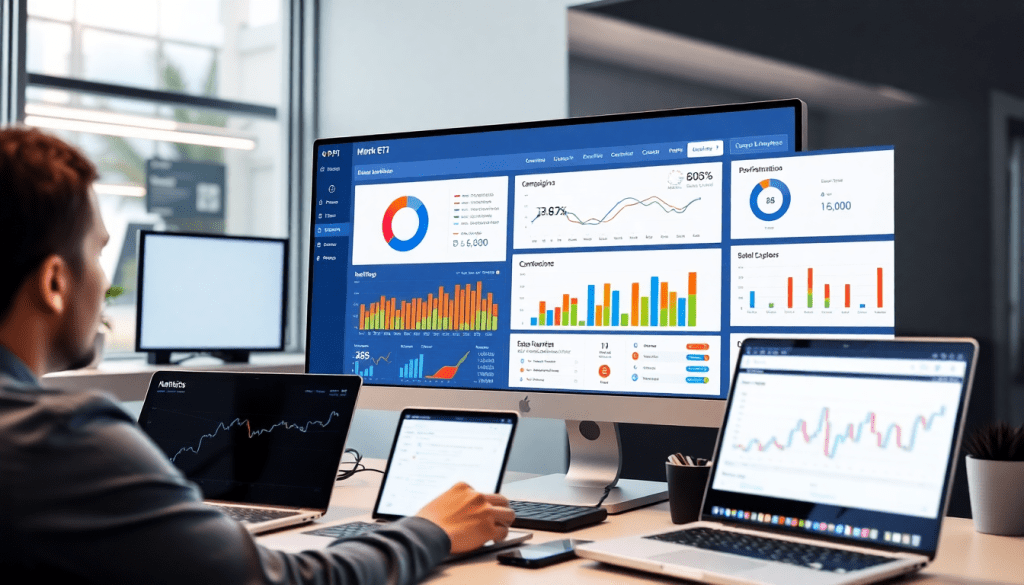
Digital Marketing KPI Dashboard: Visualize Metrics & ROI Fast
A digital marketing KPI dashboard empowers marketers and agencies to see their most important metrics in one place—cutting through the noise to reveal what’s driving ROI across every channel. With the right dashboard, you can automate KPI reporting, track campaign performance in real time, and uncover actionable insights with the help of AI. This guide breaks down how a well-built dashboard transforms marketing data into clear, interactive visualizations that elevate your strategy and prove value to stakeholders.
What Is a Digital Marketing KPI Dashboard?
A digital marketing KPI dashboard is a centralized, interactive tool designed to visualize the key performance indicators (KPIs) that matter most to your marketing strategy. Its core purpose is to provide marketers, agencies, and stakeholders with an at-a-glance view of campaign health, ROI, and progress toward business goals—making it easy to cut through data silos and focus on what’s driving real impact.
Typically, a marketing KPI dashboard tracks a variety of essential metrics, including impressions, click-through rates (CTR), conversions, cost per acquisition (CPA), return on ad spend (ROAS), engagement rates, and more. These KPIs span across channels like paid search, social media, email, SEO, and programmatic, offering a holistic perspective on performance. By consolidating data from multiple sources, dashboards empower users to spot trends, identify underperforming campaigns, and optimize tactics in real time.
The benefits of centralized marketing metrics visualization are substantial. Instead of juggling spreadsheets or logging into disparate platforms, teams can monitor results from a single pane of glass, saving valuable time and reducing the risk of manual errors. Automated dashboards not only improve accuracy but also free up analysts to focus on strategic initiatives rather than repetitive reporting tasks.
TapClicks exemplifies this modern approach to dashboard automation by enabling agencies and marketers to seamlessly integrate, blend, and visualize their data at scale. Their platform lets users automate the entire reporting process, ensuring that dashboards are always up-to-date and tailored to specific client or stakeholder needs. For more on how dashboard automation can boost agency reporting efficiency, check out this TapClicks resource.
Why Marketers Need Real-Time Performance Tracking
In today's fast-moving digital landscape, timing is everything. The ability to monitor campaign results as they happen—rather than waiting for end-of-month reports—gives marketers a dramatic competitive edge. Real-time performance tracking lets teams identify what’s working, spot issues before they escalate, and pivot quickly to seize emerging opportunities.
Why does this matter? Because relying on outdated, manual reporting methods can leave marketers flying blind. When you’re working from spreadsheets or waiting for data exports, it’s all too easy to miss sudden drops in conversions, budget overruns, or a surge in high-performing channels. These delays can mean wasted ad spend, missed revenue, and lost market share.
An interactive performance tracking dashboard solves these problems by continuously aggregating data from every channel and surfacing the latest metrics in one unified view. This centralized approach powers agile decision-making—giving marketers, agencies, and stakeholders the confidence to adapt campaigns in the moment. Whether it’s reallocating budget to a top-performing ad set or troubleshooting a sudden dip in engagement, decisions are faster and more informed.
For a deeper dive on why real-time marketing matters—and how automated data collection makes it possible—check out TapClicks’ insights on real-time marketing and automated data collection. The right dashboard doesn’t just keep you informed; it keeps you ahead.
What Makes a KPI Dashboard Truly Impactful?
A digital marketing KPI dashboard should do more than display colorful charts. It should serve as a strategic command center—delivering real-time, actionable intelligence to marketers, agencies, and stakeholders. Here’s what sets a world-class dashboard apart:
The Must-Haves for Any High-Impact Dashboard
📊 Unified Cross-Channel Analytics
Modern marketing is omnichannel. Your dashboard should:
- Aggregate data from sources like paid search, social, programmatic, SEO, email, and more
- Offer seamless integration with thousands of marketing and business platforms
- Empower holistic campaign comparison and trend spotting
- Enable marketers to optimize spend across their entire marketing mix
🔄 Automated, Always-On Reporting
Manual reporting is a drain. Automation should:
- Schedule and deliver KPI reports directly to your inbox or stakeholders (daily, weekly, on demand)
- Ensure up-to-date, error-free reporting without analyst intervention
- Free up time for strategy instead of data wrangling
- Learn more about dashboard automation for efficiency →
🎛️ Custom Visualizations That Fit Your Workflow
Dashboards should adapt to your needs, not the other way around:
- Flexible, drag-and-drop widgets and layouts
- Multiple visualization types (bar, line, pie, geo, funnel, etc.)
- Tailored metric views (e.g., conversions by channel, CPL by campaign, total ROI)
- Personalization for different teams or clients
👥 Role-Based Access & Effortless Collaboration
For agencies and brands with multiple clients or teams:
- Role-based controls so users only see what’s relevant to them
- Protect sensitive data while streamlining collaboration
- Enable seamless teamwork between sales, marketing, and ops
🎯 KPI Monitoring & ROI Tracking Built In
Beyond just views and clicks, your dashboard should:
- Allow easy setting, monitoring, and benchmarking of campaign KPIs
- Tie marketing spend directly to business outcomes and ROI
- Simplify value demonstration for clients and enable smart budget allocation
🔗 Workflow Integration for Instant Action
A dashboard shouldn’t be an island:
- Integrate with campaign workflows for easy transition from insight to action
- Built-in features: order management, approvals, automated alerts
- Enable teams to respond instantly to performance changes
Bringing It All Together
By combining these essential features, you move from static reporting to a dynamic, insight-driven hub. TapClicks is designed with this holistic approach—offering:
| Feature | TapClicks Delivers |
|---|---|
| Cross-channel integration | 10,000+ connectors |
| Automated, scheduled reporting | Yes (fully customizable) |
| Customizable visualizations | Drag-and-drop dashboards |
| Role-based access | Multi-client, multi-team |
| KPI & ROI tracking | Real-time performance |
| Workflow integration | Orders, approvals, alerts |
Ready to transform your reporting?
Explore how TapClicks empowers agencies and brands to automate, unify, and optimize every step of their marketing analytics and reporting workflow.
How to Make Your Marketing Dashboards Instantly Actionable
Designing a marketing KPI dashboard isn’t just about making data look good—it’s about enabling smarter, faster decisions. The right visuals help everyone, from analysts to executives, spot what matters and act quickly. Here’s how you can elevate your dashboard game and make every metric count:
Keep It Clear: Make Every Metric Tell a Story
- Prioritize simplicity. Every chart or widget should answer a specific question or highlight a key trend.
- Use clear, concise labels and stick to consistent color schemes and legends.
- Group related metrics (like impressions, clicks, and conversions) together to provide context and help users see the bigger picture.
- Avoid overcrowding. Limit each dashboard view to a handful of KPIs, with each widget serving a unique purpose.
Pick the Perfect Visualization for Each Data Point
| Goal/Question | Best Chart Type | When to Use It |
|---|---|---|
| Trends over time | Line chart | E.g., daily conversions, ad spend |
| Compare across categories | Bar/Column chart | E.g., channels, campaigns, regions |
| Show proportion/share | Pie chart | E.g., budget breakdown, traffic sources |
| Dive into granular details | Table | Add conditional formatting for quick scans |
Tip: Use pie charts sparingly—only for simple, high-level breakdowns.
Let Users Explore with Interactivity
Give your audience control over what they see:
- Date pickers for flexible timeframes
- Filter dropdowns (by campaign, region, device, etc.)
- Drill-down options to move from summary to detailed views
This makes dashboards more engaging and ensures insights are tailored to each stakeholder’s needs.
Avoid Information Overload
Don’t show everything—show what matters.
Here’s a quick checklist:
- Highlight only the KPIs that align with your business goals
- Use summary tiles for high-level stats
- Allow users to “click in” for details if needed
- Leverage white space and visual hierarchy to draw the eye
Design for Action
A great dashboard should do more than inform—it should prompt action:
- Goal lines or benchmarks show when a metric is on (or off) track
- Automated alerts notify teams when thresholds are met or missed
- Color-coded status indicators (red/yellow/green) make it easy to spot issues at a glance
Want More Tips?
- Read our deep-dive guide on marketing dashboard automation.
- Or, see how TapClicks can help you unify, visualize, and act on your marketing performance: Learn more.
By following these best practices, your dashboards will become indispensable tools for insight, collaboration, and measurable results.
Cross-Channel Analytics: See the Full Picture
Modern marketing doesn’t happen in silos—your audience interacts with your brand across paid search, paid social, organic search, email, display, and countless other channels. To truly understand performance, marketers need a cross-channel analytics dashboard that brings all these data streams together, providing a unified, 360-degree view of your campaigns.
A cross-channel dashboard consolidates metrics from disparate sources—think Google Ads, Facebook, LinkedIn, programmatic display, SEO platforms, and beyond—into a single, cohesive interface. This eliminates the chaos of juggling multiple logins and spreadsheets, while ensuring you’re not missing critical insights hiding in disconnected data. For example, you can compare cost-per-acquisition (CPA) across search and social, measure total impressions and conversions across all channels, and detect which combinations drive the highest ROI.
Crucially, effective cross-channel reporting isn’t just about collecting data; it’s about normalizing and blending it. Different platforms may track the same metric (like “conversions”) in slightly different ways, or use inconsistent naming conventions and time zones. A robust dashboard, like the one offered by TapClicks, automatically harmonizes these differences—standardizing metrics and allowing apples-to-apples comparisons. This normalization process ensures your reports are accurate and actionable, not misleading.
Cross-channel analytics also power advanced reporting needs like multi-touch attribution and budget allocation. By tracking how users interact with your brand across multiple touchpoints, you can identify which channels contribute most to conversions—and adjust your spend accordingly. This level of insight helps marketers move beyond last-click attribution, enabling smarter investments and clearer storytelling for stakeholders.
In short, a cross-channel analytics dashboard doesn’t just aggregate data; it empowers marketers to see the complete customer journey, optimize spend, and prove the value of every campaign, everywhere it runs.
Leveraging AI for Deeper Marketing Data Insights
Artificial intelligence is rapidly transforming how marketers interact with their data—and a modern digital marketing KPI dashboard isn’t complete without it. By embedding AI-powered features within your dashboard, you can go far beyond static charts and simple trend lines to unlock actionable insights that drive smarter decisions and better results.
The Benefits of AI-Enhanced Dashboards
Incorporating AI into your marketing dashboard brings several crucial advantages. First, AI excels at anomaly detection, automatically flagging unexpected changes in campaign performance—so you can catch issues or capitalize on opportunities before they impact ROI. Second, AI models can surface predictive trends, helping you anticipate future outcomes and optimize campaigns proactively. Finally, advanced AI can provide automated recommendations, suggesting budget shifts or targeting tweaks to boost overall effectiveness.
Examples of AI-Driven Features
Leading platforms like TapClicks have pioneered the use of embedded AI agents to supercharge marketing dashboards. For example, TapClicks’ SmartPilot agents continuously scan your dashboards, analyzing vast datasets to highlight key insights—such as underperforming campaigns, emerging audience segments, or high-ROI channels. Features like SmartEmail take it a step further, automatically summarizing performance findings and delivering them to stakeholders’ inboxes for instant, actionable updates.
Other AI-powered dashboard capabilities include:
- Automated KPI scoring: Evaluate campaigns against benchmarks without manual analysis.
- Natural language queries: Ask questions about your data and get instant, AI-generated answers.
- Insight summaries: Receive concise, context-aware reports tailored to different roles or teams.
Accelerating Time to Insight
Perhaps the greatest advantage of AI is speed. Instead of sifting through complex reports or waiting for analysts, marketers can rely on their dashboards to surface what matters most—instantly. This enables faster pivots, more agile campaign management, and a culture of data-driven decision-making at every level.
By leveraging AI within your digital marketing KPI dashboard, you transform raw data into real business value—empowering your teams to act on insights, not just numbers.
Measuring and Communicating ROI with Dashboards
Proving marketing ROI is no longer a nice-to-have—it's a business imperative. A well-structured digital marketing KPI dashboard makes ROI tracking seamless, empowering marketers and agencies to clearly demonstrate the impact of every campaign. Here’s how you can leverage your dashboard to both measure and communicate ROI with confidence.
1. Set Up ROI Tracking Within Your Dashboard
Begin by defining what ROI means for your organization or clients. For most marketers, ROI is calculated as the revenue generated from campaigns divided by total spend, but it can also include metrics like customer acquisition cost (CAC), lead value, or lifetime value (LTV). Within your dashboard, configure widgets that automatically pull in cost data, conversion values, and other revenue indicators from all relevant channels—paid search, social, email, and more.
Platforms like TapClicks simplify this process by aggregating marketing spend and performance data across channels, automating the calculation of ROI and related KPIs. This ensures that every stakeholder sees real-time, accurate ROI numbers without manual data wrangling.
2. Streamline Client and Stakeholder Communication
One of the biggest advantages of a digital marketing KPI dashboard is its ability to present complex performance data in a clear, visual format. Use customizable dashboards to create client- or stakeholder-specific views that highlight the metrics they care about most—such as cost per lead, revenue by channel, or return on ad spend (ROAS). Automated reporting capabilities allow you to schedule regular, branded ROI summaries, eliminating hours of manual report creation.
With TapClicks, for example, agencies can give clients role-based access to live dashboards, or send automated, easy-to-understand reports that showcase campaign effectiveness and ROI at a glance. This transparency fosters trust and keeps conversations focused on strategy, not just data.
3. Highlight Key ROI Metrics
To effectively communicate value, your dashboard should spotlight these essential ROI-related KPIs:
- Total Campaign Spend vs. Revenue Generated: The baseline for ROI measurement.
- Cost Per Acquisition (CPA): Shows how efficiently you’re converting ad spend into new customers.
- Return on Ad Spend (ROAS): Essential for paid media performance.
- Customer Lifetime Value (LTV): Puts short-term wins in long-term perspective.
- Lead Quality and Conversion Rates: Demonstrate not just quantity, but quality of results.
These metrics, presented in intuitive visualizations, help connect the dots between marketing investments and business outcomes.
4. Use Dashboards to Tell the ROI Story
Dashboards do more than report numbers—they tell a story. Use trendlines, comparison charts, and attribution models to illustrate how marketing initiatives drive incremental value over time. Show the impact of budget shifts, creative changes, or new channel launches on ROI, using before-and-after or multi-period comparisons.
By transforming raw data into actionable insights, your digital marketing KPI dashboard becomes a powerful tool for justifying budget, guiding future strategy, and celebrating wins. It ensures that ROI isn’t just measured—it’s communicated in a way that resonates with stakeholders at every level.
Getting Started: How to Build or Upgrade Your KPI Dashboard
Launching or enhancing your digital marketing KPI dashboard can be transformative—but the process is most effective when approached strategically and systematically. Here’s how to get started:
1. Define Your Goals and KPIs
Begin by identifying what you want your dashboard to achieve. Are you aiming to improve campaign ROI, streamline client reporting, or unify cross-channel analytics? Collaborate with stakeholders to select the most impactful KPIs—such as conversions, cost per acquisition, or channel-specific engagement—that will drive decision-making. Clear objectives ensure your dashboard is purpose-built rather than cluttered with irrelevant data.
2. Integrate Your Data Sources
Next, bring all your marketing data into one place. Choose a platform that supports seamless, automated integration with your advertising, analytics, CRM, and social channels. For example, TapClicks offers over 10,000 pre-built connectors and customizable Smart Connectors to make this process straightforward, eliminating manual data wrangling and ensuring your metrics are always up to date.
3. Customize for Your Team’s Needs
Tailor your dashboard’s layout, visualizations, and access levels to fit how your team works. Use drag-and-drop widgets, branded templates, and role-based permissions to personalize views for executives, analysts, or clients. Focus on clarity—group related metrics, highlight key trends, and enable interactive elements so users can drill down as needed.
4. Automate Reporting and Insights
Set up automated, scheduled reports to streamline your workflow and keep stakeholders informed with minimal effort. Leverage AI-powered features—such as anomaly detection or automated insight summaries—to surface what matters most, faster. TapClicks, for example, provides robust automation tools and AI agents that proactively deliver actionable recommendations.
5. Onboard and Scale Adoption
Train your team on how to use the dashboard, interpret metrics, and act on the insights provided. Encourage feedback and iterate on your setup to better align with evolving business needs. As your organization grows, ensure your dashboard scales—supporting increasing data volume, complexity, and user roles without sacrificing performance.
Ready to take the next step?
For a deeper dive into dashboard strategies, best practices, and hands-on resources, explore the TapClicks knowledge base and blog. Whether you’re building from scratch or upgrading an existing dashboard, TapClicks provides the unified platform and expert guidance to help you visualize, automate, and optimize your marketing performance at scale.
Start Automating Your Marketing Data Today!
No Credit Card Required.

