

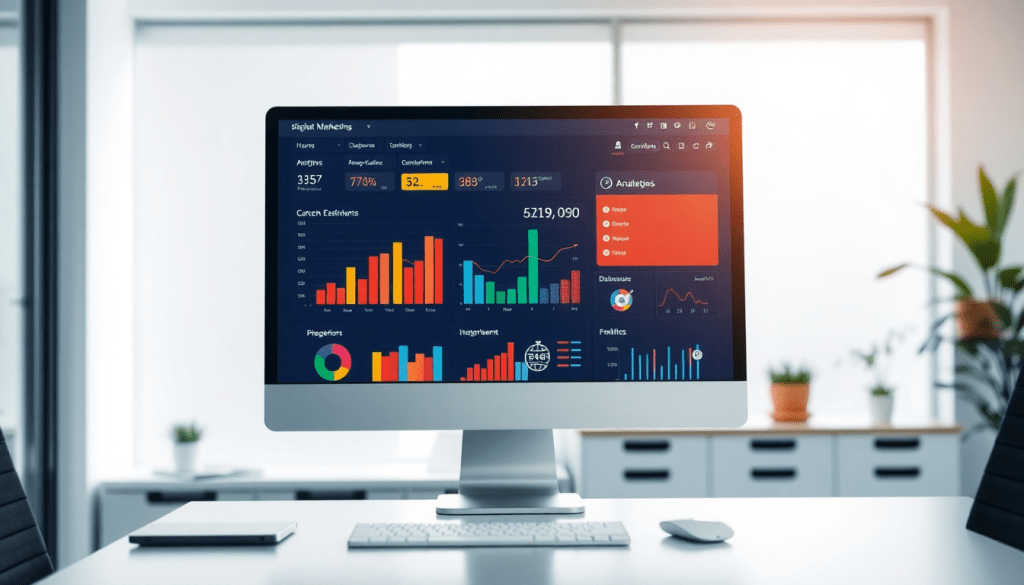
Digital Marketing KPI Dashboard: Visualize Metrics & ROI Fast
A digital marketing KPI dashboard gives marketers instant visibility into campaign performance, ROI, and strategic insights across every channel—without hours of manual reporting. By unifying marketing metrics visualization, automated KPI reports, and AI-powered analytics in a single performance tracking dashboard, brands and agencies can make data-driven decisions faster and more confidently. This guide breaks down what to look for in a digital marketing KPI dashboard, how to leverage advanced features like cross-channel analytics and automated reporting, and why real-time data matters for marketers seeking true impact.
What Is a Digital Marketing KPI Dashboard?
A digital marketing KPI dashboard is your campaign’s command center. It gives you a real-time, interactive way to track, visualize, and analyze the metrics that matter most—all in one place.
Why Marketers Rely on KPI Dashboards
- Centralized Data
Bring together KPIs from every channel—paid search, social media, email, display, and more—into a single, unified view. - Instant Performance Insights
No more juggling spreadsheets or jumping between platforms. Monitor all your essential metrics at a glance. - Customizable & Interactive
Use drag-and-drop widgets and custom reports to focus on what matters most (conversions, CPA, ROAS, and beyond).
What Does a KPI Dashboard Actually Do?
A robust digital marketing KPI dashboard will:
- Aggregate Data Automatically
Pulls campaign data from all your platforms—no manual data wrangling required. - Visualize Trends and Performance
Instantly spot shifts in spend, conversion rates, or audience engagement with intuitive graphs and charts. - Enable Cross-Channel Comparison
See how email stacks up against paid social, or which campaigns are delivering the best ROI. - Highlight Optimization Opportunities
Identify underperforming channels and double down on what’s working.
The Next Level: AI-Powered Marketing Dashboards
Today’s best dashboards—like TapClicks—go beyond just showing the numbers:
- Actionable Insights
Built-in AI surfaces trends, anomalies, and recommendations automatically. - Predictive Modeling
Forecast campaign outcomes and budget needs with confidence. - Automation
Scheduled reports and automated alerts keep teams (and clients) informed without the manual lift.
Why It Matters
A digital marketing KPI dashboard isn’t just a reporting tool—it’s your always-on performance hub.
With the right dashboard, you’ll get:
- Faster, more confident decision-making
- A single source of truth for all campaign data
- The ability to move from reactive reporting to proactive marketing management
Bottom line:
In today’s data-driven world, a KPI dashboard is essential for marketing teams who want to stay ahead, optimize faster, and prove ROI—without the chaos.
The Marketing Metrics That Really Matter in Your Dashboard
A high-performance marketing dashboard isn’t just about collecting data—it’s about surfacing the KPIs that drive action and results. When you focus on the right metrics, you give your team the clarity it needs to optimize campaigns, prove ROI, and pivot quickly.
The Must-Track Metrics for Every Marketing Dashboard
Here’s a quick rundown of the core KPIs you should always keep an eye on:
1. Impressions:
- What it tells you: How many times your ads or content are displayed
- Why it matters: Gauges brand visibility and top-of-funnel reach
- TapClicks tip: Compare across channels (Google, Facebook, programmatic) to spot your best-performing placements
2. Clicks & Click-Through Rate (CTR):
- Clicks: Number of times users engage with your campaign
- CTR: Clicks divided by impressions (shows creative/messaging effectiveness)
- Best practice: Use TapClicks dashboards to quickly flag high- or low-performing assets
3. Conversions:
- Definition: Any desired user action—form fills, downloads, purchases, etc.
- Optimization insight: Segment by source, device, or audience for sharper targeting and budget allocation
4. Cost Per Acquisition (CPA):
- What it measures: Cost to acquire a customer or lead
- Why it’s critical: Ensures you’re spending efficiently; benchmark against industry and historical data
- TapClicks advantage: Automated trendlines help you spot when CPA is creeping up
5. Return on Ad Spend (ROAS):
- Formula: Revenue generated / Ad spend
- How to use it: Compare campaigns and channels to maximize budget impact
6. Customer Lifetime Value (CLV):
- What it means: Total revenue expected from a customer over their relationship with you
- Strategic use: Justifies investment in retention and loyalty programs
- Pro move: Cross-reference with acquisition costs to see true long-term ROI
7. Engagement Metrics:
- Examples: Time on site, pages per session, bounce rate
- Why they matter: Show how users interact post-click (often a leading indicator for conversions)
- TapClicks insight: Visualize engagement by campaign, device, or geography for granular optimization
Why Interactivity Changes the Game
Static spreadsheets can bury critical insights. With interactive dashboards, you can:
- Drill into campaign details or filter by region/device in seconds
- Spot trends and outliers visually, not just in rows of numbers
- Empower your team to take action faster—no more waiting for manual reports
Bringing It All Together
Pro tip: Use a single, unified dashboard to break down data silos and automate reporting.
TapClicks makes this easy, allowing you to centralize, automate, and visualize all your marketing metrics at scale.
For more on designing dashboards that drive results, check out TapClicks’ guide to marketing dashboard automation.
| Metric | What It Measures | Why It Matters |
|---|---|---|
| Impressions | Ad/content displays | Brand visibility |
| Clicks & CTR | User engagement | Creative/message effectiveness |
| Conversions | Desired actions completed | Tracks tangible outcomes |
| CPA | Cost to acquire a customer/lead | Efficiency of spend |
| ROAS | Revenue per dollar spent | Channel/campaign effectiveness |
| CLV | Lifetime revenue per customer | Long-term ROI and retention planning |
| Engagement Metrics | On-site behavior (time, pages, bounce) | Post-click quality, optimization clues |
When you combine these metrics with TapClicks’ automation and visualization, you’ll spend less time wrangling data and more time growing your business.
Benefits of Automated KPI Reports & Cross-Channel Analytics
Automated KPI reports are a game-changer for marketing teams and agencies, transforming how campaign performance is tracked and shared. By eliminating manual data pulls and spreadsheet wrangling, automated reports can save analysts and account managers dozens of hours each month—freeing up time for strategy, optimization, and client management. With data flowing directly from marketing platforms into a centralized dashboard, there’s also far less risk of human error or version control issues that can undermine reporting accuracy.
One of the most powerful features of a modern digital marketing KPI dashboard is its ability to unify cross-channel analytics. Instead of toggling between disparate platforms for paid search, social, email, and display, marketers gain a single source of truth that consolidates all campaign metrics. This unified view enables teams to compare channels side by side, attribute results more accurately, and make smarter decisions on budget allocation and creative strategy. It’s particularly valuable for agencies and brands managing multi-location or multi-client portfolios, where consistency and scalability are essential.
Automated KPI reports also elevate client communications. Scheduled, branded reports ensure that clients receive timely updates—weekly, monthly, or on-demand—without waiting for manual intervention. These reports, generated from real-time data, provide transparency and foster trust, as clients can see exactly how their marketing investments are performing. Enhanced with interactive dashboards and visual summaries, automated reports are easier to digest and more actionable than static spreadsheets. For more on how dashboard automation drives efficiency and transparency, check out TapClicks’ guide to marketing dashboard automation.
Ultimately, automated KPI reports and cross-channel analytics empower marketers to be proactive, not reactive—delivering insights faster, improving collaboration, and demonstrating value at every stage of the campaign lifecycle. To learn more about how a unified platform can streamline your marketing operations and reporting, visit TapClicks.
Why Visualizing Marketing Metrics Changes the Game
Marketing moves fast—and so should your ability to interpret results. With the right visualization tools, your raw campaign data transforms from overwhelming spreadsheets into actionable insights. Here’s how:
What Makes Visualization So Powerful?
-
Instant Clarity:
Interactive dashboards highlight campaign trends, budget shifts, and ROI drivers at a glance. No more getting lost in endless rows and columns. -
Real-Time Decisions:
Drill down by channel, campaign, or time period to spot outliers or performance dips—while there’s still time to pivot. -
Historical Context:
Compare current performance against previous periods, helping you recognize what’s improving and what needs attention.
Spreadsheets vs. Dashboards: What’s the Difference?
| Feature | Spreadsheets | Interactive Dashboards |
|---|---|---|
| Data Aggregation | Manual, error-prone | Automated, always up-to-date |
| Visualization | Limited, static | Dynamic, interactive |
| Collaboration | Version control headaches | Shareable, real-time access |
| Multi-Channel Tracking | Complex, time-consuming | Seamless, unified view |
Visualizations That Make a Difference
Here are some ways dashboards bring your data to life:
- Heatmaps: Quickly spot the highest (and lowest) performing campaigns or regions.
- Trend Lines: Track performance shifts over days, weeks, or months.
- Conversion Funnels: See exactly where leads drop off, so you can focus your optimization.
Interactive dashboards let you filter results by:
- Date range
- Channel (e.g., Google Ads, Facebook, programmatic)
- Campaign or region
Communicate Results—Without the Headaches
- Forget complex pivot tables. Instead, present stakeholders with dynamic, visually-rich dashboards.
- Highlight campaign wins and key insights in seconds.
- Make every conversation about results, not about wrangling data.
Tip: As TapClicks’ guide to marketing dashboard automation explains, interactive dashboards not only boost efficiency but make data accessible and actionable for everyone—fueling confident, strategic decisions.
The Big Picture
Visualization doesn’t just make your data look better—it makes your marketing smarter.
With TapClicks, you can turn complex reporting into a strategic asset, driving faster optimization and better business outcomes for your team and your clients.
How to Set Up an Effective Performance Tracking Dashboard
Setting up a digital marketing KPI dashboard that actually drives results requires more than just plugging in your data—it’s about building a system that delivers clarity, actionability, and alignment with your goals. Here’s how to get started:
1. Define Your Objectives and Stakeholders
Begin by clarifying what you want to achieve with your dashboard. Are you optimizing for lead generation, e-commerce sales, brand awareness, or client reporting? Identify the key stakeholders (marketing team, executives, clients) and tailor the dashboard to their needs and technical comfort.
2. Choose the Right KPIs
Select marketing KPIs that directly map to your goals. Common metrics include impressions, clicks, conversions, CPA, ROAS, and customer lifetime value, but don’t overload the dashboard—focus on the metrics that truly inform decisions. Group KPIs by channel or funnel stage for better clarity.
3. Integrate and Normalize Data Sources
Connect all relevant ad platforms, analytics tools, and CRM systems to your dashboard platform. Use automated data connectors to unify data from sources like Google Ads, Facebook, LinkedIn, and more. Ensure data normalization so that cross-channel metrics are comparable and actionable.
4. Design Intuitive, Visual Dashboards
Leverage drag-and-drop builders and customizable widgets to create dashboards that are visually engaging and easy to navigate. Use charts, graphs, heatmaps, and filters to highlight trends, outliers, and campaign performance at a glance. Consider role-based views to ensure each stakeholder sees relevant information.
5. Set Up Automated Reporting and Alerts
Automate routine reporting with scheduled exports and smart alerts for key changes (such as budget pacing or conversion drops). This not only saves time but also enables your team to respond quickly to performance shifts. Automated reports also improve transparency when shared with clients or leadership.
6. Iterate and Refine
Dashboards aren’t static—regularly review usage, gather feedback, and make improvements. Add or remove KPIs as objectives evolve, and experiment with new visualizations for deeper insights.
For a more detailed walkthrough on automating analytics dashboards, check out TapClicks’ analytics dashboard automation resource.
By following these steps, you’ll move from manual data wrangling to a streamlined, insight-driven digital marketing KPI dashboard—one that empowers your team to make smarter, faster decisions. For a robust, scalable solution that unifies data, reporting, and workflow, explore TapClicks.
AI Marketing Dashboards: Smarter Reporting and Recommendations
Today’s top digital marketing dashboards are no longer just static data visualizations—they’re intelligent, AI-powered platforms that drive efficiency, accuracy, and results. Let’s break down how AI is transforming dashboard experiences for marketers and agencies.
How AI Supercharges Your Marketing Dashboards
1. Automated Insights & Anomaly Detection
AI-driven dashboards do the heavy lifting, scanning vast datasets to surface what really matters—instantly.
- Continuous monitoring: AI agents analyze campaigns across all channels, 24/7.
- Instant alerts: Get notified about:
- Sudden drops in conversion rates
- Spikes in cost per acquisition
- New, high-ROI audience segments
- No manual digging: Automated insights mean you spend less time searching for problems and more time solving them.
TapClicks in Action:
TapClicks’ AI Agents sift through thousands of data points, flagging anything that needs your attention—so you can optimize campaigns before minor issues become major headaches.
2. Predictive Analytics: Looking Ahead, Not Just Back
Move from reactive to proactive with dashboards that forecast your next move.
- Performance forecasting: Predict future conversions, spend, and outcomes.
- Budget pacing: See if you’re on track or need to adjust allocations.
- Optimization recommendations: AI suggests:
- Where to reallocate spend (e.g., from underperforming to high-performing campaigns)
- Which creative assets to double down on
SmartPilot Example:
TapClicks’ SmartPilot delivers real-time, AI-generated optimization tips—so you’re always working with the latest, most actionable recommendations.
3. From Data to Action: Real-World AI Reporting
Imagine a dashboard that goes beyond numbers and actually tells you what to do next.
- Automated summaries: Receive daily or weekly email digests with plain-language insights.
- Stakeholder-ready: Share actionable recommendations with clients or internal teams—no manual analysis needed.
- Time savings: Focus on strategy, not spreadsheet wrangling.
SmartEmail Spotlight:
TapClicks’ SmartEmail automatically translates AI-driven insights into clear, actionable summaries—delivered straight to your inbox.
Why It Matters
By embedding AI directly into the heart of your reporting workflow, platforms like TapClicks let you:
- Move beyond static reports to always-on intelligence
- Accelerate decisions with instant, contextual recommendations
- Ensure campaigns are continually optimized for maximum ROI
In short:
AI-powered dashboards do more than visualize your data—they help you act on it, every single day.
ROI Tracking for Marketers: Proving and Improving Value
One of the most powerful advantages of a digital marketing KPI dashboard is its ability to make marketing ROI transparent, measurable, and actionable. By centralizing campaign data and financial metrics in one performance tracking dashboard, marketers can finally move beyond gut feelings and anecdotal wins—proving exactly which campaigns drive real business outcomes and optimizing spend for maximum return.
A modern KPI dashboard enables you to monitor ROI in real time across every channel, from paid search and social to email, display, and beyond. By integrating cost data, revenue attribution, and key funnel metrics, you can see not only which campaigns are performing, but also why. For example, interactive dashboards allow marketers to slice and dice performance by channel, audience segment, or creative, revealing high-ROI opportunities and surfacing underperforming investments before they drain budgets.
The true value comes from tying these insights directly to core business objectives. Sophisticated dashboards—like those powered by TapClicks—let you connect campaign outcomes to sales, leads, and customer lifetime value, making it easy to demonstrate marketing’s impact to leadership and clients. Automated attribution models track every step of the customer journey, ensuring that ROI calculations reflect all touchpoints, not just last-click conversions.
To maximize value, look for platforms that offer cross-channel analytics and AI-powered insights. These features help marketers not only report on ROI, but actively improve it: predictive models can recommend budget shifts, identify emerging trends, and highlight optimization opportunities with just a few clicks. As highlighted in TapClicks’ in-depth dashboard analytics article, automated insights and granular reporting transform ROI tracking from a static snapshot into a continuous feedback loop—empowering marketers to adjust strategy in real time and drive measurable growth.
Ultimately, the right digital marketing KPI dashboard provides the clarity and confidence marketers need to prove value, justify budgets, and fuel smarter decisions that move the business forward.
How to Choose a Digital Marketing KPI Dashboard That Actually Moves the Needle
Picking the right KPI dashboard isn’t just about pretty charts—it’s about empowering your team to make smarter, faster marketing decisions at scale. As your channels, clients, and campaigns grow, you need a platform that’s more than a spreadsheet with a facelift. Here’s how to zero in on a solution that drives real results.
What to Look For in Your Next Dashboard Platform
Scalability That Matches Your Ambitions
- Can the platform handle:
- Hundreds or thousands of dashboards?
- Multi-location and multi-client reporting?
- Rapidly growing user bases?
- Look for: Performance at scale, not just for one team, but for your entire agency or brand network.
Integrations That Don’t Leave You Hanging
- Prioritize:
- 1,000s of connectors (ad platforms, analytics, CRMs, ecomm, and more)
- Cross-channel data blending (for unified reporting)
- ETL/ELT options for advanced data teams
- Table: Integration Depth Comparison
| Platform | # of Connectors | Cross-Channel Blending | ETL/ELT Support |
|---|---|---|---|
| TapClicks | 10,000+ | Yes | Yes |
| Funnel.io | ~500 | Limited | Yes |
| AgencyAnalytics | ~70 | No | No |
| Supermetrics | ~100 | Limited | Yes |
User Experience That Empowers, Not Overwhelms
- Drag-and-drop dashboard builder
- Customizable templates and widgets
- Role-based access for clients, sales, and ops
- Branded reporting for a polished client experience
Automation & AI That Save You Hours Every Week
- Automated data pulls and scheduled reporting
- AI-powered insights, anomaly detection, and recommendations
- Predictive analytics for budget pacing and performance optimization
Checklist: Must-Have Automation Features
- Scheduled report delivery
- Automated data refresh
- AI-generated insights
- Custom alerts for anomalies
Support That Has Your Back
- Onboarding and training resources
- Responsive customer support (not just a ticketing black hole)
- Dedicated account management for high-volume users
Comparing the Leading Players
Not all dashboard platforms are created equal. Here’s how they stack up:
- TapClicks: Unified data integration, scalable dashboard management, advanced AI insights, and workflow automation—all in one place.
- Funnel.io/Supermetrics: Great for data piping, but limited dashboarding and workflow.
- AgencyAnalytics/NinjaCat: User-friendly for small teams, but may lack depth for large agencies or enterprises.
Match Your Needs—Not Just the Feature List
Before you decide, map your priorities:
- Cross-channel analytics?
- Real-time data refresh?
- Multi-client management?
- Custom branding?
- Advanced AI insights?
Pro tip: Don’t settle for a platform that only checks the basics. Choose one that grows with you, integrates cleanly into your existing stack, and actively helps you optimize—not just report.
TapClicks is purpose-built for high-volume agencies, media companies, and brands that want a single source of truth, supercharged by automation and AI. Looking to unify your marketing operations? Learn more about how TapClicks stacks up.
Start Automating Your Marketing Data Today!
No Credit Card Required.

