

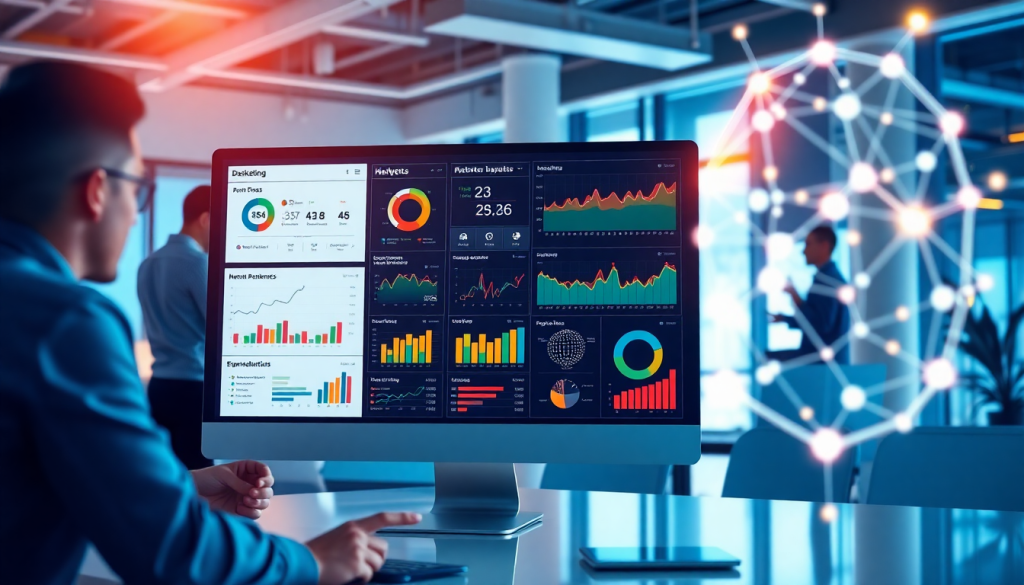
Digital Marketing KPI Dashboard: Visualize Metrics & ROI Fast
A digital marketing KPI dashboard is the modern marketer’s command center—an interactive hub where you can instantly visualize metrics, monitor campaign performance, and track ROI across all channels. Instead of juggling spreadsheets or toggling between platforms, these dashboards bring your most important data into one place for faster, smarter decision-making. With features like automated KPI reports, AI-powered insights, and cross-channel analytics, a well-designed dashboard doesn’t just save you time—it gives you the clarity to optimize campaigns and demonstrate marketing’s impact at a glance.
What Is a Digital Marketing KPI Dashboard?
A digital marketing KPI dashboard is a centralized, interactive platform designed to display your most critical marketing metrics—Key Performance Indicators (KPIs)—in real time. Think of it as your marketing “mission control”: instead of sifting through endless spreadsheets or logging into multiple ad platforms, you see all your campaign data visualized in one cohesive view. This empowers marketing teams to track performance, monitor ROI, and surface actionable insights across channels with speed and clarity.
At its core, a KPI dashboard simplifies the complexity of modern marketing campaigns. It provides visualization tools—such as charts, graphs, and scorecards—that make it easy to assess campaign health at a glance. By centralizing data from sources like Google Ads, Facebook, email platforms, and web analytics, these dashboards eliminate data silos and reduce the manual effort of reporting. The result? Marketers can identify trends, spot anomalies, and communicate results more efficiently.
Key features of a robust digital marketing KPI dashboard include:
- Real-time data updates for always-current performance tracking.
- Interactive and customizable metrics so stakeholders see what matters most to them.
- Centralized reporting that unifies cross-channel data for holistic analysis.
- Automated report generation to save time and ensure consistency.
Marketing metrics visualization isn’t just about pretty charts—it’s about translating complex data into insights you can act on. When KPIs are clearly visualized, teams can make faster decisions, optimize campaigns on the fly, and better demonstrate marketing’s value to leadership.
For a deep dive into how these dashboards drive marketing success—and how platforms like TapClicks deliver advanced analytics, automation, and insight generation—check out "Marketing Analytics Reporting with TapClicks".
Why Marketers Need Real-Time Performance Tracking
In today’s fast-paced digital landscape, waiting days—or even hours—for campaign performance reports can cost you precious opportunities. Real-time performance tracking through a digital marketing KPI dashboard delivers instant visibility into your most important metrics, empowering marketers to respond quickly and maximize the impact of every campaign.
Instant Visibility for Smarter Decisions
When you can see campaign KPIs and ROI as they happen, you unlock the ability to pivot strategies on the fly. Instead of relying on outdated data or cobbling together insights from multiple sources, dashboards provide a single, interactive view of all your marketing activity. This transparency is crucial for identifying what’s working, pausing underperforming tactics, and reallocating budget to high-performing channels in real time.
Agility in Campaign Optimization
Modern marketing demands agility. With a real-time dashboard, marketers can spot spikes or dips in engagement, conversion rates, or ad spend the moment they occur. This enables rapid optimization—such as adjusting creative, targeting, or bids—before minor issues become costly setbacks. Agencies managing multiple clients, in particular, benefit from the ability to monitor dozens or hundreds of campaigns in parallel, ensuring nothing falls through the cracks.
Solving Common Pain Points: Inefficiency, Silos, and Slow Reporting
Traditional reporting methods—emailing spreadsheets, manual data pulls, or toggling between channels—are notoriously inefficient and prone to error. Worse yet, when data lives in silos, teams waste valuable time reconciling numbers instead of acting on insights. Real-time dashboards like those described in "Marketing Dashboard Automation to Boost Agency Reporting Efficiency" break down these barriers by automatically aggregating data from all sources, standardizing metrics, and delivering a consistent, up-to-date view for every stakeholder.
The Bottom Line
Real-time performance tracking isn’t just a luxury—it’s a necessity for marketers who want to stay competitive. By adopting a dashboard that centralizes and automates KPI monitoring, you free up your team to focus on strategy, creative, and growth, rather than data wrangling. The result? Faster, smarter decisions and measurably better marketing outcomes.
Core Metrics to Track in Your Dashboard
At the heart of every effective digital marketing KPI dashboard are the metrics that matter most. These key performance indicators (KPIs) provide the visibility you need to measure success, pinpoint opportunities, and optimize campaigns in real time. While the right mix of metrics depends on your business goals and marketing channels, certain KPIs are universally essential for clear reporting and actionable insights.
Essential Marketing KPIs
- Impressions: Track how often your ads or content are displayed to gauge reach and brand awareness.
- Clicks: Monitor user engagement and interest by counting the number of times users interact with your assets.
- Click-Through Rate (CTR): Calculate engagement efficiency by dividing clicks by impressions.
- Conversions: Measure the number of desired actions taken—such as form fills, purchases, or downloads—to assess campaign effectiveness.
- Cost Per Acquisition (CPA): Understand how much you’re spending to acquire each new customer or lead.
- Return on Investment (ROI): Determine the profitability of your campaigns by comparing total revenue to marketing spend.
- Engagement Metrics: Track likes, shares, comments, and time spent to gauge audience interaction, especially across social platforms.
- Customer Lifetime Value (CLV): Project the total value a customer brings to your business over time.
Channel-Specific vs. Cross-Channel Analytics
Dashboards can be customized to focus on channel-specific KPIs—such as Google Ads conversions or Facebook engagement—or to deliver cross-channel analytics that unify data from multiple sources for a holistic view. Channel-specific dashboards are ideal for tactical optimization, while cross-channel dashboards help you compare performance, allocate budgets, and spot trends across the entire marketing ecosystem.
Customizing Dashboards for Teams and Campaigns
One size doesn’t fit all. Modern dashboards let you tailor views for different teams (like executives, campaign managers, or creative teams) or for specific campaigns and clients. For example, a CMO might want a high-level cross-channel summary, while an account manager needs granular metrics for individual clients. With platforms like TapClicks, you can build role-based dashboards and automate delivery, ensuring every stakeholder gets the insights they need—without information overload.
By focusing on these core metrics and customizing your dashboard to match your workflows, you set the foundation for faster, more informed marketing decisions that drive real business results.
Visualizing Marketing Data for Actionable Insights
Effective visualization is the linchpin of any digital marketing KPI dashboard. When metrics are presented as clear, interactive visuals—such as bar charts, trend lines, pie graphs, and heatmaps—marketers can spot patterns, correlations, and outliers at a glance. The best dashboards go beyond static images; they allow users to filter by channel, campaign, time frame, or demographic segment, making data exploration intuitive and enabling teams to drill down for deeper insights without advanced technical expertise.
A well-designed visualization strategy transforms raw numbers into a narrative. For example, heatmaps can quickly reveal which ad placements drive the most engagement, while conversion funnels illustrate where prospects are dropping off in the journey. Layering multiple KPIs in a single view—such as overlaying spend and ROI by channel—helps marketers immediately identify high-performing campaigns and reallocate budget for maximum impact.
Interactive dashboards also accelerate the insight-to-action cycle. Instead of combing through spreadsheets, marketers can act on real-time trends: pausing underperforming ads, doubling down on top performers, or optimizing creative based on audience response. Tools like TapClicks empower teams to build custom dashboards that not only visualize the data but also provide context—so every stakeholder, from the CMO to the account manager, can make fast, confident decisions that move the business forward.
Automating KPI Reports and Workflow
Manual reporting is one of the most time-consuming and error-prone tasks in digital marketing operations. Automating KPI reports and workflow fundamentally changes that equation—freeing up valuable hours, ensuring data consistency, and empowering marketers to focus on strategy instead of spreadsheets.
The primary benefit of automated KPI reporting is time savings. Instead of pulling data from multiple platforms, formatting charts, and double-checking calculations, automated dashboards aggregate, transform, and visualize your metrics in real time. This not only accelerates the reporting cycle—sometimes reducing work by 50+ hours per analyst per month—but also eliminates the risk of manual data entry errors or outdated numbers.
Automation also delivers a significant boost in accuracy and consistency. Every report is generated from the same centralized data sources, using standardized formulas and formats. That means your marketing team, leadership, and clients get a unified view of performance, with no discrepancies between versions or channels. Scheduled reporting—whether daily, weekly, or monthly—ensures that everyone receives insights at the right cadence, without chasing down updates or manually exporting files.
Beyond reporting, workflow automation streamlines the entire marketing operations process. Platforms like TapClicks enable teams to route campaign orders, manage approvals, and assign tasks within the same environment where performance is tracked. This reduces the friction between sales, operations, and analytics, ensuring that every stakeholder is aligned and up to date.
For a deeper dive into how automation transforms analytics reporting and the specific steps involved in setting up automated marketing dashboards, see this guide on "Marketing Dashboard Automation for Analytics Reporting". Adopting automated KPI reports isn’t just about efficiency—it’s about building a scalable, error-resistant foundation for smarter, faster marketing decisions.
How AI Supercharges Your Digital Marketing Dashboard
Modern digital marketing dashboards have evolved—they're not just about displaying yesterday’s numbers. With built-in AI and advanced analytics, dashboards now help marketers move from simply reporting results to actively improving them in real time.
What Sets AI-Powered Dashboards Apart?
Traditional dashboards show you what happened. AI-powered dashboards go several steps further by:
- Surfacing Hidden Trends: Automatically analyze huge datasets to highlight patterns you might miss.
- Predicting Outcomes: Use predictive analytics to forecast campaign performance, allowing smarter budget allocation and resource planning.
- Flagging Anomalies Instantly: Detect unexpected spikes or drops (like sudden changes in ad spend or engagement) so you can take action before issues snowball.
Example Table: AI Features vs. Traditional Dashboards
| Feature | Traditional Dashboards | AI-Enhanced Dashboards |
|---|---|---|
| Manual Data Exploration | ✓ | ✓ |
| Automated Trend Detection | ✓ | |
| Predictive Analytics | ✓ | |
| Anomaly Detection | ✓ | |
| Automated Insights/Alerts | ✓ |
Game-Changing Features You’ll Love
Here are some of the ways platforms like TapClicks’ SmartPilot transform dashboard utility:
- Automated Insight Summaries
- AI agents scan your data and deliver easy-to-understand findings.
- Get recommendations like “shift budget from Campaign A to Campaign B for better ROI.”
- Proactive Alerts
- Features like anomaly detection notify you of issues as they happen, not weeks later.
- Insight Delivery—No Login Needed
- With tools such as SmartEmail, stakeholders receive key insights and action items directly in their inbox. No need to log in or dig around.
Why This Matters for Marketers
By weaving AI and advanced analytics into your dashboard, you get:
- Time Savings: No more manual digging through data or building custom reports from scratch.
- Actionable Strategy: Move from reactive “what happened?” to proactive “what should we do next?”
- Better Results: Make faster, data-driven decisions that drive stronger outcomes across every marketing channel.
Bottom line:
With AI-powered dashboards like TapClicks, marketers don’t just keep up—they stay ahead.
How to Implement a Cross-Channel Analytics Dashboard
Building a cross-channel analytics dashboard is essential for marketers who want to see the complete picture of their campaigns and maximize ROI. Here’s a step-by-step guide to creating a unified dashboard that brings together data from sources like Google Ads, Meta, programmatic platforms, CRM systems, and more:
1. Identify and Connect Your Data Sources
Start by listing all the marketing platforms and data sources you use—search, social, display, email, CRM, and beyond. A robust platform like TapClicks offers 10,000+ pre-built connectors, making it easy to pull in data from major channels such as Google, Meta, LinkedIn, programmatic DSPs, and even offline sources. For any unique or custom sources, look for “smart connectors” or API integrations that let you bring in additional data without manual imports.
2. Normalize and Blend Data for Consistency
Once your sources are connected, the next challenge is data normalization—aligning disparate metrics (like “Leads” from Facebook and “Conversions” from Google) into a common structure. Platforms like TapClicks streamline this with enrichment tools that automatically map, cleanse, and unify datasets. Blending data across channels allows for apples-to-apples comparisons and ensures your dashboard reports on consistent KPIs regardless of source.
3. Design Unified, Cross-Channel Visualizations
With clean, normalized data, you can create dashboards that visualize KPIs—such as impressions, clicks, conversions, and ROI—across all campaigns and channels. Use customizable templates, drag-and-drop widgets, and interactive filters so users can drill down from high-level overviews to granular campaign or channel performance. Cross-channel dashboards make it easy to spot trends, attribute conversions, and identify which channels drive the best returns.
4. Automate Updates and Reporting
Automating your dashboard ensures stakeholders always have access to fresh data. Set up scheduled data refreshes and auto-generated reports that can be shared with internal teams or clients. This eliminates manual data pulls, reduces reporting errors, and saves hours of work each month.
5. Monitor Holistic Performance and Optimize
A cross-channel dashboard supports holistic monitoring—letting you see how all campaigns interact and contribute to business outcomes. With everything in one place, you can quickly identify underperforming channels, reallocate budgets, and optimize strategies based on real-time insights.
For a closer look at how unified dashboards drive efficiency and insight, explore "Marketing Dashboard Automation to Boost Agency Reporting Efficiency".
By following these steps, marketers can break down data silos and build a true command center for performance tracking—streamlining reporting and powering smarter, faster decision-making across every channel.
Choosing the Right Digital Marketing KPI Dashboard for Your Needs
With dozens of dashboard tools on the market, finding the best fit for your marketing organization requires a thoughtful approach. Start by outlining your must-have criteria—scalability, ease of use, integration capabilities, visualization options, and advanced features like AI-powered insights.
Scalability is crucial, especially for agencies, media companies, or brands managing high campaign volumes or multiple clients. Your dashboard should handle thousands of data sources and users without bogging down performance. Ease of use is equally important; intuitive, drag-and-drop interfaces empower marketers to build, customize, and share dashboards with minimal training or IT support.
Integration capabilities are non-negotiable. The ideal dashboard seamlessly connects to all your marketing, advertising, and business platforms—think Google, Meta, programmatic networks, CRMs, and more. Look for solutions that go beyond native connectors to offer flexible data pipelines and enrichment tools, ensuring you can blend, normalize, and report on cross-channel data in one place.
Visualization options should be robust and flexible. Effective dashboards provide a variety of charts, graphs, tables, and even heatmaps, allowing you to match visualizations to the needs of different stakeholders. Interactive features—like drill-downs, filters, and real-time updates—help marketers quickly turn raw data into actionable insights.
Increasingly, AI features set best-in-class dashboards apart. Capabilities like automated insight generation, predictive analytics, anomaly detection, and smart recommendations help marketers move beyond static reporting to proactive optimization. For example, platforms like TapClicks leverage AI Agents and SmartPilot to surface trends, flag issues, and suggest budget shifts automatically.
When weighing DIY vs. purpose-built solutions, consider the full scope of your needs. DIY approaches—such as stitching together spreadsheets, BI tools, and manual exports—may work for simple use cases but quickly become unsustainable at scale. Purpose-built platforms like TapClicks offer unified data integration, workflow automation, and customizable reporting out of the box, reducing both maintenance and time-to-insight.
Tips for evaluating and piloting a dashboard platform:
- Map your data sources and required integrations in advance.
- Prioritize platforms with comprehensive onboarding, support, and training resources.
- Take advantage of free trials or pilot programs to test real-world workflows.
- Involve both analysts and end-users in the evaluation process to ensure usability and alignment with business goals.
By focusing on these core criteria and thoroughly vetting your options, you’ll be well-positioned to select a digital marketing KPI dashboard that accelerates decision-making, eliminates reporting headaches, and empowers your entire marketing organization.
Conclusion
In today’s fast-paced marketing landscape, a digital marketing KPI dashboard is no longer a luxury—it’s a necessity for making data-driven decisions with speed and confidence. By centralizing your key metrics, enabling real-time performance tracking, and automating reporting workflows, these dashboards empower marketers to move from raw data to actionable insight in moments, not days. The result? Faster optimizations, stronger ROI, and a clearer demonstration of marketing’s value across the organization.
If your current reporting process still relies on manual spreadsheets or siloed data sources, now is the time to rethink your approach. Embracing a unified, automated analytics platform can free your team from busywork, reduce costly errors, and uncover the insights you need to stay ahead of the competition.
Ready to see the impact for yourself? Explore a TapClicks demo to experience firsthand how automated, cross-channel dashboards can transform your marketing operations and help you visualize ROI—fast.
Start Automating Your Marketing Data Today!
No Credit Card Required.

