

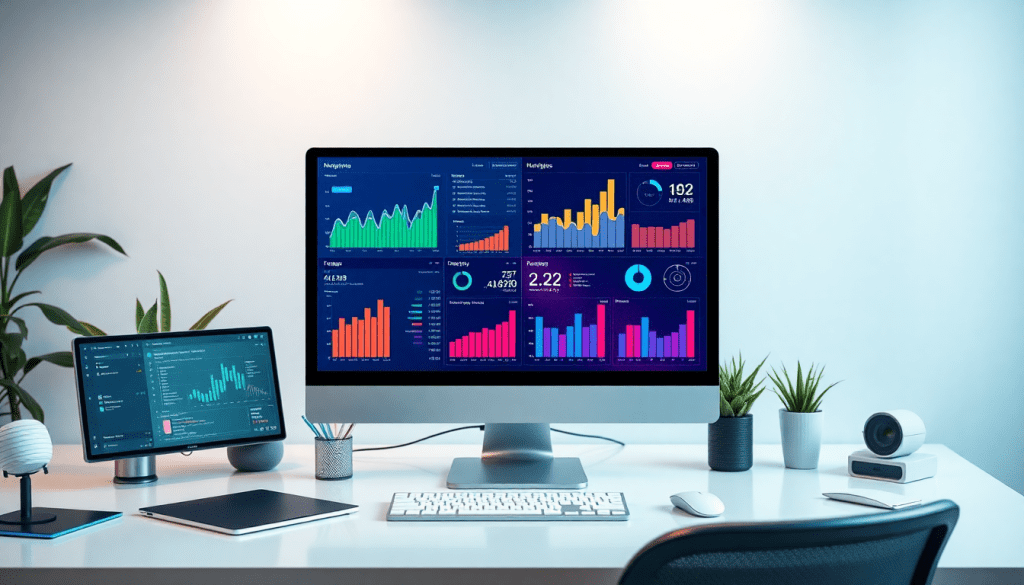
Digital Marketing KPI Dashboard: Visualize Metrics & Performance
A digital marketing KPI dashboard is the essential command center for marketers seeking clear, actionable insights from their campaigns. By transforming raw data into visual stories, these dashboards allow teams to monitor performance, track ROI, and optimize strategies in real-time. Leveraging automation and AI, modern dashboards not only unify cross-channel data but also deliver customized, interactive reports that spotlight what’s working—and what isn’t. Whether you’re managing multi-channel campaigns or striving to prove ROI, a well-constructed KPI dashboard becomes your single source of marketing truth.
What is a Digital Marketing KPI Dashboard?
A digital marketing KPI dashboard is a dynamic, interactive platform that aggregates and visualizes the key performance indicators (KPIs) central to your marketing efforts. Unlike static reports, which offer a one-time snapshot of results, a KPI dashboard provides a real-time, continuously updated view of your campaigns, channel performance, and ROI. Its core purpose is to empower marketers, agencies, and brands to make data-driven decisions by surfacing the most relevant metrics—such as impressions, clicks, conversions, cost per acquisition, and return on investment—at a glance.
Key features of a high-quality digital marketing KPI dashboard include:
- Marketing Metrics Visualization: Interactive charts, graphs, and tables transform raw data into intuitive visuals, making it easy to spot trends, outliers, and areas of opportunity.
- Performance Tracking: Continuous, up-to-the-minute monitoring of campaign results across all channels (search, social, display, email, etc.), enabling agile optimization.
- Campaign KPI Monitoring: Customizable widgets and filters let users zero in on the metrics that matter most for their unique goals or clients.
The distinction between dashboards and static reports is crucial. While static reports are typically exported or emailed periodically and require manual updating, dashboards are always-on, automated, and self-serve—ideal for teams that need instant answers and ongoing visibility. This automation not only saves significant time but also boosts agency reporting efficiency, as explored in this resource on dashboard automation.
In short, a digital marketing KPI dashboard is more than just a reporting tool—it’s your marketing command center, designed to turn complex, multi-channel data into clear, actionable insights that drive performance and prove value. To learn more about how these dashboards can transform your marketing operations, visit TapClicks.
Why KPI Dashboards Matter for Digital Marketing Success
In today’s fast-paced digital landscape, marketing teams are under constant pressure to demonstrate the value of their efforts. This is where digital marketing KPI dashboards become indispensable—they drive both transparency and accountability across the organization. By consolidating data from multiple sources into a unified, interactive view, dashboards empower marketers, executives, and clients alike to see exactly how campaigns are performing at any given moment.
Real-time data is a game-changer for campaign optimization. Instead of waiting for end-of-month static reports, teams can monitor live metrics and quickly adjust strategies to capitalize on opportunities or address underperformance. This agility not only improves marketing outcomes but also enhances the overall ROI of campaigns. Interactive dashboards take this a step further, allowing users to drill down into specific channels, audiences, or timeframes, making it easier to identify what’s driving results—and what needs attention.
The benefits of interactive performance metrics extend well beyond visualization. They facilitate data-driven decision-making by placing timely, relevant insights directly in the hands of those who need them. Marketers can instantly compare key performance indicators (KPIs) across platforms, uncover trends, and justify budget allocations with confidence. For agencies and in-house teams alike, this fosters a culture of continuous improvement and proactive problem-solving.
Moreover, dashboard automation further amplifies these advantages. Automated dashboards minimize manual effort, reduce reporting errors, and ensure that stakeholders always have access to the most up-to-date information. To learn more about how automation transforms analytics reporting, check out this deep dive on the impact of dashboard automation.
Ultimately, KPI dashboards aren’t just reporting tools—they’re strategic assets that empower marketers to steer campaigns with clarity, agility, and confidence.
The Metrics That Matter Most in Your Digital Marketing KPI Dashboard
A digital marketing KPI dashboard is only as powerful as the metrics you choose to monitor. The right data provides the clarity to optimize campaigns, justify spend, and drive real results. Here’s a breakdown of foundational KPIs every marketing team should consider—plus guidance on making your dashboard actionable and insightful.
The Must-Have Marketing KPIs
| Metric | What It Measures | Why It Matters |
|---|---|---|
| Impressions | How often your content or ad is displayed | Baseline for reach and brand visibility |
| Clicks | Number of times users engage with your links or ads | Signals creative effectiveness |
| Conversions | Completed desired actions (purchase, signup, etc.) | Core to campaign effectiveness and ROI |
| Cost Per Acquisition (CPA) | Average spend to acquire a customer/lead | Budget efficiency and targeting |
| Return on Investment (ROI) | Revenue generated vs. total costs | Proves campaign profitability |
Other Essential Metrics to Boost Your Dashboard
-
Click-Through Rate (CTR):
Percentage of impressions that result in clicks—a quick pulse on creative/messaging performance. -
Engagement Metrics:
Likes, shares, comments, and video views (especially for social campaigns). -
Bounce Rate:
Percentage of visitors who leave after one page—helpful for landing page optimization. -
Conversion Rate:
The ratio of clicks that turn into conversions—reveals funnel efficiency. -
Customer Lifetime Value (CLV):
Predicts long-term revenue from acquired customers—shapes strategic investment.
What to Watch by Channel
Here’s a quick reference for channel-specific KPI priorities:
Search (PPC/SEO)
- Impressions
- Clicks
- CTR
- Cost per Click (CPC)
- Quality Score
- Conversion Rate
Social Media
- Engagement Rate (likes, shares, comments)
- Follower Growth
- Impressions & Video Views
- Shares & Conversions
Email Marketing
- Open Rate
- Click-to-Open Rate
- Unsubscribe Rate
- Conversions
- List Growth
Display Advertising
- Impressions & Viewable Impressions
- CTR
- Conversions
- Frequency
Affiliate/Influencer
- Referral Traffic
- Sales Generated
- Cost per Conversion
- Influencer Engagement
Turn Metrics Into Action: Setting Benchmarks That Move the Needle
To transform your dashboard from a static report into a living performance tool:
-
Set Clear Targets:
Analyze previous campaigns, industry standards, and your campaign objectives to define realistic benchmarks. -
Track Progress:
Continuously compare live data to your targets—not just at the end, but throughout the campaign lifecycle. -
Adjust and Optimize:
Use TapClicks’ automated reports and AI-powered insights to identify trends, optimize spend, and update goals as your campaigns evolve.
By thoughtfully selecting, tracking, and acting on these metrics, your KPI dashboard becomes a dynamic command center for marketing success. Ready to automate KPI tracking and reporting at scale? See how TapClicks can help.
Visualizing Marketing Metrics: Best Practices
Turning raw numbers into clear, actionable visuals is at the heart of every effective digital marketing KPI dashboard. The right visualizations don’t just display data—they illuminate patterns, highlight trends, and empower teams to make smarter decisions in real time.
Choose the Right Visuals for the Story
Begin by matching your data to the visualization that best conveys its meaning. Use line charts to show campaign performance over time, bar graphs to compare channel results, pie charts to illustrate budget allocation, and tables for granular breakdowns. Clear, concise visuals help stakeholders quickly grasp insights without wading through spreadsheets.
Optimize Dashboard Layout, Color Coding, and Hierarchy
A well-organized dashboard guides the viewer’s eye to what matters most. Position high-level KPIs (like ROI, conversions, or spend) at the top for instant context, followed by supporting metrics and campaign-level details. Apply intuitive color coding—such as green for positive trends and red for underperformance—to make interpretation effortless. Use whitespace and logical grouping to reduce clutter and enhance readability.
Add Filters, Drill-Downs, and Interactive Elements
Static dashboards are a thing of the past. Interactive features, such as filters for date range, channel, or geography, let users tailor the view to their needs. Drill-down options enable deeper dives into specific campaigns, creatives, or audience segments without overwhelming the main dashboard. These interactive elements transform your dashboard from a reporting tool into a dynamic analytics environment.
Streamline with Automation
Manual reporting is time-consuming and prone to error. Modern platforms like TapClicks automate data collection, visualization, and report distribution, freeing analysts to focus on insights instead of busywork. Automated dashboards update in real time, ensuring stakeholders always access the freshest metrics. To see how automation can radically boost reporting efficiency, explore TapClicks’ automation capabilities.
By combining clear visuals, smart design principles, interactivity, and automation, your digital marketing KPI dashboard becomes more than just a reporting tool—it becomes a strategic advantage that drives results.
Seeing the Whole Picture: Unifying Your Marketing Data
Modern marketing isn’t just “multi-channel”—it’s everywhere, all at once. Search, social, display, email, video, native—the list keeps growing. Each channel creates its own mountain of data, usually tucked away in separate platforms. The result? Fractured insights, duplicated work, and budgets that leak through the cracks.
Let’s break down how unified cross-channel analytics change the game.
What’s Holding Marketers Back?
Here’s what teams face when data lives in silos:
- Incomplete Analysis: Channel-specific reports leave blind spots.
- Duplicated Efforts: Manually aggregating and comparing data wastes valuable time.
- Wasted Budget: Overlapping campaigns or missed optimization opportunities.
How Cross-Channel Dashboards Solve the Problem
With advanced integration tools—like AI-powered data connectors from TapClicks—marketers can:
- Automate Data Collection: Pull in data from Google Ads, Facebook, programmatic, CRMs, and more.
- Normalize and Blend Datasets: Standardize naming conventions, formats, and KPIs for apples-to-apples comparisons.
- Centralize Reporting: View every channel in a single dashboard—no more toggling between tabs.
The Benefits at a Glance
| Challenge | Before Cross-Channel Analytics | After Unification with TapClicks |
|---|---|---|
| Data Access | Multiple logins, manual exports | All sources in one command center |
| Performance Comparison | Time-consuming, error-prone | Instant, side-by-side insights |
| Budget Allocation | Guesswork, siloed decisions | Strategic, holistic adjustments |
| Stakeholder Reporting | Disjointed, inconsistent | Consistent, up-to-date, automated |
Why Unified Analytics Matter
When you unify your marketing data, you unlock:
- Smarter Budgeting: Allocate spend where it truly matters, based on real ROI across all channels.
- Trend Spotting: See how one channel influences another (e.g., paid social boosting branded search).
- Faster Optimization: Make data-driven changes on the fly, not after-the-fact.
- Streamlined Sharing: Give execs and clients one source of truth—no more version control headaches.
Bringing It All Together with TapClicks
TapClicks makes cross-channel analytics possible at any scale:
- 10,000+ integrations: From ad platforms to CRMs and beyond.
- Automated ETL/ELT: Extract, transform, and load data without manual work.
- AI-Powered Insights: Go beyond dashboards—get recommendations and trends delivered to your inbox.
Ready to turn scattered marketing data into actionable strategy? Explore TapClicks and see how a unified view can put your team ahead of the competition.
Harnessing AI and Automation for Smarter Reporting
The modern digital marketing landscape is awash with data—far too much for even the most experienced analyst to interpret manually. This is where AI and automation radically transform how teams leverage their KPI dashboards. Artificial intelligence acts as an always-on analyst, continuously scanning campaign data to surface trends, detect anomalies, and proactively suggest optimization opportunities that might otherwise go unnoticed. Instead of sifting through endless spreadsheets or static charts, marketers receive instant, data-driven recommendations on what’s working, what needs attention, and where to invest next.
Automated KPI reporting takes the grunt work out of the equation, generating and delivering performance updates on a schedule or in real time. This not only slashes manual reporting hours but also reduces the risk of human error, ensuring your stakeholders always have access to the most accurate, up-to-date insights. With AI-driven dashboards, teams unlock predictive analytics—such as future budget pacing and outcome forecasting—so you can shift from reactive to proactive marketing management.
Platforms like TapClicks are at the forefront of this evolution, integrating AI agents and workflow automation to streamline every aspect of reporting. Their intelligent solutions automatically analyze dashboards, generate insight-rich summaries, and even email key findings directly to decision-makers. By leveraging these advanced AI and automation solutions, marketers can focus less on data wrangling and more on strategy, creativity, and driving measurable results.
Building and Customizing Your Performance Tracking Dashboard
Designing an effective digital marketing KPI dashboard starts with selecting the right platform and ensuring seamless data integration. Look for a solution that offers robust connectors to your marketing, advertising, and analytics channels—whether that’s Google Ads, Facebook, email platforms, or more niche ad networks. Platforms like TapClicks stand out for their breadth of integrations, automated data pipelines, and the ability to unify all your metrics into a single interface, eliminating the need for tedious manual data pulls.
Customization is key to maximizing dashboard value. Begin by considering your audience: Executives often prefer high-level overviews and ROI metrics, while marketing teams and clients may need granular views on channel performance, budget pacing, or campaign-level details. Use role-based access and modular dashboard templates to tailor the experience—ensuring each stakeholder gets the insights most relevant to their goals, without being overwhelmed by unnecessary data.
Ongoing dashboard management is just as important as the initial build. Establish a regular cadence for reviewing and updating KPIs, data sources, and visualizations. As your campaigns evolve, your dashboard should too—adding new metrics, tweaking layouts, and refining filters or drill-downs for deeper analysis. Embrace automation wherever possible to reduce manual work and minimize errors. For example, TapClicks’ automation features allow you to set up scheduled report deliveries, dynamic data refreshes, and even AI-generated performance summaries, so your team and clients always have the latest insights at their fingertips.
By thoughtfully choosing your platform, customizing dashboards to user needs, and committing to iterative improvement, you’ll ensure your KPI dashboard remains an indispensable asset for tracking, optimizing, and communicating digital marketing performance.
Measuring ROI and Proving Value with Digital Campaign Reporting
Digital marketing efforts are only as valuable as the measurable results they deliver. That’s why tracking ROI—and clearly communicating campaign effectiveness—should be at the heart of your KPI dashboard strategy. By leveraging the right dashboard tools, marketers can not only monitor key performance indicators in real-time but also translate complex data into compelling narratives that resonate with stakeholders.
Tracking ROI with Dashboard Data
A well-constructed KPI dashboard aggregates data from multiple channels to showcase both high-level ROI and granular campaign outcomes. This unified view allows you to connect every dollar spent to its impact, whether through conversions, revenue growth, or customer acquisition. By visualizing metrics like cost per acquisition (CPA), return on ad spend (ROAS), and lifetime value (LTV), teams can quickly assess which tactics are driving the most value, making it easy to double down on what works and pivot where needed.
Communicating Results to Stakeholders
Stakeholders—whether executives, clients, or internal teams—need more than just numbers; they need context and actionable insights. Dashboards enable marketers to tailor reports with custom branding, scheduled delivery, and interactive elements that highlight key takeaways. Use storytelling techniques: annotate charts, spotlight top-performing campaigns, and include AI-generated summaries to make the data accessible for non-technical audiences. For agencies and media companies, automated reporting ensures stakeholders always have up-to-date results at their fingertips, building trust and transparency.
Leveraging Insights for Continual Optimization
The power of a digital marketing KPI dashboard extends beyond reporting—it’s a catalyst for ongoing optimization. By routinely analyzing dashboard insights, marketers can uncover trends, identify underperforming segments, and receive AI-driven recommendations for budget reallocation or creative adjustments. This iterative approach ensures campaigns are not only measured but consistently improved. For example, platforms like TapClicks offer built-in analytics and workflow tools that help teams close the loop between insight and action, driving better performance with each campaign cycle.
In summary, a digital marketing KPI dashboard is indispensable for proving value, justifying budgets, and guiding smarter strategies. When used to its full potential, it transforms marketing data into a powerful asset for ROI measurement and continual business growth.
Conclusion
A robust digital marketing KPI dashboard stands as a cornerstone for modern marketing operations, transforming fragmented data into a unified, actionable narrative. By visualizing key metrics, enabling real-time tracking, and harnessing the power of AI-driven insights, these dashboards empower marketers to make confident, data-backed decisions that drive growth and optimize ROI. The path to better performance starts with clarity—so begin with a simple, focused dashboard that highlights your most critical KPIs, then iterate and expand as your needs evolve.
Ready to elevate your marketing analytics and reporting? Explore solutions like TapClicks to unify your data, automate reporting, and unlock deeper insights for your team or clients. With the right dashboard in place, you’ll not only prove value—you’ll create a sustainable engine for ongoing marketing success.
Start Automating Your Marketing Data Today!
No Credit Card Required.

