

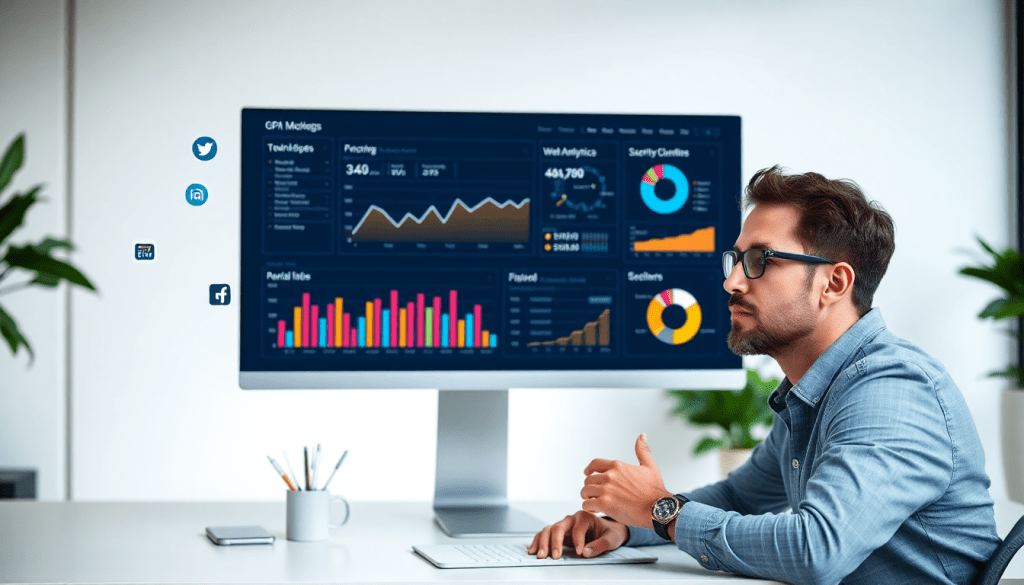
Digital Marketing KPI Dashboard: Visualize Metrics & Performance
A digital marketing KPI dashboard is more than just a set of charts—it's the control center for understanding your marketing impact. By consolidating your crucial metrics into a single, interactive interface, you can monitor campaign performance in real time, uncover actionable insights, and report ROI to stakeholders with clarity and confidence. Whether you’re an agency managing client portfolios or a brand leader looking for optimization opportunities, the right dashboard turns raw numbers into strategic decisions.
What Is a Digital Marketing KPI Dashboard?
Think of a digital marketing KPI dashboard as your campaign’s mission control. It’s a centralized, interactive hub that brings all your essential marketing metrics together—updated in real time—so you can act decisively and confidently.
Why Use a KPI Dashboard?
- Instant Visibility: See your most important marketing KPIs at a glance, anytime.
- One Source of Truth: No more hunting through spreadsheets or siloed reports.
- Actionable Insights: Quickly spot trends, diagnose issues, and optimize campaigns on the fly.
What Metrics Can You Track?
A robust digital marketing KPI dashboard typically displays:
| KPI Category | Example Metrics |
|---|---|
| Website Activity | Traffic, sessions, bounce rate |
| Lead Generation | Form fills, signups, MQLs |
| Conversion | Conversion rate, cost per conversion (CPL/CPA) |
| ROI & Efficiency | Return on investment (ROI), return on ad spend (ROAS) |
| Channel-Specific | Social engagement, email open rates, ad clicks |
| Budget & Delivery | Budget pacing, spend, impression share |
Dashboards vs. Static Reports
-
Dashboards:
- Live Data: Always up to date
- Interactive: Use filters and drill down into specifics
- Automated: Data pulls and visualizations are hands-off
-
Static Reports:
- Snapshot Only: Data gets old fast
- Manual Updates: Prone to errors and time-consuming
- Limited Flexibility: Hard to customize on the fly
Key Benefits for Marketing Teams
- Eliminate Manual Workflows: Automation reduces time spent on data collection and reporting.
- Reduce Errors: Fewer manual touchpoints mean fewer mistakes.
- Focus on Strategy: Spend time optimizing, not wrangling spreadsheets.
For a closer look at how dashboard automation can supercharge your reporting, check out our guide on how dashboard automation boosts reporting efficiency.
In short, a digital marketing KPI dashboard is the foundation for modern, agile marketing operations. It gives every stakeholder—from analysts to executives—the clarity, speed, and actionable insight needed to drive results.
Why Marketing Metrics Visualization Matters
Turning raw marketing data into compelling visuals isn’t just about making numbers look pretty—it’s about empowering smarter, faster decision-making at every level. When metrics are presented visually, patterns and shifts in performance emerge with a clarity that simple tables or static spreadsheets can’t match. Dashboards that leverage charts, graphs, and interactive widgets enable marketers to spot trends and anomalies instantly—whether it’s a sudden spike in conversions, a drop in engagement, or a channel outperforming expectations.
Visualization goes beyond just tracking; it transforms data into a living narrative. For teams, this means being able to share live insights in meetings, collaborate on strategy in real time, and facilitate transparent discussions with stakeholders. For agencies, visually rich dashboards make it easy to demonstrate campaign success to clients, highlight areas for optimization, and justify budget recommendations. Ultimately, visual dashboards are the bridge between data complexity and actionable marketing intelligence—helping everyone from analysts to executives see not just what’s happening, but why it matters.
Must-Have Features in a Performance Tracking Dashboard
A high-performing marketing KPI dashboard isn’t just about presenting data—it’s about empowering teams to make smarter, faster decisions. To unlock the full value of your marketing analytics, look for these essential features:
Real-Time Data Sync: The best dashboards connect directly to your marketing platforms—think Google Ads, Facebook, LinkedIn, CRMs, and more—so you always see the most up-to-date performance numbers. This real-time visibility eliminates lag between campaign execution and performance assessment, enabling swift pivots when trends or issues emerge.
Customizable Views and Filters: Every team, client, or campaign is unique. Your dashboard should let users tailor what they see: filter by date range, channel, campaign, or even custom goals. This flexibility ensures that each stakeholder—whether a CMO or an account manager—can focus on the KPIs that matter most to them.
Multi-Channel Integrations: Modern marketing is omnichannel. Your dashboard must aggregate data across search, social, display, email, and offline channels into unified views. With integrations numbering in the thousands, platforms like TapClicks allow you to blend and normalize data from all sources for holistic, apples-to-apples analysis.
Automated KPI Reporting: Manual reporting drains resources and invites errors. Automated dashboards generate and schedule reports—daily, weekly, or monthly—keeping internal teams and clients informed without the busywork. This not only saves time but also ensures consistency and accuracy in your performance tracking and ROI reporting.
Interactive Metrics & AI-Driven Insights: Static charts are no longer enough. Leading dashboards offer interactive elements—hover for detail, drill down into specific campaigns, or compare timeframes with a click. Even more game-changing is built-in AI: advanced dashboards can surface anomalies, predict outcomes, and even email AI-curated summaries of your results, so teams can focus on action, not analysis.
With these features in place, a KPI dashboard becomes a living tool for campaign monitoring, optimization, and transparent ROI tracking—powering data-driven marketing at any scale.
Setting Up Your Cross-Channel Analytics Dashboard
Building a truly effective digital marketing KPI dashboard starts with seamless data integration—and that means connecting all your key channels in one place. Begin by identifying the full spectrum of platforms you use: paid ad networks (Google Ads, Facebook Ads), web analytics (Google Analytics), social media, email marketing tools, CRMs, and any other campaign data sources. Modern marketing operations platforms like TapClicks offer thousands of pre-built connectors, so you can automate the process of aggregating data without manual downloads or spreadsheet headaches.
Once your data sources are linked, the next step is organizing your metrics. Group KPIs by channel (e.g., paid search, organic social, email), by campaign objective (like lead generation or brand awareness), or by client/business unit if you’re managing multiple brands. Customizable dashboards allow you to filter, compare, and drill down, which is crucial for identifying patterns or issues that may only appear in specific contexts.
To make your dashboard actionable, set up automated rules for data normalization—ensuring that metrics like cost per lead (CPL) or return on ad spend (ROAS) are calculated consistently across channels. This enables apples-to-apples comparisons and surfaces meaningful insights rather than just numbers.
Finally, leverage dashboard automation to streamline your analytics workflow. With features like drag-and-drop widgets, scheduled reporting, and collaborative access, your teams and clients can always access the latest insights—no more scrambling for up-to-date numbers before meetings. For a detailed walkthrough on optimizing this setup, check out how to streamline analytics reporting with dashboard automation. The right foundation empowers you to monitor performance, spot opportunities, and act on data faster than ever.
Best Practices for Campaign KPI Monitoring
Choosing the right KPIs is the foundation of effective campaign monitoring. Not all metrics are created equal—your dashboard should be tuned to the specific goals of each campaign type. For awareness campaigns, prioritize metrics like impressions, reach, and engagement rate. Lead generation campaigns, on the other hand, demand close tracking of conversions, cost per lead, and form fill rates. If your focus is retention, keep an eye on customer lifetime value, repeat purchase rate, and churn.
Once you’ve selected relevant KPIs, establish clear benchmarks and pacing targets. Benchmarks give context—are you ahead or behind industry standards or past performance? Pacing helps you track progress toward your goals in real time, so you can spot whether your campaign is on track or requires adjustment. Set up automated alerts within your dashboard to notify you of anomalies, such as sudden drops in conversion rate or unexpected spikes in ad spend. These proactive notifications empower marketers to take swift action before small issues become larger problems.
Automated KPI reporting is crucial for staying ahead. Rather than relying on manual checks or waiting for end-of-month reviews, leverage dashboards that deliver scheduled, actionable reports directly to your team and stakeholders. This ensures everyone stays aligned, and you can quickly pivot when data trends change. For more insights on how dashboard automation can streamline your analytics and reporting, check out this guide on "how to streamline analytics reporting with dashboard automation".
Ultimately, successful campaign KPI monitoring is about making your data work for you. With the right selection of metrics, real-time tracking, and automated alerts, your team can move from reactive reporting to proactive performance management—transforming raw numbers into strategic wins.
How Automated KPI Reports Save Time & Improve Accuracy
One of the most transformative features of a modern digital marketing KPI dashboard is the ability to automate report generation and distribution. Rather than manually pulling data from disparate sources, formatting spreadsheets, and building presentations, marketers can schedule reports to be automatically compiled and delivered to stakeholders on a recurring basis—daily, weekly, or monthly. This not only ensures that decision-makers always have the latest insights at their fingertips, but also drastically reduces the risk of human error that comes with manual data handling.
With automated reporting, the process becomes seamless: after configuring your preferred KPIs and visualization templates within the dashboard, you simply set up a schedule and designate recipients. The platform then pulls fresh data, updates dashboards, and sends out polished, branded reports—whether as interactive dashboards, PDFs, or even dynamic email summaries. This shift can save analysts and account managers dozens of hours per month, freeing them to focus on high-value analysis and strategy rather than repetitive data wrangling.
Beyond efficiency, automation also enhances accuracy and consistency. By eliminating manual data entry and copy-pasting, reports become less prone to mistakes, ensuring stakeholders can trust the numbers. It also streamlines collaboration, as everyone receives the same up-to-date metrics and visualizations, supporting more unified discussions and quicker decision-making. For a deeper dive into how dashboard automation can revolutionize your analytics workflow, check out this resource on "boosting analytics reporting with dashboard automation".
Platforms like TapClicks take this a step further with AI-powered features that not only automate reporting, but also surface actionable insights and recommendations—making it easier than ever to get the right information, to the right people, at the right time.
Turning Marketing Data Insights Into Action
A digital marketing KPI dashboard is only as valuable as the decisions it empowers. The real magic happens when marketers move beyond passive monitoring and use dashboard insights to drive meaningful action. Here’s how to make your dashboard a launchpad for continuous improvement:
Interpreting Dashboard Data for Optimization
Start by zeroing in on your most critical KPIs—whether that’s cost per acquisition, click-through rates, or revenue growth. When a metric falls outside the expected range, use the dashboard’s drill-down features to investigate. For example, if conversion rates are lagging, segment the data by channel, device, or demographic to pinpoint the root cause. Many platforms, such as TapClicks, offer AI-powered insights that highlight anomalies and suggest optimization opportunities, transforming raw numbers into actionable recommendations.
Responding to Underperforming or Overperforming KPIs
When a campaign underperforms, don’t just note the dip—take immediate, data-driven action. If your dashboard shows a spike in cost per lead from a particular ad set, you might pause that spend, reallocate budget, or adjust targeting parameters. Conversely, if you spot overperformance—say, a surge in organic traffic after a content update—consider amplifying successful tactics with paid promotion or replicating them across other channels. Using real-time dashboards, marketers can pivot strategies on the fly, maximizing ROI while minimizing wasted budget.
Establishing a Feedback Loop: Review, Refine, Repeat
The most effective marketing teams treat dashboards as tools for ongoing feedback, not just retrospective reporting. Set regular review cadences (weekly or bi-weekly) to analyze results, identify wins, and surface areas for improvement. Use these insights to refine creative, messaging, or channel mix, then watch for resulting changes in your dashboard metrics. Over time, this “review, refine, repeat” loop creates a culture of data-driven experimentation, where every insight is an opportunity for growth.
By actively interpreting dashboard data, responding rapidly to changing KPIs, and establishing a disciplined feedback loop, marketers can transform static numbers into sustained performance gains. The dashboard becomes more than a reporting tool—it’s your strategic command center for marketing success.
How to Pick an AI Marketing Dashboard That Works for You
Choosing a marketing dashboard isn’t just about pretty graphs anymore—it’s about leveraging AI to work smarter and get results faster. Let’s break down how to find a platform that truly moves the needle for your team or agency.
Why AI Dashboards Are a Game Changer
Traditional dashboards:
- Show static charts and tables
- Require you to dig for insights
- Often lead to manual, time-consuming analysis
AI-powered dashboards like TapClicks:
- Automatically analyze trends and patterns in your data
- Surface actionable insights and optimization tips (no digging required!)
- Proactively send summary emails and recommendations with tools like SmartEmail
- Adapt to campaign changes in real time
Bottom line: With AI, your dashboard becomes an active partner in driving performance—not just a reporting tool.
What Should You Look For? A Quick Breakdown
When you’re comparing dashboards, keep these essentials in mind:
| Criteria | Why It Matters | How TapClicks Delivers |
|---|---|---|
| Scalability | Handles growth across clients/campaigns | Enterprise-level support for 1000s of clients, campaigns, locations |
| Data Integration | Connects to all your marketing tools | 10,000+ connectors: ad, CRM, analytics, etc. |
| User Roles & Access | Ensures secure, flexible collaboration | Granular, role-based permissions (agency, brand, media team) |
| AI & Insights | Moves beyond static charts | Smart dashboards, predictive models, automated recommendations |
| Support & Customization | Matches your branding and workflow needs | White-labeling, custom dashboards, strong onboarding & support |
A Simple Evaluation Checklist
Before you decide, ask yourself:
- Can everyone on my team access the data and reports they need—securely?
- Will the platform scale as we add more clients, campaigns, or channels?
- Does the dashboard do the heavy lifting with automated insights and recommendations?
- Can I integrate all my data sources without manual wrangling?
- Is the vendor responsive and committed to our ongoing success?
Try Before You Buy—And Stay Flexible
- Pilot first: Use free trials or sandbox environments to see how the dashboard fits your real workflows.
- Iterate: Make sure the platform adapts as your marketing mix, KPIs, or service offerings evolve.
- Review regularly: Reassess as your needs change—don’t settle for a dashboard that can’t keep up.
Curious what an AI-powered dashboard could do for your team?
Explore TapClicks—the unified marketing operations platform built for data-driven teams ready to scale.
Start Automating Your Marketing Data Today!
No Credit Card Required.

