

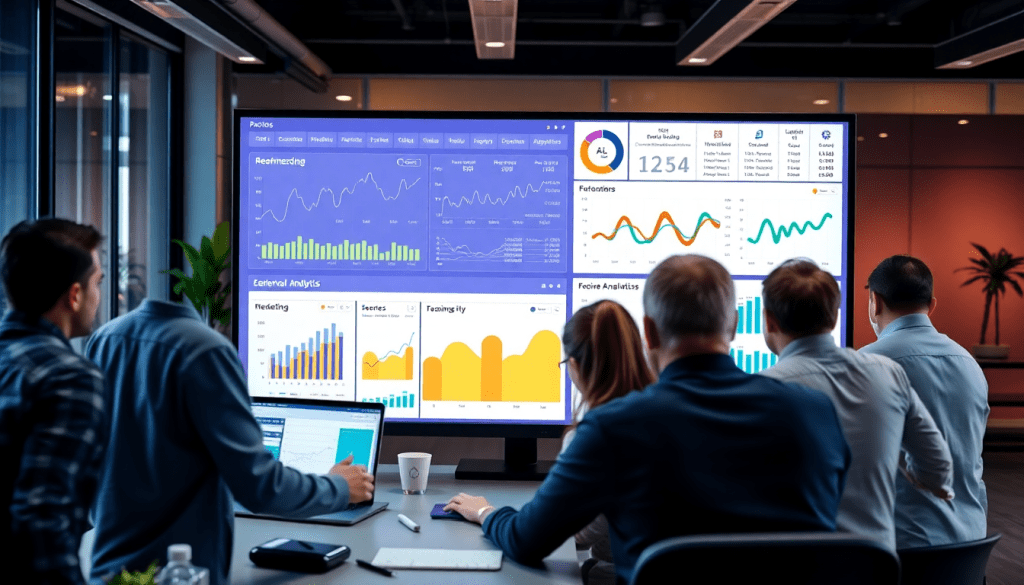
Digital Marketing KPI Dashboard: Visualize Metrics & Performance
A digital marketing KPI dashboard transforms raw marketing data into clear, interactive visualizations that empower teams to measure performance, optimize campaigns, and communicate ROI at a glance. Whether you’re an agency managing hundreds of client accounts or a brand aiming for real-time, cross-channel analytics, the right dashboard puts actionable insights and automated KPI reports at your fingertips. In this guide, you’ll learn how to build, customize, and leverage dashboards for campaign KPI monitoring, automated reporting, and smarter decision-making—while exploring the role of AI and advanced analytics in modern marketing data workflows.
Why a Digital Marketing KPI Dashboard Matters
In today’s fragmented marketing landscape, data pours in from every direction—social media, search ads, email campaigns, programmatic platforms, and more. For many teams, wrangling this data into a coherent story about performance is a major challenge. Instead of sifting through endless spreadsheets and disparate reports, a digital marketing KPI dashboard centralizes metrics visualization, giving marketers a single source of truth for their most critical data. This unified view is the foundation for faster, more confident decision-making, allowing teams to spot trends, diagnose issues, and capitalize on opportunities in real time.
The pain points of manual reporting are all too familiar: hours lost to copying and pasting data, version control headaches, and the ever-present risk of human error. These inefficiencies don’t just slow down your team—they obscure the true picture of campaign effectiveness, making it harder to demonstrate ROI to stakeholders or clients. Digital marketing dashboards solve these problems by automating data collection and report generation, ensuring that everyone has access to the most up-to-date, accurate insights at any moment.
For agencies managing hundreds of client accounts, or brands juggling multi-location campaigns, the value of real-time performance tracking dashboards can’t be overstated. They enable proactive optimization, transparent client communication, and the ability to pivot strategies based on live data—not last month’s results. By streamlining reporting workflows and making performance data actionable, dashboards empower marketers to focus on what truly matters: driving growth.
To learn more about how dashboard automation can revolutionize your agency’s reporting efficiency, check out "Marketing Dashboard Automation: Boost Agency Reporting Efficiency".
What Sets a Standout Marketing Dashboard Apart?
A high-impact digital marketing dashboard isn't just a set of pretty graphs—it's the heartbeat of performance-driven teams. Here’s how the best dashboards empower marketers, drive results, and scale with your business.
See Every KPI, All in One Place
- Unified Monitoring:
Keep tabs on campaign KPIs—impressions, clicks, conversions, CPA, engagement rates, customer lifetime value—across every channel, in real time. - Instant Insights:
Spot trends or anomalies quickly, so you can optimize proactively rather than reactively.
Break Down Channel Silos with Cross-Channel Analytics
Modern dashboards bring together data from:
- Paid search
- Social media
- Display
- Programmatic (and more)
Why is this powerful?
- You get holistic, cross-channel attribution and budget visibility.
- See how channels interact and influence outcomes—not just isolated results.
Don’t Just Look—Interact
Static reports are outdated. Instead, leading dashboards offer:
- Date range filters for campaign comparisons
- Drilldowns into specific campaigns or audience segments
- Custom views for both high-level overviews and deep-dive analysis
Result: Faster answers for execs, analysts, and everyone in between.
ROI Visibility at a Glance
A great dashboard makes it simple to:
- Tie marketing spend directly to business outcomes
- Visualize ROI at the campaign, channel, or total marketing level
- Avoid vanity metrics—focus on what moves the needle
Control Who Sees What—And How It Looks
Especially for agencies and multi-team brands:
- Role-based access: Only the right users see sensitive data.
- Branded reporting: Custom logos, colors, and white-label dashboards reinforce your identity and build trust with clients.
Designed to Scale—And Save You Time
- Handles hundreds or thousands of campaigns/clients with ease—no slowdowns.
- Automated reports & scheduled delivery:
Stakeholders always have the latest insights without manual effort. - Reduces repetitive work:
Automation means fewer errors and more time for strategy.
See it in action:
How TapClicks automates dashboard reporting for scale
Why It Matters
The right dashboard delivers:
| Feature | Why It’s Indispensable |
|---|---|
| Unified KPI Monitoring | See everything, optimize faster |
| Cross-Channel Analytics | Break silos, understand true performance |
| Interactivity | Get the answers you need instantly |
| ROI Tracking | Prove marketing’s business impact |
| User Controls | Protect data, impress clients with custom reports |
| Automation & Scalability | Save time and scale effortlessly |
Ready to see how TapClicks brings all these features together for agencies and brands? Explore the TapClicks marketing operations platform.
Choosing and Integrating Your Data Sources
Selecting and integrating the right data sources is foundational to building a high-impact digital marketing KPI dashboard. Today’s campaigns span a multitude of channels—search (Google Ads, Bing), social (Facebook, Instagram, LinkedIn), email marketing platforms, programmatic ad networks, and more. To gain a comprehensive view of performance, it’s essential to bring all these streams together.
Why Data Integration Matters:
Unified data integration ensures your dashboard reflects the full scope of your marketing activities. Without seamless connections between channels, teams risk operating in data silos—where valuable insights remain hidden in disconnected systems. Siloed data leads to inconsistent campaign KPI monitoring, manual data wrangling, and reporting delays that can undermine decision-making and ROI tracking.
Seamless Integrations for Unified Insights:
A robust marketing KPI dashboard platform should offer pre-built connectors to major ad networks, analytics platforms, CRMs, and marketing automation tools. This enables automated data extraction and aggregation—eliminating the need for error-prone manual uploads or spreadsheet workarounds. For example, TapClicks supports over 10,000 marketing, advertising, and business data connectors, allowing you to blend search, social, email, and programmatic data into one unified view with minimal IT involvement.
Avoiding Data Silos:
To ensure consistent and accurate campaign KPI monitoring, prioritize solutions with data enrichment and normalization capabilities. These features standardize metrics and dimensions across channels and clients, making cross-channel comparisons meaningful and reliable. Integration should also support multi-location, multi-brand, or multi-client use cases with flexible data mapping and user permissions.
Key Takeaway:
By intentionally choosing and integrating your data sources, you set the foundation for a dashboard that delivers holistic, real-time insights—empowering teams to measure, optimize, and communicate campaign performance without the friction of fragmented data landscapes.
Customizing Visualizations for Actionable Insights
One-size-fits-all dashboards rarely deliver the clarity or impact that marketers, executives, and clients need. Customizing your digital marketing KPI dashboard is essential for surfacing the right insights—at the right time, for the right people.
Who Needs to See What?
Tailoring Dashboards for Every Stakeholder
Executives:
- Want: High-level overviews
- Visuals:
- Topline ROI
- Spend pacing
- Goal progress
- Simple scorecards & summary charts
Marketers & Analysts:
- Want: Granular, actionable details
- Visuals:
- Channel-by-channel performance
- Conversion funnel breakdowns
- Attribution models
Clients:
- Want: Clarity, branding, and self-service
- Visuals:
- Branded dashboards
- Campaign highlights
- Interactive elements for on-demand exploration
Visualization Techniques That Drive Decisions
| Visualization Type | Use Case Example | Why It Matters |
|---|---|---|
| Trend Lines | Track clicks, conversions, or spend over time | Spot surges, dips, or seasonality |
| Heatmaps | Map engagement by geography, channel, time of day | Focus resources for best impact |
| Conversion Funnels | Show user journey and drop-off points | Identify optimization opportunities |
| Stacked Bars/Pie Charts | Compare spend by channel or visualize share of voice | Aid quick budget/resource shifts |
| Custom Scorecards | Summarize KPIs (CPL, ROAS, impressions), color-coded | Alert teams to underperformance |
Make It Interactive—And Collaborative
Interactive dashboards aren’t just nice-to-haves—they’re critical for:
- Drill-downs: Click on a channel to see campaign, audience, or creative-level data.
- Filters: Slice data by region, timeframe, or objective for rapid “what-if” analysis.
- Collaboration Tools:
- Add comments & annotations
- Share dashboards or specific views
- Coordinate next steps in real time
Tip: Agencies with multiple clients or brands with distributed teams see major time-savings and trust gains from interactive, role-based dashboards.
Transform Reports into Decision Engines
Customizable, interactive dashboards turn static reports into powerful, collaborative tools:
- Surface actionable insights faster
- Foster transparency and trust
- Adapt to each user’s unique needs
Curious how top platforms like TapClicks make dashboard customization seamless? Explore their support for:
- Branded client portals
- Granular, role-based access
- Scalable, interactive marketing analytics
Bring your data to life—and drive better decisions—with dashboards that do more than just report.
Leveraging AI and Automation in KPI Dashboards
AI and automation are transforming the landscape of digital marketing KPI dashboards, turning what was once a static reporting function into a dynamic engine for real-time insights and action. Modern AI-powered marketing dashboards go far beyond simple data visualization—they actively analyze performance trends, identify emerging opportunities, and surface recommendations for optimization, all with minimal manual intervention.
With AI agents embedded into platforms like TapClicks, dashboard users benefit from automated insight generation. Instead of sifting through pages of campaign metrics, marketers receive auto-curated summaries, anomaly alerts, and predictive performance forecasts directly within their dashboards or via scheduled email updates. This not only accelerates the decision-making process but also reduces the risk of missed optimization opportunities. For example, AI can detect sudden changes in conversion rates, flag underperforming channels, and even suggest budget reallocations to maximize ROI.
Predictive analytics is another game-changer. By leveraging historical data, AI models can project campaign outcomes, recommend budget pacing, and benchmark performance against industry standards—all in real-time. Automated alerts and optimization recommendations enable teams to pivot quickly, ensuring marketing spend is always aligned with business goals.
These advancements remove the manual burdens of data aggregation and reporting, freeing marketers to focus on strategic planning and creative execution. To dive deeper into how automated data collection and AI-driven dashboards empower brand marketers with real-time intelligence, check out "Unlocking Real-Time Marketing: The Power of Automated Data Collection for Brand Marketers".
Ultimately, integrating AI and automation into your KPI dashboard isn’t just about convenience—it’s about unlocking a smarter, faster, and more scalable approach to marketing analytics and performance optimization. Learn more about how TapClicks brings AI-powered insights and automation to your marketing operations at TapClicks.
Get More from Your Campaign Dashboards: Proven Practices for KPI Monitoring and ROI
Setting up a digital marketing KPI dashboard is just the beginning. To truly move the needle, you need a disciplined approach to selecting, benchmarking, and actively analyzing your KPIs. Here’s how top marketers make their dashboards actionable and ROI-focused:
Start with KPIs That Actually Matter
- Align with business goals: Define what each campaign is supposed to achieve, then map those goals to a handful of relevant KPIs.
- Examples:
- Lead generation? Track cost per lead (CPL), conversion rate, and qualified leads by channel.
- Brand awareness? Focus on impressions, reach, and share of voice.
- Cut the clutter: Prioritize metrics that truly influence business outcomes.
- Agree on definitions: Make sure everyone—from execs to analysts—uses the same KPI definitions and targets.
Put Performance in Context with Benchmarks
- Don’t just display numbers—compare them:
- Use reference lines, historical data, and industry benchmarks.
- Visualization tips:
- Add comparison widgets or trend indicators.
- Why it matters:
- Isolated numbers lack meaning; context turns data into actionable insight.
Track Pacing and Budget in Real Time
- Go beyond end-of-campaign reports:
- Use pacing widgets to monitor spend and performance as campaigns run.
- Set alerts:
- Get notified about over/underspending or underdelivery before it impacts results.
- Proactive adjustments:
- Reallocate budgets and adjust tactics on the fly to maximize ROI.
Dig Into Trends and Seasonality
- Look for patterns, not just peaks:
- Visualize KPIs over time with line graphs, heatmaps, or moving averages.
- Spot:
- Seasonal shifts
- Campaign fatigue
- The effect of specific tactics
- Make data-driven adjustments:
- Use these insights to improve future planning and execution.
Build a Reporting and Optimization Routine
- Set a review cadence:
- Weekly, monthly, or tied to campaign milestones.
- Automate what you can:
- TapClicks can schedule routine updates, freeing up time for deeper analysis.
- Collaborate:
- Use integrated workflow tools to document findings and assign next steps.
Make Collaboration Effortless
- Role-based dashboards:
- Tailor views for execs, marketing teams, and clients.
- Encourage feedback:
- Enable comments and discussion directly in dashboard environments.
- Reinforce accountability:
- Everyone knows what matters—and what needs to happen next.
Quick Checklist for Smarter KPI Dashboards
| Step | Why It Matters |
|---|---|
| KPIs mapped to business goals | Focuses attention on what drives outcomes |
| Benchmarks and reference points included | Contextualizes performance, not just raw data |
| Real-time pacing and spend tracking | Prevents costly surprises mid-campaign |
| Trend and seasonality analysis enabled | Uncovers hidden opportunities and risks |
| Automated reporting and workflows set up | Saves time and enables faster optimization |
| Stakeholder-specific views and feedback | Drives action and keeps everyone aligned |
By following these strategies, you can evolve your dashboards beyond static scorecards—making them dynamic engines for continuous improvement and revenue growth.
Want to see how reporting automation and marketing ops best practices come together? Explore TapClicks for more resources and inspiration.
Streamlining Reporting and Collaboration
One of the most transformative advantages of a digital marketing KPI dashboard is its ability to streamline the reporting process and foster seamless collaboration among teams and clients. Manual reporting—often involving endless spreadsheet updates, copy-pasting charts, and assembling slide decks—can consume dozens of hours each month while increasing the risk of data errors and inconsistencies. Automated KPI reports, on the other hand, free up valuable time for marketers and analysts, ensuring that stakeholders always have access to the latest campaign insights without manual intervention.
Modern dashboards allow users to schedule recurring reports that are delivered directly to inboxes or shared via secure client portals. These scheduled emails ensure that executives, clients, and team members receive timely, digestible performance updates, whether weekly, monthly, or on-demand. Flexible export formats—such as PDF, Excel, or even live links—make it easy to share insights in the format that best fits each stakeholder’s workflow.
Collaboration is further enhanced by dashboards that support real-time access and role-based permissions. Agencies and brands can provide clients or internal teams with customized, interactive dashboards, allowing them to filter data, drill down into specific campaigns, and ask informed questions. This transparency builds trust and accelerates decision-making, as all parties are working from a single source of truth.
For agencies managing dozens or hundreds of client accounts, the ability to automate, customize, and securely share insights at scale is a game-changer. Instead of spending countless hours on repetitive reporting tasks, your team can focus on campaign optimization and strategic recommendations—delivering more value to clients and driving better outcomes.
To learn more about how marketing dashboard automation can boost agency reporting efficiency, check out this guide, or explore unified reporting solutions like TapClicks for scalable, collaborative dashboard management.
Getting Started: Building Your Digital Marketing KPI Dashboard
Launching an effective digital marketing KPI dashboard doesn’t have to be overwhelming—success comes down to a thoughtful, phased approach and choosing the right tools for your team’s needs. Here’s how to get started:
1. Define Your Goals and KPIs
Start by clarifying the business objectives your dashboard should support. Are you focused on lead generation, brand awareness, ecommerce conversions, or multi-channel campaign ROI? Involve key stakeholders to identify the most meaningful KPIs—such as CTR, CPC, conversion rates, or customer acquisition cost—that align with these goals.
2. Inventory Your Data Sources
List all the channels and platforms you need to track: Google Ads, Facebook, SEO, email, programmatic, CRM, and more. Consider both current and future needs to ensure your dashboard can grow with your marketing strategy.
3. Select Your Dashboard Platform
Evaluate dashboard solutions based on:
- Integration breadth and depth: Does the tool support all your required data sources with robust, automated connectors?
- Customization and visualization: Can you tailor widgets, layouts, and branded reports for different audiences?
- Automation: Look for features like scheduled reporting, real-time updates, and AI insights to minimize manual work.
- Scalability: Ensure the platform can handle growth—think in terms of number of users, campaigns, and clients.
- User experience: Prioritize intuitive interfaces that enable adoption across your team.
For high-volume needs and maximum flexibility, consider a unified solution like TapClicks, which is built to scale, automate, and deliver actionable insights out of the box.
4. Map and Connect Your Data
Once you’ve chosen a platform, configure data integrations using built-in connectors or custom tools for any niche sources. Test connections to ensure data accuracy and consistency across metrics.
5. Design and Customize Your Dashboard
Build out dashboard layouts to match the needs of each audience—executive summaries for leadership, granular campaign views for marketers, and client-facing portals for agencies. Leverage visualizations such as trend lines, performance heatmaps, and funnel charts to turn raw numbers into actionable stories.
6. Automate Reporting and Alerts
Set up automated reports and real-time alerts for key performance shifts, pacing, or budget thresholds. Scheduled email delivery and role-based access ensure stakeholders always have the information they need, when they need it.
7. Launch, Gather Feedback, and Iterate
Roll out your dashboard to a test group, collect feedback, and refine visualizations and workflows. Continuous improvement is key—regularly review KPIs, update goals, and adapt your dashboards as your marketing strategy evolves.
By following these steps and prioritizing scalability, automation, and user-friendliness, you’ll create a digital marketing KPI dashboard that empowers your team, streamlines reporting, and drives smarter decision-making from day one.
Start Automating Your Marketing Data Today!
No Credit Card Required.

