

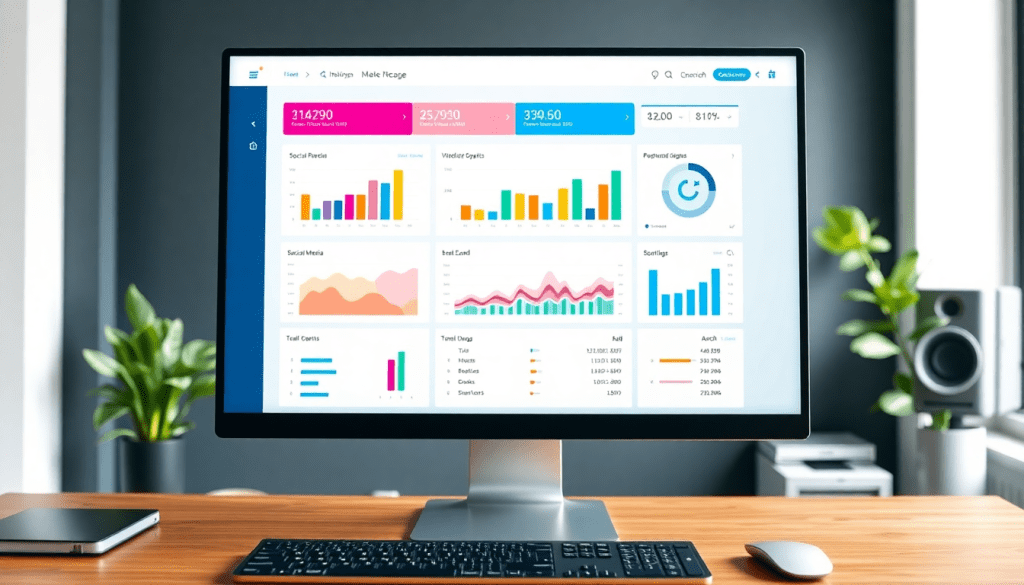
Digital Marketing KPI Dashboard: Visualize Metrics & Performance
A digital marketing KPI dashboard gives marketers and agencies a single window into campaign performance, combining cross-channel data into clear, actionable visuals. With automated reporting and AI-driven insights, these dashboards make it easy to track KPIs, spot trends, and optimize marketing efforts in real time. Whether you’re managing multiple campaigns or want to communicate ROI with precision, a robust KPI dashboard turns complex marketing metrics into focused, interactive intelligence.
What is a Digital Marketing KPI Dashboard?
A digital marketing KPI dashboard is a centralized, interactive reporting tool that aggregates and visualizes key performance indicators (KPIs) across all your marketing channels. Its core function is to turn raw campaign data—such as impressions, clicks, conversions, CPA, ROI, and engagement—into clear, actionable insights that marketers, agencies, and stakeholders can quickly understand and act upon. Unlike manual spreadsheets or disjointed analytics tools, a unified dashboard automatically pulls data from multiple platforms (search, social, display, email, and more), blends it into a consistent format, and presents it in customizable, easy-to-read visuals.
The power of visualizing marketing metrics lies in the clarity and confidence it brings to decision-making. Instead of wading through siloed reports or endless rows of numbers, teams can instantly see what’s working, where to optimize, and how campaigns are delivering against goals. This real-time visibility empowers marketers to spot trends, identify bottlenecks, and communicate ROI with precision, both internally and to clients.
Standalone analytics tools might offer in-depth reporting for a single channel, and manual spreadsheets give flexibility—but both approaches are time-consuming, error-prone, and lack the holistic view required for today’s complex marketing environments. In contrast, a unified KPI dashboard automates data aggregation and reporting, ensuring everyone operates from a single source of truth. For a deeper dive into how automated dashboards can transform agency reporting efficiency, check out this overview of marketing dashboard automation.
In short, a digital marketing KPI dashboard brings together the data, visualization, and automation modern marketers need to drive smarter, faster, and more effective decisions. To see how this works in practice, explore the capabilities offered by TapClicks, an all-in-one marketing operations platform designed for scale, automation, and actionable insight.
Key Marketing Metrics to Track in Your Dashboard
To make the most of your digital marketing KPI dashboard, it’s crucial to focus on the right metrics—those that truly reflect campaign performance and business objectives. Here’s a breakdown of essential KPIs every dashboard should include, why they matter, and how cross-channel analytics bring it all together:
1. Impressions:
Impressions tell you how often your ads or content are displayed, serving as a baseline for brand visibility and reach. High impression counts indicate broad exposure, but must be paired with engagement metrics to measure real impact.
2. Clicks and Click-Through Rate (CTR):
Clicks show user interest and engagement, while CTR (clicks divided by impressions) provides context on creative effectiveness. A strong CTR signals compelling messaging and targeting.
3. Conversions:
Conversions represent the actions you want users to take—purchases, sign-ups, downloads, or other key outcomes. Tracking conversions directly links marketing efforts to tangible business results.
4. Cost Per Acquisition (CPA):
CPA measures the cost to acquire one customer or lead, helping marketers understand efficiency and campaign ROI. A declining CPA suggests improved targeting or creative, while rising CPA may signal the need for optimization.
5. Return on Investment (ROI):
ROI is the ultimate performance metric, showing how much revenue your marketing generates relative to spend. Monitoring ROI helps prioritize high-performing channels and justify budget allocation.
6. Engagement Metrics (Likes, Shares, Comments, etc.):
Especially important for social campaigns, engagement metrics reflect audience resonance and content virality. High engagement can amplify reach organically and foster brand loyalty.
7. Other Metrics to Consider:
Depending on your goals and channels, you may also track metrics like bounce rate, average session duration, cost per click (CPC), customer lifetime value (CLTV), and lead quality scores.
Cross-Channel Analytics: The Complete Performance Picture
Modern marketing rarely happens in a single channel. Your dashboard should unify data from search, social, display, email, video, and more to reveal holistic performance trends and attribution. This unified view enables you to spot which channels drive the most conversions, where audiences are most engaged, and how campaigns work together to achieve your goals.
With a platform like TapClicks, you can seamlessly blend data from thousands of sources, ensuring your KPI dashboard always delivers a complete and accurate snapshot—no matter how complex your campaign mix. By focusing on these key metrics and leveraging cross-channel analytics, you’ll unlock actionable insights and stay ahead in a fast-moving digital landscape.
Why Visualizing Marketing Metrics Changes the Game
Turning spreadsheets into interactive dashboards transforms how your team understands—and acts on—marketing data. Here’s why visualizing metrics makes such a difference:
Instant Clarity for Everyone
- See Campaign Performance at a Glance: No more digging through static spreadsheets or dense reports.
- Intuitive Charts and Graphs: Quickly spot trends, outliers, and areas needing attention.
- Real-Time Updates: Stay on top of what’s happening, as it happens.
Better Collaboration, Smarter Conversations
- Cross-Department Alignment: Everyone—CMO, account managers, analysts—can interpret results quickly.
- Shift the Focus: Move from “what happened?” to “what should we do next?”
- Client Trust: Branded dashboards make ROI easy to show in presentations and meetings.
Interactive Dashboards: Beyond Static Reports
| Feature | Static Reports | Interactive Dashboards (e.g., TapClicks) |
|---|---|---|
| Real-time Data | ❌ | ✅ |
| Drill Down Capabilities | ❌ | ✅ |
| Custom Filters | ❌ | ✅ |
| Multi-Channel Comparison | Limited | Robust |
| Branded Visuals | Basic | Fully Customizable |
Empower Your Team to Act Fast
- Drill Down Instantly: Explore specific campaigns, time periods, or channels without waiting for IT or analytics to build a new report.
- Answer Questions On-the-Fly: Be ready for meetings, pivots, and surprise client asks.
- Keep Everyone Aligned: Ensure the whole team—agency, brand, or both—is working from the same, up-to-date data.
Pro Tip:
The right visualization platform—like TapClicks—turns complex marketing data into a strategic asset, unlocking smarter, faster decision-making for agencies and brands alike.
Automated KPI Reports: Save Time, Reduce Errors
Manual reporting remains one of the most time-consuming—and error-prone—tasks in digital marketing. For agencies and brands juggling multiple campaigns or clients, the challenges quickly multiply. Here’s how automated KPI reporting changes the game.
Why Manual Reporting Slows You Down
- Data collection is tedious: Constantly exporting from different ad platforms, updating spreadsheets, and building slide decks.
- Risk of human error: Copying and pasting, manual data entry, and reconciling figures can lead to costly mistakes.
- Inconsistent results: Different team members may pull data at different times or use different methods, causing confusion and eroding stakeholder trust.
What Makes Automated KPI Reporting Transformative?
With an automated marketing dashboard, you can:
-
Connect Once, Automate Forever:
- Integrate all your platforms (Google Ads, Facebook, CRM, etc.) into a single dashboard.
- The system handles ongoing data extraction, transformation, and loading (ETL/ELT) in real time.
-
Instant, Always-Up-to-Date Dashboards:
- No more scrambling before meetings—your dashboards refresh automatically.
- Scheduled reports are generated and delivered with a click.
-
Dramatic Time Savings:
- On average, analysts save 50+ hours per month.
- No more repetitive manual tasks or last-minute data pulls.
-
Error Elimination:
- Automation virtually eliminates mistakes from manual entry or spreadsheet work.
- Every stakeholder sees the same, trusted numbers.
The Real Benefits for Marketers
-
More Time for Strategy:
Spend less time on grunt work and more on interpreting insights and optimizing campaigns. -
Consistent, Reliable Reporting:
Internal teams and clients always see up-to-date, consistent results. -
Scalable Workflows:
Easily manage reporting for dozens or hundreds of campaigns without increasing workload.
TapClicks: Reporting Automation, Elevated
Platforms like TapClicks make automated KPI reporting even more powerful by offering:
| TapClicks Feature | How It Helps Your Team |
|---|---|
| Scheduled Delivery | Branded reports sent automatically to stakeholders. |
| AI-Curated Summaries | Instant insight summaries, created and delivered by AI. |
| Real-Time Alerts | Proactive notifications when KPIs hit thresholds. |
Want to go deeper? Check out this dashboard automation for analytics and reporting guide to learn more about boosting analytics reliability with automation.
With TapClicks, agencies and brands can deliver timely, error-free performance updates—no matter how many clients or campaigns they manage. That’s smarter, scalable marketing.
Cross-Channel Analytics Dashboard: Why Unified Visibility Matters
Managing campaigns across Google Ads, Facebook, LinkedIn, email, and programmatic networks is standard for today’s marketing teams. But with each platform siloed in its own reporting system, it’s easy to lose sight of the big picture—and miss out on strategic insights.
The Challenges of Siloed Reporting
Here’s what happens when you manage channel data in isolation:
- Reporting silos: Performance data lives in separate systems, making true ROI hard to measure.
- Manual data wrangling: Teams spend hours consolidating spreadsheets, increasing the risk of errors.
- Missed opportunities: Without a unified view, it’s tough to spot cross-channel trends or optimize spend.
The Power of a Cross-Channel Analytics Dashboard
A cross-channel dashboard changes the game by centralizing all your campaign data. Here’s how it transforms workflow and results:
- Unified, real-time view: Instantly see performance across every channel—no more fragmented insights.
- Holistic analytics: Track how search influences social conversions, measure combined reach, and understand multi-touch attribution.
- Customizable filters: Drill down by channel, campaign, region, or time period to uncover actionable trends.
- Automatic data normalization: Metrics are standardized, making comparisons easy and meaningful.
| Siloed Reporting | Cross-Channel Dashboard |
|---|---|
| Manual spreadsheet assembly | Automated data aggregation |
| Platform-specific metrics | Unified, normalized KPIs |
| Slow, static reports | Real-time, always-on insights |
| Limited attribution scope | Full-funnel visibility |
Why It Matters for Marketers and Agencies
- Save time: Automated dashboards slash hours spent on manual reporting.
- Improve agility: Spot performance shifts and optimize campaigns faster.
- Build trust: Share always-up-to-date data with clients and stakeholders—no more outdated, static PDFs.
See It in Action
Want to dive deeper? Explore our guide on unlocking real-time marketing and automated data collection.
Bottom line:
With cross-channel analytics, marketers and agencies step out of the data fog—unlocking comprehensive, actionable visibility to drive ROI and outpace the competition.
AI-Driven Insights and Interactive Performance Metrics
Today’s most effective digital marketing KPI dashboards go beyond static charts—they leverage AI to uncover actionable insights and make performance tracking truly interactive. AI-powered marketing dashboards, like those offered by TapClicks, automatically analyze campaign data to highlight trends, anomalies, and opportunities that might otherwise go unnoticed. Instead of sifting through endless rows of numbers, marketers receive proactive alerts about underperforming channels, pacing issues, or budget allocation gaps.
Predictive analytics is a cornerstone of advanced KPI dashboards. AI models can forecast future outcomes based on historical trends, enabling marketers to anticipate results and adjust strategies before issues arise. Benchmarking tools compare your campaigns’ performance to industry standards, while optimization recommendations point directly to areas where tweaks can maximize ROI—whether that means reallocating spend, refining creative, or adjusting targeting.
Interactive dashboards take insights a step further with dynamic elements like filters, drill-down capabilities, and customizable views. Users can slice data by campaign, channel, date range, or audience segment—instantly updating visuals to answer evolving business questions. Need to compare paid search performance across multiple geographies or drill down from a high-level KPI into granular ad group data? With a unified, AI-driven dashboard, these workflows are seamless and intuitive.
Ultimately, AI-driven digital marketing dashboards empower teams to spend less time on manual analysis and more time acting on insights. This translates to faster optimization cycles, stronger collaboration, and measurable improvements in marketing outcomes.
Best Practices for Building a Performance Tracking Dashboard
Building an effective performance tracking dashboard goes beyond simply pulling in data—it’s about crafting a tool that drives real business outcomes. Here’s how to ensure your digital marketing KPI dashboard delivers clarity, actionability, and value for every stakeholder:
1. Choose KPIs That Align With Business Goals
Start by identifying the marketing KPIs that directly impact your organization’s objectives. Instead of tracking every possible metric, focus on those that map to revenue, lead generation, customer acquisition, or retention targets. For agencies, tailor KPI sets to each client’s unique goals, whether that’s boosting conversion rates, reducing CPA, or increasing multi-channel engagement. This targeted approach ensures your dashboard isn’t just busy—it’s meaningful.
2. Prioritize Dashboard Design for Clarity and Customization
A well-designed dashboard should provide instant insights, not overwhelm users. Group related metrics together, use intuitive visualizations (such as trend lines, bar charts, and heatmaps), and leverage color-coding to highlight performance against benchmarks. Offer customization options so users can filter by date range, channel, or campaign, and drill down into specifics when needed. For more guidance on efficient dashboard design, explore the TapClicks platform and its flexible visualization capabilities.
3. Ensure Accessibility for All Stakeholders
Make sure your dashboard is accessible to everyone who needs it. This means implementing user roles and permissions so that executives, marketing teams, and clients each see the right level of detail. For agencies and multi-location brands, consider role-based access controls to safeguard sensitive data while fostering collaboration. Additionally, ensure your dashboard is mobile-friendly and supports scheduled report delivery, so decision-makers can stay informed on the go.
By following these best practices—selecting the right KPIs, designing for clarity and flexibility, and managing access thoughtfully—you’ll empower your teams and clients with intuitive, actionable performance insights that drive results.
Getting Started with Digital Campaign Reporting
Launching or upgrading your digital marketing KPI dashboard begins with a clear, strategic approach—one that unifies your data, streamlines reporting, and sets the stage for ongoing optimization. Here’s a step-by-step guide to get you started:
1. Integrate Your Data Sources
Start by identifying all the channels and platforms from which you need to pull data—think paid search, social media, display ads, email, and web analytics. Choose a dashboard solution capable of connecting to these sources automatically, eliminating the headaches of scattered logins and manual exports. Platforms like TapClicks offer thousands of ready-made connectors, enabling seamless integration and real-time data flow.
2. Configure Your Dashboard for Key KPIs
Next, define the core marketing metrics most relevant to your business or clients—such as conversions, CPA, ROI, and engagement rates. Set up your dashboard to visualize these KPIs clearly, using widgets, charts, and tables that align with your reporting goals. Many solutions feature drag-and-drop interfaces and customizable templates to accelerate this process.
3. Onboard Your Team and Stakeholders
Once your dashboard is tailored for your metrics, invite your team, clients, or stakeholders to the platform. Set user roles and permissions to control access (for example, giving clients a read-only view while your analysts get full editing rights). Provide training so everyone can navigate, interpret, and act on the data with confidence.
4. Migrate From Manual Reports or Spreadsheets
If you’re moving from spreadsheets or static reports, establish a transition plan. Map existing data fields to your new dashboard, and run parallel reports for a short period to ensure accuracy. Use this opportunity to automate recurring reports and set up scheduled email deliveries, reducing future manual workload.
5. Iterate and Align With Marketing Objectives
A dashboard isn’t a “set it and forget it” tool. Regularly review which KPIs and visualizations are most useful, solicit feedback from users, and adjust your setup as campaigns evolve. As your marketing strategy grows in complexity, ensure your dashboard continues to align with core objectives and delivers actionable insights.
By following these steps, you’ll not only modernize your campaign reporting but also foster a data-driven culture—making it easier to optimize performance, demonstrate ROI, and adapt in a fast-paced digital landscape.
Start Automating Your Marketing Data Today!
No Credit Card Required.

