

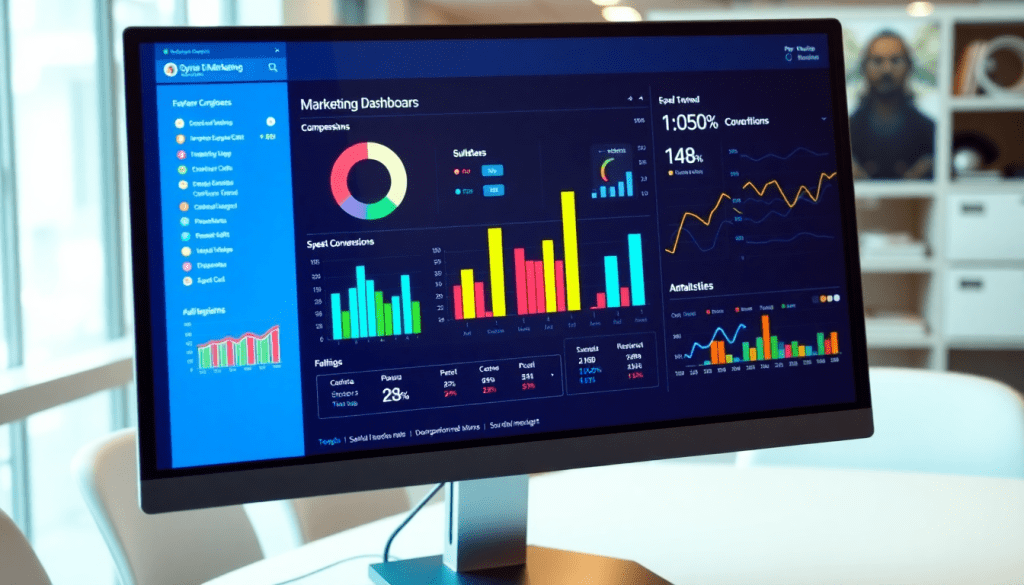
Digital Marketing KPI Dashboard: Visualize Metrics & Performance
A digital marketing KPI dashboard is more than a reporting tool—it’s the nerve center for any data-driven marketing team. Today, marketers need to track hundreds of metrics across channels and campaigns, often in real time. A modern dashboard brings all this data together, making it easy to visualize performance, monitor progress toward goals, and spot opportunities or issues as they arise. With the right dashboard, you can automate reporting, uncover trends with AI-powered insights, and communicate results clearly to stakeholders. Let’s break down what makes an effective digital marketing KPI dashboard and how to use one to fuel smarter marketing decisions.
What Is a Digital Marketing KPI Dashboard?
A digital marketing KPI dashboard is your marketing team’s mission control—bringing all your essential metrics into one unified view and turning scattered data into clear, actionable insights.
Why Use a KPI Dashboard?
- Centralized Visibility: See every critical metric from all channels—search, social, email, display, web analytics, and more—in one place.
- Real-Time Monitoring: Watch campaign performance as it happens, not just at month’s end.
- Actionable Insights: Instantly spot trends, anomalies, and opportunities without waiting for manual reports.
How It Works
Here’s what sets a digital marketing KPI dashboard apart:
| Static Reports | KPI Dashboard |
|---|---|
| Snapshot in time | Continuously updated, real-time data |
| Siloed, channel-specific data | Unified, cross-channel comparisons |
| Manual, slow to update | Automated, always-current metrics |
| Limited interactivity | Drill-downs, filters, and custom views |
Key Benefits
- Apples-to-Apples Comparisons: Automatic data aggregation and normalization, so you’re never comparing mismatched numbers.
- Easy Stakeholder Communication: Turn complex metrics like impressions, clicks, conversions, and ROAS into intuitive visuals for clients and execs.
- Rapid Decision-Making: Pivot strategies on the fly as soon as new trends or issues emerge.
Typical Metrics Tracked
- Impressions and reach
- Clicks and click-through rates (CTR)
- Conversions and leads
- Cost per acquisition (CPA)
- Return on ad spend (ROAS)
- Engagement metrics (likes, shares, comments)
Ready to Move Beyond Static Reports?
Ditch the spreadsheet chaos. With a modern KPI dashboard, you’ll empower your team to make smarter, faster, and more data-driven marketing decisions.
For a deeper dive, check out this comprehensive guide to digital marketing KPI dashboards.
Key Metrics Every Marketing Dashboard Should Track
A high-impact digital marketing KPI dashboard must surface the right metrics, empowering marketers to make data-driven decisions with confidence. Here are the essential KPIs that every dashboard should track—and why they matter for effective campaign monitoring and ROI optimization:
- Impressions: This is the number of times your ad or content is displayed, making it a foundational metric for gauging brand visibility and reach across channels.
- Clicks & Click-Through Rate (CTR): Clicks track how many users engage with your campaign, while CTR (clicks divided by impressions) reveals the effectiveness of your messaging and creative at driving action.
- Conversions: Whether it’s a purchase, sign-up, or download, conversions are the ultimate measure of campaign success. Tracking conversion rates helps identify what’s working and where optimization is needed.
- Cost Per Acquisition (CPA) & Customer Acquisition Cost (CAC): These metrics show how much you’re spending to acquire each customer or lead. Monitoring them is crucial for managing budget efficiency and ensuring campaigns remain profitable.
- Return on Investment (ROI) & Return on Ad Spend (ROAS): ROI and ROAS quantify the revenue generated for each dollar spent, providing a clear view of marketing’s business impact and guiding future budget allocations.
- Engagement Rates: Especially important for social campaigns, engagement metrics (likes, shares, comments, etc.) indicate how well your content resonates with your audience and can signal opportunities for deeper brand connection.
While these are vital for most organizations, the best digital marketing dashboards go further by supporting custom metrics tailored to unique business objectives. For example, a multi-location retail brand may need to track store visits driven by digital campaigns, while an agency managing multiple clients might want to report on industry-specific KPIs like lead quality or lifetime value. Customization ensures your dashboard delivers actionable insights aligned to your goals—not just generic data points.
By focusing on these core and custom KPIs, marketers can continuously evaluate performance, justify spend, and course-correct campaigns in real time. For more on building dashboards that illuminate the metrics that matter, visit TapClicks.
The Power of Visualization: Turning Data into Insight
In the world of digital marketing, data is abundant—but making sense of it all can be overwhelming. That’s where marketing metrics visualization becomes invaluable. By transforming rows of raw numbers into intuitive visual formats, marketers can quickly distill complex performance data into insights that drive action.
Visualization tools like bar charts, line graphs, and heatmaps each serve unique purposes. For example, bar charts are perfect for comparing campaign performance across channels or time periods, while line graphs excel at illustrating trends in metrics such as click-through rates or conversions over time. Heatmaps, on the other hand, can spotlight high- and low-performing regions for geo-targeted campaigns or landing pages, making it easy to pinpoint areas needing attention.
The real advantage comes from interactive dashboards that let users drill down, filter, and segment data on the fly. Instead of static, one-size-fits-all reports, interactive dashboards empower teams to explore metrics from multiple angles, uncovering patterns or anomalies that might otherwise go unnoticed. This hands-on approach to data not only enhances understanding but also speeds up decision-making—turning insight into action, faster.
For a closer look at how visual dashboards can elevate your performance tracking, check out these examples of performance tracking dashboards in action. By leveraging the right visualizations, marketers can ensure that everyone—from analysts to executives—has a clear, actionable view of what’s working and what needs adjustment, ultimately leading to smarter, more agile marketing strategies.
Cross-Channel Analytics: Bringing Your Data Together for Real Insight
In today’s digital marketing world, campaigns rarely live in just one place. You’re running ads on Google, posting on Facebook and LinkedIn, sending emails, managing display, launching video, and more—all at the same time. Each channel delivers its own set of metrics, but real marketing intelligence only happens when you pull it all together.
Why Cross-Channel Analytics Matters
Trying to analyze each channel in isolation is like looking at puzzle pieces instead of the whole picture. With cross-channel analytics, you can:
- Break down data silos by combining Google Ads, Facebook, LinkedIn, programmatic, CRM, and more into one unified view.
- Spot patterns and correlations—for example:
- A spike in social engagement leading to higher branded search
- Email conversions dipping right after a website update
- Make smarter decisions about:
- Budget allocation
- Campaign timing
- Channel optimization
What Makes a Powerful Cross-Channel Dashboard?
A robust analytics dashboard should give you:
| Feature | Why It Matters |
|---|---|
| Data consolidation | See everything in one place, not 10 separate tabs |
| Automated data normalization | Compare apples to apples across platforms and campaigns |
| Interactive visualizations | Instantly spot which channels drive the most conversions |
| Unified reporting | Quickly share insights with clients or stakeholders |
| Cross-channel attribution | Understand every touchpoint in the customer journey |
How TapClicks Makes It Easy
TapClicks is built for scale and clarity:
- Connect to 10,000+ marketing, ad, and business platforms—no manual exports.
- Automate data aggregation and normalization, so you spend less time wrangling spreadsheets.
- Visualize the entire customer journey in a single dashboard.
- Compare metrics side by side—see what’s working and where there’s room to improve.
- Track campaign performance for hundreds (or thousands) of clients in one place.
Real-World Impact
With TapClicks, you can:
- Identify hidden opportunities: See how one channel influences another.
- Optimize in real time: Reallocate budget as soon as trends emerge.
- Save hours every week: Let TapClicks automate the heavy lifting.
Ready for a more complete view of your marketing? Learn how TapClicks can transform your cross-channel analytics.
Automating KPI Reports and Data Workflows
Speed and precision in reporting are now essential for every marketing team—not just a luxury. Automation isn’t just about convenience; it’s about empowering faster decisions, reducing errors, and freeing up time for higher-value work.
Why Automate Your KPI Reporting?
Here’s how automated reporting transforms your marketing operations:
- Real-Time Insights: No more chasing down the latest numbers. Automated reports always pull the freshest data from every channel.
- Consistency & Accuracy: Eliminate manual copy-paste errors, ensuring stakeholders always see the correct KPIs.
- Time Savings: Analysts can reclaim dozens of hours per month otherwise spent on repetitive report building.
What Automation Looks Like in Action
With platforms like TapClicks, automation covers the entire reporting lifecycle:
-
Recurring Reports
- Set up once, then schedule delivery daily, weekly, or monthly.
- Pull data from 10,000+ connectors (Google, Facebook, DSPs, CRMs, and more).
-
Role-Based Sharing
- Assign dashboards to specific team members, clients, or executives.
- Control who sees what—ensuring data security and relevance.
-
AI-Driven Insights
- Let TapClicks’ SmartEmail deliver campaign summaries and performance highlights directly to your inbox.
- Receive alerts about trends, anomalies, and budget pacing—without sifting through spreadsheets.
How Automation Enhances Collaboration
- Everyone’s on the Same Page: Automated distribution means all teams work from a single source of truth.
- Data Security: Role-based access ensures sensitive data is only shared with the right people.
- Streamlined Feedback Loops: With consistent, timely reports, marketing, sales, and exec teams can align and act faster.
Quick Checklist: Is Your Reporting Automated?
- KPI dashboards update automatically from all channels
- Reports are scheduled and sent to the right stakeholders
- AI-generated summaries surface key trends and outliers
- Access controls keep confidential data secure
- Analysts spend less time on manual data pulls
Ready to let automation revolutionize your reporting? Explore TapClicks’ automated reporting features and see how much more your team can accomplish when data is accurate, timely, and always at your fingertips.
AI & Predictive Insights: Turning Data into Smarter Marketing Moves
AI has completely changed the landscape of digital marketing dashboards. Today’s platforms don’t just show you numbers—they tell you what’s working, what’s not, and what to do next. Here’s how AI is powering the next generation of marketing intelligence.
From Dashboards to Dynamic Decisions
AI-powered dashboards go beyond static reporting. They:
- Analyze campaign performance automatically
- Spot trends and anomalies you might miss
- Benchmark results against historical or industry data
- Flag underperforming channels and creative assets in real time
What does this mean for marketers?
- Faster feedback loops
- The ability to act on insights—not just data
- More time spent on strategy, less on manual analysis
Predictive Analytics: Your Early Warning System
One of AI’s biggest breakthroughs is predictive analytics. With machine learning models, platforms like TapClicks can:
- Forecast key outcomes
- Predict lead volume, conversion rates, or ROAS based on current and past performance
- Provide budget and pacing alerts
- Receive early warnings before budgets run out or goals go off track
- Enable proactive optimization
- Adjust strategies before problems escalate, instead of reacting after the fact
AI That Acts Like a Team Member
AI in platforms like TapClicks doesn’t just analyze—it recommends and even automates next steps:
| AI Feature | What It Does | How It Helps |
|---|---|---|
| SmartPilot | Scores campaigns and surfaces optimization ideas | Quick, actionable insights for your team |
| Automated Recommendations | Suggests budget reallocations or creative tweaks | Keeps campaigns agile and effective |
| SmartEmail | Delivers insights straight to stakeholders’ inboxes | Ensures everyone is aligned and up to speed |
Why This Matters
- Move beyond static reports: AI transforms dashboards into engines of continuous improvement.
- Maximize ROI: Every campaign benefits from real-time, data-driven decision-making.
- Streamline workflows: Less manual reporting means more strategic execution.
- Scale with confidence: Unified AI insights help teams manage more clients, channels, and campaigns—without missing a beat.
Ready to see how AI and predictive insights can supercharge your marketing? Explore what TapClicks can do for you.
Building and Customizing Your Performance Tracking Dashboard
Creating an effective digital marketing KPI dashboard starts with thoughtful planning and ends with ongoing customization. Here’s how to ensure your dashboard is both actionable and tailored to your unique business needs:
1. Select the Right KPIs
Begin by identifying the metrics that matter most for your objectives. For some, that could mean focusing on cost per acquisition (CPA) and return on ad spend (ROAS); for others, it might be engagement rates or multi-channel conversion paths. Prioritize KPIs that align directly with your marketing goals, and don’t be afraid to incorporate custom metrics that reflect your brand’s unique value drivers.
2. Choose Visualization Styles that Clarify, Not Confuse
The best dashboards don’t just display data—they make it easy to interpret. Use bar charts to compare campaign performance, line graphs to illustrate trends over time, and heatmaps to spotlight high-performing (or underperforming) segments. Interactive widgets such as dropdowns, filters, and drill-downs help users explore data at a granular level, turning your dashboard into a dynamic decision-making tool.
3. Set Up Robust Data Integrations
Data quality and completeness are foundational. Modern performance dashboards, like those powered by TapClicks, connect seamlessly to thousands of marketing, advertising, and business platforms. This allows you to automate data pipelines, normalize disparate data sources, and create a single source of truth for all your reporting needs.
4. Tailor the Dashboard for Your Audience
Customization should go beyond just data points. Brands may want dashboards that segment by product line or region, agencies might need multi-client views with white-label branding, and enterprise teams could require role-based access to sensitive information. Look for solutions that support flexible user permissions, branding options, and modular layouts.
5. Prioritize User-Friendly Interfaces and Scalability
A dashboard is only as valuable as its usability. Drag-and-drop interfaces, intuitive navigation, and responsive design ensure that users of all technical backgrounds can access and act on insights. As your business grows, your dashboard should scale—accommodating more data, more users, and more complex reporting needs without a hitch.
By following these steps, you’ll build a performance tracking dashboard that not only visualizes your marketing KPIs, but also adapts to your workflows, stakeholders, and future growth. The result? Smarter, faster decisions—and marketing results you can see.
How to Find the Perfect Digital Marketing KPI Dashboard for Your Team
Choosing a digital marketing KPI dashboard isn’t just about pretty charts—it’s about setting your team up for measurable success, campaign optimization, and effortless client reporting. Here’s how to zero in on the dashboard platform that will serve you now and scale as you grow.
What Matters Most When Selecting Your Dashboard
Effortless Data Connectivity
- Connect all your channels: Make sure your dashboard integrates with every marketing, advertising, and business platform you use—think search, social, email, web analytics, and paid media.
- Look for deep integration libraries: Platforms like TapClicks stand out with 10,000+ pre-built connectors, so you never have to wrangle spreadsheets or manual uploads again.
Built for Scale
- Don’t outgrow your tools: As your campaigns, clients, and data volumes grow, your dashboard should keep pace.
- TapClicks advantage: Designed for agencies and brands who need to manage hundreds or thousands of campaigns and stakeholders—all in one place.
Automation That Actually Saves You Time
- Automate the busywork: Choose platforms that handle data pulls, report building, and scheduled insights automatically.
- Go beyond reporting: TapClicks also offers workflow tools for collaboration, order management, and granular, role-based access for your entire ops team.
AI and Advanced Analytics Under the Hood
- Demand more than static charts: The best platforms use AI to surface actionable insights, predict trends, and recommend optimizations.
- Unique TapClicks features: AI Agents deliver insights, benchmark performance, and even send curated summaries via SmartEmail, freeing your team to focus on strategy.
Customization and a User-Friendly Experience
- Flexibility for every user: Look for customizable dashboards, templates, and visualizations tailored to everyone from analysts to execs to clients.
- Easy adoption: Intuitive interfaces mean faster onboarding and less friction as you scale.
TapClicks vs. The Rest: A Quick Comparison
| Feature/Platform | TapClicks | Funnel.io | Adverity | Agency Analytics | Others |
|---|---|---|---|---|---|
| Data Connectors | 10,000+ | ~500 | ~600 | ~70 | Varies |
| AI Insights | ✅ | ❌ | Limited | ❌ | Limited |
| Workflow Automation | ✅ | ❌ | ❌ | Limited | Limited |
| Multi-Client Scale | Enterprise-grade | Limited | Limited | SMB focus | Varies |
| Customization | High | Medium | High | Low | Varies |
Ready to Level Up Your Marketing Data?
- Explore more: Check out our guide to digital marketing KPI dashboards
- See TapClicks in action: Visit the TapClicks website to discover how a unified dashboard can supercharge your reporting, analytics, and decision-making.
Pro Tip:
The right dashboard isn’t just a reporting tool—it’s your new marketing operations command center. Don’t settle for less than a platform that can grow with you.
Start Automating Your Marketing Data Today!
No Credit Card Required.

