

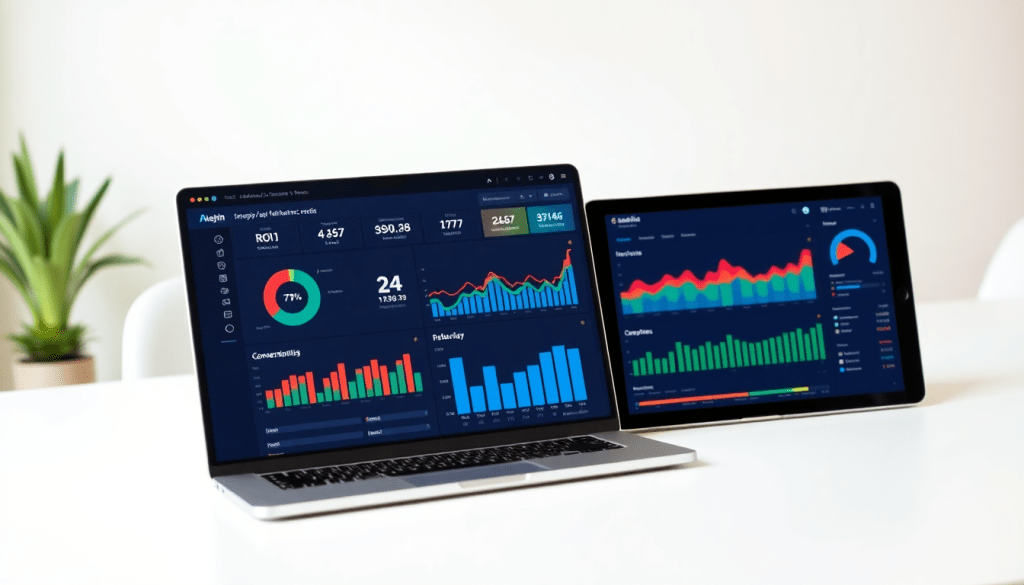
Digital Marketing KPI Dashboard: Track Metrics & ROI Easily
A digital marketing KPI dashboard brings all your critical campaign data into one place, making it possible to track performance, visualize marketing metrics, and understand ROI in real time. Whether you’re an agency managing hundreds of clients or a brand aiming for smarter campaign optimization, a well-designed dashboard empowers your team to focus on what matters most—growth. With automation, AI-driven insights, and cross-channel analytics, today’s performance tracking dashboards help marketers move from endless spreadsheets to interactive, actionable reports.
What Is a Digital Marketing KPI Dashboard?
A digital marketing KPI dashboard is an interactive, visual platform that consolidates all your key performance indicators (KPIs) into a single, easy-to-navigate view. Think of it as the mission control for your marketing campaigns: instead of juggling disconnected spreadsheets or logging into multiple ad platforms, you get a unified dashboard that connects, organizes, and displays marketing data from every channel—search, social, email, display, and beyond.
At its core, a KPI dashboard automates the process of pulling in data from diverse sources (Google Ads, Facebook, programmatic platforms, CRM tools, etc.), normalizing that information, and presenting it in customizable widgets and reports. This means you can track campaign performance, spot trends, and identify ROI across all channels without manual data wrangling. Whether you want to monitor high-level metrics like return on ad spend (ROAS) or drill into granular details like cost per click (CPC) for a specific campaign, a robust dashboard turns raw data into actionable intelligence.
Modern marketing teams rely on dashboards not just for reporting, but also for collaboration and decision-making. With real-time updates and automated alerts, teams can react faster to shifts in performance, optimize budget allocation, and showcase results to clients or executives—all from a single source of truth. By centralizing critical metrics, dashboards play a pivotal role in data-driven marketing, providing the clarity needed to focus on what moves the needle.
To dive deeper into how automation streamlines analytics and reporting, check out Marketing Dashboard Automation: Boost Analytics & Reporting.
Metrics That Matter: What Every Marketing Team Should Track
Getting your marketing measurement right starts with tracking the KPIs that truly move the needle for your business. A well-built digital marketing dashboard doesn’t just collect data—it highlights actionable metrics that tie campaigns back to tangible business outcomes.
Core KPIs for Marketing Success
Here are the essential metrics every marketing team should keep front and center:
-
Click-Through Rate (CTR):
- What it tells you: Are your ads and links compelling enough to earn clicks?
- Why it matters: High CTR means your creative and messaging resonate; low CTR signals a need for improvement.
-
Cost Per Click (CPC):
- What it tells you: How efficiently are you spending on paid campaigns?
- Why it matters: Lower CPC = more budget-friendly reach.
-
Conversion Rate:
- What it tells you: Are users taking desired actions (sales, signups, downloads)?
- Why it matters: This is a direct measure of campaign effectiveness.
-
Return on Investment (ROI):
- What it tells you: Are your marketing dollars delivering profit?
- Why it matters: Helps you double down on what works and cut what doesn’t.
-
Customer Acquisition Cost (CAC):
- What it tells you: What are you spending to win each new customer?
- Why it matters: Critical for setting budgets and scaling growth.
-
Impressions, Reach, & Engagement:
- What it tells you: How visible is your content? Are people interacting with it?
- Why it matters: Great for measuring awareness and audience connection.
Match KPIs to Your Business Goals
Not every business has the same priorities—choose KPIs that reflect your objectives:
| If your focus is… | Prioritize these metrics |
|---|---|
| Brand Awareness | Reach, Impressions, Engagement |
| Lead Generation | Conversion Rate, CTR, CAC |
| E-commerce ROI | Conversion Rate, ROI, CPC |
Why Real-Time, Unified Dashboards Are a Game-Changer
With a platform like TapClicks, you can:
- Monitor all your campaign and channel KPIs in one place
- Drill down from high-level overviews to granular details
- Optimize campaigns on the fly—no more waiting for end-of-month reports
- Prove value to clients and stakeholders instantly
Want to Go Deeper?
Explore how to streamline analytics reporting with dashboard automation in our post:
Marketing Dashboard Automation: Streamline Analytics Reporting
Benefits of Marketing Metrics Visualization
Turning raw marketing data into visual insights is a game-changer for teams aiming to make sense of complex performance metrics. Visualization transforms endless columns of numbers into charts, graphs, and heatmaps that clarify trends, highlight outliers, and reveal patterns at a glance. This makes it dramatically easier to spot what’s working—and what’s not—across campaigns, channels, and client portfolios.
Unlike static spreadsheets, interactive dashboards let users explore data dynamically. Marketers can filter by date ranges, drill down into specific campaigns, or compare KPIs across channels in real time. For example, a line chart can track conversions over time, a bar graph can compare channel spend versus ROI, and a heatmap can instantly reveal which geographic regions are driving the highest engagement. Pie charts and stacked columns also help visualize budget allocation or share-of-voice across campaigns.
These visual tools speed up decision-making by making trends and anomalies obvious. If a campaign’s click-through rate suddenly drops, a dashboard can highlight the outlier with a spike or dip, allowing teams to take action before it impacts broader results. Visualization reduces noise and cognitive overload, empowering marketers to focus on what matters most—optimizing performance, reallocating budget, and refining strategy.
Ultimately, marketing metrics visualization isn’t just about aesthetics—it’s about enabling faster, smarter decisions. Teams can move from reactive reporting to proactive problem-solving, driving better outcomes for clients and stakeholders. For more on how automation and visualization work together to streamline reporting, check out Marketing Dashboard Automation: Boost Analytics & Reporting.
Automating KPI Reports: Save Time, Reduce Errors
Manual reporting has long been one of the biggest drains on marketing teams’ time and resources. Collecting data from multiple platforms, updating spreadsheets, and formatting client-facing reports is not only tedious—it's prone to errors and inconsistencies. Automated KPI reporting transforms this process by enabling dashboards to pull, process, and deliver performance metrics on a scheduled basis, with no manual intervention required.
With automated reporting, teams can set up recurring dashboard deliveries—daily, weekly, or monthly—tailored to stakeholders’ needs. These reports are generated with the latest data and sent directly to client inboxes or internal team channels. This means agencies and marketing departments can eliminate repetitive tasks, freeing up analysts and account managers to focus on deeper analysis and strategic planning.
The impact is significant: automation often reduces reporting workload by dozens of hours per month, per analyst. It also ensures that everyone—clients, executives, and front-line marketers—has access to the same accurate, up-to-date insights. Consistency is built in, from standardized visuals to error-free calculations. As a result, teams can respond faster to performance changes and spend more time optimizing campaigns.
When comparing manual versus automated reporting workflows, the difference becomes clear. Manual processes require constant data exports, formatting, and QA checks. Automation platforms—such as TapClicks—integrate with thousands of data sources, cleanse and blend data, and deliver polished reports on time, every time. This shift not only reduces operational risk but also helps agencies and brands scale their reporting as client numbers or campaign complexity grows.
For a deeper dive into how automation accelerates and strengthens agency reporting, see "Marketing Dashboard Automation: Boost Agency Reporting Fast". By embracing automated KPI dashboards, marketers can move beyond the bottlenecks of manual workflows and focus on what drives real results.
Cross-Channel Analytics Dashboard: Unifying Data for Better Insights
Modern marketing rarely happens in a vacuum. Campaigns span paid search, social media, programmatic display, email, SEO, and more—each with its own analytics, platforms, and metrics. If you’re toggling between dozens of browser tabs or wrangling data from disparate sources, you’re not alone. That’s where a cross-channel analytics dashboard becomes a game-changer.
Unifying data from paid, organic, social, and other channels is essential to see the full impact of your marketing efforts. A cross-channel dashboard consolidates these data streams, enabling you to analyze performance holistically rather than in isolated silos. This unified approach reveals the true ROI of your campaigns by accounting for all touchpoints along the customer journey, not just the last click or the highest-spending channel.
For example, a blended conversion funnel can illustrate how Facebook Ads drive initial awareness, Google Search delivers consideration, and email nurtures leads to conversion—all within the same dashboard. And with multi-touch attribution models, you can assign value to every channel and tactic that contributed to a sale or lead, giving you a more accurate view of what’s working.
Of course, integrating data isn’t always straightforward. Marketers face challenges like mismatched attribution windows, inconsistent naming conventions, and API limitations across platforms. Modern dashboards—like those offered by TapClicks—solve these issues with automated data connectors, normalization tools, and transformation layers. This means you spend less time cleaning data and more time analyzing it.
Ultimately, a cross-channel analytics dashboard empowers you to:
- Spot trends and optimize spend across channels in real time
- Identify gaps or overlaps in your marketing mix
- Demonstrate true campaign impact to stakeholders with clear, unified reporting
By bringing all your marketing data into a single source of truth, you’re equipped to make smarter, faster decisions—no matter how complex your omnichannel strategy becomes.
Move Beyond the Old Dashboard: How AI Supercharges Your Marketing Data
AI isn’t just a buzzword in marketing dashboards—it’s the reason teams are moving from basic number tracking to real-time, insight-driven decision-making. Here’s how AI is changing the game for agencies, brands, and media companies managing campaigns at scale.
Why Settle for Static Data? Let AI Do the Heavy Lifting
Traditional dashboards only tell you what happened. With AI-powered dashboards, you get:
- Instant anomaly detection:
No more manual checks—AI flags sudden spikes in spend or drops in conversions the moment they happen. - Real-time alerts:
Automated notifications let you act before issues escalate or budgets go off track. - Smarter forecasting:
Machine learning models predict if you’ll hit your monthly goals or if you need to adjust campaigns now.
What Can AI-Driven Dashboards Do for You?
Here are just a few of the ways modern dashboards help you get more from your data:
| AI Feature | What It Means for Marketers |
|---|---|
| Automated Alerts | Real-time notification of anomalies and outliers |
| Predictive Forecasting | Anticipate campaign results and ROI before month-end |
| Prescriptive Recommendations | Automatic suggestions (move budget, swap creative, etc.) |
| Automated Summaries (SmartEmail) | Curated, actionable reports delivered directly to your inbox |
| Media Mix Modeling | Data-driven budget allocation across channels |
See AI in Action: Real-World Scenarios
- 📈 Spike in CPA?
Get alerted immediately—no more waiting for end-of-month reports. - 🔮 Next week’s leads, predicted today:
Forecast engagement and reallocate spend before anyone else sees a dip. - 📬 Executive summaries, without the manual work:
SmartEmail delivers easy-to-digest insights straight to stakeholders’ inboxes.
What’s Next: Custom AI Agents & Automated Optimization
The future is even brighter. Soon, tools like TapClicks will let you:
- Deploy custom AI agents to optimize campaigns 24/7
- Run advanced media mix modeling for smarter budget strategies
- Automate recurring reporting and insight distribution
Ready to see how unified, AI-powered dashboards can elevate your marketing ops?
👉 Explore TapClicks or stay on top of AI-driven marketing analytics.
Choosing a Performance Tracking Dashboard That Works for You
Selecting a digital marketing KPI dashboard isn’t just about pretty charts—it’s a foundational decision that impacts how your team uncovers insights, drives strategy, and proves results to clients and stakeholders. With so many options in the marketplace, how do you separate the truly scalable platforms from basic visualization tools?
What to Look for in a Dashboard Solution
Integration Powerhouses
- Connects to all your marketing and advertising data, not just the basics (think: Google, Facebook, CRM, email, and even offline sources).
- Offers an extensive library of connectors, so you don’t waste hours on manual data wrangling.
Built for Growth
- Handles hundreds or even thousands of reports, users, and locations with ease—no slowdowns as you scale.
- Supports multi-client, multi-brand, and multi-location reporting out of the box.
Custom to You
- Lets you design dashboards and reports that match your KPIs, branding, and client needs.
- Supports custom visualizations and flexible layouts (not just cookie-cutter templates).
Easy for Everyone
- Features drag-and-drop builders and intuitive navigation.
- No steep learning curve—both technical and non-technical users can find answers fast.
Comparing Your Options: What Sets Platforms Apart
| Feature Area | Basic Visualization Tools | Unified Platforms (e.g., TapClicks) |
|---|---|---|
| Data Integration | Single-channel or basic API | 10,000+ connectors; cross-channel |
| Reporting Automation | Manual or limited scheduling | Fully automated, scheduled, branded |
| AI Insights | None or basic statistics | Actionable insights & recommendations |
| Workflow Management | No workflow support | Built-in campaign/order ops |
| Scalability | Suited for small teams | Designed for agencies & enterprises |
Before You Commit: Ask Yourself
- Will my current and future data sources be supported?
- How quickly can my team get up and running?
- Does the platform automate report delivery and highlight insights, or just provide raw data?
- Is security and compliance (GDPR, SOC 2, etc.) built in?
- What level of onboarding, training, and ongoing support is provided?
Why It Matters
Choosing a platform designed for unified, scalable analytics—like TapClicks—means you’ll spend less time toggling between tools and more time acting on insights. The right dashboard empowers your entire team to track ROI, optimize campaigns, and make smarter marketing decisions, faster.
Pro Tip:
Don’t settle for “good enough.” Map your requirements, demo top contenders, and prioritize solutions that grow with you—so you’re ready for whatever comes next.
Getting Started: Best Practices for Dashboard Implementation
Implementing a digital marketing KPI dashboard doesn’t have to be daunting. By following a structured approach, you can ensure a smooth rollout, maximize adoption, and deliver immediate value to your team or clients. Here’s how to get started:
1. Plan with Purpose
Begin by identifying your key stakeholders—marketing managers, analysts, sales leaders, and clients—and clarifying the business goals your dashboard should support. Define which KPIs and metrics matter most to your organization’s objectives. Map out your data sources (ad platforms, analytics tools, CRM, etc.) and determine integration needs. A clear plan ensures your dashboard delivers actionable insights, not just data for data’s sake.
2. Deploy with Integration in Mind
Choose a dashboard platform that seamlessly connects with all your essential marketing and business data sources. Platforms like TapClicks offer thousands of pre-built connectors, making it easy to unify paid, organic, social, and offline data without IT bottlenecks. Set up automated data pulls and establish user roles to control access and security. Start with a core set of dashboards, focusing on the most impactful metrics first.
3. Optimize for Usability and Adoption
Tailor your dashboards for different audiences—executives want high-level summaries, while analysts may need granular views. Use clear visualizations and intuitive navigation. Schedule training sessions or short walkthroughs to familiarize users with dashboard features and workflows. Encourage feedback so you can refine layouts and reports to match real-world needs.
4. Showcase a Quick-Win Project
To build momentum and demonstrate immediate value, pick a specific use case for your first dashboard—such as a campaign performance snapshot or a client ROI report. Automate a recurring report that previously took hours to compile manually. This quick-win not only highlights time savings but also builds confidence among stakeholders, paving the way for broader adoption and future dashboard projects.
By planning carefully, deploying purposefully, and focusing on usability, you’ll ensure your digital marketing KPI dashboard becomes an indispensable tool for performance tracking and smarter decision-making.
Wrapping Up: Why Modern KPI Dashboards Are a Game-Changer
Today’s marketing teams can’t afford to rely on outdated, manual reporting. Digital marketing KPI dashboards have evolved into the backbone of data-driven strategy—delivering real-time clarity, AI-powered insights, and a single source of truth that empowers everyone from analysts to executives.
Here’s Why Dashboards Matter Now More Than Ever
- Unified Metrics: All your campaign and channel data in one place—no more hunting through spreadsheets.
- Simplified Visualization: Instantly see what’s working (and what’s not) with intuitive, customizable dashboards.
- Automation & AI: Let the platform handle repetitive data pulls, report generation, and even surface actionable insights you might have missed.
- Real-Time Optimization: Make smarter, faster decisions and pivot campaigns as the numbers change.
- Clear ROI Reporting: Easily demonstrate value to clients, leadership, or franchisees with consistent, branded reports.
Take the Next Step
-
Audit Your Workflow
- Identify bottlenecks and manual reporting tasks.
- Note where insights are delayed or not reaching decision-makers.
-
Embrace Dashboard Automation
- Free up your team’s time for strategy and creative work.
- Ensure your data is always accurate, timely, and actionable.
-
Connect with TapClicks
- Check out practical tips and real-world case studies on the TapClicks blog.
- Or, request a personalized demo to see how TapClicks can unify your marketing data, reporting, and workflows at scale.
The bottom line:
Say goodbye to endless spreadsheets and manual headaches. With TapClicks, you’ll have the insights—and the time—to focus on what actually drives growth.
Start Automating Your Marketing Data Today!
No Credit Card Required.

