

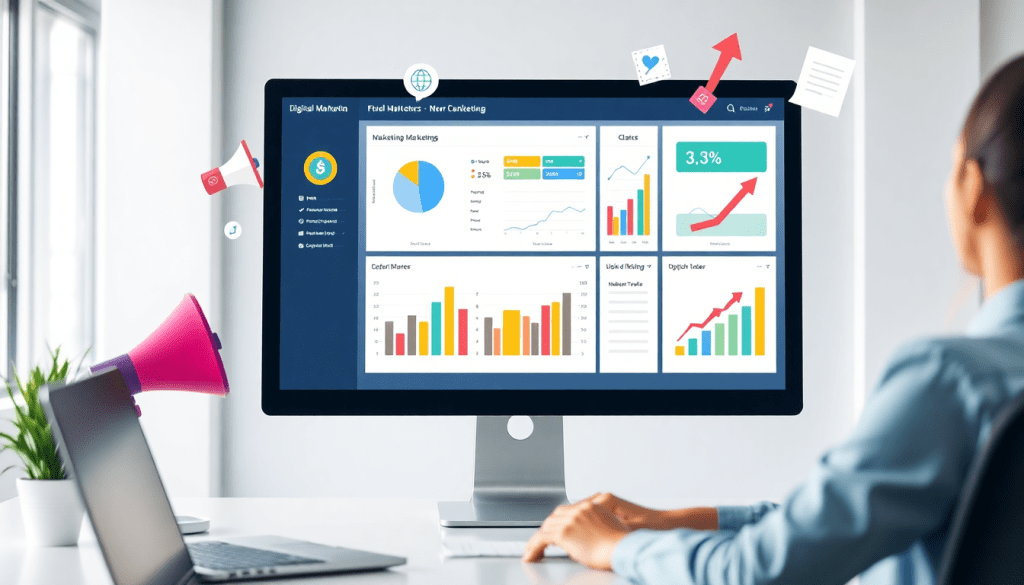
Digital Marketing KPI Dashboard: Track Metrics & ROI Easily
A digital marketing KPI dashboard brings all your essential performance data into one place—making it easy to monitor, analyze, and act on your marketing metrics. Whether you’re aiming to visualize campaign results, automate your reporting, or optimize spend across channels, the right dashboard transforms raw numbers into actionable insights. This guide explains how to use a digital marketing KPI dashboard to visualize metrics, track ROI, and streamline reporting, so you can focus on what matters most: growing your marketing impact.
What is a Digital Marketing KPI Dashboard?
A digital marketing KPI dashboard is your marketing mission control—a single platform that brings all your most important metrics together for real-time analysis and smarter decision-making.
Why Use a KPI Dashboard?
-
See Everything in One Place:
Aggregates data from Google Ads, Facebook, email, CRMs, and more—no more manual spreadsheet wrangling. -
Monitor Campaign Health Instantly:
Track progress toward goals, campaign performance, and ROI at a glance. -
Enable Fast, Data-Driven Decisions:
Spot opportunities, troubleshoot issues, and optimize strategies on the fly with up-to-date insights.
What Metrics Does It Track?
A robust digital marketing KPI dashboard typically visualizes:
| Metric | What It Shows |
|---|---|
| Impressions | How many people saw your ads/content |
| Clicks | Who engaged with your campaigns |
| Conversions | Actions taken (sign-ups, purchases, etc.) |
| Cost per Acquisition (CPA) | How much you pay per conversion |
| Return on Ad Spend (ROAS) | Revenue generated for every dollar spent |
It can also include social engagement, email open rates, bounce rates, and more—blending data across all your marketing channels.
How Does It Work?
- Centralizes Data: Connects to search engines, social media, display networks, email platforms, CRMs, and more.
- Normalizes & Blends Data: Advanced dashboards (like TapClicks) unify cross-channel, multi-location, or multi-client reporting.
- Visualizes in Real Time: Interactive charts and dashboards update automatically, so stakeholders always have the latest insights.
The Real Power: Dynamic, Real-Time Insights
- Instant comparisons: See which channels are performing best right now.
- Automated updates: No more waiting for end-of-month reports.
- Empower your team: Everyone from marketers to executives can interpret trends and act fast.
A digital marketing KPI dashboard isn’t just a reporting tool—it’s your always-on command center for smarter, faster, and more impactful marketing.
Learn more about marketing metrics visualization
Key Metrics to Track in Your Dashboard
The effectiveness of your digital marketing efforts hinges on tracking the right key performance indicators (KPIs). A robust KPI dashboard should surface the most impactful metrics—those that directly influence campaign ROI, reveal optimization opportunities, and align with your business goals. Here are the essential metrics every digital marketer should monitor:
1. Impressions
Impressions measure how often your ads or content are displayed. They’re crucial for gauging brand reach and visibility, especially in awareness-stage campaigns. High impressions with low engagement may signal a need to refine targeting or creative.
2. Clicks & Click-Through Rate (CTR)
Clicks represent direct user engagement, while CTR (clicks divided by impressions) reveals how compelling your messages and creatives are. Monitoring CTR helps you identify which campaigns resonate best and where messaging adjustments are needed.
3. Conversions & Conversion Rate
Conversions—whether they’re purchases, sign-ups, downloads, or other valuable actions—are the core of ROI tracking. The conversion rate (conversions divided by clicks) shows campaign efficiency and landing page effectiveness. Prioritize this metric for performance-driven campaigns.
4. Cost Per Acquisition (CPA)
CPA calculates how much you spend to acquire a customer or lead. It’s vital for budget management and goal alignment; a rising CPA may indicate inefficient targeting or creative fatigue. Tracking CPA helps marketers optimize spend and maximize return.
5. Return on Ad Spend (ROAS)
ROAS (revenue generated divided by ad spend) is the gold standard for measuring the profitability of paid media campaigns. High ROAS means your campaigns are delivering strong value; low ROAS signals a need for optimization or reallocation of budget.
6. Engagement Metrics (Likes, Shares, Comments, etc.)
For social and content marketing, engagement metrics reflect audience interest and brand affinity. High engagement often correlates with strong organic reach and can inform future creative strategies.
7. Website Traffic & Source/Medium
Tracking total website visits, top landing pages, and the source/medium of traffic provides insight into which channels drive the most valuable visitors and where to focus marketing resources.
Prioritizing KPIs for Your Marketing Goals
Not all metrics carry equal weight for every campaign. For example, brand awareness initiatives may focus on impressions and reach, while lead generation campaigns prioritize conversions and CPA. E-commerce marketers will emphasize ROAS and average order value. Define your objectives first, then select KPIs that align directly with those outcomes. A well-designed digital marketing KPI dashboard enables you to spotlight these metrics, track progress in real time, and shift focus as objectives evolve.
By surfacing the right KPIs—tailored to your unique goals—you’ll turn your dashboard from a data repository into a strategic command center for marketing success.
Benefits of Using a Performance Tracking Dashboard
A performance tracking dashboard is not just a tool for visualizing numbers—it’s a strategic asset that empowers marketers to act with speed, confidence, and precision. By consolidating campaign metrics, budget data, and ROI analytics in one place, dashboards transform scattered data into actionable insights that drive better marketing outcomes.
Faster, Smarter Decision-Making
With a well-designed dashboard, marketers can spot trends, outliers, and opportunities in real time. Instead of waiting for end-of-month reports, teams get instant access to crucial KPIs—such as conversion rates or cost-per-acquisition—enabling them to pivot campaigns, optimize spend, or capitalize on emerging channels without delay. For example, a sudden dip in click-through rate can trigger immediate creative adjustments, saving both time and budget.
Time Savings Through Automation
Manually pulling data from multiple platforms and building reports is tedious and error-prone. Performance dashboards automate these processes, aggregating data from sources like Google Ads, Facebook, and analytics platforms into unified, always-up-to-date views. This automation can save analysts and marketing managers dozens of hours per month—time that can be reinvested into strategy and creative problem-solving.
Enhanced Accuracy, Transparency, and Collaboration
Dashboards foster a culture of transparency by providing a single source of truth for all stakeholders. Automated data flows reduce human error, while scheduled KPI reports ensure everyone—whether it’s the CMO, agency partners, or regional teams—has consistent, accurate insights. Role-based access features allow for tailored views, so each team member sees the metrics most relevant to their responsibilities, improving accountability and collaboration.
Unlocking Hidden Marketing Insights
A robust dashboard doesn’t just report what happened; it helps reveal the “why” behind performance trends. For instance, by correlating paid search spend with website conversions across regions, marketers may uncover unexpected market opportunities or underperforming tactics. Many platforms, such as TapClicks, further enhance this with AI-driven insights—flagging anomalies, benchmarking results, and recommending optimization steps that might otherwise go unnoticed.
Ultimately, a performance tracking dashboard is essential for modern marketing teams striving for agility, efficiency, and growth. By centralizing data, automating reporting, and surfacing actionable insights, dashboards empower marketers to deliver stronger results with greater confidence.
Setting Up Your Digital Marketing KPI Dashboard
Building a digital marketing KPI dashboard that fuels smarter decisions starts with a solid foundation: integrating your marketing channels and data sources. Begin by identifying all the platforms generating valuable data—think Google Ads, Facebook, LinkedIn, email marketing tools, web analytics, and even offline channels. Many leading dashboard solutions, like TapClicks, offer pre-built connectors to thousands of marketing and advertising platforms, streamlining this integration process.
Once your data sources are connected, it’s time to customize your dashboard for maximum clarity and impact. Start by selecting widgets and visualizations that best represent your key performance indicators (KPIs)—bar charts for spend, line graphs for conversions over time, pie charts for channel distribution, and more. Most platforms allow you to drag and drop widgets, arrange layouts, and apply filters so that each user or client sees the most relevant information at a glance.
Alerts and notifications are your dashboard’s early warning system. Set up automated alerts to flag significant changes—like a spike in cost-per-acquisition or a sudden drop in impressions—so you can act quickly and minimize wasted spend.
When designing your dashboard, focus on user experience. Avoid clutter by limiting the number of metrics per view, use color strategically to highlight trends or issues, and group related data together. Make sure your dashboard loads quickly on both desktop and mobile devices, and provide brief explanations or tooltips for any complex metrics to reduce confusion among stakeholders.
For a deeper dive into dashboard setup—including visual layout tips and KPI selection guidance—check out this resource on "how to visualize and track metrics". Thoughtful setup not only accelerates onboarding for your team but also ensures your dashboard remains a go-to resource for actionable marketing insights.
Why Automate Digital Campaign Reporting?
Manual reporting is a pain point for every marketing team. Think endless spreadsheets, copy-paste errors, and last-minute presentation scrambles. But with automated digital campaign reporting—especially through a unified KPI dashboard—you can leave those headaches behind.
How Automation Transforms Reporting
Let’s break down what automated reporting actually delivers:
-
Set-and-Forget Scheduling:
- Reports are generated and sent automatically (daily, weekly, monthly—your choice).
- No more manual data pulls or late-night number crunching.
-
Error Reduction:
- Automation minimizes manual entry, reducing mistakes and inconsistencies.
-
Role-Based Views:
- Customize who sees what—clients, execs, and team members only view the metrics that matter to them.
- Builds trust and transparency by sharing the right data with the right people.
What Makes TapClicks Dashboards Stand Out?
With TapClicks, automation goes beyond just sending PDFs:
| Feature | Benefit |
|---|---|
| Customizable Templates | Brand reports your way, for any client or campaign |
| Dynamic Widgets | Live-updating charts, tables, and visuals |
| Real-Time Data Sync | Always-current campaign, budget, and ROI metrics |
| Instant Insights | Spot trends and issues as they happen—no waiting |
Fast Answers, Smarter Decisions
-
No More Waiting:
Stakeholders get instant access to actionable insights rather than waiting days for manual reports. -
Immediate Optimization:
Teams can diagnose issues and pivot campaigns on the fly, improving results in real time.
Ready to See the Impact?
For a deep dive into how automation can supercharge your reporting, check out our guide to automated reporting and visualization.
Automating KPI reporting isn’t just about saving hours—it’s about unlocking smarter, more agile marketing operations for your team.
See the Big Picture: The Power of Cross-Channel Analytics
Modern marketing is complex—campaigns run across Google, Facebook, Instagram, email, programmatic ads, and more. Each platform delivers its own set of metrics, but those siloed reports make it nearly impossible to see how everything fits together.
Why Cross-Channel Analytics Matter
A cross-channel analytics dashboard changes the game by blending all your marketing data into a single view. Here’s how it helps:
- Break Down Silos: No more hopping between Google Ads, Facebook Insights, and your email platform—see everything in one place.
- Spot Interconnected Trends: Identify patterns you’d miss in isolation. For example:
- Did your email blast drive a spike in paid search clicks?
- Are Instagram likes translating into more website conversions?
- Reveal True Performance: Go beyond channel-level reporting to understand how channels work together to drive results.
What You Unlock with Unified Reporting
- Smarter Budgeting: Compare channels side-by-side to see which mix delivers the best ROI.
- Real-Time Optimization: Know instantly where to double down and where to pivot—no more waiting on end-of-month reports.
- Data-Driven Decisions: Make choices based on facts, not guesswork or incomplete data snapshots.
Example: Uncovering Hidden Relationships
| Channel | Traffic Spike | Conversion Lift | Possible Cause |
|---|---|---|---|
| Paid Search | Yes | Yes | Coincided with email send |
| Social (Instagram) | Yes | Yes | Drove users to landing page |
| Yes | No | Triggered paid search surge |
Transform Data Into Insights
With a cross-channel dashboard—especially when powered by TapClicks—you’re not just collecting data. You’re uncovering the “why” behind performance and making smarter, faster decisions.
Ready to see how unified analytics can amplify your ROI? Check out our guide to automated reporting and visualization.
Leveraging AI Marketing Dashboards for Predictive Insights
Artificial intelligence is rapidly transforming how marketers interact with data, and nowhere is this more evident than in the modern digital marketing KPI dashboard. By blending AI-powered features with core dashboard capabilities, marketers can move beyond passive reporting to active optimization—identifying trends, anomalies, and opportunities as they happen.
One of the major advantages of AI-enabled dashboards is advanced anomaly detection. Instead of sifting through endless spreadsheets or static charts, AI agents automatically scan your marketing metrics for unusual changes—such as sudden spikes in CPC, dips in conversion rates, or unexpected shifts in audience engagement. This real-time monitoring means you can address issues immediately, before they impact campaign performance or ROI.
Another key innovation is predictive modeling for marketing performance. AI dashboards analyze historical data across channels to forecast outcomes like spend pacing, likely conversion volumes, or even optimal budget allocations. For example, platforms like TapClicks use predictive models to benchmark your campaigns, recommend allocation adjustments, and help you proactively optimize for better results.
Beyond raw numbers, AI-powered dashboards provide interactive insights—not just what happened, but why. Smart visualization tools surface performance drivers and campaign anomalies, while AI agents generate plain-language recommendations. For instance, a dashboard may suggest reallocating budget from a declining ad group to a high-performing channel, or highlight a creative that’s resonating with a key audience segment.
This actionable intelligence is often delivered automatically through features like SmartEmail, which summarizes campaign insights and sends them directly to stakeholders, or through on-demand AI assistants that answer complex data questions in seconds. The result? Marketers spend less time wrangling data and more time making strategic decisions.
Ultimately, leveraging AI in your digital marketing KPI dashboard empowers you to optimize campaigns in real time, anticipate market shifts, and focus your efforts where they’ll have the greatest impact. If you want to learn more about how TapClicks brings these AI capabilities to your marketing operations, explore their solutions at TapClicks.
Choosing the Right Digital Marketing KPI Dashboard Solution
Selecting the right digital marketing KPI dashboard is a pivotal decision that shapes how efficiently your team can track, analyze, and act on marketing performance. With a crowded landscape of analytics and reporting tools, how do you choose a platform that truly empowers smarter, faster marketing decisions?
Key Factors to Consider
- Integration Capabilities: Your dashboard should seamlessly connect with a wide range of marketing, advertising, and business data sources. Look for solutions with extensive pre-built connectors and options for custom integrations—essential for pulling in data from social, search, display, email, and beyond.
- Scalability: Whether you’re an agency juggling hundreds of clients or a brand managing multiple locations, the platform must handle large volumes of data, dashboards, and users without sacrificing speed or reliability.
- Customization & Flexibility: No two marketing teams are the same. The ideal dashboard allows you to tailor reports, visualizations, and user experiences—supporting unique KPIs, workflows, and branding needs.
- Automation & AI: Modern dashboards go beyond static reporting. Features like automated scheduling, role-based access, and AI-powered insights (anomaly detection, forecasting, or optimization recommendations) can dramatically reduce manual workload and surface new growth opportunities.
- Support & Security: Responsive customer support, robust documentation, and enterprise-grade security are vital for ensuring your data—and your business—are always protected.
Comparing Leading Dashboard Platforms
Let’s look at how top solutions stack up:
- TapClicks: Renowned for its unified platform approach, TapClicks offers 10,000+ integrations, scalable dashboard management, automated reporting, and advanced AI insights (like SmartEmail and SmartPilot). TapClicks stands out with robust workflow automation, centralized order management, and flexible data export to BI tools—making it ideal for agencies and enterprises with high data complexity or volume.
- Funnel.io: Strong in data aggregation and transformation, Funnel.io excels at piping marketing data to other BI tools but offers less in terms of built-in visualization, workflow, or AI-powered insights.
- Adverity: Focused on data integration and harmonization, Adverity supports complex data modeling but may require more configuration effort to achieve marketing-ready dashboards and automations.
- AgencyAnalytics / NinjaCat: These platforms provide easy-to-use, templated dashboards for agencies, but may lack the scalability, depth, and customization required for large teams or complex reporting environments.
Advice for Evaluating ROI Tracking & Future-Proofing Your Stack
- Test Data Unification: Ensure the dashboard can combine cross-channel data and normalize metrics for apples-to-apples analysis.
- Ask About Automation: Request demos of scheduling, report distribution, and AI features—these save countless hours and improve reporting accuracy.
- Consider Growth: Choose a solution that can grow with your needs, whether that’s supporting more users, clients, or new marketing channels.
- Prioritize Insights, Not Just Data: Platforms that offer AI-driven recommendations and predictive analytics help you move from passive reporting to proactive optimization.
- Evaluate Total Cost of Ownership: Factor in not just licensing, but also time saved on manual reporting, IT involvement, and client satisfaction improvements.
By carefully weighing these factors and comparing feature sets, you’ll be well-positioned to select a digital marketing KPI dashboard that accelerates ROI tracking, future-proofs your reporting stack, and helps your team focus on what matters most—driving marketing results.
Conclusion
A well-designed digital marketing KPI dashboard is more than just a reporting tool—it’s your command center for campaign monitoring, ROI tracking, and strategic decision-making. By centralizing your essential metrics, automating reporting, and unlocking actionable insights, dashboards empower marketers to optimize campaigns and demonstrate value faster than ever before. If you haven’t already, now is the perfect time to evaluate your current reporting process and consider the benefits of an integrated dashboard solution. Start by visualizing one key metric that matters most to your business, or set up a trial dashboard to experience firsthand how streamlined analytics can transform your marketing operations. To explore what’s possible with unified data, automation, and AI-powered insights, learn more about TapClicks and see how a centralized dashboard can elevate your marketing impact.
Start Automating Your Marketing Data Today!
No Credit Card Required.

