

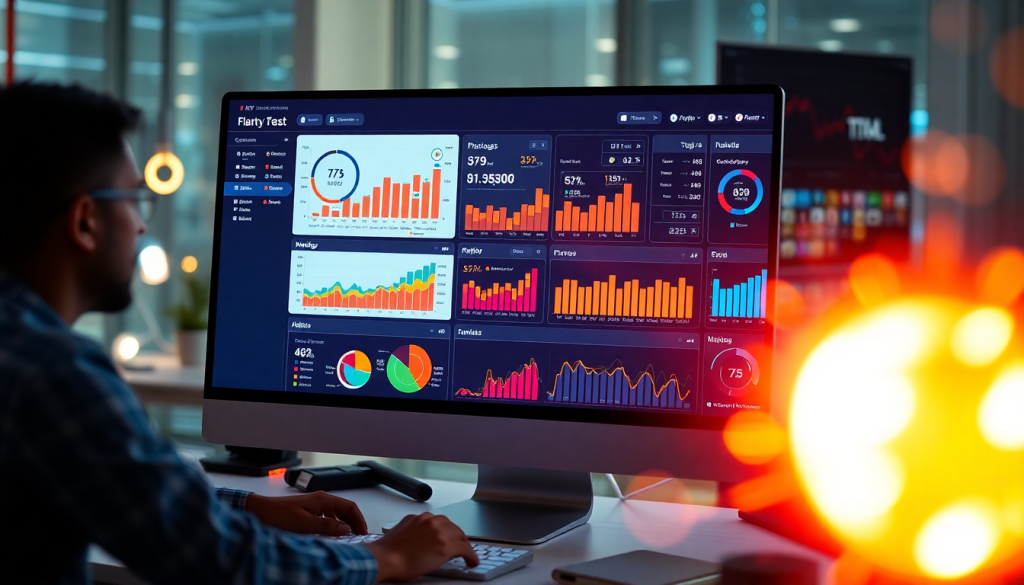
Digital Marketing KPI Dashboard: Metrics & Performance Insights
A digital marketing KPI dashboard isn’t just another reporting tool—it’s your command center for understanding, optimizing, and proving marketing’s impact. Modern dashboards go far beyond static spreadsheets, harnessing automated data integration, AI-powered insights, and interactive visualizations to help marketers track what matters most, faster. Whether you’re managing multi-channel campaigns or need to show ROI to clients and leadership, a well-designed dashboard turns raw data into actionable marketing intelligence. Here’s how to make sure yours delivers.
What Is a Digital Marketing KPI Dashboard?
A digital marketing KPI dashboard is a centralized, interactive platform designed to track, visualize, and analyze your most important marketing metrics—your key performance indicators (KPIs)—in real time. Unlike static reports or spreadsheets, these dashboards provide an always-on, dynamic view into campaign performance, allowing marketers, agencies, and brands to monitor progress, identify trends, and make data-driven decisions at a glance.
The primary purpose of a digital marketing KPI dashboard is to consolidate data from all your marketing channels—paid search, social, display, email, SEO, and more—into a single, unified view. This streamlines the process of measuring what matters most: from website traffic and ad spend to conversions, revenue, and return on ad spend (ROAS). With powerful visualization tools, dashboards turn raw data into intuitive charts, graphs, and summaries that can be easily understood by stakeholders at every level.
What sets modern dashboards apart from traditional static reports is their interactivity and real-time data integration. While static reports offer a snapshot in time, interactive dashboards automatically update as new data flows in, providing up-to-the-minute insights. Users can filter by channel, campaign, geography, or timeframe to drill down into the metrics that matter most to them.
Core features of an effective digital marketing KPI dashboard include:
- Real-time marketing metrics visualization: Instantly see performance trends and variances with customizable charts and graphs.
- Campaign KPI monitoring: Track progress against goals for each campaign, channel, or client.
- Cross-channel analytics: Blend and normalize data from multiple sources for a holistic view of marketing effectiveness.
- Automated reporting: Schedule and deliver tailored reports to teams and clients, reducing manual effort and accelerating insights.
To see how an advanced solution streamlines the process, check out how TapClicks automates dashboard reporting to boost efficiency and deliver actionable insights at scale. With the right dashboard in place, you transform marketing analytics from a chore into a strategic advantage.
Essential Metrics to Track on Your Dashboard
The foundation of any high-impact digital marketing KPI dashboard is the set of metrics it surfaces. Choosing the right KPIs—those that map directly to your campaign goals, business objectives, and client expectations—is crucial for actionable performance tracking. Here are the essential metrics every marketing dashboard should feature, along with tips for tailoring your setup to your unique needs.
1. Traffic Metrics
At the top of the funnel, tracking website sessions, users, and source breakdown (organic, paid, referral, direct) gives you a clear view of audience reach and channel effectiveness. These indicators help you identify where your marketing efforts are driving awareness and which sources yield the most engaged visitors.
2. Conversion Metrics
Conversions—whether form fills, purchases, demo signups, or downloads—are the heartbeat of ROI-driven marketing. Key KPIs here include total conversions, conversion rates, and assisted conversions. Monitoring these metrics allows you to spot high-performing campaigns and address bottlenecks quickly.
3. Cost Metrics: CPA and CPL
Cost per acquisition (CPA) and cost per lead (CPL) are vital for understanding efficiency. By tracking these KPIs, marketers can benchmark spend against results, identify wasted budget, and optimize channel allocation for improved cost-effectiveness.
4. Return on Ad Spend (ROAS) and Revenue Metrics
ROAS (return on ad spend) is a cornerstone metric for eCommerce and direct response campaigns, measuring revenue generated for every dollar spent. Pair this with overall revenue, average order value, and customer lifetime value (CLV) to paint a full picture of campaign profitability and long-term impact.
5. Engagement Metrics
Engagement KPIs—such as click-through rate (CTR), bounce rate, average session duration, and social interactions—help you gauge audience interest and content resonance. These metrics are especially important for brand awareness, content marketing, and community-building campaigns.
6. Custom KPIs for Your Goals
No two marketing strategies are identical. Custom metrics tailored to your business—like product-specific conversions, local store visits, or MQL/SQL rates—ensure your dashboard reflects what matters most. For example, brand marketers might prioritize share of voice and sentiment, while lead gen teams track pipeline velocity and sales-qualified leads.
7. Group Metrics by Channel or Campaign
For clarity and actionable insights, group your KPIs by marketing channel (search, social, email, display, etc.) or by specific campaigns. This approach not only makes multi-channel performance comparisons easier but also enables granular optimization—so you can double down where you’re winning and troubleshoot where you’re lagging.
A well-structured dashboard consolidates these metrics into a single view, empowering you to move from data to decisions seamlessly. For a deeper dive into how dashboard automation can streamline this process, explore how TapClicks automates dashboard reporting or visit TapClicks to see unified KPI tracking in action.
Benefits of Automated KPI Reporting
Automated KPI reporting is a game-changer for marketing teams and agencies aiming to maximize productivity and accuracy. By removing the tedium of manual data collection and report building, automation frees up valuable hours each month—often saving more than 50 hours per analyst. This not only reduces human error but also ensures that every report reflects the most current data, so you’re never making decisions based on outdated numbers.
Scheduled delivery is another major advantage. With automated dashboards, reports can be sent directly to internal teams or clients on a daily, weekly, or monthly cadence. This keeps all stakeholders aligned and informed—no more last-minute scrambles to pull data or compile presentations. Instead, your clients and leadership receive polished, consistent updates with the insights they need.
Perhaps most importantly, automated dashboards are always available and up to date. Whether you’re tracking campaign performance, budget pacing, or cross-channel KPIs, you can access the latest data in real time—empowering you to spot trends, respond to anomalies, and optimize on the fly. This level of responsiveness is impossible with static spreadsheets or manual processes.
To see how automation can transform your reporting efficiency, check out this in-depth look at automation for reporting efficiency. By streamlining the entire reporting lifecycle, platforms like TapClicks help marketers focus on strategy, insights, and growth instead of repetitive tasks.
Visualizing Marketing Metrics for Better Insights
A digital marketing KPI dashboard’s true power lies in its ability to transform complex data into clear, actionable insights through effective visualization. Rather than overwhelming marketers or clients with rows of raw numbers, the right visualizations—bar charts, line graphs, funnel diagrams, heat maps, and geo-mapping—bring trends and outliers into sharp focus. For instance, a funnel chart can instantly reveal conversion drop-off points, while a geo-map highlights regional campaign performance, enabling more precise targeting and budget allocation.
Customizable and interactive dashboards are essential for serving diverse stakeholders. Executives may want a high-level snapshot of ROI and spend by channel, while campaign managers need to drill down into week-over-week performance or compare A/B test results. By allowing users to filter, segment, and explore data in real time, dashboards empower everyone to answer their own questions—without waiting for a new report.
Visualization isn’t just about making data look attractive; it’s a strategic tool for faster, smarter decision-making. Interactive charts support both big-picture overviews and granular deep dives, helping teams spot opportunities, diagnose issues, and communicate results with clarity. When paired with automated data integration and reporting—like the dashboard solutions TapClicks automates for agencies and brands—marketing teams save time while ensuring that every insight is always up to date. In a world awash with data, effective visualization is the difference between noise and true marketing intelligence.
See Your Data Differently: How AI Supercharges Marketing Dashboards
Today’s digital marketing dashboards are no longer passive spreadsheets—they’re dynamic hubs of insight fueled by artificial intelligence. With AI at the core, your dashboards transform from simple reporting tools into proactive, decision-driving partners.
What Does AI Actually Do for Your Dashboard?
Let’s break down the top ways AI takes your dashboard to the next level:
1. Instantly Spot What Matters with Anomaly Detection
- Automatic scanning: AI continuously monitors for outliers, spikes, or sudden drops in metrics (like a sharp dip in conversions or a jump in cost-per-click).
- Real-time alerts: Get notified when something needs your attention—no more sifting through endless charts.
- Proactive troubleshooting: Address issues or opportunities as soon as they arise, saving hours of manual analysis.
2. Get Smarter with Automated Insights
Modern AI dashboards, like those in TapClicks, don’t just show you numbers—they explain them.
- Trend analysis: See patterns across campaigns, channels, or locations you might otherwise miss.
- Actionable recommendations: Receive tips, such as which creative is resonating with a key demographic or where shifting budget could boost ROAS.
- Cross-channel intelligence: Understand how every piece of your marketing mix works together.
3. Look Ahead with Predictive Analytics
AI doesn’t just describe the past—it predicts the future.
- Forecast KPIs: Anticipate next month’s leads, conversions, or spend with machine learning models.
- Budget optimization: Allocate resources more effectively based on historical and real-time data.
- Stay ahead of goals: Know if you’re on pace to hit quarterly or annual targets before it’s too late.
Make Insights Actionable with TapClicks
TapClicks takes AI-driven dashboards even further with tools designed to fit real marketing workflows:
| Feature | How It Helps You |
|---|---|
| SmartEmail | Delivers plain-language summaries and performance alerts straight to your inbox or stakeholders—no login required. |
| Custom AI Agents | Tailor ongoing analysis and recommendations to your specific KPIs, benchmark against industry standards, and receive personalized optimization tips. |
What’s Next? The Future of AI Dashboards
Looking ahead, expect even more:
- AI-powered benchmarking against industry or historical peers
- Deeper optimization recommendations for every campaign
- Cross-client learning to surface best practices across your portfolio
Ready to see how AI can turn your marketing dashboards into a true command center?
Check out what’s possible with TapClicks at www.tapclicks.com.
Making Sense of Modern Marketing: Why Cross-Channel Analytics Matters
Marketing today is anything but simple. Your audience might encounter your brand on Google, scroll past your ad on Instagram, open an email, see a display banner, or even walk into your store—all in a single day. To truly understand and optimize this complex journey, marketers need a clear, unified view of performance across every channel.
What Cross-Channel Analytics Dashboards Actually Do
Forget juggling dozens of browser tabs and spreadsheets. Cross-channel analytics dashboards bring everything together by:
-
Centralizing Data
Pulls in metrics from search, social, display, email, CRM, point-of-sale, and even offline campaigns. -
Normalizing Metrics
Aligns definitions, time frames, and KPIs so you can accurately compare performance across platforms. -
Blending Datasets
Lets you see relationships—like how a spike in paid social spend impacts branded search or if email promotions drive in-store visits.
Why It’s a Game-Changer for Marketers
A great cross-channel dashboard doesn’t just show you raw numbers—it empowers you to:
-
Spot Trends Instantly
View campaign health at a glance, then drill into specifics (by region, channel, product, or audience segment). -
Make Fast Decisions
React in real time, instead of waiting for siloed or outdated reports. -
Find What’s Really Working
Attribute conversions and engagement to the right mix of channels, not just the last click.
Example: Your Unified Dashboard Could Show…
| Channel | Key Metric | Result | Next Action |
|---|---|---|---|
| Paid Social | CTR | Up 15% | Increase budget |
| Search | Branded Search | Up after social | Align messaging |
| In-Store Visits | Up 22% | Double down on promo | |
| Display | Impressions | Flat | Re-allocate spend |
The TapClicks Approach: Automation & Insight at Scale
- Connects to 10,000+ data sources so you can blend and normalize data from everywhere.
- Automates dashboard creation and reporting to save hours of manual work.
- Delivers AI-powered insights that surface trends, recommendations, and optimization opportunities in real time.
See how TapClicks unlocks real-time marketing by automating data collection and insight delivery.
Bottom Line:
Unified cross-channel analytics is more than just a technical upgrade. It’s your path from scattered data to actionable intelligence—helping you optimize spend, eliminate blind spots, and drive better results at every marketing touchpoint.
Best Practices for Building and Using Performance Tracking Dashboards
Building a digital marketing KPI dashboard that truly drives results requires more than just plugging in data sources and picking a template. To unlock the dashboard’s full value, follow these best practices—from setup to continuous optimization:
Start with Stakeholder Input
Begin by gathering input from everyone who will use or benefit from the dashboard: marketing managers, analysts, sales teams, and clients. Identify their core objectives and reporting needs. This ensures your dashboard focuses on the metrics and visualizations that matter most, avoiding clutter or irrelevant data.
Select the Right Template and Customize
Choose a dashboard template designed for your primary marketing objectives—brand awareness, lead generation, ecommerce, or multi-location campaigns. Lean on templates to accelerate setup, but always tailor layouts, widgets, and messaging to your team’s specific KPIs and workflows. Customization is key to making dashboards actionable for each audience.
Automate Data Integration and Reporting
Manual data entry is error-prone and time-consuming. Use automated connectors to unify data from all channels and sources—search, social, display, email, and beyond. Automation not only saves hours each week but also ensures your dashboards always reflect the latest numbers. Explore how TapClicks automates dashboard reporting to streamline this process.
Enable Role-Based Access and Collaboration
Set up user permissions so stakeholders see only the data relevant to them—executives get high-level overviews, while channel managers dive deeper. Role-based access protects sensitive information and keeps each user focused on what matters most. Encourage collaboration by allowing comments and shared notes within the dashboard.
Schedule Regular Reviews and Share Insights
Don’t let dashboards become static. Establish a cadence for reviewing dashboards—weekly, monthly, or campaign-based—so teams can spot trends and respond quickly. Focus on sharing actionable insights, not just raw numbers: highlight what’s working, what needs attention, and recommended next steps.
Iterate and Improve Based on Feedback
Solicit feedback from dashboard users regularly. Are the visualizations clear? Are key metrics missing? Use this input to refine layouts, adjust data sources, and introduce new features as marketing strategies evolve. The most effective dashboards are living tools that adapt to changing needs.
By following these steps, you’ll ensure your performance tracking dashboards deliver real marketing intelligence—fueling smarter decisions, better collaboration, and continuous improvement. For a deeper dive into scalable, automated dashboard solutions, visit TapClicks.
Unlocking ROI and Next Steps
A well-constructed digital marketing KPI dashboard isn’t just a reporting convenience—it’s a powerful engine for ROI tracking and business growth. By consolidating your most important marketing metrics into a single, always-available platform, you gain the ability to measure performance, identify what drives results, and optimize spend with confidence. Automated dashboards empower marketers to move beyond gut instinct, grounding every decision in real-time data and AI-driven insights that spotlight opportunities and issues before they impact your bottom line.
Ready to see the benefits for yourself? Start by auditing your current reporting workflow: Where are manual processes slowing you down? Which data points are critical for your team’s success? Consider piloting a new dashboard tool or automating just one aspect of your reporting—like scheduled client updates or cross-channel campaign summaries—to experience instant time savings and improved accuracy.
If you’re looking for a scalable, AI-powered dashboard solution, explore how TapClicks can unify your data, automate your reporting, and deliver actionable insights at enterprise scale. Take the next step: schedule a personalized demo or download a sample dashboard template to see how streamlined performance tracking can unlock new levels of marketing ROI.
Start Automating Your Marketing Data Today!
No Credit Card Required.

