

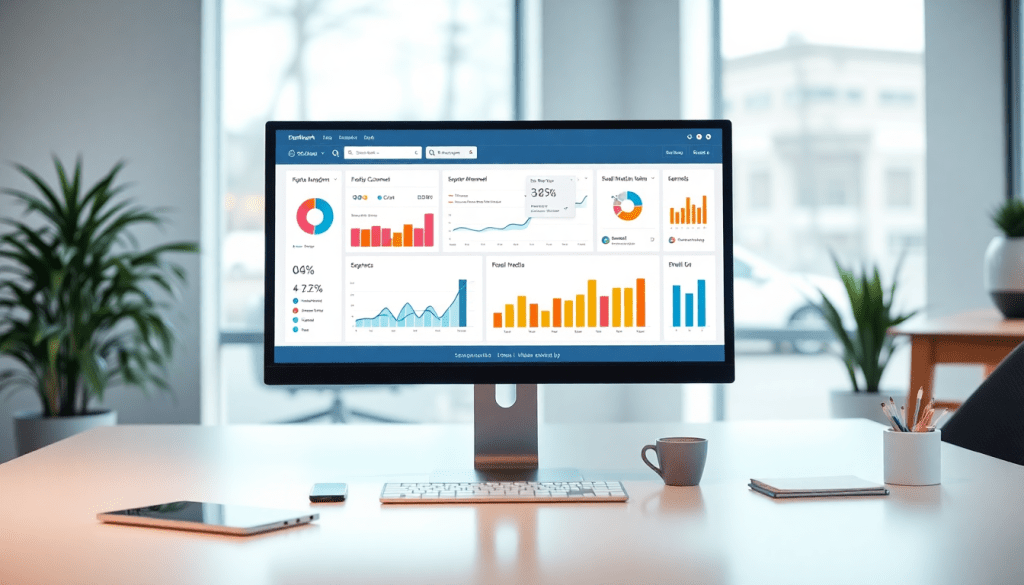
Digital Marketing KPI Dashboard: Metrics & Performance Insights
A digital marketing KPI dashboard turns streams of campaign data into clear, actionable insights. By centralizing metrics from every channel—search, social, email, display, and more—marketers gain real-time visibility into what’s working, what needs attention, and where to focus next. Whether you're looking to automate reporting, track ROI, or share results with stakeholders, the right dashboard brings clarity, speed, and strategic control to your marketing operations.
What is a Digital Marketing KPI Dashboard?
A digital marketing KPI dashboard is a centralized, interactive platform that aggregates and visualizes key performance indicators (KPIs) across all digital marketing channels. Its primary purpose is to provide real-time, actionable insights into campaign performance, allowing marketing teams to monitor progress against goals, identify opportunities, and make informed decisions quickly. Unlike static reports or traditional spreadsheets, which require manual updates and often lack context, a KPI dashboard offers dynamic, always-current views of data through customizable charts, graphs, and tables.
Typical users of digital marketing KPI dashboards include agencies managing multiple client campaigns, in-house marketing teams overseeing brand channels, executives tracking high-level ROI, and analysts drilling down into granular performance metrics. Each stakeholder benefits from tailored, role-based access—ensuring they see only the most relevant information for their responsibilities.
What sets dashboards apart is their ability to unify disparate data sources into a single source of truth, streamlining the reporting process and enabling users to spot trends, outliers, or issues at a glance. This interactivity and automation not only save time but also empower organizations to react to changes in campaign performance with agility.
For a deeper dive into the definition, value, and use cases of KPI dashboards in digital marketing, see "What is a Digital Marketing KPI Dashboard?". To explore how TapClicks solves these challenges at scale, visit TapClicks.
Key Metrics to Track in Your Marketing Dashboard
A winning marketing dashboard starts with the right mix of KPIs tailored to your business model and campaign goals. While every organization is unique, there are certain foundational metrics that almost every digital marketing team should measure.
The Must-Have Metrics for Every Dashboard
Here’s a quick breakdown of key performance indicators that should be front and center:
-
Impressions
- Measure overall reach by tracking how often your ads or content are displayed.
-
Clicks & Click-Through Rate (CTR)
- Gauge engagement by comparing the number of clicks to total impressions.
-
Cost Per Click (CPC)
- Understand advertising efficiency and budget allocation on a per-click basis.
-
Conversions & Conversion Rate
- See how well your campaigns are driving desired actions (purchases, sign-ups, downloads).
-
Cost Per Acquisition (CPA)
- Assess the cost to acquire each customer or lead.
-
Return on Investment (ROI) & Return on Ad Spend (ROAS)
- Quantify profitability by comparing revenue to spend.
-
Engagement Metrics
- Track likes, shares, comments, and video views to measure deeper audience interaction—especially on social media.
Match KPIs to Your Business Goals
The real impact of your dashboard comes from aligning metrics with your objectives. Consider:
| Business Type | Priority Metrics | Example KPIs |
|---|---|---|
| B2B SaaS | Lead quality & pipeline contribution | MQLs, SQLs, demo bookings |
| Retail/eCommerce | Online sales & average order value | Transactions, AOV, cart abandonment |
| Agencies (multi-client) | Client-specific goals | Custom KPI sets per client |
Tip: Map your KPIs directly to your goals so every data point drives actionable insight.
Make Dashboards Work for Every Stakeholder
Modern platforms like TapClicks let you:
- Build custom metric groupings for each team, client, or campaign
- White-label dashboards for clients
- Filter and view by region, product, or channel
This level of flexibility ensures every stakeholder—from the CMO to the account manager to the client—sees only the KPIs that matter to them, eliminating information overload.
Bringing It All Together
Choosing and organizing your KPIs is more than just a numbers game. It’s about empowering your teams to make smarter, faster decisions—at every level of the organization.
Ready to streamline your reporting and unlock the full value of your marketing data? With TapClicks, the metrics that matter are always at your fingertips.
Benefits of Marketing Metrics Visualization
Visualizing marketing metrics transforms raw numbers into stories that drive action. Instead of sifting through endless rows in a spreadsheet, marketers and stakeholders can quickly spot trends, outliers, and opportunities using charts, graphs, and heatmaps. These visual elements accelerate comprehension—helping teams answer questions like “Which channels are driving conversions?” or “Where is spend outperforming expectations?” in seconds, not hours.
Interactive dashboards take this a step further. Stakeholders can filter data by date range, campaign, or region, drilling into specifics without waiting for a new report. This real-time, hands-on exploration deepens understanding and fosters buy-in; decision-makers don’t just see results—they experience them, making it easier to align strategies and secure support for new initiatives.
Studies show that visual data is processed up to 60,000 times faster than text, which means that a well-designed dashboard can turn complex campaign performance into instant, actionable insight. For example, using color-coded heatmaps to identify top-performing ads or simple line graphs to track spend and ROI over time can highlight success and flag issues long before they become costly.
To see best practices and real-world examples of impactful marketing metrics visualization, explore "Visualize Metrics & ROI Fast". Whether you’re presenting to executives or empowering your team, effective visualization is the key to unlocking faster, smarter marketing decisions.
How to Monitor Campaign Performance Across Channels
One of the biggest challenges in digital marketing is that data lives in silos—search, social, display, and email platforms each produce their own sets of metrics, often in incompatible formats. This fragmentation makes it difficult to see the full picture of campaign performance. A unified dashboard solves this problem by bringing all your channels together, making it possible to track, compare, and optimize campaigns holistically rather than in isolation.
Cross-channel analytics dashboards allow marketers to view key performance indicators (KPIs) from every channel side by side. Instead of toggling between multiple platforms or piecing together spreadsheets, you get a single source of truth for impressions, clicks, conversions, spend, and ROI across your entire marketing mix. This comprehensive view not only saves time but also uncovers synergies, bottlenecks, and opportunities that might be missed when analyzing channels independently.
Setting up campaign KPI monitoring across channels can be streamlined into a few key steps:
- Connect All Data Sources: Use a platform like TapClicks to integrate data from advertising, social, email, and analytics tools. With pre-built connectors, you can automate data pulls and ensure nothing is missed.
- Define Core KPIs: Align on which metrics matter most for your goals—such as conversions, CPA, ROAS, or engagement—and make sure these are tracked consistently across channels.
- Create Custom Dashboards: Build views tailored to your needs: overall campaign health, channel-by-channel breakdowns, or specific client/brand performance. Leverage filters and widgets to enable drill-downs and comparisons.
- Automate Updates: Schedule regular data refreshes so you always have current numbers at your fingertips. This supports agile decision-making and rapid optimization.
- Monitor and Act: Use visual cues like heatmaps or alerts to quickly spot underperforming channels or high-impact wins. Make adjustments in real time, reallocating budget or tweaking strategy as needed.
With a unified, interactive dashboard in place, marketers gain the agility to monitor performance across every channel, spot trends, and optimize campaigns for maximum impact. For more on best practices and visualization strategies, check out "Visualize Metrics & Performance".
Automating KPI Reports for Time-Saving Insights
Manually building and distributing marketing performance reports is a common pain point for agencies, brands, and in-house teams alike. The process typically involves exporting data from multiple platforms, formatting spreadsheets, building presentations, and emailing stakeholders—often repeating this cycle weekly or monthly. This manual approach not only consumes valuable hours, but also increases the risk of human error, outdated information, and inconsistent branding in client deliverables.
Automated KPI reporting solves these headaches by streamlining the entire workflow. With a platform like TapClicks, marketing teams can connect all their data sources once, then automatically generate and distribute up-to-date reports on a set schedule. This automation eliminates repetitive busywork, cutting reporting time by 50 hours or more per analyst each month, and ensures everyone—from executives to clients—receives timely, error-free insights.
Advanced reporting platforms offer a range of features to maximize efficiency and flexibility. Scheduling options allow teams to deliver daily, weekly, or monthly reports without lifting a finger. Customizable templates and white-labeling empower agencies to tailor dashboards and reports to each client’s brand, ensuring a polished and professional presentation every time. For multi-location brands or growing agencies, these capabilities enable scalable, consistent reporting across dozens or hundreds of stakeholders, freeing up time to focus on strategy and campaign optimization.
How AI Supercharges Your Marketing Data Insight
AI isn’t just speeding up manual analysis—it’s transforming how agencies, brands, and media teams uncover what’s truly driving performance. Here’s how AI-powered dashboards like TapClicks take your marketing data to the next level:
What AI-Driven Dashboards Actually Do
Instead of spending hours sifting through spreadsheets, AI-powered dashboards:
- Automatically detect anomalies: Instantly flag unusual spikes or dips in your key metrics (CTR, spend, conversions).
- Highlight underperformers: Identify campaigns, channels, or segments that aren’t delivering.
- Forecast results: Use predictive analytics to estimate future performance, helping you tweak budgets or creative before it’s too late.
- Benchmark campaigns: Compare results across clients, locations, or channels to see what’s outperforming and why.
Plain-Language Insights, Delivered
AI doesn’t just crunch numbers—it translates them for you. Here’s how:
- Natural language summaries: AI agents break down complex analytics into simple, actionable takeaways anyone can understand.
- Automated insight emails: Features like TapClicks’ SmartEmail send curated insights directly to stakeholders—no need to log in or dig through dashboards.
- Tailored explanations: Whether you’re briefing a client, executive, or your own team, AI-generated summaries make it easy to communicate the “why” behind the numbers.
Granular Analysis—At Scale
AI isn’t just for big-picture trends. It digs deep:
- Smart grouping and scoring: Quickly sort campaigns by ROI, engagement, or other metrics—automatically.
- Actionable optimization tips: AI agents suggest exactly where to reallocate budget, pause wasteful campaigns, or test new creative.
- Continuous benchmarking: Monitor your performance against industry best practices or your own historical data.
Putting AI Insights into Action
Ready to put AI to work?
- Integrate your marketing data with TapClicks to get a single source of truth—no more siloed spreadsheets or platforms.
- Set up automated AI insights so your team and clients never miss a trend or opportunity.
- Use optimization recommendations to make proactive, data-driven decisions—before issues escalate.
Want to See It in Action?
Unified analytics, AI-powered insights, and automated reporting are all built into TapClicks.
Curious how it looks for your specific KPIs? Take a deeper dive into "Visualize Metrics & Performance".
Unlock the marketing operations advantage—let AI do the heavy lifting, so your team can focus on strategy.
Building Dashboards That Drive Results: What Really Works
A great digital marketing KPI dashboard is more than a collection of numbers—it's a strategic tool that enables your team to see what matters, act fast, and collaborate seamlessly. Here’s how to make your dashboards clear, interactive, and actionable for every user.
Make Navigation Effortless
-
Organize for Clarity:
- Group related metrics together (e.g., conversions, CPA, ROI).
- Use clear section headings and logical layouts.
- Apply consistent color schemes for easier scanning.
-
Show What Matters Most:
- Place core KPIs front and center.
- Relegate secondary or supporting metrics to tabs, dropdowns, or collapsible panels.
Let Users Customize Their View
-
Personalized Dashboards:
- Allow each user (executive, analyst, client) to:
- Select which metrics to view.
- Filter data by channel, campaign, or date range.
- Rearrange widgets as needed.
- Allow each user (executive, analyst, client) to:
-
Drill-Down Options:
- Click any metric to instantly explore by:
- Campaign
- Channel
- Time period
- Click any metric to instantly explore by:
Make Data Interactive—Not Just Informative
-
Dynamic Controls:
- Integrate dropdown filters and date selectors.
- Enable real-time data refresh.
-
Actionable Visuals:
- Use heatmaps, conditional formatting, or color-coded alerts to flag trends and outliers.
- Add hover-over tooltips for quick explanations.
Put Usability and Accessibility First
-
Accessible Everywhere:
- Ensure dashboards look great and function smoothly on desktop, tablet, and mobile.
- Follow accessibility best practices: strong color contrast, readable fonts, keyboard navigation.
-
Support All Users:
- Include contextual help:
- Hover definitions for metrics
- Inline notes or FAQs for complex concepts
- Include contextual help:
Foster Seamless Teamwork
-
Easy Sharing:
- Schedule automated email reports for stakeholders.
- Offer export options (PDF, CSV, image) for presentations or deep dives.
-
Role-Based Access:
- Control who sees which data—protect sensitive info, empower the right users.
Need Inspiration?
See real-world dashboard examples and tips here:
Visualize and Track Metrics
Next Steps: Put These Best Practices to Work
Ready to build interactive dashboards that drive faster, smarter decisions?
Explore TapClicks—the platform that makes scalable, customizable reporting simple for agencies, brands, and enterprise teams.
Measuring and Communicating ROI with Your Dashboard
A digital marketing KPI dashboard isn’t just a tool for tracking clicks and conversions—it’s your command center for measuring true return on investment (ROI) and communicating the value of your efforts to stakeholders. By unifying campaign spend, revenue, and performance data from every channel, dashboards allow marketers to tie activities directly to business outcomes.
Tracking ROI and Driving Optimization:
Effective dashboards aggregate cost and conversion metrics across search, social, email, and display, enabling you to calculate ROI and return on ad spend (ROAS) in real time. With customizable widgets and filters, you can easily spotlight which channels, campaigns, or creatives deliver the strongest returns—and which underperform. This empowers teams to quickly reallocate budgets, adjust targeting, or test new tactics, ensuring every dollar is working harder.
Presenting Results for Impact:
When it’s time to share results with leadership or clients, dashboards transform complex data into compelling visual stories. Use clear charts and summary scorecards to showcase ROI trends, budget utilization, and growth over time. Interactive dashboards let stakeholders drill down into specific campaigns or geographic regions, fostering transparency and trust. For agencies, white-labeled dashboards reinforce your brand while delivering professional, client-ready reports.
Continuous Improvement with Real-Time Insights:
The real power of a KPI dashboard lies in its ability to support ongoing optimization. Real-time alerts flag anomalies or opportunities as they arise—so teams can take action, not just react after the fact. Set up regular review cycles to analyze dashboard insights, adjusting strategies based on what’s working now. Over time, this cycle of measurement, communication, and adaptation drives stronger ROI and demonstrates marketing’s direct impact on business growth.
For marketers ready to take ROI reporting to the next level, leveraging a unified, automated platform like TapClicks ensures your dashboard remains a living tool for insight, action, and measurable results.
Start Automating Your Marketing Data Today!
No Credit Card Required.

