

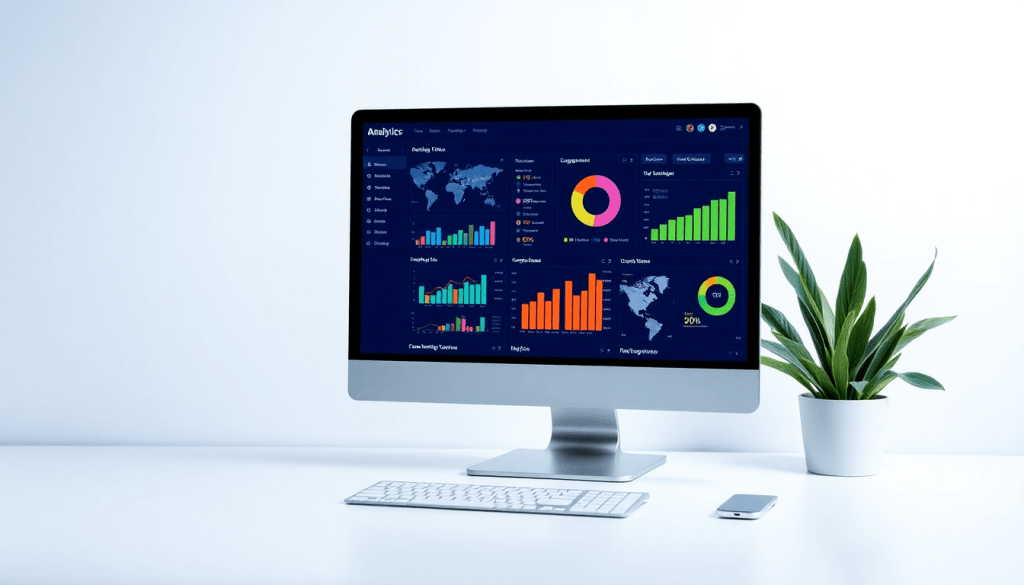
Digital Marketing KPI Dashboard: Metrics & Performance Insights
A digital marketing KPI dashboard is more than just a collection of charts—it's a centralized hub for real-time, actionable insights across all your campaigns and channels. With the right dashboard, marketers can visualize key metrics, monitor performance, and automate reporting, all while saving hours of manual work. From ROI tracking to cross-channel analytics, these dashboards enable smarter decisions and clearer communication with stakeholders. This guide explores the essential features, setup strategies, and best practices for building or choosing a digital marketing KPI dashboard that delivers true business value.
What is a Digital Marketing KPI Dashboard?
A digital marketing KPI dashboard is a centralized platform that consolidates and visualizes all your key performance indicators (KPIs) from various marketing channels in real time. Unlike static spreadsheets or isolated reports, these dashboards transform complex data streams into clear, actionable insights, empowering marketers to quickly assess performance, spot trends, and make data-driven decisions.
At its core, a digital marketing KPI dashboard pulls together metrics from sources like paid search, social media, email campaigns, organic traffic, and more—delivering a holistic view of marketing performance. Modern marketers rely on these dashboards to monitor ROI, optimize campaigns on the fly, and communicate results effectively to stakeholders.
Who uses these dashboards, and why?
- Agencies leverage KPI dashboards to manage reporting for dozens (or even hundreds) of clients, each with unique objectives and channel mixes. They need flexible dashboards that automate client-facing reports, enable cross-account comparisons, and streamline workflows—all while maintaining branding consistency.
- Brands, especially those with multiple locations or product lines, depend on dashboards to consolidate data across campaigns, track budget pacing, and ensure alignment with overarching business goals. A well-built dashboard helps brand marketers unify their data and spot opportunities or issues quickly.
- Enterprise Teams use dashboards as a marketing intelligence hub, often integrating them with BI tools, CRMs, or finance systems. Their needs are usually centered around data governance, scalability, and collaboration across departments and regions.
How are dashboards different from reports or analytics tools?
- Dashboards are real-time, interactive interfaces that visualize KPIs and trends at a glance. They are designed for ongoing monitoring and quick exploration, often featuring customizable widgets, filters, and drill-down capabilities.
- Reports are typically static or scheduled exports—summaries of performance over a period, formatted for sharing with clients or executives. While dashboards power instant insights, reports formalize those insights for record-keeping or presentations.
- Analytics tools encompass the broader suite of capabilities for deeper data exploration, modeling, and forecasting. While dashboards and reports present the “what,” analytics tools dig into the “why” and “what’s next.”
For teams looking to save time, reduce manual errors, and make smarter decisions, a digital marketing KPI dashboard—like those provided by TapClicks—serves as the foundation for truly modern, data-driven marketing operations.
Core Metrics to Track in Your Marketing Dashboard
The foundation of any effective digital marketing KPI dashboard lies in the metrics it tracks. By surfacing the right key performance indicators (KPIs), marketers can quickly spot what’s working, what’s not, and where to focus next. Let’s break down the essential metrics for common digital channels, organize them by funnel stage, and highlight why marketing metrics visualization is so critical for clarity and decision-making.
Channel-Specific KPIs
Paid Search (Google Ads, Bing Ads):
- Impressions and Clicks
- Click-Through Rate (CTR)
- Cost Per Click (CPC)
- Quality Score
- Conversion Rate
- Cost Per Acquisition (CPA)
- Return on Ad Spend (ROAS)
Social Media (Facebook, Instagram, LinkedIn, Twitter):
- Reach and Impressions
- Engagement Rate (likes, shares, comments)
- Follower Growth
- Clicks to Website
- Social Conversions
- Cost Per Engagement
Display Advertising:
- Impressions
- Viewability Rate
- Clicks and CTR
- Conversions
- Frequency
- Cost Per Thousand Impressions (CPM)
Email Marketing:
- Open Rate
- Click-Through Rate
- Unsubscribe Rate
- Bounce Rate
- Conversion Rate
- Revenue Per Email Sent
Organic Search (SEO):
- Organic Traffic
- Keyword Rankings
- Clicks and Impressions (from Google Search Console)
- Bounce Rate
- Goal Completions/Leads
- Share of Voice
Metrics by Funnel Stage
Organizing your KPIs by the marketing funnel ensures every stage of the customer journey is covered:
- Awareness: Impressions, Reach, New Users, Website Visits
- Engagement: CTR, Engagement Rate, Time on Site, Pages per Session, Social Shares
- Conversion: Conversion Rate, Leads Generated, Purchases, CPA, Form Submissions
- Retention: Repeat Purchases, Email Open Rate, Churn Rate, Customer Lifetime Value (CLV)
- ROI: ROAS, Marketing Spend vs. Revenue, Cost per Lead, Overall ROI
The Power of Visualization
While tracking these KPIs is essential, their true value emerges when they’re visualized in a clear, unified dashboard. Marketing metrics visualization transforms raw numbers into intuitive graphs, trend lines, and heat maps, making it easy to identify opportunities and threats at a glance. Visualization not only accelerates decision-making but also improves communication with stakeholders—whether you’re an agency reporting to clients, a brand marketer, or an executive team member.
A modern marketing dashboard platform like TapClicks enables you to blend cross-channel metrics, filter by funnel stage, and automate reporting, ensuring your teams focus on what matters most: driving growth and optimizing performance.
Benefits of Automated KPI Reports and Performance Tracking
In today’s fast-paced marketing environment, manual performance reporting is both time-consuming and prone to error. Automated KPI reports and performance tracking revolutionize this process, freeing marketers from repetitive data pulls and error-prone spreadsheets. By scheduling reports and enabling real-time updates, automation ensures that both internal teams and clients always have access to the latest campaign insights—without the need for last-minute, late-night data wrangling.
One of the primary advantages is the ability to deliver client-ready exports on a consistent schedule. Automated dashboards can generate polished, branded reports and distribute them via email or secure links, streamlining communication with stakeholders and clients. This means decision-makers are empowered with timely, accurate data, whether for weekly check-ins or monthly executive reviews.
Real-time automation also enables marketing teams to spot trends and anomalies as they happen. Instead of waiting for manual updates, teams can act on up-to-the-minute intelligence—optimizing creative, reallocating budgets, or responding to underperforming channels before they impact ROI. The result is a more agile, data-driven marketing operation.
Perhaps most importantly, automation significantly boosts team efficiency. Analysts and account managers can reclaim 50+ hours a month previously spent on manual reporting, redirecting that time toward strategy, creative work, and campaign optimization. As detailed in this guide to analytics reporting, automated performance tracking not only reduces human error but also enhances collaboration and transparency across teams. Modern platforms like TapClicks make it easy to set up these workflows at scale, ensuring that everyone from account execs to CMOs gets the insights they need—faster and with greater confidence.
Cross-Channel Analytics: Unifying Data for Deeper Insights
In today’s fragmented digital landscape, marketing leaders rarely rely on a single channel. Campaigns span paid search, social media, display, email, organic, and more—each generating its own set of metrics, often in siloed systems. Without a unified view, marketers face an uphill battle piecing together performance, making it difficult to answer critical questions like “Which channel drives the most qualified leads?” or “How does shifting budget impact overall ROI?”
Integrating data from all campaign sources is essential for accurate performance analysis. When data lives in silos, it leads to blind spots, duplicated efforts, and inconsistent reporting. Teams may struggle with manual data exports, mismatched metrics, or conflicting numbers, especially when managing campaigns across multiple platforms or clients. This lack of alignment not only slows down reporting but can also undermine trust with stakeholders who expect timely, consistent insights.
A cross-channel analytics dashboard solves these challenges by consolidating disparate data streams into a single, harmonized view. Platforms like TapClicks offer more than 10,000 marketing, advertising, and business data connectors, allowing marketers to automatically ingest, blend, and normalize datasets from virtually any source. The result? Teams can quickly identify what’s working across every touchpoint, optimize spend, and deliver comprehensive performance stories—without drowning in spreadsheets.
Automated data collection plays a pivotal role in real-time, unified reporting. As detailed in this overview of automated data collection, automation eliminates manual errors, accelerates reporting cycles, and ensures all stakeholders have access to the latest numbers. By embracing cross-channel analytics, marketing organizations empower themselves to make faster, data-driven decisions, improve campaign optimization, and clearly demonstrate impact across the entire marketing funnel.
Interactive Visualization: Turning Data into Actionable Insights
Interactive visualization sits at the heart of an impactful digital marketing KPI dashboard. Beyond static graphs, today’s best dashboards empower marketers with dynamic, hands-on features—enabling rapid exploration, deeper understanding, and immediate action.
Drag-and-drop widgets make it easy to build or tailor dashboards without technical skills. Marketers can quickly rearrange charts, add new metrics, or swap data sources, all in a user-friendly interface. This flexibility means your dashboard always reflects evolving priorities, campaign pivots, or stakeholder requests.
Filters and segmentation tools allow users to slice data by channel, region, audience segment, or any relevant dimension. Instead of sifting through multiple static reports, stakeholders can interactively drill down into campaign performance, compare time periods, or isolate results for specific products or locations. This hands-on approach turns dashboards into discovery platforms, not just reporting tools.
Interactive charts and visualizations—such as clickable trend lines, heat maps, and conversion funnels—help users spot anomalies, patterns, and opportunities at a glance. When stakeholders can hover for details or zoom into specific data points, they’re more likely to ask the right questions and make smarter decisions.
To maximize impact, customize dashboards for your audience. Executives may prefer high-level KPIs with simple visuals and quick summaries, while analysts or campaign managers benefit from granular charts and deeper interactivity. Many platforms, like TapClicks, allow you to create role-based views or share tailored dashboards externally, ensuring every stakeholder gets the insights most relevant to them.
Best practices for interactive visualization include:
- Limiting each dashboard to a focused set of metrics for clarity.
- Using color, size, and layout strategically to highlight key trends or outliers.
- Regularly reviewing dashboard design with end-users to ensure the experience matches their needs.
- Leveraging "marketing metrics visualization" to provide context and narrative alongside the numbers.
By harnessing interactive features and thoughtful design, your KPI dashboard becomes a living tool—guiding decisions, sparking conversations, and turning raw data into actionable marketing intelligence.
AI Marketing Dashboards: Smarter Analytics and Insights
Today’s digital marketing KPI dashboards are undergoing a transformation—powered by artificial intelligence (AI) that brings unprecedented intelligence and automation to performance analytics. Unlike traditional dashboards that passively visualize historical data, AI marketing dashboards actively interpret trends, detect anomalies, and offer predictive recommendations, helping marketers stay ahead of the curve.
AI-Powered Features for Next-Level Insights
Modern platforms incorporate AI-driven capabilities that elevate dashboards from static views to dynamic, decision-making engines. Features such as anomaly detection automatically flag unusual campaign activity or sudden dips in performance, allowing teams to respond quickly before small issues escalate. Automated recommendations surface optimization opportunities—such as reallocating budget to high-performing channels or adjusting creative strategies based on real-time engagement patterns.
Predictive analytics is another game-changer. By leveraging historical data, AI models can forecast future outcomes, from lead volumes to conversion rates, empowering marketers to make proactive adjustments. This shift from reactive to predictive marketing unlocks new levels of agility and confidence in campaign planning.
Deeper Insights, Proactive Decision-Making
AI doesn’t just make dashboards smarter—it makes teams more strategic. Instead of sifting through endless charts, marketers receive prioritized insights that spotlight what truly matters, streamlining analysis and decision-making. For example, AI-powered agents like TapClicks’ SmartPilot automatically analyze dashboards, surface actionable insights, and even deliver curated summaries via SmartEmail, so stakeholders are always informed without getting overwhelmed by data noise.
AI also democratizes analytics: with automated, plain-language explanations and recommendations, both technical and non-technical users can quickly grasp performance drivers and next steps. This fosters a more data-driven culture across agencies, brands, and enterprise teams.
Elevating Dashboard Value with AI Agents and Smart Reporting
The true promise of AI marketing dashboards lies in their ability to continuously learn and improve. Customizable AI agents can be tailored to monitor specific KPIs or audience segments, delivering timely alerts and optimization tips as campaigns evolve. Smart reporting tools synthesize vast datasets into concise, client-ready narratives, making results easy to share and act upon.
Ultimately, integrating AI into your KPI dashboard means less time crunching numbers and more time executing winning strategies—turning data into a true competitive advantage.
Setting Up and Optimizing Your Performance Tracking Dashboard
Creating a high-impact digital marketing KPI dashboard goes beyond simply connecting data sources and choosing a few charts. To deliver ongoing value, you need a clear setup strategy—one that aligns the dashboard’s design and functionality with your business goals and user needs. Here’s a step-by-step guide to getting started and optimizing your dashboard for maximum results.
1. Seamless Data Integration
Begin by consolidating data from all relevant marketing platforms—paid search, social, display, CRM, web analytics, and more. Unified data is foundational for meaningful analysis, so leverage robust connectors or ETL tools to automatically extract, transform, and load data into your dashboard. Platforms like TapClicks offer thousands of built-in connectors and automated data pipelines, ensuring your reporting is both comprehensive and always up to date.
2. Strategic KPI Selection
Not all metrics carry equal weight. Collaborate with stakeholders to identify which KPIs truly align with your marketing objectives and funnel stages—awareness, engagement, conversion, retention, and ROI. Tailor your dashboard to highlight these core metrics, making it easy to spot trends, issues, or opportunities at a glance. Remember, clarity and focus drive better decision-making.
3. Intuitive Dashboard Design
Effective dashboard design balances aesthetics with usability. Use drag-and-drop widgets, clear labeling, and logical grouping of information. Incorporate interactive features like filters or drill-down options to let users explore data by channel, time period, or audience segment. For more on visualization best practices, see this guide to marketing metrics visualization.
4. Role-Based User Access
Ensure that dashboard access reflects your organizational structure and data privacy requirements. Set up user roles—such as admins, analysts, clients, or executives—with tailored permissions and views. This ensures each stakeholder sees only what’s relevant to them, enhancing security and eliminating information overload.
5. Ongoing Optimization and Feedback
Dashboards are not “set and forget” tools. Regularly solicit feedback from users, monitor usage patterns, and adjust dashboards as your business goals evolve. Consider quarterly reviews to add new KPIs, sunset outdated metrics, or refine visualizations based on stakeholder input. Automation features, such as scheduled reporting or AI-driven insights, can further streamline optimization efforts.
6. Scaling for Growth
If you manage multiple clients, locations, or business units, choose a dashboard platform that supports scalable templates and centralized administration. This allows you to replicate best-practice dashboards across accounts, ensuring consistency while saving setup time. Platforms like TapClicks are purpose-built for high-volume reporting, making them ideal for agencies or enterprise teams.
By following these steps, you’ll create a performance tracking dashboard that not only delivers real-time insights but also adapts as your marketing operation grows—empowering your team to make smarter, data-driven decisions at every stage.
Measuring ROI and Demonstrating Marketing Value
A digital marketing KPI dashboard isn’t just a tool for tracking clicks and conversions—it’s your frontline asset for measuring ROI and proving the true impact of your marketing efforts. With a well-designed dashboard, you can move beyond siloed numbers to surface the insights that matter most to executives, clients, and business stakeholders.
Leverage Dashboards for ROI Tracking and KPI Monitoring
Modern dashboards allow you to unify spend, revenue, and performance data across every channel—paid search, social, display, email, and more. By aggregating these metrics in real time, you can:
- Track marketing ROI at-a-glance: See exactly how much revenue each campaign, channel, or tactic is contributing relative to spend.
- Monitor key KPIs: From cost per acquisition (CPA) to customer lifetime value (CLTV), a dashboard provides a living pulse on the metrics that drive your bottom line.
- Spot trends and opportunities: Rapidly identify which campaigns are over- or under-performing, enabling swift reallocation of budget for maximum return.
Visualize Impact for Executives and Clients
Data is most persuasive when it’s clear and tailored for the audience. With robust visualization tools, you can turn raw numbers into compelling stories:
- Outcome-focused dashboards: Highlight revenue, leads generated, and conversion rates using intuitive graphs and charts, making it easy for non-marketers to grasp performance at a glance.
- Custom views for stakeholders: Create executive summaries that prioritize high-level ROI, or drill down into granular channel analytics for marketing teams.
- Client-facing reports: Deliver branded, automated reports that demonstrate value, foster transparency, and build trust.
For example, using "marketing metrics visualization" ensures your results aren’t just accurate but also actionable and easy to interpret.
Reporting Strategies to Showcase Results and Drive Improvement
Consistent, strategic reporting is key to demonstrating ongoing marketing value:
- Automate regular updates: Scheduled, client-ready exports keep stakeholders informed without manual effort, ensuring everyone has access to the latest data.
- Incorporate benchmarks and goals: Contextualize performance by comparing actuals against targets and historical data.
- Highlight optimizations and learning: Use dashboard annotations to show not only what happened, but why—and how you’re adjusting strategy for continuous improvement.
Ultimately, a digital marketing KPI dashboard empowers you to prove ROI, justify budget, and steer future investments with confidence. To learn more about how you can drive marketing value at scale, visit TapClicks and discover the platform built for results-focused reporting and analytics.
Start Automating Your Marketing Data Today!
No Credit Card Required.

