

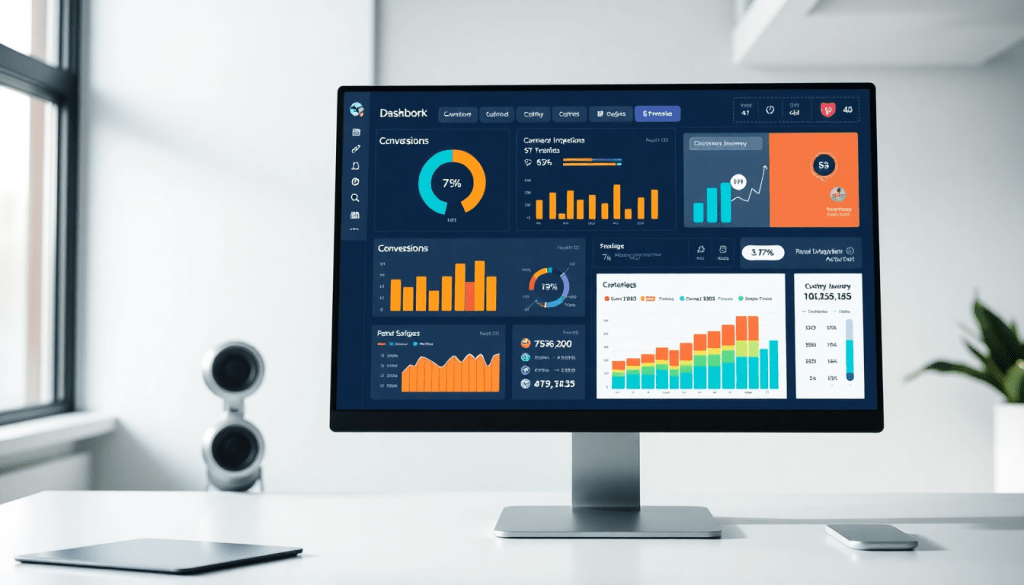
Digital Marketing KPI Dashboard: Boost Metrics Visualization
A digital marketing KPI dashboard brings clarity and control to your campaign data, making it easier to spot trends, act on insights, and demonstrate results. By centralizing key marketing metrics—like conversions, ROI, and channel performance—into a single, interactive platform, marketers and agencies can streamline reporting, monitor progress in real time, and automate the flow of information. Whether you’re managing a handful of campaigns or scaling across multiple brands and platforms, the right dashboard helps you move from data overload to actionable intelligence, ultimately boosting your marketing impact.
Why a Digital Marketing KPI Dashboard Matters
Modern marketing teams face a constant battle against data fragmentation and manual reporting. Campaign metrics are often scattered across numerous ad platforms, email tools, social networks, and analytics dashboards, making it difficult—and time-consuming—to piece together a complete performance picture. This data sprawl slows decision-making, increases the risk of errors, and leaves teams struggling to answer even basic questions about ROI or channel effectiveness.
A digital marketing KPI dashboard solves these challenges by centralizing key data streams into a single, unified view. Instead of jumping between spreadsheets and siloed platforms, marketers can instantly access real-time performance metrics for every campaign, channel, or client—consolidated in one place. This unified view enables faster, more accurate decision-making by highlighting trends, surfacing anomalies, and providing clear context for results.
Beyond just efficiency, dashboard-driven reporting transforms team alignment and campaign optimization. With shared, interactive dashboards, everyone from executives to account managers can track progress toward goals, identify bottlenecks, and collaborate on data-driven strategies. Automated dashboards update continuously, eliminating the need for manual data pulls and freeing up hours each week—time that can be reinvested in creative work or campaign analysis.
The benefits of dashboard automation are clear: as detailed in this guide, agencies and brands leveraging automated marketing dashboards report significant reductions in reporting overhead, improved client transparency, and a marked boost in campaign agility. In short, a digital marketing KPI dashboard isn’t just a reporting tool—it’s the foundation for smarter, faster, and more impactful marketing operations.
Essential Marketing Metrics to Track
Choosing the right KPIs for your digital marketing dashboard is crucial for measuring success and driving smart decisions. While every business is unique, there are universal metrics that underpin effective performance tracking:
- Impressions: The number of times your content or ad is displayed, key for brand awareness.
- Clicks: A direct indicator of engagement—how many users interacted with your campaign.
- Click-Through Rate (CTR): The ratio of clicks to impressions, revealing the effectiveness of your messaging and creative.
- Conversions: Actions that matter most to your business, such as purchases, form fills, or downloads.
- Cost-per-Acquisition (CPA): How much you spend to secure a conversion, vital for understanding efficiency.
- Return on Investment (ROI): The ultimate measure—how much value your campaigns generate relative to cost.
- Customer Lifetime Value (CLV): The projected revenue from a customer over their lifecycle, reflecting long-term impact.
Not all KPIs are created equal. For brand awareness campaigns, impressions and reach take center stage. When targeting engagement, focus on clicks, CTR, and social interactions. If your goal is revenue generation, prioritize conversions, CPA, and ROI.
Automated KPI reports ensure these metrics are always up to date, eliminating manual data pulls and enabling marketers to spot opportunities or concerns instantly. By harnessing automated, real-time dashboards, you gain continuous visibility into campaign health and can pivot quickly as results unfold. To dive deeper into how to streamline your metric tracking, explore these real-time KPI collection strategies.
Ultimately, a well-constructed KPI dashboard doesn’t just collect numbers—it connects them to your goals, empowering you to optimize every campaign with clarity and speed.
What Makes a Great Performance Tracking Dashboard?
Choosing the right dashboard can make or break your marketing operations. The best platforms do more than just visualize data—they empower your team to act quickly, scale effortlessly, and deliver value to clients and stakeholders.
Here’s what to keep top-of-mind when evaluating your next dashboard:
Effortless Customization
- Drag-and-Drop Controls
No coding required. Instantly rearrange widgets, build your own charts, and spotlight KPIs with a simple drag-and-drop interface. - Personalized Views
Let each user tailor dashboards to see the metrics that matter most to them.
Always-On, Real-Time Insights
- Live Data Feeds
Monitor campaigns as they happen. Real-time updates let you spot trends, outliers, or issues the moment they arise—no more waiting for end-of-week reports. - Rapid Response
Pivot strategies and troubleshoot with up-to-the-minute data.
Professional, Branded Reporting
- White-Labeling
Customize dashboards and reports with your agency or client branding. - Flexible Templates
Choose from ready-made or create your own. - Automated Scheduling
Set it and forget it—reports go out when and where you need them.
Unified Cross-Channel Analytics
- All Your Data, One Place
Combine search, social, display, email, and more into a single, holistic view. - Data Blending & Drill-Downs
Correlate metrics across channels and dig deep into campaign-level details.
Enterprise-Grade Scalability
| Need | Why It Matters |
|---|---|
| Handles thousands of users | Grows with your agency or brand |
| Multi-location support | Perfect for franchises or enterprise |
| High-frequency refresh | Keeps even the busiest teams current |
Secure, Collaborative Access
- Role-Based Permissions
Control who sees what—clients, execs, or ops teams only see relevant data. - Collaboration Tools
Annotate, assign tasks, and comment directly on dashboards for streamlined teamwork.
Hassle-Free Data Integration
- Extensive Connector Library
Quickly link dozens (or thousands) of data sources—no custom dev needed. - Automated ETL
Pull, clean, and combine your data automatically; spend less time prepping and more time analyzing.
Bringing It All Together
A dashboard with these capabilities transforms chaotic marketing data into actionable clarity.
Looking for a platform that does it all? TapClicks unifies data, reporting, and workflow—at scale—for agencies, brands, and enterprise teams.
Visualizing Marketing Metrics: Best Practices
Designing an effective marketing KPI dashboard isn’t just about cramming charts onto a screen—it’s about creating a visual narrative that drives action. Here’s how to ensure your dashboard empowers users, whether you’re reporting results to clients or optimizing campaigns in real time.
1. Prioritize Clarity and Hierarchy
Start with a clean, uncluttered layout. Position the most critical KPIs—such as conversions, ROI, or engagement rates—front and center, using larger elements or bold colors to guide attention. Group related metrics together and use whitespace strategically to avoid overwhelming viewers. Clear labeling and concise descriptions help users quickly grasp what each visualization represents, reducing confusion and misinterpretation.
2. Match Visualization Types to Data
Choosing the right chart can make or break your dashboard’s effectiveness.
- Bar charts are ideal for comparing discrete values, like campaign performance across channels.
- Trend lines excel at showing progress over time, helping teams spot growth or identify dips in engagement.
- Heatmaps visualize intensity, making it easy to highlight high-performing segments, landing pages, or time slots.
- Pie charts (used sparingly) can show proportional breakdowns, such as device or demographic splits.
The key is to select visualizations that make patterns and outliers obvious—never force-fit your data into a chart simply for the sake of variety.
3. Enable Interactive Exploration
Static reports have their place, but interactive dashboards unlock deeper insights. Features like filtering by date range, campaign, or channel let users drill down to specifics without leaving the dashboard environment. Hover-over tooltips, clickable segments, and dynamic sorting allow for instant, self-serve answers to follow-up questions. This interactivity not only empowers marketers to uncover trends faster but also supports more informed, data-driven decision-making.
By following these visualization best practices, you ensure your digital marketing KPI dashboard becomes an actionable command center—making it easier for teams to monitor progress, surface insights, and pivot strategies with confidence. For more on building dashboards that drive results, explore the capabilities of TapClicks’ unified marketing operations platform and see how intuitive design can supercharge your reporting.
AI and Automation: Transforming KPI Reporting
The true power of a modern digital marketing KPI dashboard emerges when artificial intelligence (AI) and automation are woven into the reporting process. Instead of spending hours sifting through spreadsheets or manually compiling campaign updates, marketers can now rely on AI-driven dashboard features to surface actionable insights in real time. These intelligent systems scan your campaign data, recognize emerging trends, and even flag underperforming tactics or unexpected opportunities—often before a human analyst would notice.
Automated KPI reporting takes the pain out of manual data pulls and repetitive report creation. With scheduling and distribution built in, dashboards can deliver up-to-date performance summaries straight to your team or clients’ inboxes, ensuring everyone is aligned and empowered to act quickly. This not only saves valuable time but also reduces the risk of human error and keeps stakeholders engaged with fresh, relevant insights.
The latest generation of marketing dashboards—like those offered by TapClicks—go beyond static metrics. Advanced AI capabilities can generate plain-language summaries, benchmark your performance against industry standards, and recommend optimization actions, all without any extra work from your analysts. As detailed in TapClicks’ guide to AI marketing data integration benefits, these innovations help agencies and brands move from reactive reporting to proactive decision-making, unlocking more value from every marketing dollar.
By embracing AI-powered dashboards and automated KPI reporting, marketing teams can accelerate their analytics workflow, focus on strategic actions, and ensure that insights are always just a click—or an automated email—away. For organizations ready to scale their operations and maximize the impact of their data, TapClicks offers a robust, unified platform designed to make AI and automation core to your marketing reporting strategy.
Cross-Channel Analytics and Campaign KPI Monitoring
In today’s fragmented marketing landscape, campaigns span paid, organic, and owned channels—each with its own data sources, metrics, and reporting quirks. Without a unified view, marketers risk missing the bigger picture: how channels interact, where performance gaps exist, and which tactics truly drive results. That’s where a cross-channel analytics dashboard becomes indispensable.
Consolidating Multi-Channel Data for Clarity
A performance dashboard that brings together data from search, social, email, programmatic, and web analytics eliminates the chaos of jumping between platforms. With all your KPIs—impressions, clicks, conversions, cost, and revenue—normalized in one place, you get apples-to-apples comparisons across channels and campaigns. This holistic approach uncovers trends that would otherwise go unnoticed, such as how paid search might be boosting branded organic traffic, or where social engagement is priming audiences for email conversions.
Revealing Hidden Opportunities with Cross-Channel Insights
True cross-channel analytics isn’t just about aggregation—it’s about synthesis. By layering performance data, marketers can spot attribution overlaps, identify underperforming touchpoints, and reallocate budget dynamically. For example, if a dashboard shows that your video ads are generating high engagement but low conversions, while retargeting campaigns are closing the loop, you might adjust spend to maximize ROI across the funnel.
Practical KPI Monitoring in Action
Consider an agency running a multi-location retail campaign. A robust dashboard might track store visits from Google Ads, organic reach from Instagram, and email coupon redemptions—all mapped to each location. With real-time campaign KPI monitoring, the team can quickly identify which markets respond best to which channels, spot anomalies (like a sudden drop in Facebook reach), and automate alerts for swift action.
Platforms like TapClicks make this level of cross-channel visibility scalable. With 10,000+ data connectors, automated KPI collection, and AI-driven insights, teams can monitor every campaign touchpoint from a single dashboard—empowering them to optimize performance, prove impact to clients, and stay ahead in a fast-moving digital ecosystem.
Maximizing ROI Tracking for Marketers
Tracking return on investment (ROI) is the cornerstone of proving—and improving—marketing effectiveness. Yet, with campaigns running across multiple platforms and channels, calculating true ROI can quickly become a complex, time-consuming task. A purpose-built digital marketing KPI dashboard changes the game by centralizing spend and performance data, automatically matching costs to outcomes, and providing instant clarity on where your dollars are working hardest.
Dashboards simplify ROI tracking by pulling in media spend and revenue data from all your sources—Google Ads, Facebook, programmatic, email, and more—into a unified view. This makes it easy to see, at a glance, which campaigns and channels are delivering the best value. Marketers can filter by date ranges, segments, or specific campaigns, tracking not just overall ROI but granular cost-per-acquisition, customer lifetime value, and even the impact of creative variations. By tying spend directly to conversions and revenue, dashboards reveal which optimization levers—like shifting budget, refining audiences, or pausing underperforming tactics—will drive the biggest impact.
This level of transparency is critical when justifying budgets to stakeholders. Automated digital campaign reporting ensures that up-to-date ROI metrics are always at your fingertips, ready for client meetings or executive reviews. Instead of spending hours gathering and reconciling data, marketers can focus on analysis and strategy—confident that their numbers are accurate and comprehensive. For an in-depth look at how unified dashboards streamline ROI measurement and support smarter budget decisions, explore the capabilities of TapClicks’ marketing operations platform.
Getting Started with Your Digital Marketing KPI Dashboard
Launching a digital marketing KPI dashboard can feel daunting, but a methodical approach will set you up for success—whether you’re building for your team or for agency clients. Here’s how to get started:
1. Define Your Objectives and Core KPIs
Begin by outlining your campaign goals and the key performance indicators that matter most. Are you looking to improve brand awareness, drive conversions, or maximize ROI? Select metrics that directly align with these goals—such as impressions and reach for awareness, click-through and conversion rates for engagement and acquisition, and customer lifetime value or cost-per-acquisition for revenue-focused campaigns.
2. Integrate and Centralize Your Data Sources
Next, connect all relevant marketing channels and data platforms. Using a marketing operations platform like TapClicks streamlines this process, allowing you to automatically import data from thousands of sources—search, social, email, display, and more—into a single dashboard. This eliminates manual data pulls and ensures you’re always working with up-to-date information.
3. Choose the Right Visualization and Layout
Design your dashboard for clarity and usability. Use charts, graphs, and tables that make trends and anomalies easy to spot. Prioritize a logical hierarchy: place the most critical KPIs front and center, and group related metrics together. Take advantage of features like drag-and-drop widgets, real-time updates, and customizable reports to tailor the dashboard to your team’s workflow.
4. Automate Reporting and Drive Adoption
Set up automated, scheduled reports to keep stakeholders in the loop—whether it’s weekly performance summaries or in-depth monthly reviews. Make the dashboard accessible to all relevant team members or clients, and offer onboarding or training sessions to encourage adoption. The more seamlessly the dashboard fits into daily operations, the more value it will provide.
5. Iterate, Refine, and Optimize
A dashboard isn’t set-it-and-forget-it. As your campaigns evolve, revisit your KPIs and visualizations to ensure they continue to reflect your top priorities. Solicit user feedback, monitor usage patterns, and take advantage of new features—like AI-powered insights or workflow automation—to further boost efficiency and impact.
By following these steps, you’ll not only launch a functional digital marketing KPI dashboard, but create a foundation for smarter, more agile decision-making. Start simple, focus on business-critical metrics, and build from there as your team’s needs grow.
Start Automating Your Marketing Data Today!
No Credit Card Required.

