

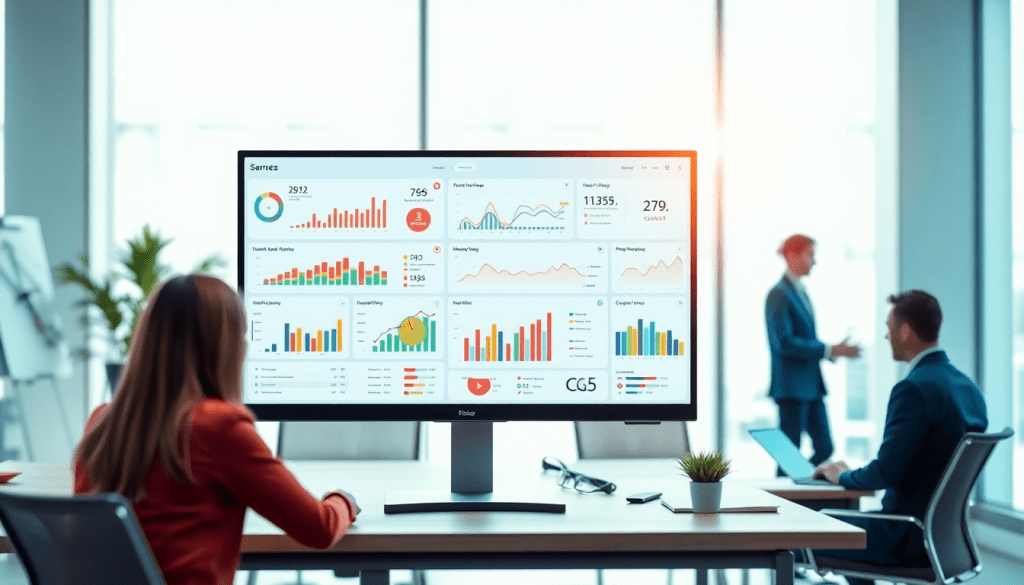
Automated KPI Reporting Dashboard: TapClicks AI Platform Guide
Tracking and communicating marketing performance doesn’t have to be tedious or time-consuming. With the TapClicks AI platform, agencies and marketing teams can automate KPI reporting, unify cross-channel analytics, and surface meaningful campaign insights—all in one place. This guide explores how TapClicks makes marketing analytics automation seamless, from rapid dashboard creation to AI-powered recommendations, empowering you to focus on strategy instead of manual reporting.
Why Automated KPI Reporting Matters for Modern Marketing
In today’s data-driven marketing landscape, the ability to deliver timely, accurate KPI reporting is more than just a best practice—it’s a critical competitive differentiator. Marketing teams, agencies, and enterprise organizations rely on key performance indicators to measure campaign effectiveness, justify budget allocations, and demonstrate value to stakeholders. However, traditional manual reporting methods are plagued by inefficiencies: analysts often spend countless hours pulling data from disparate sources, copying and pasting into spreadsheets, and reconciling errors. This not only drains valuable time and resources, but also increases the risk of inaccuracies and delays that can undermine strategic decision-making.
Manual reporting also amplifies the challenge of siloed data. With campaigns running across multiple platforms—social, search, programmatic, email—assembling a unified view of performance becomes a daunting, repetitive task. As marketing complexity increases, so does the potential for missed insights, reporting blind spots, and communication breakdowns between teams and clients.
That’s where automation comes in. Automated KPI reporting platforms like TapClicks eliminate the repetitive grunt work, instantly aggregating cross-channel data and presenting it in customizable dashboards. Marketers are freed up to focus on analysis, optimization, and strategic growth initiatives rather than data wrangling. For agencies, this means streamlined client reporting and the ability to scale efficiently. For brands and enterprises, it ensures leadership always has access to up-to-date, reliable marketing intelligence—empowering faster, more informed decisions.
The value of automation extends beyond time savings. It improves data accuracy, enhances transparency, and enables proactive communication of results. In fact, adopting dashboard automation can dramatically boost efficiency, as detailed in "How dashboard automation boosts agency reporting efficiency". By leveraging automated reporting, modern marketers can finally move beyond spreadsheets and manual processes to focus on what truly drives business growth.
Key Features of the TapClicks Automated KPI Reporting Dashboard
TapClicks stands out as a unified marketing operations platform designed to remove the hassle from KPI reporting and analytics, especially for agencies, brands, and enterprise teams managing complex, multi-channel campaigns. Here’s how its core features make automated KPI reporting seamless and actionable:
1. Automated Dashboard Creation
With TapClicks, you can build visually compelling, fully-branded dashboards in minutes—no coding required. The platform connects to over 10,000 marketing, advertising, and business data sources using built-in connectors and Smart Connectors, automatically aggregating and normalizing data from disparate platforms such as Google Ads, Facebook, LinkedIn, and more. This automation ensures your dashboards always reflect the most current campaign performance, eliminating tedious manual updates and reducing the risk of errors.
2. Cross-Channel KPI Tracking at Scale
TapClicks’ cross-channel analytics engine lets you blend and compare performance data across all your channels, locations, or clients within a single view. The system is built for scale, capable of handling thousands of dashboards and client reports simultaneously—making it ideal for agencies and enterprise teams that need to manage high reporting volumes without sacrificing granularity or speed.
3. AI-Powered Reporting and Campaign Insights
TapClicks’ AI reporting assistant, SmartPilot, automatically scans dashboards and datasets, surfacing key performance insights, trends, and optimization opportunities. It goes beyond static reporting by providing actionable recommendations and predictive analytics, helping teams proactively adjust campaigns and maximize ROI.
4. Role-Based Access and Client Empowerment
The platform offers granular, role-based access controls so teams can securely collaborate while clients or stakeholders access only the data relevant to them. This empowers agencies to provide real-time, self-serve analytics to clients—improving transparency and reducing the need for ad hoc reporting requests.
5. Unified Marketing Intelligence Automation
TapClicks ties together data integration, reporting, workflow, and insights in one consolidated platform. This unification streamlines operations, cuts reporting workloads by 50+ hours per analyst per month, and ensures that every client, stakeholder, or executive sees a consistent, up-to-date picture of marketing performance.
These features, combined with TapClicks’ reputation for ease of use and robust scalability, make it a standout solution for organizations seeking to automate and elevate their KPI reporting. To learn more about how TapClicks can unify your marketing intelligence and operations, visit TapClicks.
How AI Powers Reporting, Insights, and Campaign Optimization
At the heart of the TapClicks platform lies a suite of AI-driven features purpose-built to take the guesswork and manual labor out of KPI reporting. The AI engine, encompassing tools like SmartPilot, SmartEmail, and predictive modeling, transforms raw marketing data into actionable intelligence—empowering teams to make faster, smarter decisions and drive better outcomes for clients.
SmartPilot acts as your always-on analytics assistant, automatically scanning dashboards and campaign datasets to surface critical trends, anomalies, and optimization opportunities. For example, if your social ad spend is outperforming search campaigns in a specific region, SmartPilot not only detects the variance but also recommends rebalancing budgets—all without you having to sift through spreadsheets or run complex queries.
SmartEmail elevates communication by delivering AI-generated summaries and insight recaps directly to your inbox or your clients'. Instead of manually compiling performance reports, TapClicks automatically curates the most impactful metrics, highlights wins and underperformers, and provides context around campaign shifts. This ensures stakeholders stay informed and aligned, even when they're not logging into the dashboard.
TapClicks’ predictive models bring another layer of intelligence, going beyond historical reporting to forecast campaign outcomes, flag budget pacing issues, and suggest data-driven optimizations. For instance, if a campaign is projected to under-deliver on lead goals, the AI proactively alerts you and proposes tactical adjustments—enabling you to course-correct in real time and maximize ROI.
By automating insight discovery and campaign recommendations, TapClicks slashes the time analysts spend on data crunching and manual reporting. Teams can focus on strategy, creative, and growth, while clients get faster answers and more transparent value. This AI-powered approach to reporting and optimization is a key reason why agencies and brands trust TapClicks as their marketing operations platform—delivering not just data, but the intelligence to act on it.
Setting Up an Automated KPI Dashboard with TapClicks
Getting started with TapClicks’ automated KPI dashboard is a streamlined process designed for marketing teams, agencies, and enterprises that need actionable insights at scale. Here’s a step-by-step guide to launching your first automated dashboard and tailoring it for your unique reporting needs.
1. Connect Your Data Sources
Begin by linking all your marketing, advertising, and business platforms using TapClicks’ extensive library of 10,000+ pre-built connectors. Whether your data lives in Google Ads, Facebook, LinkedIn, email platforms, or offline sources, TapClicks’ Smart Connectors and TapData engine make integration fast and intuitive. Simply authenticate your accounts, and TapClicks will automatically extract and normalize the data—no manual exports or complicated setups required.
2. Select and Map Your KPIs
Once your data sources are connected, define the KPIs that matter most to your business or clients. TapClicks makes it easy to map metrics across channels—like impressions, conversions, spend, and ROI—while blending datasets for a unified view. With built-in enrichment tools, you can harmonize data from multiple sources, ensuring accurate cross-channel performance tracking and eliminating the headaches of matching naming conventions or formats.
3. Customize Your Dashboard Layouts
With your data unified, TapClicks’ drag-and-drop dashboard builder lets you design reports that fit your workflow and audience. Choose from a suite of visualization widgets—charts, tables, scorecards, and more—or start with a pre-built template tailored for common marketing objectives. Arrange widgets by channel, campaign, or KPI group, and apply custom branding to deliver professional, client-ready dashboards.
4. Tailor Analytics Automation for Every Audience
One of TapClicks’ strengths is its flexibility in presenting the right data to the right stakeholders. Use role-based access controls to create dashboard views for executives, account managers, or clients—each with tailored data visibility. Set up scheduled reporting or real-time dashboard access so every audience receives timely, relevant insights without manual intervention.
5. Best Practices and Advanced Tips
To maximize the impact of your dashboards, leverage TapClicks’ data blending features for holistic campaign analysis and refine your KPIs over time as objectives evolve. For step-by-step visual walkthroughs and advanced tips, explore "Boosting analytics reporting with TapClicks dashboard automation".
By following these steps, you can automate and elevate your KPI reporting—freeing your team to focus on strategy, client value, and performance optimization. To learn more about how TapClicks can streamline your marketing analytics and reporting, visit TapClicks.
Visualizing Marketing Data for Maximum Impact
Effective marketing data visualization transforms complex analytics into clear, compelling stories that drive action. In today’s fast-paced marketing environment, how you present data is just as crucial as the numbers themselves—decision-makers need to grasp performance insights at a glance, and clients expect visually engaging, branded reporting experiences.
Best Practices for Dashboard Design
Start by focusing on clarity and relevance: only showcase the metrics that matter most to your audience, whether that’s ROI, channel performance, or budget pacing. Use visual hierarchy—arrange KPIs by importance, leverage color to signal trends, and segment views for different roles (executives, campaign managers, or clients). Consistency in layout and branding also fosters trust and makes recurring reports easier to interpret over time.
TapClicks Visualization Tools in Action
TapClicks makes visualization seamless with intuitive drag-and-drop widgets that allow you to build custom dashboards in minutes. Choose from a wide range of chart types—bar, line, pie, tables, and more—to tailor the presentation to your stakeholders’ preferences. With TapClicks’ branded reporting studio, agencies and brands can white-label dashboards and reports, reinforcing their identity at every client touchpoint.
For campaign and ROI tracking, TapClicks offers ready-to-use dashboard templates that spotlight cross-channel performance, budget utilization, and conversion funnels. These templates are not only visually impactful but also fully customizable, ensuring your dashboards evolve with campaign priorities.
Driving Better Understanding and Faster Decision-Making
Clear, well-designed visuals aren’t just for show—they’re essential for surfacing insights quickly and enabling faster, smarter decisions. TapClicks empowers teams to move beyond static spreadsheets by unifying marketing intelligence in interactive dashboards. Stakeholders can drill down into specific metrics, compare performance across multiple channels or locations, and share insights with a click—all within a single platform.
Ultimately, compelling data visualization is what turns raw analytics into actionable intelligence. With the TapClicks platform, marketing teams can deliver dashboards that not only look great but also make a real impact on business outcomes.
Automating Client Reporting and Stakeholder Communication
Automating client reporting isn’t just about saving time—it’s about delivering consistent, transparent, and actionable information to every stakeholder, exactly when they need it. The TapClicks platform streamlines this process through a suite of features purpose-built for agencies, media companies, and marketing teams managing multiple clients or campaigns.
With TapClicks, you can schedule automated report delivery on a cadence that fits your clients’ needs—be it daily, weekly, or monthly. Branded dashboards and performance summaries are distributed automatically, ensuring stakeholders always have the latest insights without any manual intervention. This not only eliminates reporting bottlenecks but also keeps your team and your clients aligned on campaign performance.
TapClicks’ SmartEmail feature takes reporting automation a step further. Leveraging AI, SmartEmail scans campaign data and generates concise, insight-rich summaries that are automatically emailed to stakeholders. These AI-curated reports highlight wins, surface optimization opportunities, and flag anomalies—enabling proactive communication even before questions arise.
Role-based access is another cornerstone of TapClicks’ client reporting automation. Agencies and enterprise teams can grant clients secure, real-time access to their personalized dashboards. This empowers clients to explore results, dig into KPIs, and export reports directly—reducing back-and-forth requests and positioning your team as a transparent, data-driven partner.
By combining automated scheduling, AI-powered summaries, and customizable client access, TapClicks transforms client reporting from a manual chore into a scalable, proactive communication engine. To learn more about how these features can elevate your agency or marketing organization, visit TapClicks.
Real-Time Analytics, ROI Tracking, and Actionable Intelligence
In the fast-paced world of digital marketing, the ability to monitor campaigns in real time can mean the difference between capitalizing on an opportunity and missing it entirely. TapClicks is purpose-built to provide real-time analytics, empowering marketers to keep a finger on the pulse of every campaign as it unfolds. With live data streaming into unified dashboards, teams can track key performance indicators (KPIs) across channels and locations, instantly identifying shifts in campaign performance and budget pacing. This real-time visibility ensures you’re always ready to make informed decisions—whether it’s reallocating spend, pausing underperforming ads, or doubling down on what’s working.
Beyond moment-to-moment monitoring, TapClicks excels at ROI tracking, offering dedicated dashboards that surface return on investment at campaign, channel, or client levels. These dashboards automate the collection and normalization of spend, conversion, and revenue data, eliminating the need for tedious manual calculations. By consolidating financial and performance metrics, TapClicks enables marketing intelligence automation—so you can prove the value of your strategies and optimize for greater efficiency.
What truly sets TapClicks apart is its ability to transform raw data into actionable intelligence. AI-powered features such as SmartPilot and SmartEmail continuously analyze campaign data, surfacing insights and recommendations that drive tangible improvements. For example, if a campaign is under-delivering on conversions but over-consuming budget, TapClicks can flag this trend and suggest reallocation strategies in real time. Or, when a particular creative or channel is outperforming benchmarks, the platform highlights the opportunity for increased investment or expanded testing. These automated, actionable insights ensure that optimization is ongoing, not just a periodic review.
For more on how real-time analytics and AI tools can elevate your marketing dashboard automation, check out "Real-time analytics & AI tools for marketing dashboard automation".
With TapClicks, marketers don’t just see what’s happening—they understand why, and know exactly how to act. The result is smarter, faster, and more effective campaign management, all driven by the power of unified, real-time analytics and actionable intelligence.
Getting Started with TapClicks AI Platform
Launching your journey with TapClicks is straightforward, whether you’re an agency looking to streamline client reporting or an enterprise team seeking to unify marketing intelligence. Here’s how to get up and running quickly to maximize the value of automated KPI reporting:
1. Integrate Your Data Sources
Begin by connecting your marketing, advertising, and business platforms to TapClicks. With over 10,000 pre-built connectors—including Google Ads, Facebook, LinkedIn, and more—the platform ensures seamless integration of all your data. For custom needs, Smart Connectors allow you to pull in proprietary or niche datasets, ensuring a truly unified view.
2. Configure Your KPI Dashboards
Once your data flows into TapClicks, use the intuitive dashboard builder to select key performance indicators relevant to your goals. Whether you’re tracking campaign ROI, cross-channel engagement, or multi-location performance, TapClicks’ drag-and-drop widgets make it easy to visualize and customize layouts for different clients or internal stakeholders.
3. Tailor User Access and Collaboration
TapClicks supports role-based access, so you can control who sees what—empowering clients, sales teams, and analysts with the right level of visibility. Set up permissions, create branded reporting views, and enable collaboration across teams to streamline both internal workflows and client communication.
4. Leverage Training and Support Resources
TapClicks offers extensive resources to ensure a smooth onboarding experience. Access tutorials, help center articles, and webinars to get your teams up to speed. Dedicated customer success managers are on hand to provide strategic guidance, best practices, and troubleshooting support as you ramp up.
5. Automate, Analyze, and Optimize
With your dashboards operational, take advantage of AI-powered features like SmartPilot and SmartEmail to automate report delivery, surface actionable insights, and receive campaign optimization recommendations. Schedule automated reports, set up real-time alerts, and use predictive analytics to stay ahead of performance trends.
Explore TapClicks as Your Marketing Operations Hub
Ready to transform your reporting and analytics workflow? Discover how TapClicks can become the foundation for scalable, automated marketing intelligence. Visit the TapClicks website to explore platform demos, case studies, and resources to get started today.
Start Automating Your Marketing Data Today!
No Credit Card Required.

