

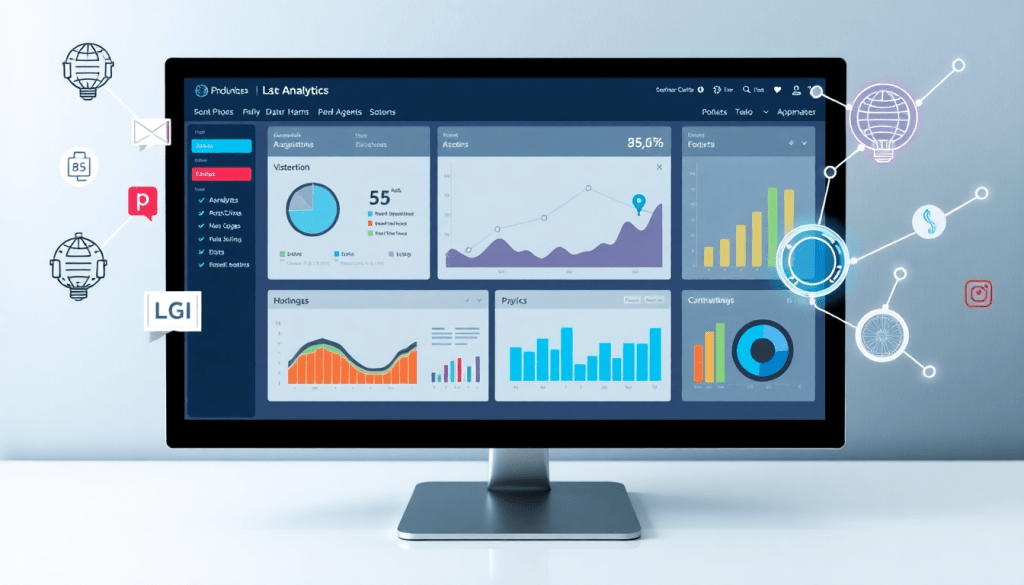
Automated KPI Reporting Dashboard: Smarter Analytics with TapClicks
Marketing teams and agencies are under increasing pressure to prove results, optimize campaigns, and deliver actionable reports—all without drowning in manual busywork. An automated KPI reporting dashboard powered by TapClicks transforms how you handle analytics, reporting, and cross-channel performance tracking. By unifying marketing data, automating visualization, and delivering AI-driven insights, TapClicks helps you focus on strategy and client value instead of spreadsheets. This guide explores how TapClicks elevates marketing analytics automation and why it’s the smarter choice for scalable, intelligent reporting.
Why Automated KPI Reporting Matters in Modern Marketing
Traditional, manual approaches to KPI reporting are holding marketing teams back. Gathering data from multiple ad platforms, spreadsheets, and analytics tools is not only tedious—it’s error-prone and time-consuming. Analysts often spend hours just collecting, cleaning, and normalizing information before they can even begin building a report. By the time a manual dashboard is assembled, the data may already be outdated, and valuable opportunities for optimization could be lost.
This inefficiency doesn’t just waste time; it impacts accuracy and decision-making. Manual processes increase the risk of data entry mistakes or missed updates, which can erode client trust and make performance reviews less reliable. As agencies and marketing departments juggle more channels, clients, and campaigns, the sheer volume of reporting work can overwhelm teams and slow down critical business decisions.
Automating KPI reporting fundamentally changes this equation. With an automated dashboard, data collection is streamlined—connections to advertising, CRM, and analytics platforms pull fresh numbers automatically, eliminating repetitive busywork and reducing human error. Reporting cycles shrink from days to hours (or even minutes), enabling teams to deliver insights faster and more frequently. This speed doesn’t just impress clients; it empowers managers to make timely optimizations, react to campaign trends, and seize new opportunities as they arise.
The benefits go beyond efficiency. Automation fuels productivity by freeing up analysts and account managers to focus on strategy, storytelling, and client value. As highlighted in this guide on boosting agency reporting efficiency with automation, agencies leveraging automated dashboards saw significant reductions in manual effort—sometimes saving over 50 hours per analyst each month. Faster, more accurate reporting drives higher client satisfaction, delivers a competitive edge, and ensures your team is always working with the latest, most actionable data.
In today’s data-driven marketing landscape, automated KPI reporting isn’t just a convenience—it’s a strategic necessity. With platforms like TapClicks, marketers can unify their data, accelerate performance reviews, and focus on delivering results, not wrangling spreadsheets.
Key Features of TapClicks’ Automated KPI Reporting Dashboard
TapClicks’ automated KPI reporting dashboard is engineered to give marketing agencies, media companies, and enterprise teams a decisive edge in campaign analytics and client reporting. Here’s how TapClicks’ core features set a new standard for marketing intelligence automation:
Automated Dashboard Creation
TapClicks streamlines dashboard setup with intuitive, drag-and-drop tools that turn complex performance data into clear, visually compelling reports—no coding required. Automated templates can be customized to fit campaign goals, verticals, or client branding, enabling rapid dashboard deployment for hundreds of clients or locations at once.
AI Reporting Assistant
With TapClicks’ built-in AI reporting assistant, data analysis becomes proactive and actionable. The platform’s AI Agents continuously monitor campaign datasets, surfacing performance shifts, optimization opportunities, and key trends. This means your team spends less time hunting for insights and more time acting on them.
Robust Data Connectors
A standout feature of TapClicks is its extensive library of over 10,000 marketing, advertising, and business data connectors. Whether you’re pulling in data from Google Ads, Facebook, LinkedIn, programmatic platforms, or offline sources, TapClicks ensures every channel is represented. Smart Connectors handle custom data sources with ease, so even the most complex reporting ecosystems are unified within a single dashboard.
Customizable Widgets & Visualization
Every TapClicks dashboard is built for flexibility. Customizable widgets allow you to display KPIs, trends, and benchmarks exactly as your clients or stakeholders expect. Visualize budgets, conversions, click-through rates, and more—tailored for specific campaigns, locations, or lines of business.
Cross-Channel Performance Tracking
TapClicks natively supports cross-channel analytics, letting you compare and track performance across digital, social, search, traditional media, and more in real time. ROI dashboards consolidate spend, results, and attribution metrics, giving both high-level and granular views of what’s working and where to optimize.
Marketing Intelligence Automation
Beyond visualization, TapClicks automates the delivery of marketing intelligence. Automated, scheduled reporting (including branded exports and email delivery) ensures stakeholders receive the right insights at the right time—without manual intervention. AI-powered insights highlight anomalies and campaign performance drivers, so decision-makers can respond faster and more strategically.
By combining these features, TapClicks empowers marketers to automate tedious reporting tasks, unlock campaign performance insights, and scale their analytics operations with confidence. To see these capabilities in action, visit the TapClicks website.
AI Reporting Assistant: Turning Data Into Real-World Action, Instantly
Say goodbye to endless spreadsheets and static dashboards. With the TapClicks AI reporting assistant, marketing teams can finally unlock the true power of their data—without the manual effort.
What Makes TapClicks’ AI Reporting Different?
- Instant Analysis: AI-powered agents automatically scan your campaign data for trends and opportunities.
- Actionable Insights: No more guesswork—AI highlights what’s working, what’s not, and what to do next.
- Real-Time Alerts: Get notified when anomalies or sudden shifts occur (e.g., a surge in paid social performance or a dip in conversions by location).
TapInsights: Your Always-On Analytics Engine
TapInsights, TapClicks’ proprietary AI engine, is at the heart of this transformation. Here’s what it does for you:
- Continuous Monitoring: Scans dashboards 24/7, detecting patterns across channels, KPIs, and campaigns.
- Automated Flagging: Instantly calls out:
- Outperforming or underperforming channels
- Regional or demographic shifts
- Budget pacing issues
- Smart Recommendations: Prioritizes next steps like:
- Reallocating budget to high-performing campaigns
- Adjusting creative or messaging
- Benchmarking against industry averages
SmartEmail: Insights Delivered to Your Inbox
Keep your teams and clients aligned—without the extra work.
| Feature | What it Does | Who Benefits |
|---|---|---|
| Smart Summaries | Generates clear, concise reports—no jargon or noise. | Internal teams, execs |
| Automated Delivery | Sends insights straight to your email (or client’s). | Agencies, brands |
| Rapid Decisions | Ensures everyone stays informed and can act fast. | All stakeholders |
Why It Matters for Agencies & Brands
- Scale effortlessly: Manage insights for hundreds of accounts without manual reporting.
- Stay proactive: Address issues before they impact results.
- Focus on strategy: Let AI handle the data crunching, so your team can focus on creative and strategic work.
Ready to see how TapClicks can transform your analytics workflow? Learn more at TapClicks.
Seamless Marketing Data Integration and Visualization
A major roadblock for marketing organizations is wrangling data from dozens—or even hundreds—of disparate sources. TapClicks solves this with a truly seamless approach to data integration, offering access to over 10,000 pre-built connectors across advertising, social, analytics, CRM, and business platforms. Whether you’re pulling in data from Google Ads, Facebook, programmatic platforms, or niche industry tools, TapClicks’ Smart Connectors make it easy to unify all your marketing data streams with minimal manual effort.
The automated ETL/ELT pipelines in TapClicks extract, transform, and load your data into a single environment—no code or technical heavy lifting required. This automation ensures your dashboards are always fed with up-to-date, normalized, and enriched data, ready for cross-channel analysis and reporting. Agencies handling multi-client portfolios, as well as brands with multiple locations or business units, benefit from this unified data foundation, eliminating hours of spreadsheet work and data reconciliation.
Once your data is integrated, TapClicks unlocks powerful marketing data visualization capabilities. The platform’s drag-and-drop dashboard builder allows you to create real-time views of KPIs, trends, and campaign performance tailored to each client or business unit. Customizable widgets, cross-channel attribution modeling, and geo-mapping tools help you quickly surface the insights that matter most.
By bringing together robust data integration and intuitive visualization, TapClicks empowers agencies and brands to deliver smarter, faster analytics—turning complex marketing data into clear, actionable stories. Explore more about the industry benefits of seamless data integration with TapClicks here or visit TapClicks to see how unified data can transform your reporting workflows.
Customization and Scalability for Agencies & Enterprise Teams
As marketing organizations grow, so does the complexity of their analytics and reporting needs. TapClicks is purpose-built to help agencies, media companies, and enterprise brands seamlessly manage multi-client, multi-location, and multi-channel analytics—no matter the scale. Whether you’re onboarding hundreds of clients or tracking campaigns across dozens of regions, TapClicks provides the flexibility and control required for high-volume operations.
One of TapClicks’ standout strengths is its highly customizable dashboards. Teams can tailor visualizations, KPIs, and reports to match the unique needs of each client or business unit, ensuring that every stakeholder sees only the data that matters most to them. Drag-and-drop widgets make it easy to create branded, white-labeled dashboards that reinforce your agency’s value while providing clients with a polished, self-serve analytics experience.
Role-based access controls add another layer of security and efficiency. Agencies and enterprise teams can grant granular permissions—so sales, ops, clients, and executives each see the right information, without risking data exposure or confusion. This is particularly vital for organizations managing sensitive data or serving diverse client portfolios.
With TapClicks, reporting at scale becomes not just possible, but painless. From automated dashboard creation to streamlined multi-location analytics, TapClicks helps organizations accelerate delivery and maintain consistency across all accounts. As highlighted in this guide on how dashboard automation boosts analytics and reporting at scale, automation enables teams to eliminate repetitive manual tasks, minimize errors, and respond faster to client and business needs.
Ultimately, TapClicks empowers marketing organizations to grow without outgrowing their reporting infrastructure. Its combination of customization, white-labeling, and enterprise-grade scalability ensures that every agency or brand—regardless of size—can deliver analytics and insights that drive results. To see how TapClicks can transform your marketing operations, visit TapClicks.
ROI Tracking and Performance Optimization in Real Time
TapClicks empowers marketing teams to move beyond static, after-the-fact reporting by providing robust, real-time ROI tracking across every channel and campaign. With TapClicks, all your marketing spend and performance data are unified into a single, always-on dashboard—no more manual data pulls or spreadsheet wrangling. This enables you to monitor key metrics like cost per acquisition, return on ad spend, and channel-specific ROI as campaigns unfold, ensuring that you’re always in tune with what’s working and where to pivot.
The platform’s predictive analytics and budget pacing tools take optimization a step further. TapClicks applies advanced algorithms to historical and real-time data, forecasting campaign trajectories and alerting you to potential over- or under-spending before it impacts results. These predictive models help marketers strategically allocate budgets, maximize efficiency, and course-correct in-flight campaigns for the strongest possible return.
What truly sets TapClicks apart is the ability to act on insights instantly. Real-time dashboards provide a dynamic view of performance, highlighting opportunities and anomalies the moment they arise. Teams can adjust creative, reallocate budget, or pause underperforming campaigns in just a few clicks—all backed by data that’s refreshed automatically. This agility translates directly to better performance, happier clients, and a measurable impact on the bottom line.
To learn more about how TapClicks unifies ROI tracking and performance optimization for forward-thinking marketers, see this detailed overview of TapClicks data integration and industry benefits.
How TapClicks Stands Apart from Other Reporting Solutions
In a crowded landscape of marketing analytics tools, TapClicks distinguishes itself through its unified, scalable approach—delivering far more than just data pipelines or simple dashboards. While many competitors like Funnel.io and Supermetrics focus primarily on data aggregation, and others such as Agency Analytics or NinjaCat cater to lighter, single-purpose reporting needs, TapClicks brings together the best of all worlds: comprehensive automation, deep AI insights, and robust workflow management.
Unified Platform, Not Patchwork Solutions
Whereas alternatives often require stitching together multiple tools for data integration, visualization, and workflow, TapClicks operates as a true "marketing OS." Its 10,000+ data connectors, automated ETL/ELT pipelines, and drag-and-drop dashboards mean you can seamlessly unify campaign data across every channel, client, or location—eliminating data silos and manual rework.
AI Insights That Drive Action—Not Just Dashboards
Unlike competitors that stop at visualizing metrics, TapClicks leverages AI-powered agents and SmartEmail summaries to turn raw numbers into actionable recommendations. Its AI doesn’t just highlight what happened; it surfaces trends, flags anomalies, and suggests optimizations, empowering marketing teams to make smarter, faster decisions.
Enterprise-Scale Flexibility
TapClicks is purpose-built for agencies and enterprise teams managing hundreds (or thousands) of dashboards and clients. Features like customizable white-label dashboards, role-based access, and collaboration tools support both granular control and large-scale deployment—capabilities often missing from lighter reporting platforms.
Workflow and Order Management—A True Marketing Operations Hub
Beyond reporting, TapClicks incorporates workflow automation and order management. This end-to-end functionality streamlines everything from campaign intake and approvals to performance tracking and client communication, reducing friction between sales, ops, and fulfillment teams.
Strategic Advantages and Time Savings
By automating data pulls, report generation, and insight delivery, TapClicks routinely saves analysts and account managers 50+ hours per month. This efficiency not only reduces costs but also frees teams to focus on strategic growth, client relationships, and higher-value initiatives.
For marketing organizations seeking a smarter, more scalable approach to analytics and reporting, TapClicks stands alone in unifying data, insights, and workflow—delivering both the intelligence and operational agility needed to stay ahead of the curve.
Getting Started: Tips for Setting Up Automated KPI Dashboards
Launching your first automated KPI reporting dashboard with TapClicks is easier than you might think—especially when you follow a few proven steps to maximize value from day one. Here’s a practical blueprint for getting up and running, designing dashboards that wow stakeholders, and setting the stage for continuous optimization.
1. Define Your KPIs and Reporting Goals Upfront
Start by identifying the most impactful metrics for your business or clients. Collaborate with stakeholders to align on which KPIs truly matter—whether it’s lead generation, ROAS, cost per acquisition, or multi-channel attribution. Clear goals ensure your dashboards deliver actionable insights rather than just data noise.
2. Connect Your Marketing Data Sources
With TapClicks’ library of over 10,000 data connectors (including Google Ads, Facebook, programmatic, CRM, and more), bring all your marketing data into one centralized hub. Use Smart Connectors to handle custom or niche sources. The automated ETL/ELT pipeline takes care of data extraction, transformation, and loading, ensuring every dashboard pulls from unified, normalized datasets.
3. Build and Customize Your Dashboards
Leverage TapClicks’ drag-and-drop dashboard builder to create custom views tailored to each client, campaign, or location. Add widgets for charts, tables, and performance summaries. Use white-labeling to brand dashboards for your agency or clients. For agencies managing high volumes, role-based access ensures each team or client sees only what’s relevant to them.
4. Automate Reporting and Scheduling
Set up automated report delivery—daily, weekly, or monthly—using TapClicks’ scheduling tools. This not only saves hours of manual work but also keeps everyone in the loop with up-to-date insights. For client-facing communication, enable SmartEmail to automatically generate and send AI-driven summaries of key results and trends.
5. Optimize Dashboard Design for Clarity
Follow best practices in dashboard design:
- Prioritize clarity and simplicity by highlighting the most important KPIs.
- Use visual hierarchy (placement, color, size) to draw attention to trends or anomalies.
- Avoid clutter—group related metrics and use filters for deeper dives.
6. Leverage AI Insights and Recommendations
TapClicks’ AI agents (like SmartPilot) analyze dashboard data in real time, surfacing campaign opportunities, anomalies, and optimization ideas. Regularly review these insights to spot trends or issues that manual analysis might miss. Incorporate AI-driven recommendations into your regular reporting cadence for proactive strategy adjustments.
7. Iterate and Improve
Dashboards shouldn’t be static. Solicit feedback from users and clients to refine visualizations, add new KPIs, or adjust reporting frequency as needs evolve. Continually leverage TapClicks’ AI insights to identify areas for further optimization and deeper analysis.
With these steps, you’ll not only launch dashboards that deliver immediate value but also lay the groundwork for smarter, scalable reporting as your needs grow. Ready to see how automated KPI dashboards can transform your marketing analytics? Explore TapClicks and discover the power of unified, intelligent reporting at scale.
Start Automating Your Marketing Data Today!
No Credit Card Required.

