

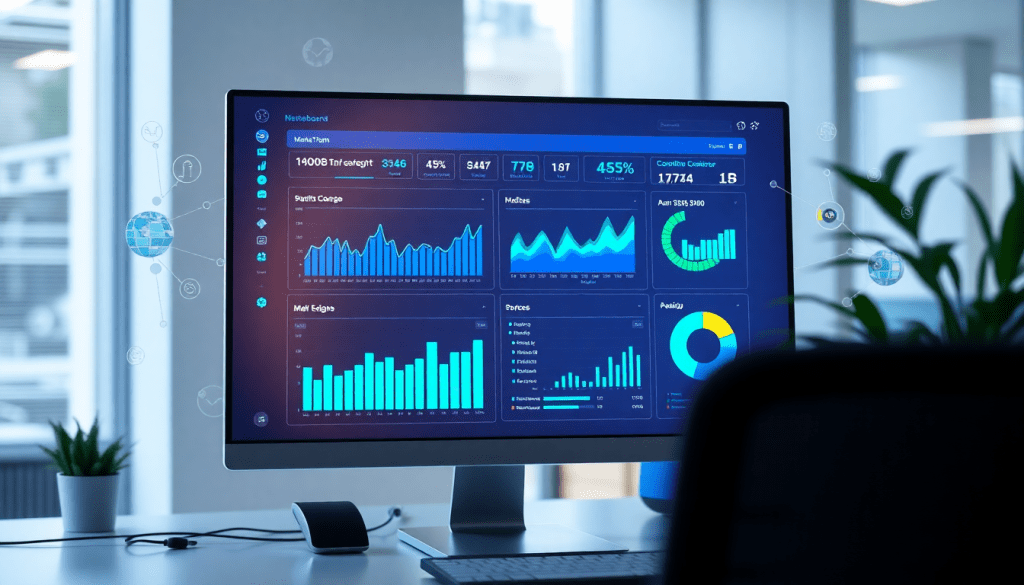
Automated KPI Reporting Dashboard: Real-Time Marketing Insights
Marketing teams today need more than just data—they need clear, actionable insights delivered fast and reliably. An automated KPI reporting dashboard is designed to do just that, empowering marketers and agencies to visualize real-time performance, automate reporting workflows, and make smarter decisions with less manual effort. TapClicks brings all your marketing metrics into one place, layering in AI analytics, cross-channel visibility, and robust automation for a truly data-driven approach. This guide explores what sets an automated KPI reporting dashboard apart, how it works, and why it’s essential for modern marketing operations.
What Is an Automated KPI Reporting Dashboard?
An automated KPI reporting dashboard is your marketing command center—a digital interface that tracks and visualizes your key performance indicators (KPIs) in real time, no spreadsheets or manual data wrangling required. For marketers, agencies, and brands, this means one unified view of all campaign data, from Google Ads and Facebook to SEO, CRM, and beyond.
Let’s break down why this matters and what sets automated dashboards apart.
Why Manual Reporting Is a Bottleneck
Traditional, manual reporting is often:
- Time-consuming: Data is pulled from various ad platforms, analytics, and CRM tools.
- Error-prone: Copy-pasting into spreadsheets can introduce inconsistencies or mistakes.
- Resource-intensive: Analysts spend hours cleaning, normalizing, and formatting data.
- Slow to update: Insights can lag by days, making it tough to react quickly.
What Makes Automated KPI Dashboards a Game-Changer?
Here’s how automation transforms the process:
- Real-Time Data Sync:
Instantly reflects the latest campaign performance—no waiting for end-of-month reports. - Customizable Views:
Filter by channel, campaign, brand, client, or stakeholder. Everyone sees what’s relevant. - Cross-Channel Analytics:
Merge data from every marketing source for a complete, holistic performance snapshot. - Automated Workflows:
Schedule report delivery, use branded templates, and share insights instantly—no repetitive manual steps.
Example: TapClicks in Action
| Feature | TapClicks Capability |
|---|---|
| Data Integration | 10,000+ connectors for ad, analytics, and CRM platforms |
| Visualization | Drag-and-drop dashboards and branded report templates |
| AI-Powered Insights | Automated recommendations and campaign scoring |
| Workflow Automation | Scheduled, role-based report delivery for teams and clients |
Why It Matters
With an automated KPI dashboard, you unlock:
- Faster analysis—spend less time chasing numbers, more time on strategy.
- Better decisions—act instantly on up-to-date data and AI-powered insights.
- Scalable reporting—handle hundreds of clients or campaigns with ease.
Want to see how this all comes together? Check out this in-depth overview of the TapClicks KPI dashboard to see automation and AI in action.
The Benefits of Marketing KPI Automation
Automating KPI reporting is a game changer for modern marketing teams and agencies, delivering substantial time and resource savings while unlocking new levels of accuracy and insight. Traditional, manual reporting processes often require hours—or even days—of data collection, spreadsheet wrangling, and repetitive dashboard updates. By contrast, an automated KPI reporting dashboard eliminates these bottlenecks, ensuring data is always fresh, comprehensive, and ready for analysis.
Time and Resource Savings:
One of the most immediate benefits of automation is the dramatic reduction in manual workload. With solutions like TapClicks, marketing analysts can reclaim 50+ hours per month that would otherwise be spent on tedious data pulls and report generation. Automated workflows free up your team to focus on strategy, optimization, and creative problem-solving rather than repetitive administrative tasks.
Improved Data Accuracy & Fewer Errors:
Manual reporting is not only time-consuming but also prone to human error. Whether it’s copy-paste mistakes, outdated spreadsheet formulas, or overlooked data points, these issues can undermine trust in your analytics. Automated dashboards pull data directly from source systems in real time, normalizing and blending it across channels to ensure consistency and accuracy. This means stakeholders can rely on the numbers they see—no double-checking required.
Real-Time Performance Visibility:
Automated KPI dashboards provide always-on access to the latest campaign performance. Whether you’re tracking impressions, conversions, or ROI, real-time updates mean you can spot trends and anomalies instantly. For agencies managing multiple clients or brands with distributed locations, this level of visibility is crucial for proactive decision-making and rapid response to underperforming campaigns.
Faster, Data-Driven Decisions:
With instant access to unified, up-to-date KPIs, marketing teams can move from insight to action without delay. Automated reporting empowers managers to quickly identify what’s working, allocate budgets more effectively, and demonstrate tangible ROI to clients or executives. This agility gives organizations a competitive edge, letting them capitalize on opportunities and course-correct before small issues become costly problems.
Case Example:
Consider a digital agency overseeing 100+ client accounts. With an automated dashboard, they can generate individualized, branded reports for every client at the click of a button, rather than spending hours on each one. This not only ensures accuracy and consistency but also showcases value by providing clients with timely, transparent performance insights.
Ultimately, marketing KPI automation translates into increased visibility, improved operational efficiency, and clearer ROI visualization—key drivers for growth in today’s data-driven marketing landscape. To learn more about how TapClicks streamlines KPI reporting and analytics, explore their automated KPI reporting dashboard overview.
How TapClicks Powers Automated KPI Reporting
TapClicks is more than a reporting tool—it’s a powerful engine for automating KPI tracking and surfacing actionable insights across all your marketing operations.
Bringing All Your Data Together
TapClicks makes data integration effortless with:
- 10,000+ Connectors: Instantly pull in marketing, advertising, and business data from virtually any source.
- Automated ETL Pipeline: Extract, transform, and load data so dashboards always reflect the latest results—no matter how many channels, clients, or locations you manage.
- Dataset Enrichment: Blend and normalize data for cross-channel, multi-location, and multi-client visibility.
No More Manual Reporting
Say goodbye to tedious reporting tasks:
- Scheduled, Branded Reports: Automatically send up-to-date dashboards to clients and stakeholders.
- Real-Time Visualization: Build custom dashboards with drag-and-drop tools—see every KPI (impressions, conversions, ROI, and more) updated in real time.
- Centralized Access: Manage hundreds (or thousands) of dashboards and reports from a single, unified platform.
AI Takes Your Reporting Further
What truly sets TapClicks apart? Its built-in AI analytics and insights:
- SmartPilot: AI agents scan your dashboards and datasets, surfacing actionable insights you might miss.
- SmartEmail: Automatically generates and emails insight-rich summaries to your team or clients.
- Predictive Analytics: Get optimization recommendations, budget pacing alerts, and benchmarking—all powered by AI.
Why Marketers & Agencies Love TapClicks
- Scale: Manage reporting for hundreds of clients without breaking a sweat.
- Time Savings: Dramatically cut down on manual work—analysts report saving 50+ hours per month.
- Smarter Decisions: Move faster with automated insights and recommendations, not just raw data.
How It All Comes Together
Here’s a quick look at the TapClicks automated KPI reporting workflow:
| Step | What Happens | Benefit |
|---|---|---|
| 1. Data Integration | Connect and ingest all sources via 10,000+ connectors | Unified, up-to-date data |
| 2. Automation | Schedule branded dashboards and reports | No more manual reporting |
| 3. AI Insights | SmartPilot & SmartEmail analyze and summarize performance | Actionable insights, instantly |
| 4. Optimization | Predictive analytics recommend next steps | Optimize campaigns proactively |
Looking to dive deeper? Check out the TapClicks automation platform guide.
Ready to move faster and get more from your data? Visit TapClicks to see how automated KPI reporting can transform your marketing operations.
Essential Metrics for Digital Campaign KPI Tracking
In the fast-paced world of digital marketing, tracking the right KPIs (Key Performance Indicators) is vital for understanding campaign effectiveness and driving continuous improvement. An automated KPI reporting dashboard makes this process seamless by centralizing your most important metrics and updating them in real time—eliminating the need for manual aggregation or outdated spreadsheets.
Most Important Digital Marketing KPIs:
- Impressions: The total number of times your ads or content are displayed, indicating brand reach and visibility.
- Clicks: Counts of user interactions with ads or links, showing initial engagement.
- Click-Through Rate (CTR): The percentage of impressions that result in clicks, measuring the relevance and appeal of your creative or messaging.
- Conversions: Actions completed by users—like purchases, sign-ups, or downloads—that align with your campaign goals.
- Cost Per Acquisition (CPA): The average spend required to generate a conversion, crucial for managing budgets and ROI.
- Return on Ad Spend (ROAS): Revenue generated per dollar spent on advertising, providing a direct view of profitability.
- Engagement Metrics: Such as likes, shares, comments, and video views, which are key for evaluating social media impact.
- Customer Lifetime Value (CLV): A longer-term metric for understanding the worth of acquired customers over time.
Real-Time Cross-Channel Tracking:
Automated dashboards like those from TapClicks ensure these KPIs are tracked across all platforms—search, social, display, email, and more—in a unified view. This cross-channel lens is essential for modern campaigns, where audiences interact with brands through multiple touchpoints. By blending data from sources like Google Ads, Facebook, LinkedIn, and programmatic platforms, TapClicks delivers a holistic snapshot of performance, helping marketers identify which channels are driving results (and which need optimization).
Customizable Reporting for Every Stakeholder:
Not all audiences need the same data. Automated KPI dashboards let you tailor views and reports for different stakeholders:
- Clients get high-level summaries and ROI visuals.
- Executives see strategic rollups and budget pacing.
- Marketing teams dive into granular channel or creative performance.
With the ability to automate delivery—whether it’s a weekly executive summary or a real-time campaign health check—everyone gets the insights they need, when they need them. Ultimately, automated KPI dashboards empower teams to move faster, reduce reporting friction, and focus on maximizing campaign impact with data-driven confidence.
Build a Marketing Insights Dashboard That Actually Drives Results
Designing a truly effective marketing insights dashboard in TapClicks is about more than just gathering data—it’s about surfacing the right insights, for the right people, at the right time. Here’s a step-by-step approach to make your dashboards actionable and impactful:
Start with Your Objectives—What Are You Really Trying to Measure?
Before touching any data, clarify your dashboard’s main goals:
- Lead Generation: Track conversions, cost per lead (CPL), and lead sources.
- Brand Awareness: Monitor impressions, reach, and share of voice.
- ROI & Efficiency: Focus on CPA, ROAS, and campaign ROI.
Pro Tip: In TapClicks, you can easily customize each dashboard to highlight the KPIs that matter most for your team, client, or campaign.
Connect (and Normalize) All Your Data—No More Silos
TapClicks makes it simple with 10,000+ pre-built connectors:
| Source Type | Examples | TapClicks Integration |
|---|---|---|
| Ad Platforms | Google Ads, Facebook Ads | ✅ One-click connect |
| Analytics Tools | Google Analytics, Adobe | ✅ Direct connectors |
| CRM & Sales | Salesforce, HubSpot | ✅ Automated sync |
| Programmatic & More | The Trade Desk, LinkedIn Ads | ✅ ETL/ELT pipeline |
- Automated ETL: TapClicks cleans, blends, and normalizes your data so you can analyze cross-channel performance without manual wrangling.
Design for Clarity—Let Insights Shine
Use these tips to make your dashboards pop:
- Drag-and-drop widgets for charts, scorecards, and tables.
- Group related KPIs (e.g., all conversion metrics together).
- Strategic color-coding to draw attention to wins or issues.
- Role-based views so execs, account managers, and clients each see what matters to them.
Automate Your Reporting—Set It and Forget It
TapClicks streamlines reporting with:
- Automated report scheduling (daily, weekly, or monthly).
- Custom dashboards for each client, team, or business unit.
- Role-based access to ensure secure, tailored delivery.
No more late-night data pulls or manual PowerPoints.
Personalize for Every Stakeholder—One Size Doesn’t Fit All
With TapClicks, you can:
- Build executive summaries for high-level overviews.
- Create deep-dive views for campaign managers.
- Filter by region, product, or channel for localized insights.
- White-label branding for client-facing reports.
Show the Real ROI—Win Client Trust
TapClicks isn’t just a reporting tool—it’s a strategic partner:
- Unified view eliminates data silos, so ROI and performance are crystal clear.
- AI-driven insights highlight what’s working and what’s not, powering smarter optimizations.
- Export and share with branded, presentation-ready formats.
Quick Setup Checklist
- Define your objectives and KPIs
- Connect all relevant data sources
- Normalize and blend your datasets
- Design your dashboard for clarity and action
- Schedule automated reports and delivery
- Customize for each audience
- Leverage AI insights to optimize performance
Ready to turn marketing data into decisions?
Explore TapClicks and build dashboards that empower your team, wow clients, and drive results—at scale.
AI and Predictive Analytics for Deeper Insights
Artificial intelligence is transforming the way marketers interpret and act on their data, and TapClicks is at the forefront of this shift. By embedding AI directly into the analytics and reporting workflow, TapClicks enables teams to move beyond static dashboards and unlock actionable insights in real time.
TapClicks’ AI-powered analytics reporting leverages advanced algorithms to automatically scan dashboards and datasets, surfacing trends, anomalies, and optimization opportunities that might otherwise go unnoticed. For example, TapClicks AI Agents can analyze campaign performance across multiple channels, flag underperforming segments, and recommend budget reallocations—all without manual intervention. This not only accelerates the path from data to decision but also ensures that your team stays ahead of potential issues and opportunities.
Predictive analytics is another game-changer within the TapClicks platform. With built-in models for benchmarking, budget pacing, and performance forecasting, marketers can set more accurate targets and proactively manage campaigns. Imagine knowing in advance if your current spend trajectory is likely to meet your CPA or ROAS goals, or getting automated suggestions on how to optimize channel mix for maximum ROI. These AI-driven capabilities help marketing teams and agencies make smarter, data-backed decisions while reducing reliance on gut instinct or reactive reporting cycles.
One practical example: TapClicks’ SmartEmail feature can deliver AI-generated summaries of campaign performance right to your inbox or your client’s, distilling complex analytics into clear, actionable takeaways. This streamlines stakeholder communication and turns raw data into meaningful business insights, fast.
For a closer look at how to activate and maximize AI analytics in your reporting workflow, check out this guide on how to unlock AI analytics in TapClicks. With TapClicks, AI isn’t just a buzzword—it’s a powerful engine for deeper marketing intelligence and continuous performance improvement.
TapClicks Reporting Automation: Real-World Use Cases
The true power of TapClicks’ automated KPI reporting dashboard is best illustrated through real-world scenarios, where marketing teams, agencies, and enterprises have transformed their operations—saving hours, eliminating headaches, and unlocking deeper insights. Below are a few examples that showcase the platform’s impact across different use cases:
1. Agency Reporting for 100+ Clients
A global digital agency faced the daunting task of consolidating performance data from dozens of advertising platforms for over a hundred clients. Manual reporting took their analysts upwards of 60 hours each month, with frequent errors and inconsistent client experiences. By implementing TapClicks’ robust data integration and automated reporting workflows, the agency unified all marketing data sources, set up scheduled, client-branded reports, and enabled role-based access for account managers. The result? Reporting time was slashed by more than 50%, freeing teams to focus on campaign optimization and client strategy. As one director noted, “With TapClicks, we can finally scale our services without scaling our reporting workload.”
2. Brand Campaign Oversight Across Locations
A multi-location retail brand needed a consolidated view of campaign performance across hundreds of stores and multiple digital channels. Previously, their marketing team juggled spreadsheet exports and fragmented dashboards, making it nearly impossible to compare results or spot trends in real time. TapClicks provided an all-in-one dashboard with cross-channel analytics and automated insights, empowering the team to visualize ROI, benchmark locations, and optimize budgets dynamically. Automated SmartEmail summaries delivered key findings straight to regional managers, so everyone stayed informed without digging through data.
3. Enterprise BI Integration and Data Hub
A Fortune 500 enterprise wanted to centralize marketing data and analytics for use in both TapClicks dashboards and their existing BI tools. Using TapClicks’ 10,000+ connectors and automated ETL pipeline, the marketing operations team aggregated campaign performance, enriched data for multi-touch attribution, and piped cleansed datasets into their BI stack. This eliminated siloed reporting, improved data quality, and made it easy for finance, sales, and marketing teams to align on KPIs and strategic decisions.
Solving Common Pain Points—With Results
Across these scenarios, TapClicks consistently solves pervasive challenges: manual data wrangling, slow and error-prone reporting, and limited visibility into multi-channel or multi-client performance. Compared to fragmented tools or manual efforts, TapClicks users report:
- 50+ hours saved per analyst per month on reporting and data prep
- Faster decision-making with real-time dashboards and AI-powered insights
- Improved accuracy and consistency in client and executive communications
As countless TapClicks customers attest, automated KPI reporting isn’t just about saving time—it’s about transforming marketing operations into a strategic, insight-driven powerhouse. To discover more about TapClicks’ capabilities and see how your team can benefit, visit TapClicks.
Kickstarting Automated KPI Reporting: Your First Steps with TapClicks
Ready to upgrade your marketing analytics and let reporting run itself? With TapClicks, launching automated KPI dashboards is easier than ever. Here’s how you can get up and running—fast.
Step 1: Bring All Your Data Together
- Connect your platforms:
TapClicks supports 10,000+ connectors—link ad platforms, social channels, analytics tools, and CRMs. - Centralize your metrics:
Consolidate campaign data into a single source of truth for reliable, scalable reporting.
Step 2: Build Dashboards That Fit Your Team’s Needs
- Drag-and-drop dashboard studio:
Customize dashboards with KPIs like impressions, clicks, CTR, conversions, and ROAS. - Audience-specific views:
Design layouts for clients, execs, or internal teams—everyone gets the data that matters most, in the clearest possible format.
Step 3: Put Reporting on Autopilot
- Schedule automated delivery:
Set up branded reports to send daily, weekly, or monthly—direct to stakeholder inboxes. - Tailor content and frequency:
Ensure each audience receives relevant, up-to-date performance summaries without lifting a finger.
Step 4: Unlock AI-Driven Insights
- Activate SmartEmail & predictive analytics:
Let AI surface recommendations, trend alerts, and optimization tips—directly from your dashboards. - Move from data to action:
Transform your reports from static snapshots into proactive, insight-rich tools for campaign and budget optimization.
Step 5: Start Simple, Scale with Confidence
- Begin with top-priority campaigns or clients.
- Expand automation as you grow:
TapClicks is built for scale, whether you’re managing five dashboards or five hundred.
What’s Next?
- See TapClicks in action:
Request a demo to experience powerful, automated KPI dashboards for yourself. - Keep learning:
Explore more best practices on the TapClicks blog.
With TapClicks, you’ll move from manual, time-consuming reporting to data-driven clarity—fueling faster, smarter decisions throughout your marketing organization.
Start Automating Your Marketing Data Today!
No Credit Card Required.

